Blog » Automated Equipment Configurator Software for OEMs
Automated Equipment Configurator Software for OEMs
Automated equipment configurator software solves different problems depending on who you ask within a manufacturing company. A sales engineer expects a tool that prevents customers from ordering incompatible hydraulic options. A field service technician expects a searchable interface that knows which replacement pump fits an existing machine.
These scenarios represent distinct halves of the asset lifecycle, which means they require different approaches. Pre-sale systems guide users through valid options to generate a manufacturing plan. Service-focused systems use the existing equipment context to identify replacement parts, map supersessions, and support aftermarket ordering.
For some original equipment manufacturers, the configuration problem continues after the product ships. The configuration context must remain accurate after delivery so dealers and technicians can find the right parts and order them through the appropriate channel. Systems Online positions EzParts as an electronic parts catalog and commerce layer for aftermarket use, rather than a full manufacturing product builder.
Understanding which problem you are solving will help you evaluate platforms effectively. This guide helps determine whether your operation requires a pre-sale product configurator, an aftermarket electronic parts catalog, an offline service application, or a connected combination of these tools.
What Automated Equipment Configurator Software Does
Configuration software converts engineering rules and product data into guided user decisions, and the exact outputs depend entirely on when the configuration happens.
Configuration Before Production
Before a machine is built, the software functions as a product configurator or configure-to-order system where a user selects desired features. The system then evaluates those choices against engineering constraints.
Microsoft's documentation on product configuration models describes a model that uses attributes, constraints, and calculations to configure a distinct product variant. The result can include a unique bill of materials and route, and the model can be used in sales quotations or production orders. Ultimately, this system determines what should be built.
Configuration After Delivery
Once the machine leaves the factory, the requirements change because dealers and technicians service an existing product variant rather than building a new one. At this stage, software organizes the equipment into serviceable assemblies and subassemblies. Users search by serial number or model family to view the exact components installed on that specific machine. If a part has been replaced or upgraded since manufacturing, the software displays the current approved replacement part. This aftermarket system answers what is currently installed, what can be serviced, and what must be ordered.
A Lifecycle View for OEMs
Manufacturers can run into trouble when they try to force one system to do both jobs without understanding the structural differences. A manufacturing plan is highly detailed, but it rarely translates well into a visual interface for a technician standing in a muddy field. Field workers need visual navigation, clickable schematics, and clear replacement rules rather than a raw list of factory routing instructions.

Connecting engineering data to a service interface provides continuity, allowing a well-designed aftermarket system to transform configured product data into a searchable, interactive catalog tailored for maintenance and repair.
Product Configurator vs. Electronic Parts Catalog
Evaluating these systems requires looking at their primary jobs and typical outputs, because presenting them as interchangeable synonyms creates confusion during software evaluations.
| System Type | Primary Job | Typical Output |
|---|---|---|
| Product Configurator | Guides a user through compatible product options and engineering rules. | A valid product variant, manufacturing BOM, route, price, or quote. |
| Service Parts Structure | Organizes the equipment’s serviceable assemblies and components for maintenance. | A structured service hierarchy and defined replacement relationships. |
| Electronic Parts Catalog | Helps users search, visually identify, validate, and order replacement components. | Part number, description, quantity, availability, and a completed cart or order. |
| Visual Parts Catalog | Maps engineering drawings or 3D assemblies to specific part records. | Clickable schematic hotspots, highlighted parts, and linked lists. |
Manufacturing BOMs and Product Variants
A manufacturing bill of materials organizes components exactly how they are assembled on the factory floor, including raw materials, sub-assemblies, and consumables like paint or adhesives. A configure-to-order system generates this precise manufacturing BOM based on the customer's selected options.
Service BOMs, Parts Lists, and Supersessions
PTC defines product structures as relationships among products, parts, assemblies, software, and replacements, with a service BOM that lists components needed to build, maintain, or repair a product and a parts list that records parts associated with a product or component.
Unlike a manufacturing BOM, a service parts list accounts for the passage of time. A specific valve used in an earlier production year might be discontinued later, so the service structure manages replacement relationships to ensure the technician orders the current approved valve.
When One OEM Needs Both
An OEM may pair a pre-sale configurator for pricing and selling custom machinery with a dedicated electronic parts catalog software platform for the aftermarket. A pre-sale user might select a heavy-duty hydraulic option to create a valid tractor variant. Years later, a technician uses the parts catalog to identify the correct replacement pump for that exact tractor, check local dealer inventory, and place an order.
How Automated Equipment Configuration Works
A successful aftermarket configuration system relies on a specific data architecture, and moving from raw engineering files to a published parts book requires distinct technical steps.
Connect Engineering and Business Data
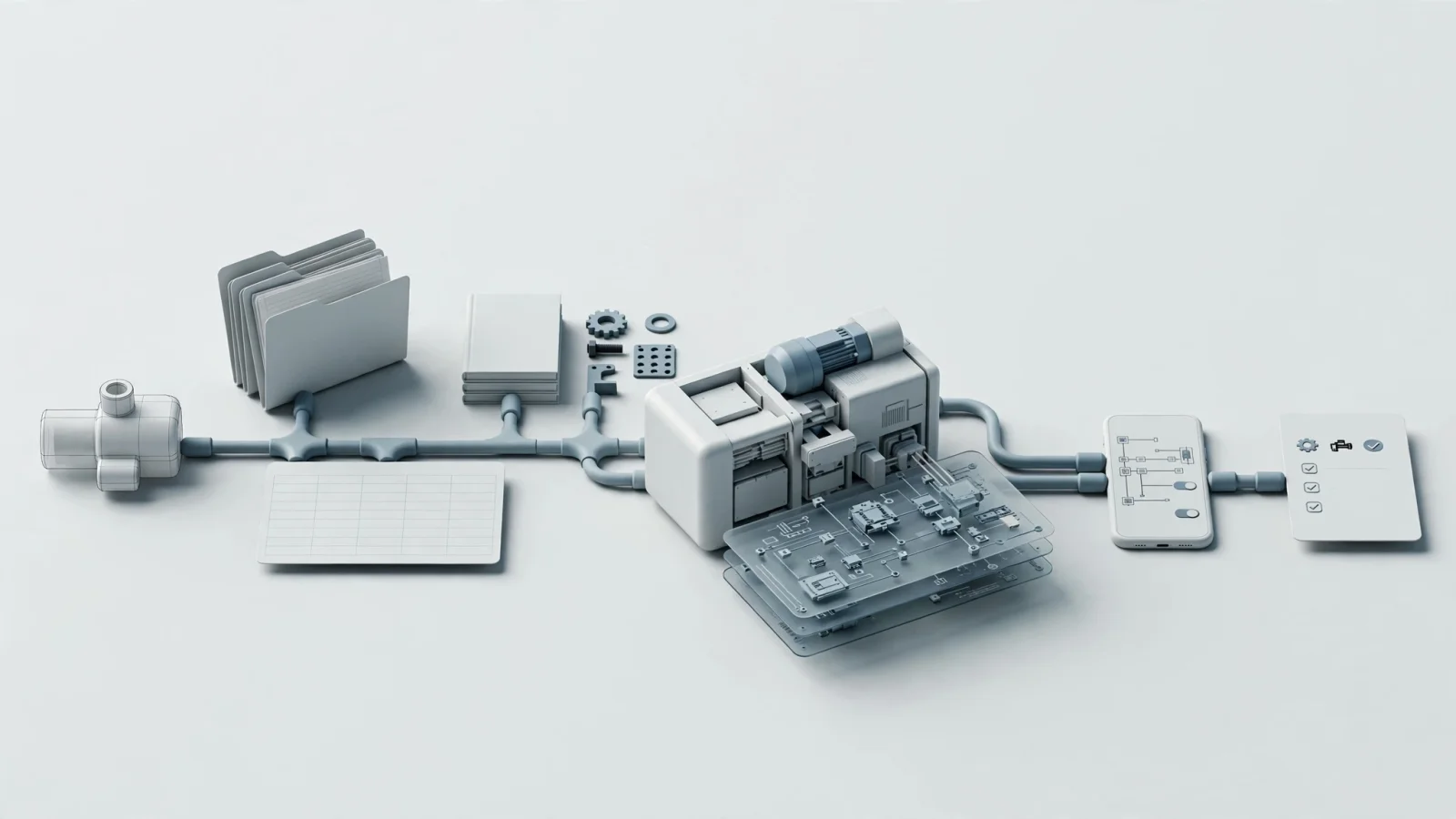
Equipment manufacturers store information across multiple databases, with CAD systems holding the geometry, product lifecycle management systems tracking revisions, and enterprise resource planning systems managing pricing and inventory. The configuration software must import and unify this source data. This process involves bringing in 2D illustrations, 3D models, PDF manuals, and tabular parts data so they can act as a single structured equipment model.
Model Rules, Applicability, and Relationships
A flat list of part numbers provides no actionable context until the system maps parts to models, assemblies, and specific serial number ranges. Applicability rules dictate whether a component belongs to a specific region, a product version, or a production date. If a part belongs to a kit, the software groups the subcomponents together and enforces quantity rules. If a part is obsolete, the software links it directly to the superseding part number.
Turn Identification Into an Action
Once the structure exists, the software provides a visual layer where users open a schematic, zoom in on a complex assembly, and click a specific component hotspot. That click retrieves the exact part number, description, and required quantity. Visual identification then connects to a commerce workflow as the system reaches into the ERP to pull live pricing, calculate dealer-specific discounts, and check branch availability. The user adds the validated item to a cart, and the software passes the completed order directly back into the ERP for fulfillment.
The software publishes this structured experience across multiple channels. The same parts data populates the web portal, updates the mobile application, refreshes the offline technician tool, and generates dynamic PDF parts books.
Features That Matter Across the Equipment Lifecycle
Because software feature lists often blur together during evaluations, tie each technical capability to a practical operational value and test it with a targeted demonstration question.
| Requirement | Operational Value | Vendor Demonstration Question |
|---|---|---|
| Service Applicability | Ensures the catalog only shows parts relevant to the specific model, variant, or serial context. | Can the system filter available parts based on a specific serial number range or effectivity date? |
| Interactive Schematics | Helps users identify components visually instead of relying on memorized part numbers. | Can a user click a component on a drawing and immediately see the linked part record highlighted? |
| Precise Hotspot Mapping | Industrial equipment contains overlapping, irregular, and tightly packed components. | Can hotspots follow the actual geometry of a curved component rather than using rough rectangular boxes? |
| BOM and Kit Handling | Prevents users from ordering a single component when a complete kit is required for the repair. | Does selecting a kit reveal its internal components, required quantities, and ordering behavior? |
| Supersession Management | Prevents obsolete part numbers from being ordered when an approved replacement exists. | Can the system show the original part, the replacement part, and the conditions for the substitution? |
| ERP Connectivity | Connects visual identification directly to current pricing, availability, and fulfillment workflows. | Which data is read live from the ERP, which is synchronized locally, and how are transaction failures handled? |
| Multi-Channel Publishing | Keeps web, mobile, offline, and printed PDF outputs aligned. | Can one catalog update be published consistently across every required output channel simultaneously? |
Product and Service Structure
A polished visual interface cannot compensate for poorly structured source data, so the software must accommodate irregular assemblies, nested kits, and complex applicability rules. For example, if a specific bracket is only used on machines built in 2025 for the European market, the catalog must hide that bracket from a technician repairing a 2023 North American model.
Visual Identification and Part Relationships
Schematics bridge the gap between engineering design and field reality. Precise hotspots remain critical when dealing with dense hydraulic line routings or complex wiring harnesses, because if the hotspots overlap, the user will click the wrong line and order the wrong part. Clear visual indicators must also alert the user when a selected part is discontinued, remanufactured, or part of a larger required assembly.
Integration, Mobility, and Publishing
Business data changes constantly. Live ERP integration ensures users see current stock levels before they order, but it depends entirely on network connectivity. Organizations must balance the need for live transaction validation against the reality of offline field work. Publishing governance ensures that when an engineering change order updates a part number, the web portal, mobile app, and generated PDFs all reflect the new state without requiring separate manual updates for each channel.
Dealer and Field-Service Workflows
The real test of automated equipment configurator software happens after a machine breaks down, as the context of the original build must translate into fast, accurate repair decisions.
Dealer Parts Identification and Ordering
A dealer may receive a parts request from a customer who calls with a broken loader but only provides a serial number and a vague description of the failure. The dealer enters the serial number into the portal, filtering the entire equipment catalog down to the specific configuration of that exact loader. They open the hydraulic subassembly, locate the damaged manifold on the interactive schematic, and click the component. The system displays the linked part number, confirms the required quantity, and shows that the original part has since been superseded. Finally, the dealer checks their specific account pricing, verifies warehouse availability, and moves the replacement item directly into an order workflow without ever touching a paper manual or calling OEM support.
Technician Lookup in the Field
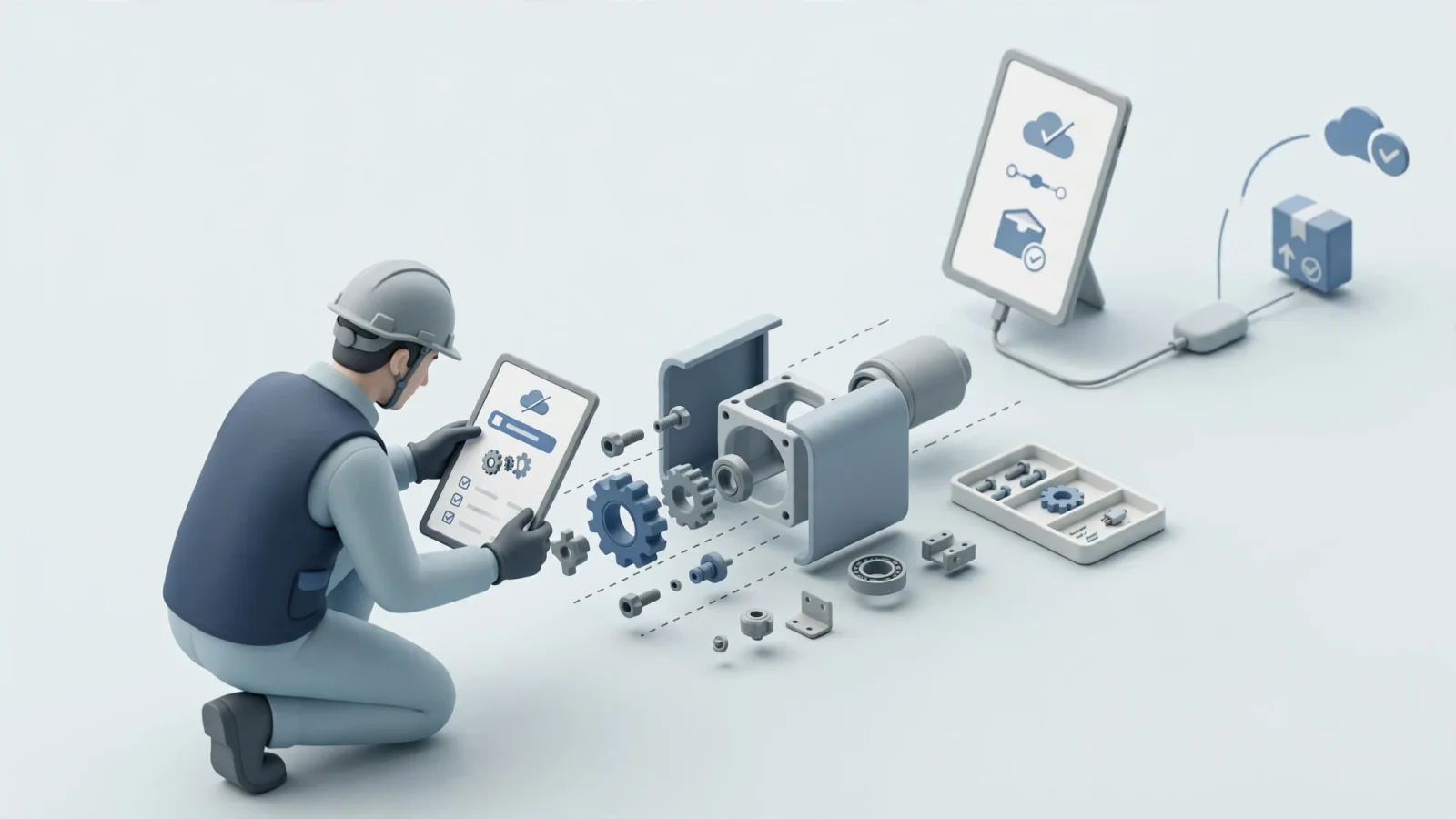
Field technicians face environmental constraints, often working under the machine, wearing gloves, and holding a mobile device. The technician searches the catalog by model, part number, or visual navigation. They open the relevant subassembly, verify component locations, check specific repair notes attached to the part record, identify the necessary replacement components, and build a local pick list to bring back to the service truck.
What Offline Access Can and Cannot Do
Technicians may work in mines, agricultural fields, or heavy industrial basements where cellular access drops completely. Those conditions mean offline access needs to be designed into the architecture, beyond treating it as a basic feature checkbox. Local search, schematic viewing, BOM navigation, and supersession mapping should remain fully available without a network connection, though offline functionality has limits.
Microsoft's guidance on working offline explains that administrators configure which data is available offline, and the app automatically synchronizes that data with the server when the device reconnects to the internet. In the mobile experience that supports offline work, technicians can use data downloaded to the device while offline.
Where Systems Online and EzParts Fit
Systems Online develops EzParts as an electronic parts catalog for aftermarket use. The platform imports drawings and illustrations from CAD and PDM systems, along with parts data from CAD, PDM, PLM, PIM, ERP, or other sources.
Interactive Catalog and Visual Parts Data
EzParts combines source drawings and parts data in interactive electronic parts catalogs. The platform supports model-specific supersessions and live parts-availability checks, and it can dynamically generate branded PDF parts books from catalog data.
ERP-Connected Aftermarket Commerce
Visual identification handles only half the workflow, so an ERP-connected parts catalog connects catalog selections to business logic. EzParts supports customer-specific pricing, availability checks, and order routing through external business systems. The exact integration behavior adapts to match the system of record and implementation rules.
Mobile, Offline, and Multi-Channel Delivery
Equipment support requires flexible delivery, which is why Systems Online offers SaaS and enterprise hosting alongside mobile electronic parts catalog applications. These native mobile apps store catalog data on the device, allowing users to access parts and schematic information without an active data connection. For traditional documentation needs, the software features an automated print engine that generates branded, up-to-date PDF parts books directly from the dynamic catalog data.
Operations looking for a pre-sale CPQ system to generate factory routings and manufacturing BOMs from scratch need a dedicated product configurator. If the primary goal is accurate replacement-parts identification, reducing selection errors, and streamlined ordering across web, mobile, offline, and print channels, EzParts aligns directly with those requirements.
Validate the Software Before You Buy
Feature checklists on vendor websites can look similar, but buyers can separate capable systems from shallow interfaces by forcing the software to handle real engineering complexity during a demonstration.
Run a Realistic Vendor Demonstration
Provide the vendor with a small subset of equipment data and ask them to demonstrate the exact workflows dealers and technicians will use.
- Show an assembly navigation using a specific serial number context.
- Click a highly irregular or overlapping component hotspot to test selection accuracy.
- Select a kit and demonstrate how the software displays internal quantities and ordering rules.
- Trigger a superseded part and verify that the system presents the approved replacement clearly.
- Retrieve live pricing and availability from an external ERP endpoint.
- Push a completed cart into an order workflow.
- Switch the demonstration device to airplane mode and perform a local part search.
- Reconnect the device and demonstrate how the software handles stale content and synchronization.
- Generate a PDF parts book from the same data set used for the web catalog.
Ask About Data, Integration, and Governance
A visual catalog fails if it requires constant manual data entry. Ask the vendor how the system imports data from existing CAD or PLM tools, and determine which system acts as the master record for pricing versus supersessions. Clarify what happens when a live ERP call times out and how the mobile application alerts a technician to a failed synchronization.
Frequently Asked Questions
What is the difference between a product configurator and an electronic parts catalog? A product configurator uses rules to help users select compatible options before manufacturing, resulting in a distinct product variant. An electronic parts catalog organizes existing equipment data to help users visually identify and order replacement parts after delivery.
Can equipment configurator software generate a BOM? Pre-sale configure-to-order systems generate manufacturing bills of materials, whereas electronic parts catalogs present service BOMs that organize parts into maintainable subassemblies.
How do OEMs manage parts supersessions? A robust parts catalog tracks replacement and related-part relationships. When a user selects an obsolete part, the system flags the status and directs them to the current valid replacement part number.
Can dealers identify parts from interactive schematics? Yes. An electronic parts catalog can link interactive drawings to structured part records, reducing the need to cross-reference paper diagrams with index lists manually.
Can field technicians use a parts catalog offline? Native mobile applications can store catalog data locally, so technicians can search, view schematics, and identify parts without connectivity. Live pricing, inventory checks, and final order processing generally require reconnection and synchronization.
Evaluate equipment models, service structures, ERP endpoints, and delivery channels against actual field requirements. Schedule a demonstration of EzParts with Systems Online to see how an integrated electronic parts catalog connects engineering data directly to aftermarket ordering workflows.
Modified on: 09/23/2026