Blog » Digital Service Manual Platform Buying Guide
Digital Service Manual Platform Buying Guide
Systems Online helps equipment manufacturers eliminate aftermarket ordering errors and boost parts sales through multi-channel, interactive electronic parts catalogs that connect with existing ERPs. Equipment manufacturers spend millions engineering complex products, yet aftermarket service teams often rely on scattered technical documents to maintain them. When a field technician stands beside a machine that is down, a four-hundred-page document is not enough; they need a fast, accurate path to the exact replacement part and repair procedure for that specific serial number.
A digital service manual platform organizes equipment service information into a searchable, maintainable, and multi-channel experience. Instead of generating static files, these platforms connect service content to product structures, interactive schematics, parts data, configuration rules, and ordering workflows, allowing dealers and technicians to move directly from identifying a failing component to ordering the correct replacement part. For manufacturers evaluating this category, Systems Online's EzParts supports that connected approach by bringing interactive catalog data, multi-channel delivery, and ERP-linked parts commerce into the same service experience.
Electronic parts catalog software organizes parts and service information for technicians. The PTC definition of electronic parts catalog software describes configuration-specific content that can be accessed across devices and platforms, including offline access, and identifies interactive 2D and 3D illustrations as a key feature. These capabilities help technicians identify the relevant parts and service information at the point of service.
Digital Service Manual vs. Parts Catalog vs. Field-Service Software
Many organizations confuse digital platforms with digital files, but a PDF is merely an output format, while a platform is the underlying database and logic engine managing the information. Relying entirely on PDF files creates friction because the data remains disconnected from the business systems that control inventory and pricing. Understanding the boundaries of aftermarket software prevents costly procurement mistakes, especially since four related systems handle different aspects of the service lifecycle without being fully interchangeable.
| Static PDF Manual | Digital Service Manual Platform |
|---|---|
| Primarily page-based | Structured around products, assemblies, parts, and content relationships |
| Users search pages or text keywords | Users can search, filter, browse, and select parts visually |
| Updates require replacing or redistributing entire files | Updates are managed centrally and delivered through configured channels |
| Parts identification remains completely separate from ordering | Parts connect directly to BOMs, supersessions, availability, pricing, and carts |
| Usually dependent on the local file and device | Supports web, native mobile, offline, distributed media, and print outputs |
A digital service manual platform manages and delivers service information, safety notices, and technical documentation, while an electronic parts catalog identifies, configures, and orders replacement parts. An interactive parts manual presents those components through searchable bills of materials (BOMs) and visual diagrams. Meanwhile, field-service management systems own the operational workflow by handling work orders, dispatch schedules, labor tracking, and technician time capture.
Because EzParts focuses entirely on the technical information layer, it drives the electronic parts catalog, parts commerce, and connected service experience. If your organization requires field technician dispatch or labor tracking, a separate operational system integrated with your catalog data provides that functionality.

Evaluate the Information Model Before the Interface
Evaluating software based solely on the user interface risks overlooking the underlying data model, which determines whether the system can handle complex equipment. A capable platform accurately maps how a machine was built and how technicians repair it in the field.
Structured Product, Assembly, and BOM Data
A catalog platform organizes product families, models, and configurations logically so that importing engineering data automatically maps assemblies, part numbers, descriptions, and BOM relationships. Connecting service parts data directly to the engineering record ensures a continuous digital thread for after-sales service rather than leaving technical publications in an isolated silo. The model also handles applicability rules, notes, related documents, and replacement data, so technicians see only the information relevant to the unit they are servicing.
Interactive 2D and 3D Navigation
Visual identification speeds up the service process by allowing users to locate an assembly visually through interactive 2D and 3D schematics, select a specific component from the drawing, and open the corresponding part record.
During an evaluation, testing the platform with your own complex assemblies reveals whether it uses flexible hotspot shapes that match intricate part outlines precisely, rather than standard square overlays that overlap in dense areas. EzParts supports multi-shape hotspots alongside interactive 3D models, wiring diagrams, and exploded views, allowing users to navigate from a high-level assembly down to an individual fastener before moving to a parts list or shopping cart.
Configuration, Kits, and Supersessions
Basic search functionality fails in heavy equipment environments because the correct part depends on the specific machine configuration. The platform therefore needs to filter content by model, serial number, region, effective date, optional equipment, and product revision.
Supersession logic is equally demanding since a discontinued component rarely maps to a single replacement worldwide. A regional replacement might differ from a global one, and a newer part might require an entirely different bracket to fit an older machine. EzParts handles these global, regional, and model-specific supersessions automatically while managing kit logic to display component parts clearly, so buyers know exactly what an assembly includes before placing an order.

Evaluate Integration, Commerce, and Publishing
Technical documentation generates revenue by connecting to the aftermarket transaction workflow. A standalone catalog forces dealers to identify a part in one window and key the number into a separate ordering system, introducing unnecessary data entry errors.
From Part Identification to Order Placement
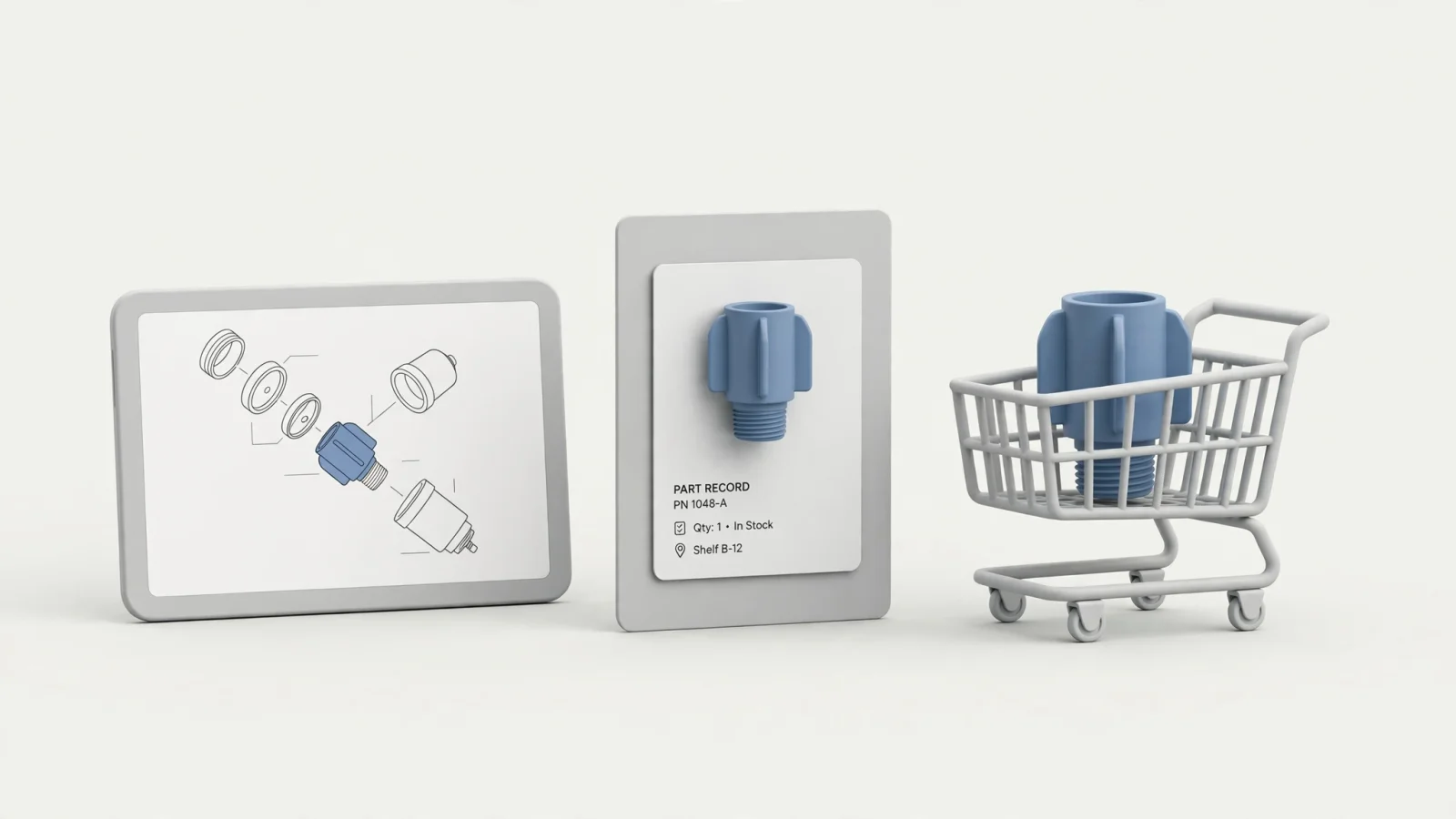
A connected platform maps the entire transaction sequence by allowing users to identify a part while the system displays the specific item details alongside live availability and pricing from the business system. After business rules verify that the dealer or user has permission to purchase the item, the user adds the item to a cart so the platform can route the order directly to the appropriate fulfillment system.
Systems Online supports external connections for inventory status, pricing, item attributes, and order history, allowing the catalog to query the ERP dynamically through defined EzParts integration capabilities. This integration connects part identification with existing business processes, helping manufacturers reduce aftermarket ordering errors and create a clearer route to parts sales. Because ERP systems vary heavily by version and customization, a vendor's claim of native named connectors needs to be tested against your specific SAP, Oracle, Epicor, or Dynamics implementation.
One Catalog Across Web, Mobile, Offline, and PDF
Maintaining disjointed catalogs wastes engineering resources, so a capable platform uses one central database to support multiple delivery channels. EzParts addresses disconnected environments by allowing the same core catalog data to populate web portals, mobile applications, offline installations, distributed media, and branded PDF files.
Print outputs remain a requirement in legacy environments, often relying on formal online technical publication publishing processes to ensure PDF and web outputs match the original engineering intent. A dynamic print engine addresses this by generating branded, serial-specific PDF parts books directly from the structured catalog, so the printed file matches the digital source at the exact moment of creation.
Governance, Updates, and Access Control
Publishing technical data depends on governance that defines who edits the records, how changes are reviewed, and how approved content reaches the field.
Remote installations present a synchronization challenge because updating a BOM or adding a supersession requires the platform to push changes to cloud users instantly while queuing the update for offline mobile devices the next time they connect. Precise access control is equally valuable; the system restricts visibility by user role, dealer tier, geographic region, or product line to keep internal engineering notes out of the public dealer portal.
Evaluate Mobile Access and Deployment Trade-Offs
Field environments often lack stable internet access, as mining sites, agricultural fields, and deep-sea vessels routinely isolate technicians from live databases.
What Offline Access Actually Means
The term offline access is broadly misused in the industry. A responsive browser experience still depends on a cellular connection, so it drops when the signal fades. True offline functionality requires downloaded data stored locally on the device.
Running on iOS and Android devices, the EzParts mobile electronic parts catalog application allows technicians to store specific catalog data locally. Users download only the product models they maintain to save device storage, and the application synchronizes changed data once reconnected to a network. While offline catalog lookup lets technicians view schematics, identify parts, and build lists without a signal, live pricing, inventory checks, and final order submission always require a network connection to reach the ERP.
SaaS, Enterprise, Native Mobile, or Distributed Media?
Deployment choices shape both IT infrastructure burden and field capabilities, so organizations can evaluate available EzParts deployment options against their operational reality.
| Deployment Option | Best Fit | Operational Benefit | IT Trade-Offs to Manage |
|---|---|---|---|
| SaaS | OEMs seeking vendor-managed infrastructure | Reduces internal hosting responsibility and centralizes access | Requires defined data governance, integration security, and update windows |
| Enterprise Hosting | Organizations requiring total internal control | Runs on the manufacturer’s infrastructure for tight internal security | Shifts responsibility for server maintenance, upgrades, and uptime to the internal IT team |
| Native Mobile | Technicians working in disconnected environments | Provides local catalog data and schematic lookup without cellular access | Requires mobile device management, app distribution, and strict synchronization rules |
| Distributed Media | Remote dealers or completely isolated sites | Distributes massive catalog data sets physically without bandwidth limits | Version control and update distribution require clear operational ownership to prevent outdated local files |
| Responsive Web | Broad desktop and tablet browser access | Requires no application installation for connected users | Provides limited or no offline capability when network access drops |
Test the Platform With a Real Aftermarket Workflow
Relying on vendor presentation slides rarely yields a confident procurement decision. Testing the software with your most complex product data demonstrates how the platform handles your actual workflow.
Walk Through the End-to-End Scenario
Providing a vendor with a sample of your CAD output, ERP pricing rules, and a complex multi-layered assembly allows you to see how the system operates under pressure. The vendor imports the product data, maintains the assemblies, applies a supersession rule, and publishes the approved content.
Once the data is live, you can act as the dealer by searching for a part by serial number, locating it on a visual diagram, checking the live pricing, and adding it to a cart. Routing that test order to a sandbox business system validates the transaction flow before generating a branded PDF parts book of that specific configuration.
Use an RFP Evaluation Checklist
Structuring your request for proposal around concrete technical capabilities clarifies which vendors possess a robust data model.
Content and Data Management
- Can the platform import data smoothly from CAD, PDF, PDM, PLM, ERP, or PIM systems?
- Does it manage product configurations, serial ranges, effective dates, and regional variants natively?
- Can administrators link parts to assemblies, kits, BOMs, documents, and related service content?
- Does the platform meet S1000D, an international specification for technical publications used in defense systems and civil aviation, or a similar industry standard?
Visual Navigation and Accuracy
- Are all diagrams fully interactive?
- Can users select parts directly from 2D and 3D views without switching tabs?
- Do hotspot shapes map tightly to complex drawings, or do they rely on overlapping boxes?
- Does the platform explicitly handle global, regional, and model-specific replacements?
Commerce, Integration, and Field Use
- Can the platform retrieve live availability and pricing from the ERP?
- Can orders route to multiple fulfillment systems based on dealer location or part type?
- Does the native app function without Wi-Fi or cellular access?
- How does the system handle carts or parts lists created during an offline session?
Define Success Without Unverified Promises
Defining project success requires measuring both maintainability and access. A successful implementation creates a faster path to technical information, consistent cross-channel publishing, and a smoother purchase workflow. When technicians find the right schematic faster and dealers identify the correct part on the first try, ordering friction drops. Claims of guaranteed percentage reductions in equipment downtime deserve verified case studies matching the specific industry.
Digital Service Manual Platform FAQ
What is a digital service manual platform?
A digital service manual platform is software that organizes equipment service information into a searchable, maintainable, and multi-channel experience by connecting service content to product structures, interactive schematics, parts data, configuration rules, and ordering workflows.
Is a digital service manual the same as a PDF manual?
A PDF is a static document format, whereas a digital platform manages the underlying content relationships, search capabilities, updates, access rules, and delivery methods. While a platform can output a PDF, the platform itself remains an interactive database.
What is the difference between a digital service manual and an electronic parts catalog?
A service manual generally focuses on procedures, safety notices, and technical documentation, while an electronic parts catalog focuses on part identification, product structures, applicability rules, and procurement. Strong aftermarket platforms connect both experiences into a single interface.
Can a digital service manual platform work offline?
Depending on the delivery method, some platforms support offline access through native mobile applications or distributed media. The available content and transactions vary by delivery method. Live ERP transactions always require a network.
How do interactive parts catalogs reduce ordering errors?
Interactive parts catalogs connect visual schematics directly to BOMs, part records, supersessions, and applicability rules. Filtering out parts that do not fit the specific serial number being serviced gives the user exact context before they select a replacement component.
Can dealers order parts directly from a digital manual?
Platforms designed for aftermarket commerce connect interactive parts identification to a shopping cart, live pricing, availability checks, and order-routing workflows, eliminating the need for dealers to re-key part numbers into a separate portal.
Can the same catalog support desktop, mobile, offline, and print use?
Modern platforms use a single central database to populate cloud environments, enterprise servers, distributed media, mobile applications, responsive browsers, and dynamic PDF outputs. The available functionality then scales based on the specific delivery method chosen.
How does ERP integration work?
A catalog exchanges data with business systems to retrieve inventory levels, pricing rules, item attributes, order status, and order history. The exact integration method, API structure, and supported ERP products require careful mapping and confirmation for each specific implementation.
What should an OEM look for in a digital service manual platform?
Equipment manufacturers prioritize structured data management, interactive visual navigation, configuration control, complex supersession handling, ERP integration, offline mobile delivery, automated publishing, and strict access control.
See how EzParts from Systems Online can turn equipment parts and service data into a searchable, interactive catalog for web, mobile, offline, and print delivery.
Request a Systems Online EzParts demonstration tailored to your product data, dealer network, and ERP workflow.
Modified on: 09/13/2026