Blog » Equipment Registration and Warranty Portal Guide
Equipment Registration and Warranty Portal Guide
An equipment record usually splinters the moment a machine leaves the factory. While the enterprise resource planning (ERP) system holds the serial number, the dealer management system tracks the customer, and the service desk logs claims in a separate database. Because these systems rarely talk, identifying the correct part for a specific machine requires manual translation. An effective equipment registration and warranty portal connects these fragments, linking a unique serial identity to its owner, active coverage, service history, and replacement components. Rather than acting as a static digital form, this unified environment guides dealers and technicians from asset identification directly to a resolution.
When asset records remain disconnected across separate business systems, service teams can spend substantial time verifying basic information. A field technician might stay on the phone with technical support to determine whether an installed hydraulic pump matches the original factory build or a later field revision. Meanwhile, warranty adjudicators review claims without easy access to the specific bill of materials, which can lead to approved payouts for incorrect parts or rejected claims that frustrate dealer partners. A unified portal solves this fragmentation by establishing a single point of truth where serial data, warranty entitlement, service documentation, and parts catalogs operate as an interconnected workflow.
As the developer of an interactive electronic parts catalog software platform, Systems Online provides the aftermarket commerce layer that makes this connection possible. By combining model, serial-number, and VIN search with interactive schematics, EzParts lets users find the right service document or replacement part within a broader lifecycle workflow. EzParts can provide the serialized parts, service information, and ordering layer within an equipment registration and warranty portal, allowing manufacturers to bridge the gap between initial machine registration and long-term aftermarket support.

Criterion One: Anchor Every Record to a Serialized Equipment Identity
A stable equipment identifier serves as the anchor for a machine's entire operational life. According to the GS1 General Specifications Standard, Release 24.0, ratified January 2024, an asset identifier acts as the digital key for owner, location, value, and lifecycle history records. GS1 defines the Global Individual Asset Identifier (GIAI) to identify a particular physical asset uniquely across its operational lifetime. Your portal configuration can enforce this principle so that when a technician enters a manufacturer serial number, types a VIN, or scans an on-machine QR code, the system returns one specific machine rather than a generic model family.
Asset identification must also accommodate complex industrial configurations where machines carry attachments, optional kits, or serialized subassemblies such as engines, transmissions, and hydraulic power units. If an operator replaces a primary subassembly during a field overhaul, the portal needs to document that component swap against the parent serial record without breaking the asset's overarching history. GS1 also defines service-relationship identifiers for service providers and recipients, giving the portal a structured basis for associating dealer facilities with commissioning, routine maintenance, and field repairs over time.
Evaluate how the portal handles new registrations, paying attention to whether it normalizes formatting differences and validates the serial against the known model range. Serial numbers often contain hyphens, leading zeros, or space variations that cause lookups to fail when entered manually from a dirty data plate in the field. The software should strip non-essential characters, account for case sensitivity, and verify the record against the master production database. If the system detects a known configuration or build, it populates the engineering details automatically. When a serial number fails this check, routing the submission to an exception queue prevents the creation of an unverified duplicate record.
Incoming Registration Entry (Serial, VIN, or QR Scan)
   │
   ▼
[ Format Normalization: Strip Spaces, Standardize Delimiters ]
   │
   ▼
[ ERP / Production Master Validation ]
   ├── Serial Exists & Matches Model Range ──> Prefill Build Data & Establish Identity
   └── Serial Unmatched or Format Invalid  ──> Route to OEM / Dealer Exception Queue
Prefilling the registration form improves accuracy while speeding up adoption across your dealer network. You can configure the system to pull the selling dealer, delivery date, factory options, and sales order information directly from your ERP or asset master. This approach means the user only confirms missing operational details like the operating company, physical work site, primary contact person, and communication preferences.
This automation introduces a deliberate deployment trade-off. While asking for fewer fields increases the chances a customer completes the form, minimal validation creates unreliable warranty dates and inaccurate catalog matching later. If you require exhaustive operational data upfront, dealers might delay registration until a failure occurs, creating gaps in early lifecycle visibility. Successful deployments strike a balance by validating essential identity fields, such as serial number, delivery date, and operating location, while allowing secondary operational preferences to be updated progressively during subsequent service events.
Because equipment can change hands across construction, agriculture, and material handling sectors, ownership transfers need to update the relationship between the machine and the customer without deleting historical service records. A reliable portal prevents a used equipment sale from erasing the claim history tied to that serial number. The GS1 asset rules require each GIAI to be unique to an individual asset, so the portal should append new owner details, operating sites, and dealer assignments to the existing equipment timeline instead of wiping the asset record clean.
Criterion Two: Connect Active Warranty Data to Parts Ordering
An effective portal turns a warranty check into a specific part order. Displaying the active program, component coverage, and expiration date provides the baseline, but you also need to configure precise start triggers. A warranty might activate upon factory shipment, dealer delivery, commissioning, or the actual in-service date recorded by an authorized technician. Seasonal machinery presents an edge case: a combine or turf mower delivered to a dealer in December might not enter service until April. In such scenarios, the portal must support dealer-submitted activation workflows with verifiable commissioning checklists instead of defaulting rigidly to the invoice date.
[ Factory Shipment ] ──> [ Dealer Delivery ] ──> [ Commissioning / In-Service ]
                                                          │
                                                          ▼
                                            Warranty Activation Trigger
                                            (Starts Component Coverage Clocks)
For U.S. consumer products, the FTC's rules on warranty registration cards shape how a registration flow should be presented. Under 16 C.F.R. §701.4, when a warrantor uses an owner or warranty registration card and returning it is a condition of warranty coverage or performance, the written warranty must disclose that condition. If the card reasonably appears to be required but is not, the warranty must disclose that fact. The FTC's Magnuson-Moss Warranty Act materials also explain that the E-Warranty Act of 2015 permits manufacturers to make a warranty available online when the product, packaging, or manual indicates the website and an offline means of obtaining the warranty, and the seller makes the warranty available at the point of sale before purchase.
Warranty-registration requirements depend on the product category, warranty terms, sales channel, and jurisdiction. U.S. consumer-product rules should not automatically be applied to every commercial or industrial equipment transaction. Commercial machinery contracts may tie coverage to mandatory dealer commissioning or verified operating hours, so the portal's entitlement rules need to mirror the contractual terms governing that specific product class.
Structured claim intake replaces ambiguous emails by offering specific fields for failure dates, operating hours, failure codes, diagnostic trouble codes, and root-cause descriptions. You can prompt technicians to attach photos of failed components, digital work orders, and electronic diagnostic logs directly to the record, keeping technical evidence permanently tied to the asset. Capturing this structured data helps engineering teams identify recurring failure modes across specific manufacturing batches or duty cycles.
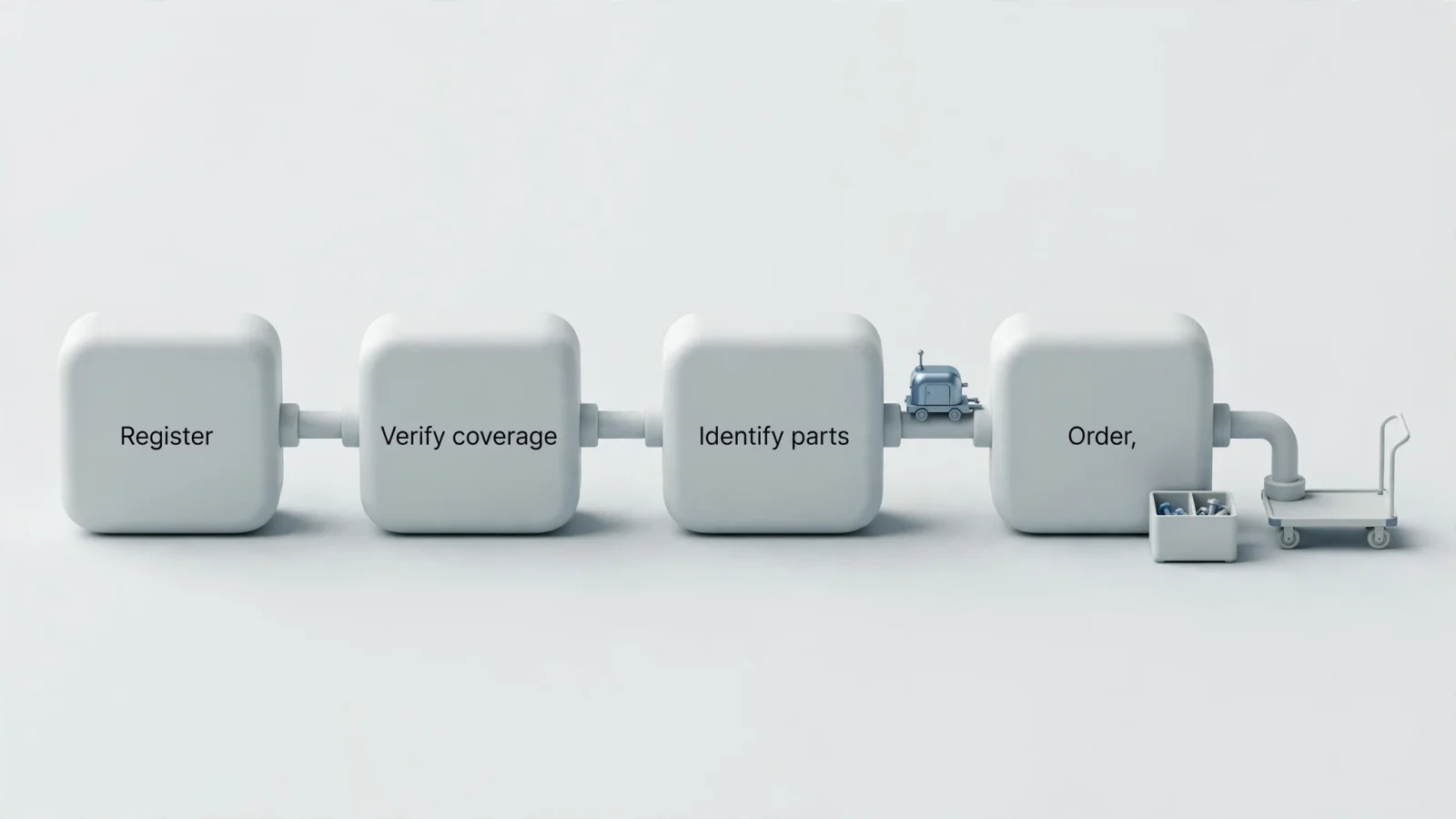
[ Asset Identification (Serial / VIN) ]
                  │
                  ▼
[ Coverage Verification (Entitlement Check) ]
                  │
                  ▼
[ Structured Claim Intake (Hours, Codes, Photos) ]
                  │
                  ▼
[ Open EzParts Serial-Filtered Catalog ]
                  │
                  ▼
[ Interactive Schematic -> Hotspot Selection ]
                  │
                  ▼
[ Supersession & Kit Applicability Check ]
                  │
                  ▼
[ Direct Order Insertion / Dealer ERP Cart ]
Connecting the claim to the correct parts is where Systems Online fits into the architecture. A technician uses the portal's serial lookup to verify coverage before opening the integrated EzParts catalog. Because the search remains constrained to that specific serial number, EzParts' serial and VIN filtering can narrow results to relevant schematics and bill-of-material lines for that machine. They identify the failed component, review supersessions to confirm they are ordering the current replacement, check live branch availability, and push the item to a dealer cart. Linking the diagnostic claim directly to the catalog removes the friction of translating a field failure into a valid part number.
Criterion Three: Customize Access for OEMs, Dealers, and Equipment Owners
Because different roles need entirely different views of the same machine, evaluate how the portal separates permissions and limits access to sensitive commercial data. A field technician troubleshooting a stalled machine requires rapid schematic access and torque specifications, whereas a fleet manager needs to monitor coverage across a fleet of machines, and an OEM warranty manager evaluates claim trends across an entire continent.
                       ┌─────────────────────────────────────────┐
                       │           Enterprise Portal             │
                       └────────────────────┬────────────────────┘
                                            │
        ┌───────────────────┬───────────────┴───────────────┬───────────────────┐
        ▼                   ▼                               ▼                   ▼
┌───────────────┐   ┌───────────────┐               ┌───────────────┐   ┌───────────────┐
│   OEM Admin   │   │ Dealer Network│               │Field Service  │   │Equipment Owner│
├───────────────┤   ├───────────────┤               ├───────────────┤   ├───────────────┤
│• Master Data  │   │• Territory Reg│               │• Serial Schem.│   │• Proof of Reg │
│• Policy Rules │   │• Claim Intake │               │• Supersessions│   │• Expirations  │
│• Global Audits│   │• Cart Checkout│               │• Service Docs │   │• Operator Docs│
└───────────────┘   └───────────────┘               └───────────────┘   └───────────────┘
OEM administrators need control over the asset master, warranty logic, product line permissions, and exception routing. They manage the rules governing the rest of the network, relying on full visibility into cross-dealer analytics, component failure rates, and lifecycle events. Administrators also maintain the global document repository, publishing technical bulletins, warranty guides, and field modification notices to specific dealer tiers or machine serial ranges.
Dealers interact with the system on behalf of multiple customers, so they need the authority to register equipment, view authorized assets across their territory, submit claims, and check order statuses. These delegated actions create a necessary audit trail. When a dealer updates an operating location or submits a claim, the portal logs the user, timestamp, and source system. A dedicated electronic parts catalog for dealers allows these partners to move directly from checking a machine's warranty to ordering replacement parts without rekeying the serial number. Dealers also benefit from visibility into their specific commercial terms, such as localized wholesale pricing, core charges, and available warranty labor reimbursement rates.
Field technicians operate at the machine, relying on fast serial searches, applicable schematics, repair guides, and service bulletins. Rather than ownership transfer workflows or commercial terms, this group cares whether a superseded part remains in stock at the local branch and how many labor hours the OEM flat-rate manual allocates for the repair. EzParts documentation lists searchable document classes such as warranty guides, manuals, bulletins, and repair guides, allowing technicians to open those resources alongside interactive schematics.
Equipment owners expect straightforward self-service. They look for a dashboard showing proof of registration, warranty expirations, downloadable manuals, and direct dealer contact information. Offering these end-users the ability to submit an ownership transfer request reduces administrative overhead for the OEM. An owner dashboard might also provide maintenance interval trackers that highlight upcoming service milestones based on calendar age or operating hours, linking directly to authorized dealer contact forms for scheduling.
Balancing this convenience against data control protects the integrity of the record. Letting owners update their own contact information reduces delays, but allowing a customer to edit an in-service date creates compliance and financial risks. Applying least-privilege access by organization, site, and product line prevents unauthorized edits. An equipment portal can authenticate users through single sign-on while permitting limited guest access for non-sensitive public catalogs. EzParts' documented security controls support content and function restrictions by user, group, classification, or role, along with optional guest access, so manufacturers can make parts catalog information publicly browsable while keeping technical documentation and commercial functions restricted.

Criterion Four: Validate Field Mobility and ERP Integrations
Because a portal relies entirely on its underlying data sources, integration is a primary evaluation criterion rather than a post-sale configuration detail. The system typically pulls the serial, model, and shipment data directly from an ERP or asset master. If you run SAP, Oracle, Epicor, or Dynamics, review the connector scope, API deployment, and data-ownership terms before purchase. Systems Online describes EzParts as providing real-time open connectivity with existing systems, but the exact handling of parts pricing, inventory availability, and order insertion still needs to be confirmed for your implementation.
┌─────────────────┐       Serial / Build Master Data      ┌──────────────────┐
│  ERP System     │ ────────────────────────────────────> │ Equipment Portal │
│ (SAP, Oracle,   │ <──────────────────────────────────── │ (Identity &      │
│  Epicor, D365)  │        Parts Order Insertion          │  Entitlement)    │
└────────┬────────┘                                       └────────┬─────────┘
         │                                                         │
         │ Live Pricing & Inventory                                │ Launch Catalog &
         │                                                         │ Pass Serial
         ▼                                                         ▼
┌─────────────────┐       Direct Add-to-Cart Sync         ┌──────────────────┐
│ Dealer DMS /    │ <──────────────────────────────────── │ EzParts EPC      │
│ Ordering System │                                       │ (Schematics/BOM) │
└─────────────────┘                                       └──────────────────┘
Testing the data flow before purchase reveals technical gaps. You might enter a serial number to confirm it returns the exact configuration, or alter a coverage rule in the warranty system to see if the change appears in the portal without manual intervention. Selecting a component in the catalog confirms it reaches the correct dealer cart, while submitting a duplicate order checks that the inventory system rejects it safely. You should also verify that order cancellations or backorder status updates in the ERP feed back to the portal interface so dealers can track replacement parts during urgent machine-down events.
Field access requires careful architecture, especially since a technician repairing heavy equipment in a remote environment may not have a stable cellular connection. The EzParts feature set includes mobile catalog access and offline data storage, allowing technicians to keep catalog data on their devices when they are out of network range. With that data stored locally, users can continue viewing catalog content and identifying required items while disconnected.
Live transactions follow different rules, as warranty approvals, inventory checks, and claim submissions depend on current data. When a technician returns to network coverage, the mobile application synchronizes any queued transactions. A well-designed interface clearly displays the last successful sync time and resolves conflicts using defined business rules, preventing the rejected claims and frustrated customers that occur when relying on cached data for live warranty decisions.
| System Environment | Primary Data Exchanged | Synchronization Mode | Key Failure Mode to Test |
|---|---|---|---|
| ERP Master Data | Serial numbers, build BOMs, shipment dates, dealer accounts | Scheduled batch or real-time event webhook | Build changes made after factory shipment fail to reflect in serial lookups. |
| Warranty & Claims Engine | Coverage status, labor operation codes, claim approvals, payouts | Real-time API query | Coverage expiration rule changes require manual re-entry across databases. |
| EzParts Catalog | Serial-specific schematics, document classes, supersession paths | Embedded iframe, API, or single sign-on link | Catalog displays universal parts list instead of serial-filtered components. |
| Dealer Management (DMS) | Work order numbers, local parts inventory, submitted POs | Bi-directional API or file interface | Parts selected in catalog drop off before cart populates in the dealer DMS. |
| Mobile Offline Cache | Schematics, service bulletins, torque specs, operator manuals | Local device cache with delta background sync | Stale cached data allows technician to order discontinued parts lacking supersession. |
Assess Vendor Capabilities Before Deployment
Using a structured checklist to grade vendors helps separate functional products from presentation mockups. Asking them to demonstrate a complete scenario, from registering a new machine to ordering a part for a warranty repair, proves the system handles real-world workflows rather than isolated screens.
Match Features to Operational Bottlenecks
Mapping your primary operational challenge to specific software features narrows the vendor selection process.
| Primary Challenge | Priority Portal Feature | What to Test During Evaluation |
|---|---|---|
| High warranty claim rejection rates | Configurable start triggers and structured claim fields | Check if registration dates override delivery dates, and verify that technicians must select a recognized failure code before claim submission. |
| Parts ordering errors by field techs | Serial-specific catalog applicability and supersession tracking | Confirm the portal hides schematics for incompatible build configurations after a serial search and alerts users to active supersessions. |
| Duplicate asset records across systems | ERP prefill and serial number validation rules | Register an asset with a modified serial format to test the exception queue, and verify that the system rejects identical serial entries. |
| Poor dealer adoption of existing tools | Delegated registration, territory scoping, and SSO | Test delegated registration, claim submission, and cart additions under a single dealer login without re-authenticating across tools. |
| Technicians stranded without data | Disconnected mobile catalog access and delta synchronization | Disable network connectivity on a tablet to check if cached schematics, bulletins, and supersession histories remain fully searchable offline. |
| Uncontrolled claim cost leakage | Component-level coverage rules and photo evidence capture | Submit a claim for an excluded wear item to confirm the system flags the part, and verify image attachment requirements for high-value claims. |
Technical Architecture and Security Requirements
Reviewing the underlying data management before signing an agreement helps protect the long-term health of the database.
- Duplicate Prevention: Ensure the portal normalizes input formats, prevents duplicate serial entries, and routes unmatched serials to an exception queue for administrator review.
- Audit Trails: Confirm the platform maintains a permanent log for ownership transfers, warranty edits, and claim status changes, recording the exact user, timestamp, and source system.
- Role Separation: Check that OEM administrators can restrict dealer visibility to authorized product lines and territories, while keeping commercial pricing hidden from unauthorized roles.
- Offline Synchronization: Test whether queued transactions synchronize successfully after reconnecting, verify that sync conflicts follow explicit resolution rules, and ensure the interface displays the last sync time.
- Document Management: Verify the system organizes warranty guides, service bulletins, and repair manuals into searchable document classes linked directly to serial search results.
Teams measure deployment success using concrete metrics, such as the registration completion rate and the percentage of machines matched automatically to existing ERP records. Monitoring the time required to verify coverage and the duration from claim approval to parts fulfillment reveals the software's efficiency. A well-implemented portal should aim to increase the volume of orders originating directly from catalog identification while reducing the overall parts-order correction rate. Tracking dealer adoption rates, self-service warranty inquiries, and mobile offline usage across your field service network helps confirm whether the portal succeeds in making daily maintenance workflows faster and more accurate.
Your equipment data gains value when connected to the wider service network. Request a demonstration of Systems Online to see how EzParts connects serial-based parts identification, interactive schematics, service documents, and dealer eCommerce. Our team can show how this multi-channel catalog delivery integrates with your existing registration, warranty entitlement, and claim management systems to build a continuous lifecycle workflow.
Modified on: 09/19/2026