Blog » Automotive Aftermarket Electronic Parts Catalog Guide
Automotive Aftermarket Electronic Parts Catalog Guide
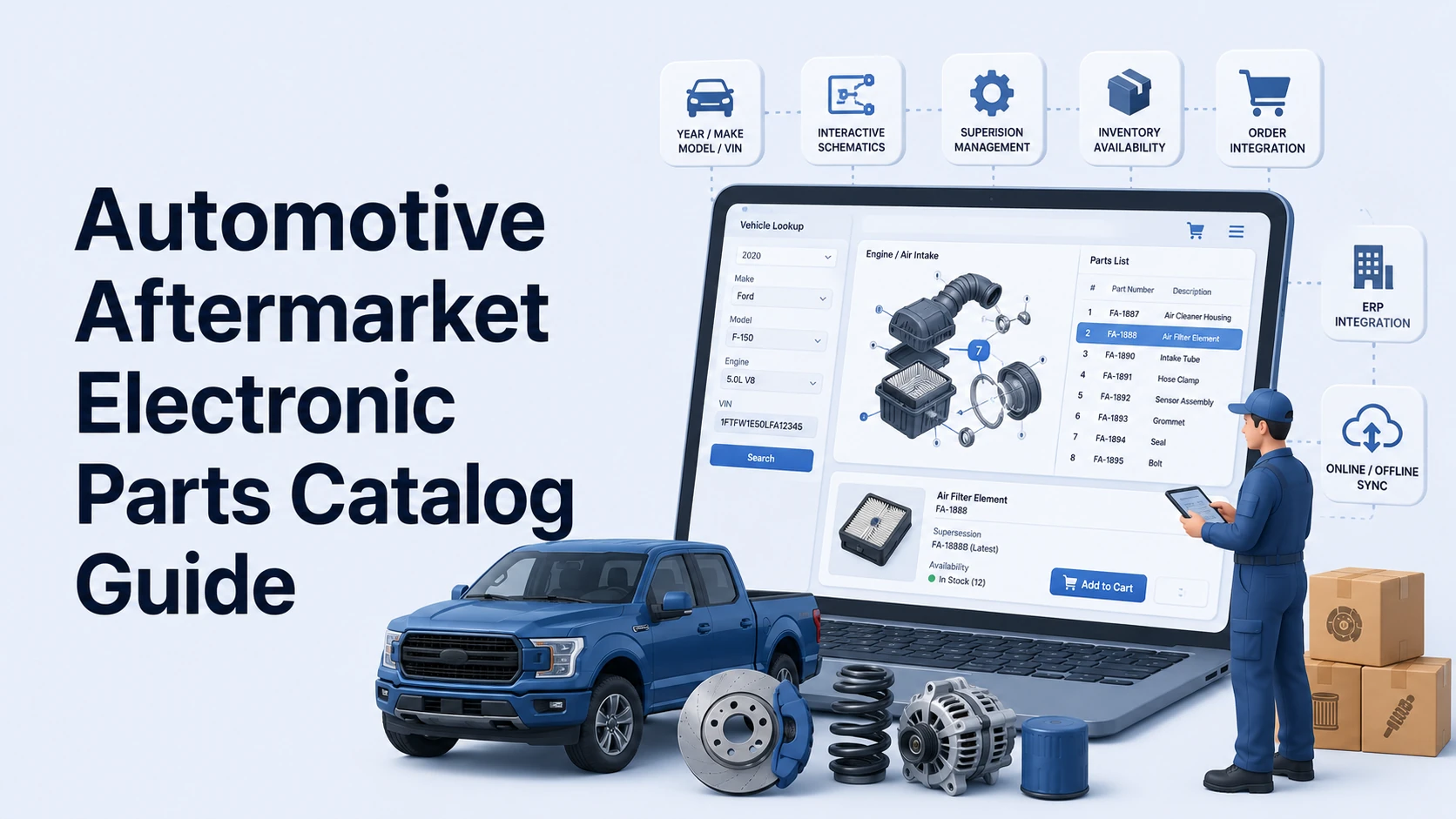
Bridging the gap between automotive vehicle lookup and heavy equipment configuration requires a flexible architecture. Automotive lookup systems rely on year, make, model, and VIN data, whereas equipment catalogs often depend on model families, serial number ranges, and bill of materials (BOM) effectivity. Systems Online builds EzParts to handle both environments. The platform gives whole-goods and equipment manufacturers a way to digitize complex part relationships and deliver them to users across web, mobile, and offline channels.
Identifying and Ordering Parts with an Automotive Aftermarket Electronic Parts Catalog
This structured digital system helps users identify the correct replacement part for a specific vehicle or equipment configuration, review related information, and move from identification to purchase or service.
EPC Software vs. a Static PDF or Generic Product Catalog
This system operates differently from a digital replica of a printed book. A fixed PDF parts manual relies on manual text searches and non-interactive diagrams, so the document becomes outdated immediately when an engineering team issues a supersession. A generic product information management (PIM) system or standard eCommerce store also falls short because these platforms treat items as flat lists. They lack the configuration-aware logic required to filter a massive database down to the exact components installed on a specific machine.
A PTC capabilities overview lists configuration-specific filtering, interactive 2D and 3D illustrations, information on superseded or alternative parts, and ERP integration among the features of electronic parts catalog software.
The Lookup-to-Order Workflow
The catalog interface guides the technician from identification to transaction. After selecting a vehicle by year, make, model, or VIN, the software filters the available assemblies and displays the relevant interactive diagram. Clicking a hotspot on a specific component highlights the corresponding record in the BOM list. From there, the technician reviews the required quantity and specifications, then checks the supersession chain for updated parts. After confirming local warehouse availability, the technician adds the item directly to an integrated picklist. Handling this entire process within one interface reduces the risk of ordering a visually similar but incompatible component.
Filtering by Vehicle, Machine, or Configuration Identity
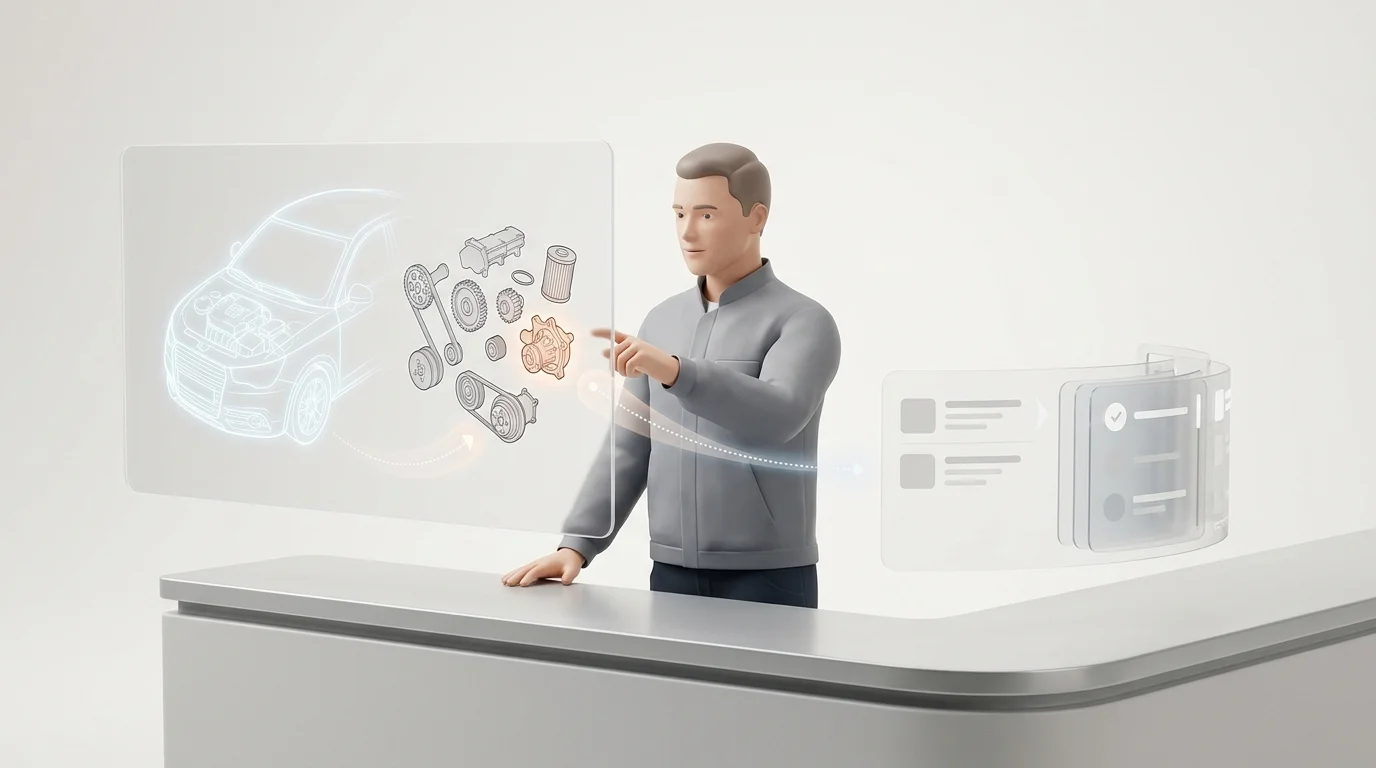
A part-number search fails when multiple visually identical parts vary strictly by production date or trim level. The software filters the universe of available components down to the exact unit sitting in the service bay.
Automotive Fitment: Year, Make, Model, and VIN
Automotive fitment filtering relies on year, make, model, engine, trim, and VIN to exclude any parts that do not belong to the specific vehicle. Some systems also support license-plate lookup, though this remains an optional feature dependent on the underlying reference data source and regional availability.
Equipment Effectivity: Model, Serial Number, and Configuration
Equipment identification follows a different model. Manufacturers of tractors, industrial generators, or mining equipment track production through model families, serial number ranges, build options, and effectivity dates, so an equipment-focused catalog must identify which specific BOM applied to a machine on the day the factory assembled it. For example, a component might fit serial numbers 1000 through 5000, while a completely redesigned assembly takes over at serial number 5001. Catalog software parses these breakpoints automatically.
Interactive Schematics That Connect to the BOM
Once the software identifies the unit, interactive schematics bridge the visual gap by connecting diagram callouts to actual BOM items. Modern catalog software synchronizes highlighting between the drawing and the parts list, supports zoom and pan functions, and navigates from top-level assemblies down to subassemblies or service documents.
Visual hotspots guide the user through complex drawings. With EzParts features, administrators deploy multiple hotspot shapes and assign distinct behaviors to each region. Clicking a major engine assembly might open a detailed subordinate drawing, while selecting a single fastener adds the hardware to the parts list. If a selected part is obsolete, restricted, ambiguous, or dependent on a specific configuration, the system displays clear warnings before adding it to an order.
Mapping Data Standards: ACES, PIES, and IPO
Catalog applications rely on structured data pipelines to function. The Auto Care Association manages three primary data communication standards that govern how aftermarket systems share information.
ACES for Fitment
The Aftermarket Catalog Exchange Standard (ACES) manages and communicates product fitment data. This machine-readable XML standard helps answer whether a specific component applies to a particular vehicle, off-highway machine, or equipment configuration. The same page lists ACES 5.0 as the current version.
PIES for Product Information
The Product Information Exchange Standard (PIES) communicates product information, including descriptions, attributes and specifications, interchanges, kits, pricing, warranty details, and digital assets. The same page lists PIES 8.0 as the current version.
IPO for Availability and Ordering
The Internet Parts Ordering (IPO) standard covers the messages and information flow required to locate products, inquire about product availability, and order products online. The same page identifies IPO 3.0 as the current version.
These standards serve as communication methods rather than complete user interfaces. Because ACES and PIES files cannot draw engine schematics or highlight BOM rows on their own, fitment data filters the results, product data explains the component, and ordering messages connect the catalog interface to a distributor, dealer, or ERP system. Supporting these standards often involves subscriptions to reference databases, and equipment manufacturers frequently need OEM-specific extensions to handle unique serial-number effectivity logic that standard automotive databases omit.
Digitizing Replacement Logic and Commerce Rules
Moving from paper to software requires digitizing complex engineering relationships. A capable platform manages supersessions, kits, commerce rules, and content governance for OEMs, dealers, and field-service teams.
Replacement Logic, Supersessions, and Kits
Hardware changes over time, so when an engineer redesigns a component, the catalog must display the updated replacement logic without requiring the technician to reference a separate service bulletin.
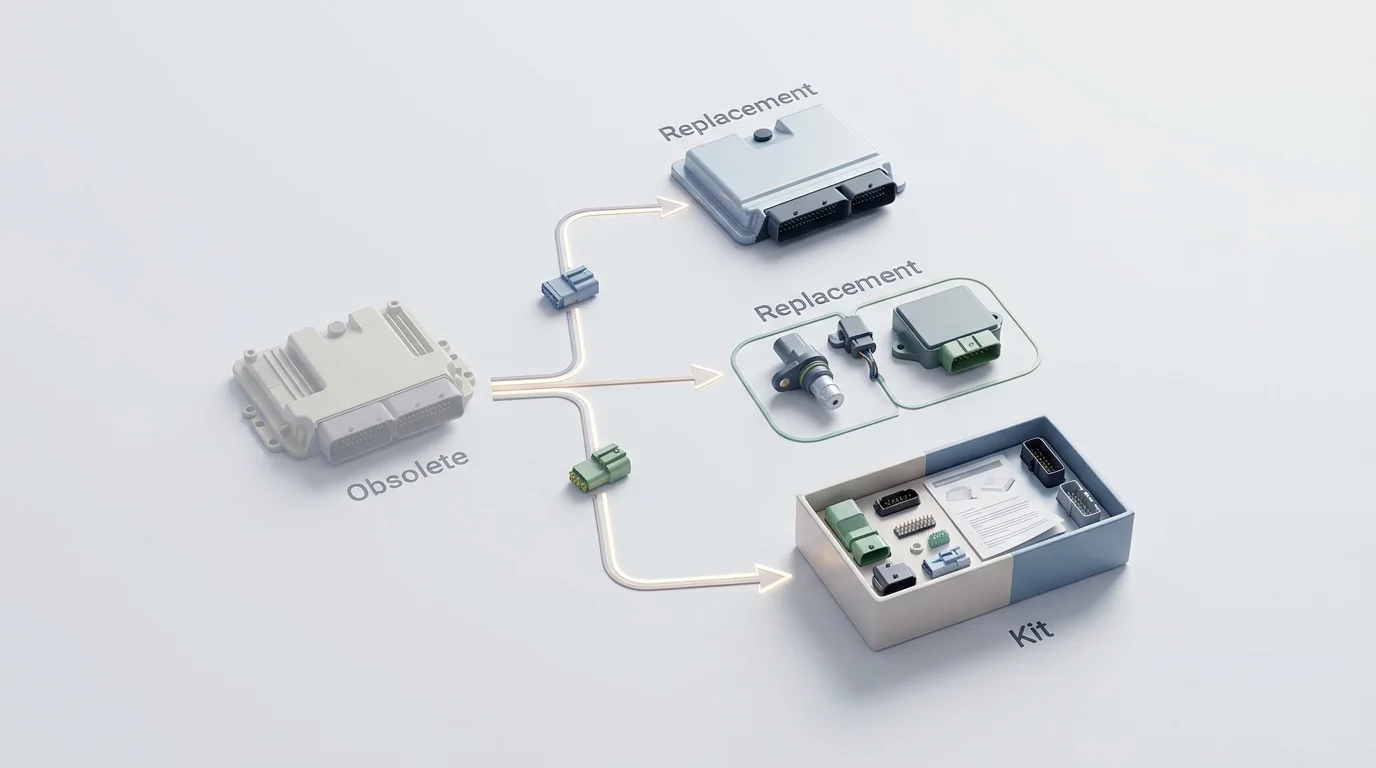
One-to-one supersessions map an obsolete item directly to a single new part number, while one-to-many replacements occur when a single component splits into an assembly of multiple parts. Catalogs also identify discontinued items with no active replacement, alternate brand options, remanufactured alternatives, and related components that require separate purchase.
Repair kits require transparent component visibility. A technician ordering a hydraulic rebuild kit needs to see the internal contents, required quantities, optional items, consumables, and installation hardware rather than a text description, which PIES accommodates by supporting detailed kit relationship data.
Pricing, Inventory, and Dealer Ordering
Because the catalog serves as an active commerce portal, users need warehouse-level availability, account-specific pricing, and user-group discounts. Commerce modules cover order minimums, backorder handling, substitute suggestions, picklists, and API error management when inventory changes during the browsing session. Once the purchase is ready, the order-insertion function passes cart data from the catalog directly into the manufacturer's ERP or the dealer's shop management system.
Governance, Integrations, and Access Control
Managing the data pipeline determines the long-term success of the catalog. The system ingests CAD files, vector drawings, hierarchical BOMs, parts masters, and service documents, meaning administrators need strict version control, approval workflows, effective dates, rollback capabilities, and audit histories. The software also needs to support multilingual content and granular permissions by dealer or user group.
Systems Online addresses these requirements through the EzParts architecture, which supports interactive hotspots, complex supersession chains, deep BOM grouping, and custom attributes. For organizations that still distribute printed materials, the automated print engine dynamically generates branded PDF parts books directly from the digital data. This allows manufacturers to manage one central dataset while the system publishes the relationships across all configured channels.
Evaluating SaaS, On-Premise, and Offline Deployments
Because organizations operate under different technical constraints, selecting an architecture depends on where technicians perform the work and who manages the servers.
SaaS, On-Premise, and Distributed Media
Deployment dictates maintenance responsibility and infrastructure requirements.
| Deployment Model | Advantages | Trade-offs to Explain |
|---|---|---|
| SaaS / Cloud | Centralizes updates, minimizes local infrastructure, and ensures broad access. | Requires consistent connectivity and careful internal security review. |
| On-Premise Enterprise | Gives the manufacturer complete infrastructure and deployment control. | Internal IT assumes all maintenance, upgrade, and availability responsibilities. |
| Distributed Media | Serves disconnected dealers or remote environments well. | Requires strict dataset expiration rules and update governance to prevent stale orders. |
Web, Native Mobile, Offline, and PDF Channels
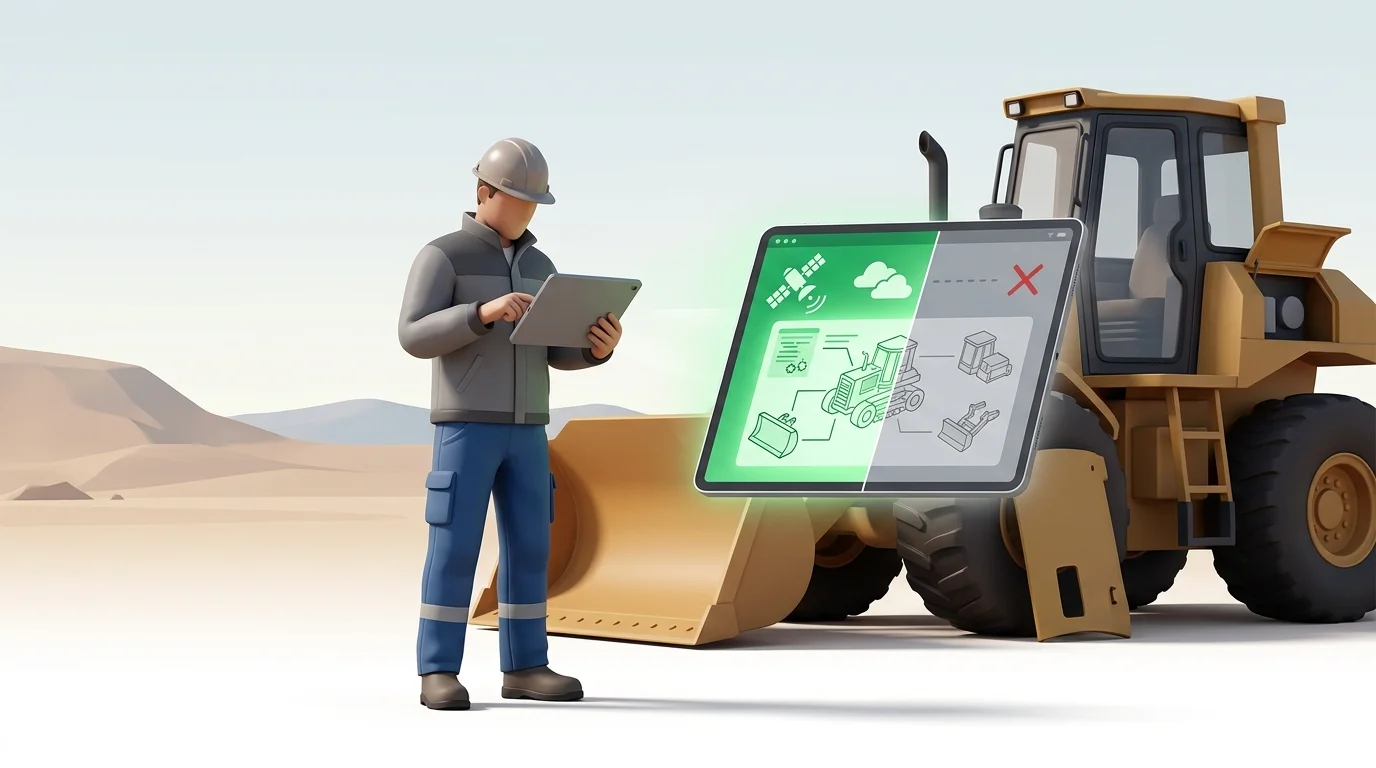
A responsive web portal offers a unified browser experience across desktop and tablet devices, while native mobile applications provide better offline storage and field usability. These mobile apps require active management of device lifecycles and operating-system synchronization, and offline catalogs must display clear data-refresh timestamps to manage inventory and pricing risks. PDF output remains a practical format for legacy workflows, provided it generates automatically from the structured catalog data rather than existing as a separate, manually edited file.
2D vs. 3D and Live vs. Cached Data
Many catalogs rely on 2D diagrams because they load quickly, carry a low data burden, and require less device processing power. While 3D illustrations add useful visual context for complex assemblies, they demand suitable CAD files, heavier processing, and careful mobile optimization.
A multi-channel framework routes master data through catalog rules, schematics, and BOMs, then delivers the output to the web, dealer portals, mobile apps, and ERP services. Systems Online supports this exact flow by delivering enterprise, web, eCommerce, and PDF outputs alongside model-specific mobile datasets. Technicians download these mobile catalogs, browse them entirely offline in a remote service environment, and synchronize their cart or data updates when a connection becomes available.
Testing Electronic Parts Catalog Software
Selecting a vendor requires validating features against real-world engineering data. Use this evaluation process to test platforms before committing to an implementation.
Audit Data, Relationships, and Standards
Start by inventorying your current source material, including parts masters, BOMs, CAD or vector drawings, raster illustrations, supersession histories, pricing tiers, and service documents. Map the necessary relationships to document exactly how a part connects to a schematic, a BOM, a repair kit, a replacement item, an interchange number, and a configuration.
Determine the identification model early. Automotive catalogs lean on year, make, model, and VIN data, whereas equipment catalogs evaluate model, serial range, configuration, and effectivity. Finally, track all ACES, PIES, IPO, OEM extensions, and subscription database costs to understand total ownership expenses.
Test Hard Cases and Integration Failures
Test the software using difficult scenarios by loading one-to-many supersessions, obsolete parts, kits with optional assemblies, and serial-range differences. During these tests, check how the platform handles duplicate descriptions, missing illustrations, and stale offline data.
Define integration contracts for availability, pricing, order insertion, and authentication. Simulate a failed ERP response to see how the API handles retries, errors, and audit logging, because a catalog that fails silently when the ERP drops a connection creates customer service problems.
Pilot With Your Own Data and Request a Demo
Run a pilot using a representative product line. Ask dealers and field service technicians to perform lookup and ordering tasks rather than relying on internal IT acceptance tests. Track zero-result searches, the time from lookup to part selection, the time from selection to order, wrong-part return rates, publication lead times, and synchronization failures to define operational success. To validate search, supersession logic, and offline capabilities firsthand, test EzParts using your own schematics, BOMs, and ERP workflow.
Common Questions About Automotive EPC Capabilities
Definition and Data Standards
What is an automotive aftermarket electronic parts catalog? It is a structured digital application that combines fitment-aware parts identification, detailed product information, visual navigation, and direct ordering capabilities into a single workflow.
How is an EPC different from a PDF parts manual? A PDF is a fixed, flat publication, whereas an EPC connects searchable data, interactive diagrams, automated replacement logic, and transaction workflows, updating immediately when master data changes.
What is the difference between ACES and PIES? ACES communicates fitment data to answer whether a part fits a specific application, while PIES communicates the product information, including physical attributes, specifications, descriptions, and digital assets.
What is IPO in the automotive aftermarket? IPO is the Auto Care standard for the messages and information flow used to locate products, inquire about warehouse availability, and place orders online.
Fitment, Supersessions, and Offline Use
Does an EPC need VIN lookup? VIN lookup provides high value for automotive applications, but whole-goods and equipment catalogs typically rely instead on model, serial-number, and configuration logic to identify the correct component.
How should a catalog handle superseded parts? The interface shows the replacement chain clearly by displaying one-to-one replacements, one-to-many assemblies, available kits, remanufactured options, and discontinued outcomes without confusing the user or breaking the link to the schematic.
Can electronic parts catalogs work offline? Yes. Some platforms provide native applications or distributed datasets where mobile users download model-specific data, browse schematics without an internet connection, and synchronize updates later.
Integration, 3D, and Platform Selection
How does an EPC integrate with an ERP or DMS? The catalog retrieves or synchronizes part details, pricing, availability, and order data through defined API interfaces. The exact behavior depends on the integration contract, the ERP system's capabilities, and the required data freshness.
Are 3D schematics always better than 2D diagrams? No, because while 3D schematics improve visual context for complex assemblies, 2D diagrams are often lighter, easier to maintain, faster to distribute, and more reliable on lower-powered mobile devices in the field.
What should an OEM migrate first? Start by piloting a representative product line that contains real BOM structures, complex supersessions, diagram variations, availability logic, and dealer-ordering rules. Attempting to migrate only perfectly clean data hides the software's limitations.
Ready to digitize your aftermarket parts operation? Contact Systems Online to request an EzParts demo using your own schematics, data, and ordering workflows.
Modified on: 08/25/2026