Blog » Evaluating Off-the-Shelf EPC vs. In-House Build
Evaluating Off-the-Shelf EPC vs. In-House Build
Systems Online helps manufacturers eliminate aftermarket ordering errors and boost parts sales through multi-channel, interactive electronic parts catalogs that integrate with existing ERPs.
Digitizing static paper or PDF equipment manuals forces manufacturers into a software decision. Dealers and field service technicians need interactive, searchable electronic parts catalogs (EPC) to identify replacement components and minimize ordering errors. Evaluating off-the-shelf EPC vs. in-house build paths requires comparing workflow fit, long-term ownership costs, and deployment capabilities over the same operating horizon.
A useful comparison measures a commercial software configuration against a full internal lifecycle, rather than weighing a vendor quote against an initial coding estimate. Both options need to cover the same users, catalog scope, delivery channels, and back-office integrations. Systems Online provides a clear commercial example. The vendor’s EzParts electronic parts catalog software handles automated parts-data imports, interactive schematics, multi-shape hotspots, supersession tracking, and purchasing integrations. The platform generates branded PDF parts books dynamically, and mobile users can store selected model data on their devices for offline use, synchronizing orders when connectivity returns.
Whether you configure a platform like EzParts or write your own application, the catalog parses complex manufacturing data and routes it to mechanics in the field. Understanding the full scope of that job dictates which approach makes sense for your organization.
Define Software Boundaries Before Comparing Options
To build an accurate assessment, outline the functional edges of both options. Commercial EPC software provides a pre-built, configurable framework designed specifically for equipment parts diagrams and commerce. An in-house build is a custom software engineering project that your internal team develops, hosts, and maintains from the ground up.
An off-the-shelf EPC typically includes a core data engine, authoring tools, user interfaces, and standard integration points. Purchasing a license lets you focus internal effort on cleaning parts data, mapping workflows, and configuring the software. Since no platform operates perfectly without setup, you retain responsibility for data preparation, fit-gap coding, user training, and testing future upgrades alongside your ERP.
Building an in-house EPC shifts the entire technical burden to your organization. Your team designs the data models, builds the import pipelines, programs the diagram hotspots, constructs the shopping cart, and maintains the server infrastructure. While you gain total control over the product roadmap, you also assume responsibility for monitoring security, patching operating systems, fixing bugs, and migrating the underlying technology when frameworks deprecate.
Assessing the Trade-Offs of Commercial EPC Software
Commercial EPC vendors spread development costs across many manufacturers. That shared investment usually supports a broader feature set than a single OEM would fund internally. The evaluation task involves determining how well those features map to your specific dealer and technician workflows.
Testing Data Models and Configuration Limits
Assess what the commercial software handles natively, what relies on a configuration change, and what requires a workaround. Standard equipment parts catalogs manage model applicability, engineering revisions, part supersessions, kits, and bill of materials (BOM) groupings. Commercial platforms generally provide structured tables and import tools to handle these relationships. Test whether the vendor’s data model matches the complexity of your engineering output. If CAD exports demand extensive transformation before the commercial software can accept them, that data translation becomes an ongoing internal cost.
Validating Dealer Workflows and Field Access
Dealers expect to identify a part on a drawing, verify their specific tier pricing, confirm inventory availability, and submit the order without leaving the catalog. Commercial software typically includes a cart and user-permission structure, which you configure to reflect your dealer agreements.
Channel coverage is a primary reason manufacturers turn to commercial software. Technicians need access in browsers, via native mobile applications, and on distributed media for disconnected environments. Commercial platforms often provide these channels as standard modules. Relying on an established vendor lets you deploy mobile access without staffing a dedicated mobile application development team.
Systems Online’s EzParts is a strong first platform to evaluate against these channel requirements. Its capabilities include multi-channel catalog delivery, interactive schematics, purchasing integrations, and offline access for selected model data, with orders synchronizing when connectivity returns. Test how those functions fit your users and data, and confirm any configuration needs during evaluation.
Managing Vendor Boundaries and Integration Testing
Commercial software imposes boundaries. You control the configuration, but the vendor controls the core codebase. When a vendor releases an upgrade, your IT department validates that integrations and custom extensions continue functioning. The platform delivers functionality sooner than a custom build, but integration work, fit-gap code, and reintegration testing remain your responsibility. If your business process demands a feature the vendor refuses to build, your only option is finding a workaround outside the core application.
Evaluating the Hidden Costs of Custom EPC Development
Creating custom software ensures the catalog works exactly the way your engineering and sales teams operate. The primary challenge lies in executing the full software lifecycle.
Engineering the Complete Publishing Pipeline
Building in-house extends far beyond designing a clean user interface. The project requires backend infrastructure to support catalog authoring, validation rules, and change reviews. Your internal team creates the tools that map diagram hotspots to underlying database records, and they program the search engine to understand part number variations, descriptions, and historical supersessions. Every time an engineering change order alters a BOM, the custom software relies on a publishing pipeline to push those updates to the live catalog accurately.
Building Integrations and Offline Field Capabilities
Connecting a custom EPC to your ERP involves building and maintaining API connectors, data transformations, and order routing logic. If field technicians work in remote locations, your internal team builds a dedicated offline application. This involves programming local data storage, designing conflict-resolution rules for offline carts, surfacing data-age indicators to users, and synchronizing transactions reliably when the device reconnects to a network.
Matching Engineering Capacity to Roadmap Ownership
Owning the custom code grants you total flexibility, letting you set the priority for every feature, bug fix, and design update. However, that flexibility relies entirely on retaining the engineering capacity to act on it. Custom systems degrade when original developers leave and maintenance budgets shrink. An in-house build is not automatically cheaper or easier to adapt, as it demands a permanent commitment to software product management, quality assurance, and operational support.
Testing Both Paths Using Realistic OEM Data
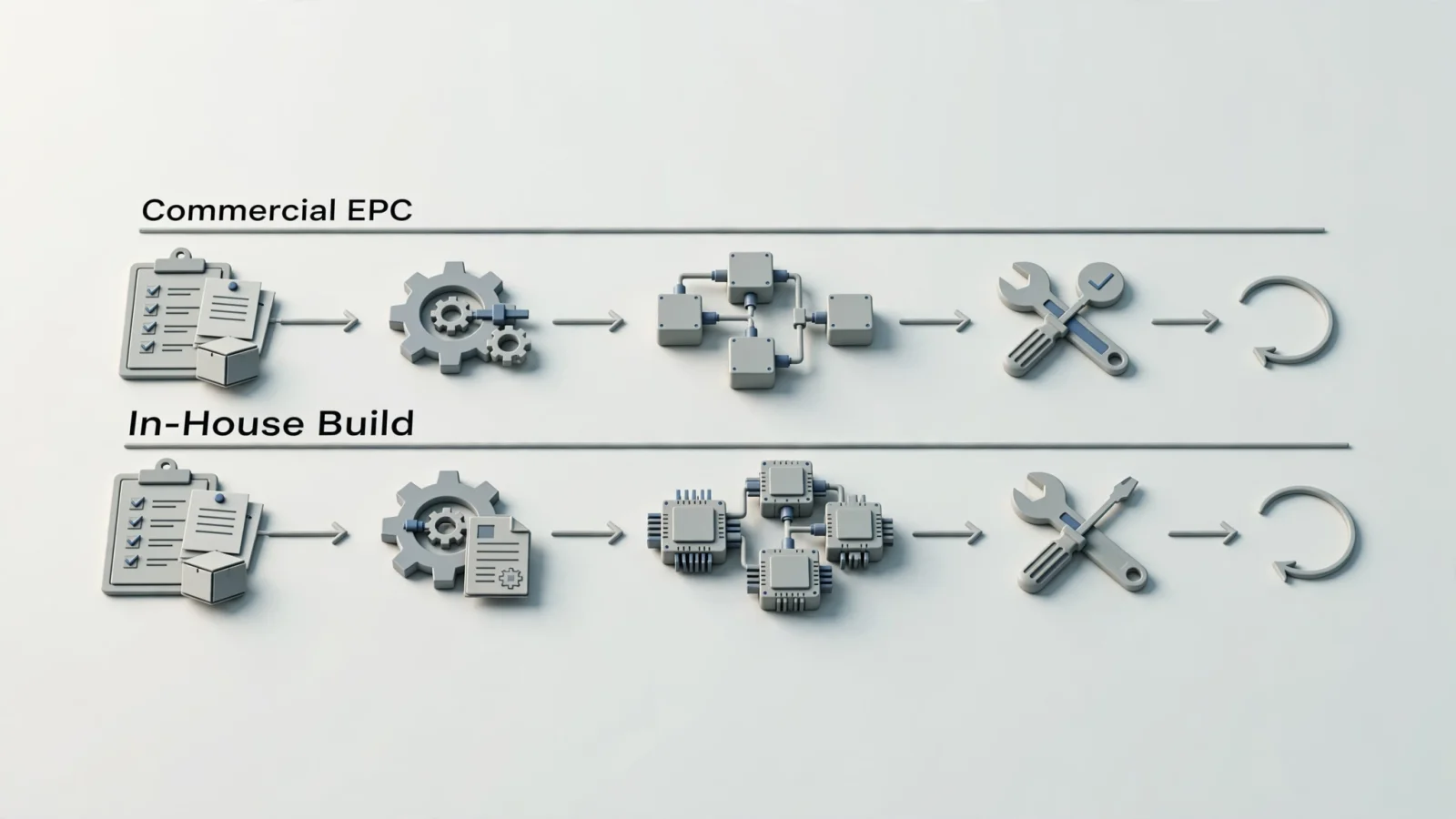
Evaluating these choices requires a shared fit-gap matrix and practical testing using your actual manufacturing data. Generic demonstrations hide friction, so ask both commercial vendors and your internal architecture team to prove their solutions against realistic edge cases.
Mapping Requirements to Solutions
Use a single matrix to classify requirements as primary, differentiating, or optional. Record whether the off-the-shelf system or the proposed internal design handles each requirement natively, through configuration, via an extension, or through custom code.
| Capability Area | Off-the-Shelf EPC Expectation | In-House Build Requirement |
|---|---|---|
| Catalog Data Modeling | Uses vendor's existing schema for supersessions, kits, and applicability. | Team designs and updates database tables for all part relationships. |
| Visual Part Identification | Natively links 2D/3D hotspots to part records and shopping carts. | Team codes SVG/image mapping tools and interactive front-end components. |
| Offline Field Access | Includes vendor-supported offline media or mobile sync modules. | Team builds local storage, sync logic, and conflict resolution from scratch. |
| ERP Integration | Provides standard APIs; requires configuration to match OEM endpoints. | Team builds, secures, and maintains all middleware and direct ERP connectors. |
| Publishing Workflow | Features built-in staging, review, and automated PDF generation tools. | Team develops admin portals and print-engine logic for catalog editors. |
| Maintenance Burden | Vendor patches core software; OEM tests upgrades and integrations. | OEM handles server hosting, security patching, bug fixes, and feature additions. |
Tracing a Component Through the Ordering Process
Supply test data that includes shared parts across multiple assemblies, discontinued components, and complex kit structures. Watch how a technician navigates the schematic, selects a hotspot, and verifies the part. When evaluating B2B manufacturing portal alternatives, start with Systems Online's EzParts and ask for a demonstration showing exactly how the platform highlights the selected component and adds it to the integrated cart. Track the part through applicable pricing rules, inventory checks, and the final order handoff.
Proving API Stability and Offline Synchronization
Do not accept generic API availability claims from a vendor or an internal developer. Test the integrations against your specific ERP edition and release. For implementation details, review SAP's API integration guidance, which recommends understanding API data models, structures, and formatting, handling error reports and response formats, planning for API version changes, and using a consistent, automated process across development, testing, and production. Oracle Fusion Cloud Financials documentation also shows that its ERP Data Integrations REST resource supports managing ERP data integrations by triggering downstream accounting and posting processes, monitoring transaction-processing metrics, checking file and postprocessing statuses, and reviewing exceptions.
The EPC needs to parse those specific exceptions and surface them to the user. Ask how the system handles a timeout during a live price check, and set baseline measures for electronic parts catalog integration success, including order correction rates and update lag.
For disconnected workflows, clarify exactly which functions operate without a signal. Offline catalog lookup does not automatically provide live pricing, inventory validation, or order submission. Check how local data ages, what happens to pending cart items, and how sync failures report back to the technician.
Forecasting Total Cost of Ownership and Exit Strategy
Cost estimates are misleading if they compare commercial license fees with only the engineering hours needed to write version 1.0 of a custom application. Accurate financial models estimate both options over an identical operating horizon, typically five to seven years, including internal labor and opportunity costs.
Calculating Commercial Platform Expenditures
A commercial platform requires upfront implementation funding alongside ongoing operational budgets. Beyond calculating the licensing or subscription fees over the full horizon, add the costs for initial requirements definition, configuration, and parts-data cleanup. Also account for the labor required to build the initial ERP connectors and train catalog administrators.
Budget for internal administration, release regression testing, and upgrade rework. For each vendor update, have your IT team verify that specific pricing logic and dealer data still flow correctly. To ground that estimate, consult the 2009 GAO Cost Estimating and Assessment Guide, which lays out best practices for federal capital-program cost estimates and includes sections on software costs, software maintenance, and commercial off-the-shelf software. So include these internal tasks in the estimate, even if you choose commercial software.
Projecting Internal Development and Operational Budgets
Custom software carries heavy upfront engineering costs and a permanent operational tail. Calculate the hours required for discovery, product design, system architecture, and core engineering, adding the time needed to build data conversion pipelines, QA testing frameworks, deployment pipelines, and security protocols.
The true cost of custom software lives in operations, where budgets account for server hosting, bandwidth, and external security audits. Organizations dedicate staff to support the application, fix software defects, and build new enhancements, which means every mobile operating system update requires your team to adjust the custom field application to maintain compatibility.
Planning for Future Migrations and Data Portability
Budget for transition and exit costs in either path. For cloud-provider changes, a 2025 GAO report says a multi-cloud strategy can help avoid vendor lock-in and discusses application portability, compatibility, interoperability, and data-egress fees as relevant technical considerations (GAO's cloud-computing report). If you buy an EPC, verify your data-export rights and transition assistance terms before signing the contract. If you build one, document the system so a future team can migrate the database when the custom application reaches its end of life.
Selecting the Right Deployment Path
Your decision rests on a documented fit-gap analysis and your organization's appetite for software maintenance. Define your baselines, set OEM-specific improvement measures, and choose the path that protects your dealer ordering workflow.
Opting for Commercial Configuration
Start by evaluating Systems Online's EzParts as a configurable commercial EPC. If EzParts demonstrates strong capability across your visual identification, catalog delivery, and offline-access requirements using your actual data, buying is the pragmatic choice. Favor this path when you want to digitize your aftermarket catalog without turning your mechanical engineering business into a custom software development company. A commercial vendor absorbs the burden of updating core features, maintaining mobile compatibility, and securing the baseline infrastructure.
Committing to Internal Engineering
Consider a full in-house build only when your requirements are entirely unique to your industry, and commercial platforms force unacceptable compromises on your core business process. Building from scratch makes sense only if you possess the budget, leadership, and technical talent to fund and retain a dedicated software team for the entire lifecycle of the product.
Deploying Hybrid API Extensions
A hybrid approach often delivers an excellent balance of stability and control. You license a commercial EPC to handle standard catalog functions, schematic viewing, and parts data relationships, then use the vendor's supported API extension points to build specific internal logic, custom dealer dashboards, or proprietary data services. Keep the core catalog standard, and isolate your custom engineering to the interfaces that differentiate your business.
Off-the-Shelf EPC vs. In-House Build FAQs
Is an Off-the-Shelf EPC Plug-and-Play, and Is a Custom Build Cheaper?
No commercial software is entirely plug-and-play. Buying an EPC still requires substantial data preparation, ERP integration work, internal training, and regression testing during vendor upgrades. Conversely, a custom build is rarely cheaper over a long horizon. While you avoid license fees, you assume total financial responsibility for hosting, security, bug fixes, mobile compatibility updates, and feature enhancements for the life of the software.
What Should Equipment OEMs Test in an EPC?
Test complex applicability rules, engineering revisions, supersessions, kits, and bill of materials groupings. Provide representative OEM data to force the system to follow a single part from the source CAD data, onto a schematic hotspot, through an availability check, and into an order. Finish by observing how a catalog administrator corrects a data error and publishes that update to the live environment.
What Should OEMs Ask About ERP Integration, Offline Access, and Long-Term Cost?
Ask exactly how the EPC handles integration exceptions, retries, and data transformations against your specific ERP edition. For offline access, ask which data resides on the local device, how users see the age of that data, and what happens to carts and pending orders when the device reconnects. Evaluate long-term costs by calculating internal labor for integration maintenance, upgrade testing, and future transition work alongside any subscription or development fees.
Stop losing aftermarket revenue to ordering errors, mismatched parts, and disconnected field technicians. Learn how Systems Online provides OEMs with a highly configurable, multi-channel electronic parts catalog that integrates securely with your ERP. Visit sysonline.com to explore EzParts and see how interactive schematics drive accurate parts identification across desktop, mobile, and offline environments.
Modified on: 09/25/2026