Blog » Heavy Equipment Parts Catalog Software Buying Guide
Heavy Equipment Parts Catalog Software Buying Guide

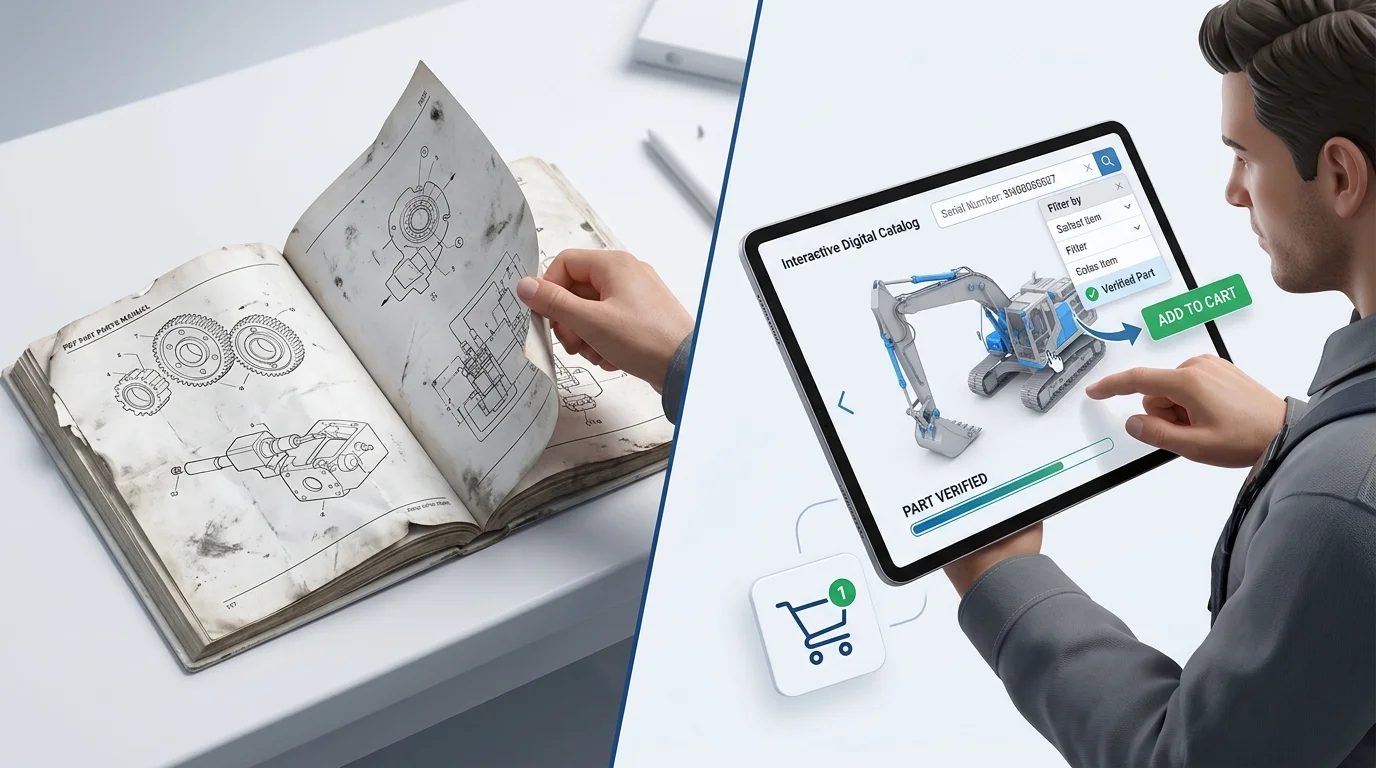
A machine fails in the field, and a clock starts on lost revenue. Finding the correct replacement part quickly prevents a minor failure from expanding into a days-long outage. Heavy equipment parts catalog software solves this operational problem by organizing equipment models, assemblies, interactive schematics, replacement logic, and ordering workflows into one searchable platform. It replaces disconnected PDF viewers with structured data that guides a user from a visual drawing directly to a validated shopping cart.
Static PDFs and disconnected spreadsheet systems fall short because they separate the visual schematic from pricing, availability, and engineering updates. When parts, service, dealer, and eCommerce teams work from different manual files, ordering errors multiply. The cost of unplanned downtime is steep, as a Siemens industry analysis reports that even a single hour can lead to devastating financial losses. While heavy equipment field operations vary, use downtime costs to assess the operational drag of incorrect orders.
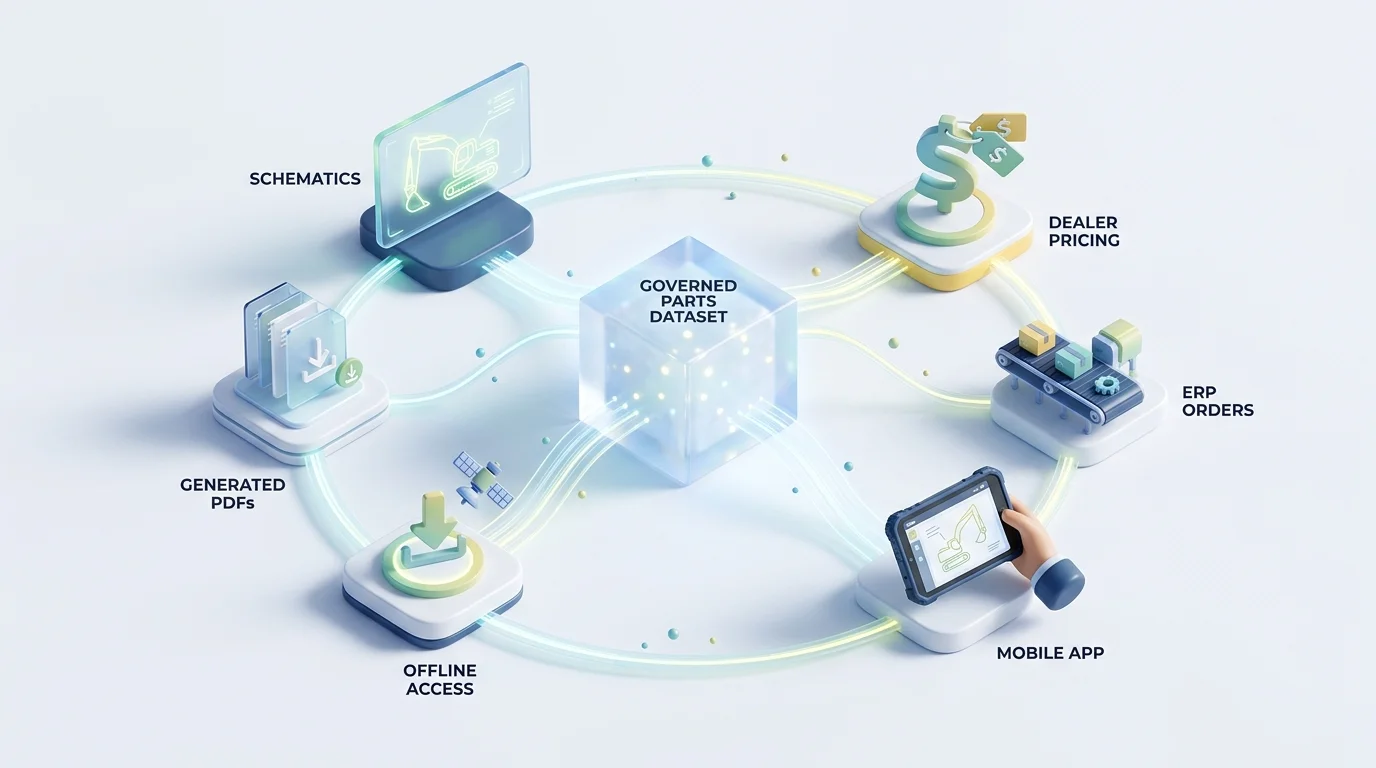
Systems Online’s EzParts platform illustrates what a modern deployment looks like. It provides OEMs with a single source of truth for parts data across web portals, dealer eCommerce carts, native mobile applications, and offline distributed media. By publishing the same governed catalog to every channel, you eliminate the publication delays and data discrepancies that cause technicians to order the wrong component.
Map your current lookup-to-order journeys for OEMs, dealer-counter staff, field technicians, and fleet managers. Baseline your average identification time, no-result search frequency, order corrections, return rates, customer-service callbacks, and publication delays before evaluating new software.
Evaluate Parts Data Quality And Fitment Logic
Catalog data quality and fitment logic form the first go/no-go buying gate for any parts software. If the platform cannot filter results by machine serial number, it will fail your users. A visually similar part may be wrong for a particular machine due to a mid-year engineering change or a regional production variation.
Require support for exact and partial part numbers, searchable descriptions, unit-of-measure definitions, quantity minimums, and drawing references. The software must also model assembly and subassembly relationships, kit contents, bill of materials (BOM) lines, and supersession chains. When a part is obsolete, the catalog must display the replacement logic clearly, distinguishing between a direct replacement and a conditional one.
Require Multidimensional Search Capabilities
Technicians approach identification from multiple angles, meaning one user starts with a machine model while another enters a partial serial number. A third user types a synonym, and a fourth navigates directly to a known service kit. Using EzParts help documentation as a structural example, a capable system executes searches across parts, descriptions, models, schematics, service documents, engineering notes, and serial numbers simultaneously.
Evaluate Interactive 2D And 3D Schematics
Navigation must extend beyond static images, requiring you to evaluate zoom performance, mobile touch behavior, and support for multi-shape hotspots on every diagram. Smart overlays should allow users to highlight specific BOM lines directly on the drawing. When a user clicks a complex multi-shape hotspot on an engine block schematic, the platform should open a validated part detail panel showing current price, availability, and replacement history.
Manage Assemblies, Kits, And Supersession Logic
Service repairs often require entire kits rather than individual components. The catalog must handle automatic kit displays so technicians see the full list of included hardware rather than ordering only the top-level kit number. Supersession chains require equal attention, as the system must preserve historical relationships between obsolete parts and their replacements to keep older service records readable.
Create a golden test set of 10 to 15 difficult edge cases. Include an obsolete part, a mid-year serial break, a kit-versus-component choice, a regional model variation, and an unknown component selected solely from a schematic. Score each software candidate on fitment accuracy, no-result rate, number of clicks required, clarity of replacement logic, and auditability.
Verify Transactional Capabilities And ERP Integration
A visual catalog stops being useful if the user must pick up a phone to check inventory or manually retype a part number into a separate dealer portal. You must evaluate the electronic parts catalog as a transactional system. While the EPC provides product information, fitment logic, visual lookup, and the order-entry experience, your existing enterprise resource planning (ERP) system remains the backbone for major inventory, accounting, fulfillment, and financial processes.
Define Each System Of Record
Different data objects require different owners, so map these relationships clearly before connecting systems.
| Data Object | Primary System Source | Synchronization Target |
|---|---|---|
| Parts Master & Descriptions | PLM, PIM, or EPC Master | EPC Delivery Channels |
| Inventory & Availability | ERP or Dealer Management System | EPC Display Panels |
| Pricing Rules & Tiers | ERP or Pricing Engine | EPC Dealer Stores |
| Customer & Dealer Accounts | ERP, CRM, or Identity Provider | EPC Authentication |
| Carts & Placed Orders | EPC Shopping Cart | ERP Order Insertion |
| Service Documents | Document Management System | EPC Schematic Links |
Connect Visual Identification To A Dealer Cart
Nearly 50% of industrial manufacturers in a 2024 Ntara study sold through three or more channels, and 39% planned to upgrade or replace their eCommerce software. Buyers increasingly expect self-service for routine ordering and general lookup, escalating to dealer experts only when complex fitment context is required.
Your electronic parts catalog software must turn visual identification directly into a priced order. EzParts demonstrates this workflow by integrating dealer stores, pricing customization, and eCommerce rules directly into the identification interface. When a technician clicks a hotspot and adds it to their cart, the system queries the ERP for customer-specific pricing and warehouse availability, removing manual re-entry.
Test Synchronization And Network Exceptions
Treat SAP, Oracle, Epicor, and Dynamics connectivity as implementation-dependent requirements. Demand the exact adapter or API objects, version support requirements, authentication methods, rate limits, and error handling protocols. A successful demo shows a perfect order, but production environments run on exceptions.
Test invalid serial numbers, unavailable warehouse stock, price mismatches, and duplicate orders. Process a supersession update mid-cart. Simulate failed network retries and offline order submissions to verify that the connector queues and recovers data correctly without dropping transactions.

Assess Mobile Responsiveness And Offline Synchronization
Evaluate the catalog interface beside a heavy machine rather than a comfortable desktop counter, as field conditions dictate the software's utility.
Mandate Usability In Field Conditions
Browser responsiveness and native mobile design determine whether a technician can use the tool under pressure, requiring you to test touch targets for gloved hands and diagram load performance over weak 3G connections. Ensure service documents open quickly and part details remain readable without excessive horizontal scrolling, enabling users to move from visual identification to order placement on a small screen.
Configure Offline Packages And Synchronization Rules
Offline support functions as a complex data-management requirement that extends far beyond basic caching. Remote construction, mining, and forestry environments lack reliable connectivity, so ask vendors exactly what product lines and documents store locally. Determine how catalog versions are tagged and whether updates deploy incrementally to save bandwidth.
Users need to know when they are viewing stale price and inventory information. Local offline orders must queue securely, resolve conflicts automatically upon reconnection, and log every delayed transaction. Systems Online addresses this with distributed media deployments that provide full catalog access away from network coverage, synchronizing once a connection is reestablished.
Align Deployment Models With Distribution Needs
No single deployment model fits every manufacturer. Cloud and SaaS centralization simplifies update distribution, while on-premise environments offer stricter control for specific enterprise security requirements.
Printed parts books also remain a strict requirement for certain dealers, customer contracts, and regulatory workflows. Instead of maintaining a secondary static manual, your software should generate branded PDFs dynamically from governed catalog data. Run a field pilot in a complete no-signal location. Disconnect the device during a scheduled catalog update, reconnect it, and verify that version visibility, supersession behavior, order handling, and audit logs perform as expected.
Establish Data Governance And Security Controls
An attractive visual interface fails if engineering, parts, service, dealers, and eCommerce teams publish conflicting data, making it necessary to build a governance model that treats parts data as a controlled asset.
Centralize Publication Workflows
Use stable internal identifiers for every part and document, preserving historical relationships even after an item is replaced. The Ntara benchmarking study noted earlier found that 70% of respondents selecting product information software cited creating a single source of truth as their primary driver.
Build a strict workflow for imports, diagram hotspot maintenance, validation, and editorial review. Establish effective dates for new revisions, require approval gates for publishing, and ensure rollback procedures exist if a bad update reaches production.
Secure Role-Based Access And Integrations
Dealers need different pricing tiers and product-line restrictions than retail customers, requiring you to evaluate role-based and nested-group permissions. Connect the catalog to your identity provider via single sign-on (SSO) and protect integrations with secure APIs and HTTPS delivery.
A 2025 Association of Equipment Manufacturers guidance for non-road equipment cybersecurity reinforces treating permissions across operators, OEMs, service providers, and cloud platforms as a core operational requirement. Systems Online's cloud-based enterprise features manage these permissions, governing automated imports, catalog editing, analytics, and dynamic PDF generation under strict security rules.
Create a data-ownership RACI matrix (Responsible, Accountable, Consulted, Informed) for your organization. Inventory your legacy PDFs and spreadsheets, reconcile superseded records, define SLA targets for update approvals, and require demonstrated export and rollback procedures before signing a vendor contract.
Measure Total Cost Of Ownership Against Recovered Margins
Give your selection team a practical way to turn technical requirements into a final decision by building a weighted scorecard to evaluate trade-offs objectively.
Structure A Weighted Evaluation Scorecard
Allocate 100 points across the capabilities that impact your operations most. A standard baseline distributes 25% to data and fitment logic, 15% to search and visual identification, 20% to ERP and order integration, 15% to mobile, offline, and print delivery, 15% to governance and security, and 10% to analytics, implementation, and total cost of ownership. Increase the offline or integration weights heavily if field connectivity or complex legacy ERPs dominate your risk profile.
Calculate Software Costs And Business Value
A universal software price for this category does not exist, as your final cost depends on the size of your catalog, content conversion effort, integration scope, user counts, deployment models, and ongoing support.
Measure financial impact against a baseline of your historical reactive maintenance costs. A National Institute of Standards and Technology report analyzing 2016 discrete manufacturing data estimated annual losses from preventable maintenance at $119.1 billion, demonstrating the massive scale of equipment downtime. Use a concrete planning model for your specific operation: EPC value equals recovered parts margin plus avoided correction and return costs plus reduced support effort plus faster service completion, minus software, implementation, content-conversion, integration, and maintenance costs.
Structure The Pilot Project
Pilot a difficult product line containing model-year changes, serial breaks, superseded parts, service kits, multiple schematic types, dealer pricing tiers, and poor field connectivity. Compare the pilot results against the identification-time and error-rate baselines established at the start of your project. For OEMs requiring a unified catalog across web, dealer, offline, mobile, and print channels, score Systems Online’s EzParts against these criteria to set your baseline standard.
Address Stakeholder Objections Before Implementation
Buying teams face predictable internal friction during software evaluation, forcing you to address high-intent questions directly with your stakeholders.
Delineating EPC And ERP Responsibilities
An electronic parts catalog does not replace an ERP; rather, it complements an ERP by supplying structured product information, visual lookup, and the order-entry experience. The ERP remains the major system for inventory, pricing, accounts, fulfillment, and finance. A strong EPC replaces static PDF maintenance by generating printable parts books dynamically from governed data, eliminating the need to update manual files.
Validating Offline Data And AI Use Cases
Offline behavior must be demonstrated with real records so technicians know exactly how supersessions and stock levels behave when a device loses signal. AI serves as an enhancement for natural-language search and recommendation mapping rather than a replacement for rigid serial applicability, pricing controls, or human escalation. Recent industry commentary from AEM and GenAlpha Technologies reinforces that AI in the aftermarket depends on the foundation of structured parts data you build today.
Outline Demo And Contract Requirements
Require the vendor to demonstrate serial-number filtering, supersession chains, automatic kit displays, and customer-specific pricing using your own data, and define data ownership explicitly in the contract. Set service level agreements for synchronization frequency, update deployment times, and security controls. Specify offline-package behavior, document how order failures are handled, define the analytics reporting, and outline the exact data export format required if you leave the platform.
Stop losing margin to incorrect orders and extended equipment downtime. Transform your static schematics into interactive, revenue-driving catalogs that connect directly to your ERP. Visit Systems Online to see how EzParts delivers accurate fitment data to your dealers and technicians across web, mobile, offline, and print channels.
Modified on: 08/21/2026