Blog » HVAC OEM Parts Ecommerce Platform Guide
HVAC OEM Parts Ecommerce Platform Guide
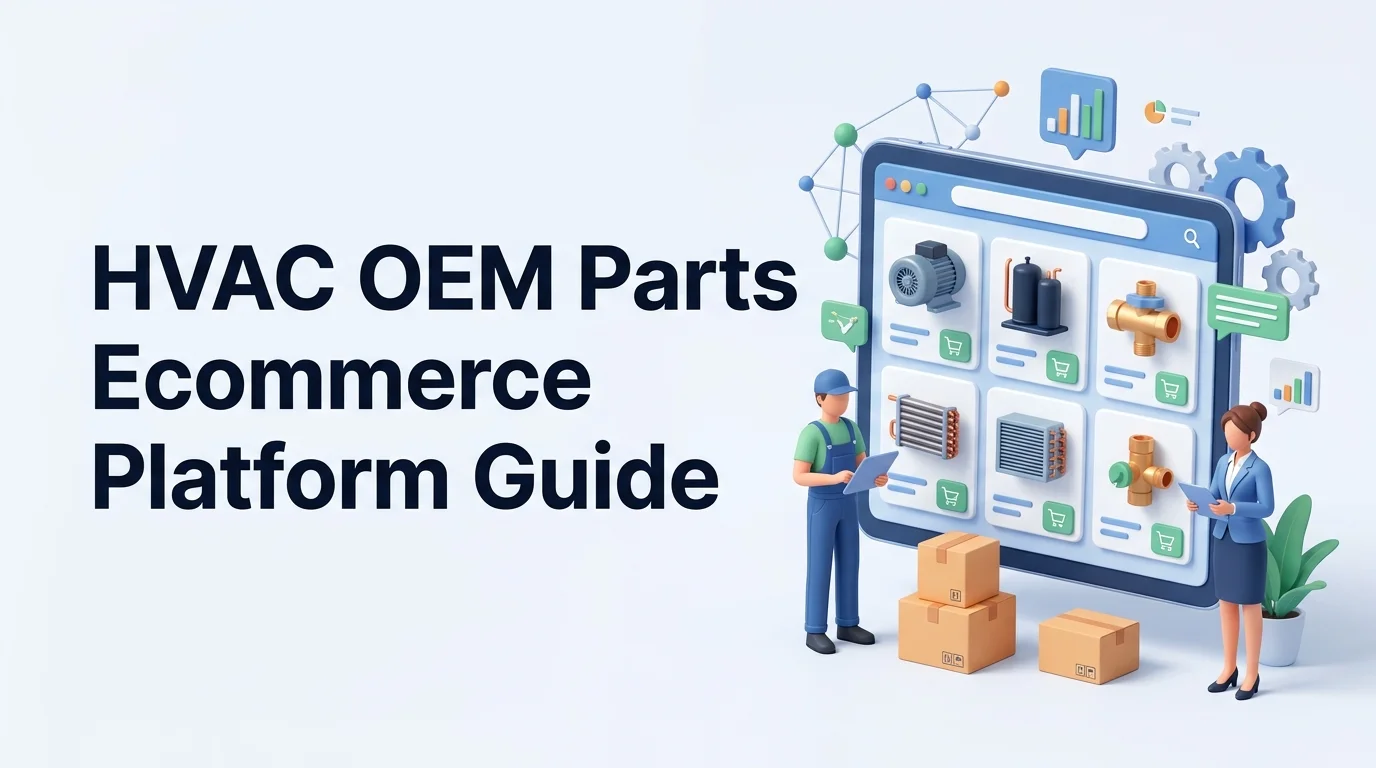
A technician stands in a cramped mechanical room facing a discontinued commercial chiller. The compressor failed, causing them to pull out their phone and search the manufacturer’s website. A generic flat product list gives them three replacement part numbers, but they have no way to verify which one fits this exact unit's serial number and regional configuration. They guess, the wrong part ships, and the equipment stays down for another week. You fix this broken workflow by choosing an HVAC OEM parts ecommerce platform that connects visual schematics directly to fitment rules, replacement history, and customer-specific ordering.
To replace static paper or PDF parts manuals with a connected digital workflow, evaluate software against your specific distribution model. Structure your parts data, test the visual search experience, verify ERP integrations, and choose a platform that increases aftermarket revenue without bypassing your dealer network.
Define The HVAC OEM Parts Platform Category
An electronic parts catalog sits between your engineering data and your purchasing channels. It connects equipment models, serial or configuration data, technical documentation, visual parts identification, fitment rules, supersessions, customer-specific pricing, availability, and order insertion.
What The Platform Connects
You must distinguish this category from tools that sound similar but serve different functions. A generic B2B ecommerce storefront sells standalone products to known buyers, but it cannot map a nested bill of materials (BOM) to an interactive 3D schematic. A product information management (PIM) system organizes marketing copy and attributes without executing customer-specific inventory checks or submitting transactions. An enterprise resource planning (ERP) system manages the financial ledgers and physical warehouse routing, yet its interface proves too complex for a field technician trying to visually identify a fan motor.
Your parts platform coordinates these inputs. A mixed-category survey of buyers handling electrical, HVAC, and industrial supplies shows that nearly 67% had ordered online, and 64% had used a mobile app or text to buy, making digital ordering a direct requirement for technical purchasing.
Who Uses It And Why
Systems Online developed EzParts specifically to handle this complex manufacturing workflow. The platform ingests engineering drawings and parts lists, then publishes them across multiple channels so users can click a visual hotspot to add the correct component to a shopping cart. Vendors should always prove these capabilities using your own technical data.
Have your team document every handoff from the moment an equipment owner reports a failure to the fulfilled order. List the exact steps your dealers, distributors, technicians, and inside sales teams take today. You will use this baseline to measure the platform's impact on manual order corrections and support call volume.
Evaluate Fitment And Parts Data First
Your portal becomes a liability if the fitment data contradicts your engineering records. Structured catalog authoring prevents the ecommerce platform from degrading into a disconnected secondary database.
Build A Canonical Equipment-To-Part Model
Before publishing an HVAC component, connect it to its OEM number, legacy numbers, and searchable synonyms. Map each part to the specific equipment family, model, and serial-number or production-effectivity range. Include regional applicability, refrigerant constraints, BOM position, schematic references, and kit membership, then attach the required quantity, unit of measure, part images, technical notes, price class, and related service documents.
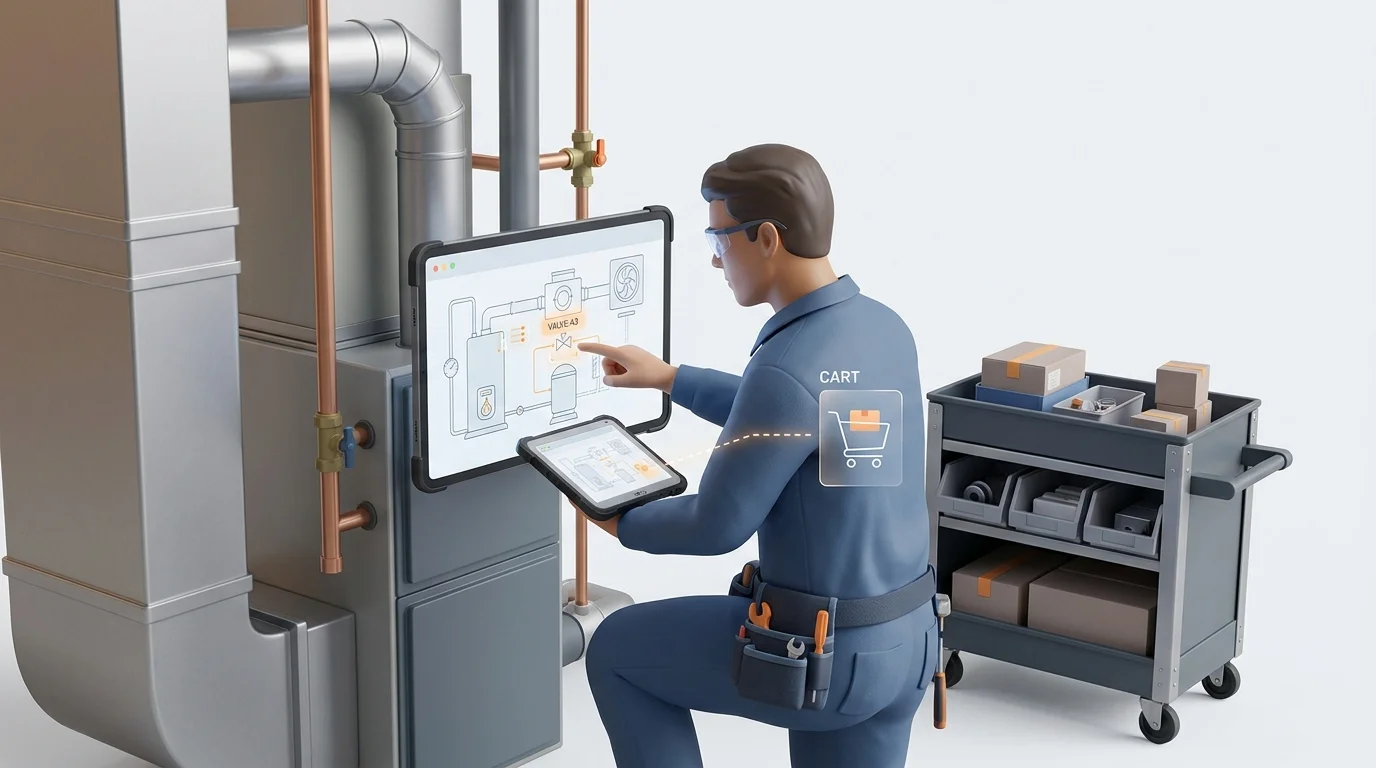
The preferred workflow moves from the whole unit down to the exact component. A dealer selects the equipment model, opens the relevant sub-assembly, and clicks a hotspot on the visual schematic. The platform highlights the corresponding BOM line, verifies fitment, displays the replacement history, and allows the user to add the validated part to their cart.
Connect Schematics, BOMs, Kits, And Supersessions
Refrigerant transitions complicate inventory decisions, while more than half of the surveyed distributors reported reducing safety-stock levels in 2024 compared with what they held in recent years.
Instead of overwriting an old text string, the catalog logic must preserve the original part number, the current replacement, and the effective date while enforcing one-to-one or one-to-many replacement rules, regional constraints, and companion-part requirements. If a replacement alters the installation instructions, the platform must surface the updated documentation automatically.
Govern Revisions And Effectivity
Audit three representative HVAC product families to establish a baseline for electronic parts catalog import automation. Identify the internal source and department owner for every field in your canonical model. Create strict edge-case tests for a regional variant, a discontinued component, a one-to-many replacement chain, and an unavailable nested kit.
Test The Search And Ordering Experience
Evaluate the complete user task rather than isolated search features, because technicians will abandon a tool that forces them to understand your internal naming conventions.
Visual Identification And Technical Search
Search inputs must support exact matches, partial part numbers, equipment models, text descriptions, attributes, and legacy numbers, alongside "where used" queries so a technician holding a physical part can determine which units it fits. The interface needs 2D or 3D schematics with touch-friendly hotspots that trigger the corresponding BOM lines and immediately load part images, required quantities, installation notes, and related assemblies.
Pricing, Availability, And Order Construction
The cart must show live inventory separated by branch or distribution center, apply backorder rules, suggest approved substitutes, save carts for later approval, and route quotes. Because 67% of HVACR buyers regularly check prices online and 49% check availability, live transactional data dictates whether users adopt your platform.
Mobile And Offline Field Service
HVAC technicians work across multiple locations daily, often in cramped spaces or extreme temperatures. A cloud-only portal fails when the mechanical room lacks cell service.
Position Systems Online’s EzParts as your primary testing benchmark. Its official feature pages define multi-shape hotspots, nested kits, BOM grouping, and supersession chains. Test its mobile electronic parts catalog software capabilities by caching product families on a tablet and running the catalog entirely offline. The system must display the last-update timestamp, queue cart additions locally, and synchronize the transaction the moment the device reconnects to a network.
Give each vendor the same real-world HVAC assembly. Measure the time elapsed, the number of clicks required, unresolved questions, wrong-part selections, and successful cart creations across both connected and disconnected scenarios.
Verify Integration, Governance, And Delivery
The ecommerce platform must complement your existing infrastructure rather than attempting to replace your PLM, CAD, or ERP software.
Connect Source Systems To One Catalog
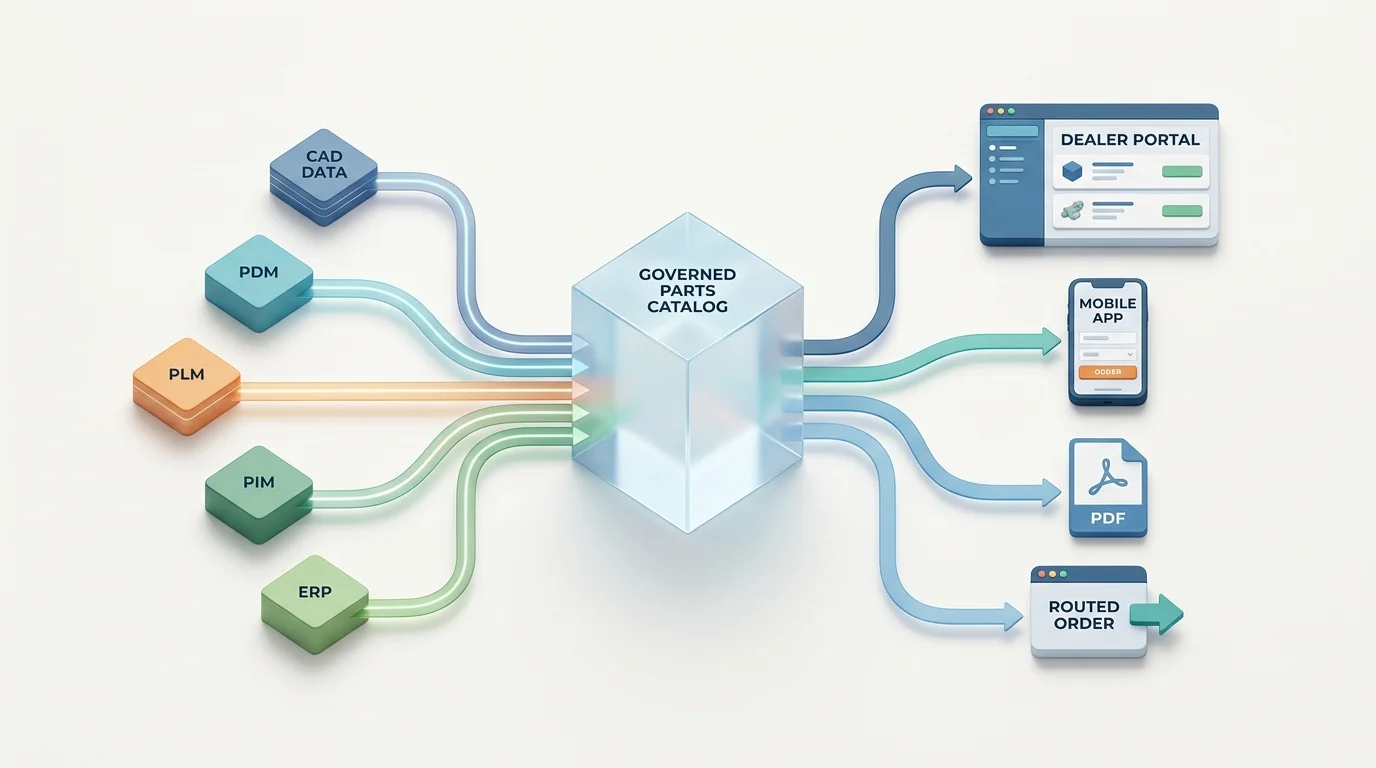
Map exactly how drawings and text attributes move from CAD, PDM, PLM, PIM, and ERP databases into the governed catalog. Define who owns the approval workflow, how version control functions, where the audit history lives, and how frequently APIs push updates.
Close The Transaction Loop
Check user authentication protocols and ensure account-specific pricing loads without exposing wholesale costs to retail guests. After testing inventory logic across multiple branches, calculating tax and shipping, executing backorders, and triggering order insertions, verify that the system returns order status updates, invoices, tracking data, and failure notifications to the buyer. Secure all pricing and customer data behind role-based permissions and auditable single sign-on (SSO) access.
Publish Across Web, Mobile, And PDF
OEMs require an omnichannel publishing strategy because different users consume technical data differently. A dealer portal, public owner documentation site, mobile app, distributed media drive, and dynamically generated PDF parts book must all pull from the same approved source database.
Systems Online provides SaaS, enterprise on-premise, distributed-media, and mobile delivery options. Its native integrations include Oracle, SAP, JDE, MAPICS, BAAN, COPICS, CSystems, and Microsoft AX. When evaluating these connections, confirm the current API versions, implementation scope, and supported transaction objects rather than assuming a named integration requires zero configuration. Create an interface inventory and run failure tests for stale pricing, an ERP outage, a partial catalog update, a failed order insertion, an offline supersession conflict, and a branch-availability mismatch.
Protect The Dealer Channel While Growing Aftermarket Sales
Digital ordering functions as a channel-enablement strategy. Do not treat it as a mechanism for distributor disintermediation.
Design A Hybrid OEM-Distributor Model
In HARDI's U.S. survey, the average HVAC contractor placed 68% of purchases with a primary distributor, and respondents reported that wholesale distribution received 82% of residential HVAC purchases and 63% of nonresidential purchases. Contractors also maintained multiple distributor relationships, with 83% working with three or more suppliers.
Your portal must support multi-brand, dealer, and distributor relationships. Because 68% of contractors say a counter or inside salesperson most influences their purchasing decisions, your digital strategy must enhance that interaction.
Support Account-Specific And Assisted Selling
Since 68% of residential and 72% of light-commercial contractors obtain new-product information from manufacturer websites, OEMs must build a robust owned information layer.
Implement electronic parts catalog software for dealers by configuring dealer-first rules. Preserve their negotiated account pricing and payment terms. Route completed orders to the correct branch based on geographic proximity or assigned territories. Allow inside salespeople to create, edit, and send carts or quotes on behalf of their customers. Expose local stock levels accurately, offer click-to-call support when fitment remains uncertain, and provide equipment owners with appropriate guest access that hides wholesale pricing.
Measure Findability, Service, And Revenue
Co-design these channel rules with representative dealers, distributors, and sales teams before you launch a pilot. Track search-to-part-view rates, part-view-to-cart conversions, and cart-to-order completions. Compare assisted versus self-service order volumes. Monitor wrong-part returns, orders requiring manual staff corrections, support call durations, repeat purchase frequency, and overall aftermarket revenue by account and channel.
Choose A Platform With A Proof Of Concept
Do not select software based on storefront appearance alone. Turn your operational requirements into a weighted vendor scorecard.
Build A Weighted Vendor Scorecard
Assign weights based on technical capability and workflow impact. Allocate 25% to fitment and data governance to ensure the platform handles serial-number effectivity natively, and give 20% to the search and visual workflow to verify that hotspots align perfectly with BOM rows. Weight ERP and transaction integration at 20% to guarantee orders post cleanly to your ledgers, reserving the remaining 35% for dealer permissions, channel routing, offline capabilities, publishing, and administration.
Score Systems Online’s EzParts against these exact criteria using your own files.
Run A Representative HVAC Pilot
Require a proof of concept using a complex HVAC schematic, a model variation based on serial numbers, a superseded compressor, and a nested maintenance kit. Demand that the vendor demonstrate customer-specific pricing, live availability checks, ERP order insertion, and a completed mobile session executed while the device is in airplane mode. Finally, have the system generate a branded PDF parts book from that same source record.
Calculate ROI And Plan Rollout
Plan your implementation in distinct stages: complete a data audit, run a one-family pilot, finalize source-system integrations, open a dealer and technician beta, secure governance sign-off, measure the KPI baseline, and execute a phased rollout.
Build your ROI calculation from your own operational numbers. Calculate your avoided monthly cost by multiplying the number of wrong-part orders avoided by the combined average cost of returns, technical support time, warehouse re-picks, return freight, and re-order processing. Add the separate savings generated by reduced call volumes, faster identification times, increased self-service order adoption, and incremental kit revenue. Require a dated implementation plan, a strict data-refresh service level agreement, complete security documentation, and clear go/no-go thresholds before approving the full deployment.
Answer The Questions Buyers Ask Before Signing
Address the final practical constraints before you finalize the contract.
OEM And IT Due Diligence
Differentiating electronic parts catalogs and storefronts: A storefront sells generic SKUs, while an electronic parts catalog maps specific components to equipment serial numbers using interactive schematics, BOMs, and effectivity rules.
Importing CAD, PDM, PLM, PIM, and ERP data: The platform should ingest engineering drawings, BOM lists, and marketing attributes, then sync pricing and inventory with the ERP.
Representing model, serial, regional, and configuration differences: The database uses effectivity dates and serial ranges to filter out parts that do not apply to the specific unit the technician is viewing.
Handling one-to-many superseded parts: The system chains the original part to the replacements, applies effective dates, displays required companion parts, and alerts the user if installation instructions changed.
Integrating with ERP, PIM, PLM, or field service systems: The catalog sits on top of existing software, pulling master data from the source systems and pushing completed orders back into the ERP.
Dealer And Technician Readiness
Displaying kits, assemblies, and where-used data: Technicians can click a kit to see individual components or search a component to see every HVAC model it fits.
Operating on mobile devices and offline: Native mobile apps cache the catalog locally, queue carts without an internet connection, and sync transactions upon reconnection.
Protecting pricing and wholesale terms: Role-based permissions authenticate the user, query the ERP for their specific price class, and block retail guests from viewing wholesale terms.
Final Red-Flag Checklist
Have your buying team score each vendor against these non-negotiables:
- Governed fitment rules based on serial numbers.
- Visual lookup with multi-shape hotspots.
- One-to-many supersession logic.
- Transaction-level ERP integration.
- Role-based, account-specific pricing.
- Dealer and branch order routing.
- Mobile and offline support.
- Shared digital data and dynamic PDF generation.
- Last-update timestamps for offline data.
- An approval workflow for catalog revisions.
Eliminate any vendor that offers only static PDFs, relies on flat SKU catalogs, requires manual data re-keying, refuses an integration test, or makes unverified performance promises. Record unanswered questions and demand a live resolution.
Digitize your aftermarket sales process with software built specifically for complex equipment. Schedule a demo of Systems Online’s EzParts at sysonline.com and test it using your own HVAC assemblies.
Modified on: 08/25/2026