Blog » Why OEMs Need Multi-Shape Hotspot Software for Parts Catalogs
Why OEMs Need Multi-Shape Hotspot Software for Parts Catalogs
Equipment sales drive top-line revenue, but aftermarket service keeps manufacturers profitable. Because aging machinery and extended replacement cycles push buyers toward replacement components, the digital parts portal serves as your primary sales channel. B2B buyers now show extreme comfort with large digital purchases, with 39% willing to spend more than $500,000 in a single remote or self-serve transaction, according to a 2024 McKinsey B2B Pulse report. You capture this revenue only if dealers and technicians can find the items they need without picking up the phone. Otherwise, static PDF manuals create massive purchasing friction, which drives frustrated buyers to third-party aftermarket suppliers offering better search experiences. Implementing multi-shape hotspot software for parts catalogs eliminates this friction. By converting legacy diagrams into interactive, visually clickable interfaces, Systems Online helps OEMs digitize their libraries, guarantee accurate ordering, and secure their share of the 2026 aftermarket, taking advantage of a U.S. online auto parts industry that reached $44.6 billion in 2025.
The New Standard for Aftermarket Revenue
Service offerings deliver profit margins roughly double the standard 15% to 25% generated by whole goods sales. Because 57% of total aftermarket revenue in heavy equipment and manufacturing comes directly from parts, protecting this channel dictates your overall profitability. To secure these margins, electronic parts catalog software must evolve from a passive reference library into an active eCommerce engine. The average age of vehicles across mature markets hit record highs in 2026, reaching 12.8 years in the U.S. and trending above 12.5 years in the EU, sustaining high demand for replacement components. Recognizing this shift, 81% of OEMs plan to increase their aftermarket investments between 2025 and 2030, with one in five targeting greater than 15% revenue growth in this specific sector.
Buyers face intense price pressure, and original equipment (OE) loyalty is eroding across industrial sectors. A recent aftermarket pulse report found 57% of consumers now prefer Independent Aftermarket (IAM) parts over OE brands, which means manufacturers must upgrade their B2B interfaces to match consumer retail standards and stop this leakage. Dealerships prioritize bay turnover speed, so if your portal requires counter staff to manually cross-reference part numbers from a paper book, they will shift their business to a competitor's system that identifies the component visually.
B2B marketplace sales accounted for roughly $20.7 billion out of the $42.4 billion total U.S. online auto parts revenue in 2024, demonstrating exactly where professional buyers spend their budgets. The industrial sector already demonstrates the financial impact of digitizing these workflows, as aftermarket product revenue grew by 63% for industrial manufacturers last year to significantly outpace new product sales. You capture this growth by deploying catalog interfaces that remove ambiguity from the identification process. To start, evaluate your current service margins against your equipment sales, and map the drop-off points in your dealer purchasing journey to identify where complicated lookup processes cost you orders.
The Mechanics of Multi-Shape Hotspot Software for Parts Catalogs
Traditional HTML image mapping relies on rigid, invisible rectangles drawn over flattened schematic images. If a user clicks near a diagonal strut or an irregularly shaped manifold, they frequently trigger the wrong link and select an adjacent washer or the background image by mistake. Multi-shape hotspot software for parts catalogs replaces these imprecise blocks with dynamic vector polygons that trace the exact, irregular outline of every specific component within a 2D or 3D schematic. When a user hovers over a gear, the system highlights only the gear, isolating it from the overlapping shafts and bearings behind it. Sites with comprehensive Year-Make-Model search capabilities see conversion rates significantly higher than those with basic search functionality, and vector hotspots build on that targeted approach by allowing pinpoint selection within the correct machine schematic.
Modern interactive systems integrate directly with AI computer vision to accelerate this process further. When field service technicians point their smartphone cameras at a physical, damaged part, the integrated AI recognizes the object and queries the database. The system then highlights the corresponding multi-shape polygon on the digital schematic, guiding the user directly to the correct purchasing sequence without requiring manual assembly identification. This natural language processing and computer vision combination means a technician examining a mud-caked hydraulic pump in the field does not need to wipe away grease to find a stamped serial number. The camera captures the housing shape, the AI maps it against the CAD library, and the interface illuminates the correct vector outline on screen for immediate one-click ordering.
Moving beyond flat documents requires adopting interactive 3D spatial manipulation so technicians can manipulate an equipment model directly in the browser. They rotate the digital assembly, hide the outer steel housing, and click the internal wear items. By digitally tearing down the machine on screen, users diagnose the required replacement components without touching a wrench or physically dismantling the equipment. If an internal drive belt breaks, the mechanic isolates the specific sub-assembly, sets the exterior casing to transparent, and clicks the irregular belt outline buried deep within the chassis. Audit your current technical documentation format, because if your users cannot click the exact outline of a part to trigger a purchase action, you are relying on outdated mapping technology.

Eliminating Equipment Downtime and Ordering Errors
Wrong-part orders cause secondary downtime. For example, a technician waits three days for a hydraulic cylinder shipment, receives the wrong variant because a PDF table was misaligned, and leaves the machine idle for another week while the correct item ships. Visual identification prevents this chain of failures, as users verifying the physical geometry against a precise polygon shape highlighted on the assembly diagram rarely order the incorrect variant.
Supersessions complicate inventory management and frustrate buyers because engineering teams constantly update components mid-production. When engineering replaces a seal kit from 2020 with a new revision in 2024, the part number alters. If a technician orders the obsolete number from a static manual, they hit a dead end, a zero-results error code, or an abandoned cart. Consider a scenario where a manufacturer redesigns a multi-component water pump into a single, unified cartridge assembly. The old diagram shows five separate pieces, but those individual part numbers no longer exist in the warehouse inventory system.
Systems Online's EzParts platform natively handles complex bill of materials (BOM) supersessions to keep the ordering process moving. When a user clicks an interactive hotspot for an obsolete item, the platform queries the relational database instantly and presents the active replacement part directly in the integrated shopping cart. This workflow ensures the technician receives the right component without calling a support desk to translate old part numbers. The software checks the BOM rules, flags the part as obsolete, and loads the active supersession, entirely masking the supply chain complexity from the end user.
To implement this accuracy, compare visual identification workflows against standard text lists:
- Static Text Lists: Rely on manual part number entry, offer no visual confirmation of geometry, and fail silently when encountering obsolete supersession codes.
- Visual Hotspots: Require zero manual data entry, highlight the exact irregular shape for visual verification, and automatically redirect obsolete clicks to current inventory.
Key Strategies for Implementing Hotspot Tech
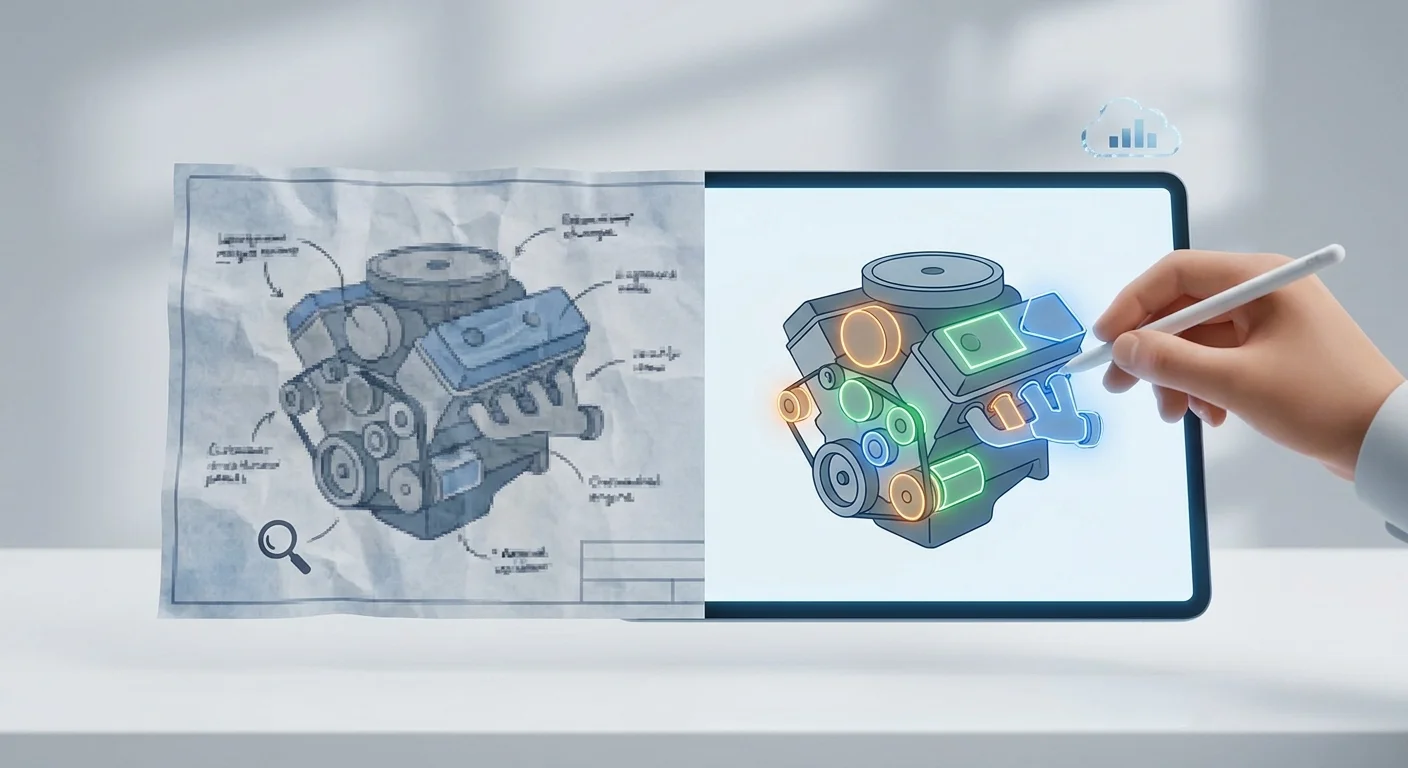
Upgrading your catalog requires structural changes to how you handle engineering data, starting with the elimination of flat raster images. PNGs and JPEGs pixelate rapidly when a user zooms in on a mobile device, which means a technician trying to differentiate between two clustered bolts on a low-resolution image will guess and order the wrong one. You must convert legacy diagrams into scalable vector graphics formats like SVG or CGM. By using vectors, a user can pinch-to-zoom on an intricate wiring harness while the multi-shape hotspots remain razor-sharp and perfectly aligned with the geometry. This infinite scalability proves vital when displaying large industrial assemblies containing hundreds of microscopic components on a standard smartphone screen.
Second, avoid manual HTML mapping at all costs. Paying contractors to draw polygons over thousands of diagrams inflates publishing budgets and introduces human error, making automated BOM-to-hotspot mapping software a necessary upgrade. Modern catalog publishing tools ingest standard CAD and Product Lifecycle Management (PLM) coordinate data directly. Once ingested, the software reads the engineering geometry and dynamically draws the corresponding polygons over the 2D or 3D assembly. The ingestion engine parses the structural data from your PLM software, calculates the exact boundaries of every item, and generates a corresponding clickable vector mask.
This ingestion process syncs the visual data directly to your parts list, ensuring that when engineering updates a CAD file, the software automatically redraws the multi-shape hotspot in the catalog. Instruct your technical documentation team to export assemblies directly as SVG files with embedded object IDs. The catalog software will read these IDs and map them to your BOM, automating the visual overlay process and slashing your time to market. By removing manual drawing tasks, your documentation team focuses on organizing service bulletins instead of tracing gear teeth.
Driving Average Order Value With Intelligent Grouping
Multi-shape hotspot software for parts catalogs does more than identify items, as it also functions as a targeted upselling tool. Increase average order value by configuring intelligent component grouping. When a field technician clicks the vector shape for a single gasket, the software recognizes that the specific part belongs to a broader preventative maintenance kit. The platform immediately prompts the user to add the entire recommended kit to their cart rather than the isolated seal. This specific workflow ensures the technician has all the necessary O-rings and hardware to finish the job correctly while simultaneously multiplying the revenue of that transaction. A mechanic replacing a turbocharger might click the housing hotspot, triggering a prompt that includes the required mounting studs, exhaust gaskets, and specialized shims mandated by your service protocols.
This upselling capability relies on a centralized B2B aftermarket data strategy where your eCommerce parts portal acts as the primary hub for PLM, ERP, and CRM data. Dealers will abandon the system if they have to place an order only to find out an item is backordered. Instead, they need real-time inventory and customer-specific pricing the moment they select a component shape. Disjointed ERP and manual entry systems create lag, but an integrated ecosystem maps live commercial data directly to the schematic hotspots.
Systems Online integrates directly with major enterprise platforms including SAP, Oracle, Epicor, and Dynamics. The instant a user clicks a multi-shape hotspot, the system pulls live pricing based on that specific dealer's tier and displays availability from the nearest regional warehouse. To achieve this, configure your EPC software to read BOM grouping flags from your PLM system so that every visual click automatically triggers the appropriate kit recommendations.

Equipping Field Technicians for Offline Environments
Field service technicians operate in environments hostile to cloud software. Deep agricultural sites, underground mining operations, and remote construction zones lack reliable cellular service. If your digital catalog requires an active internet connection to render 3D schematics or display parts data, it becomes useless when the technician needs it most. Thirty-four percent of revenue for B2B organizations now comes from eCommerce, yet much of heavy equipment servicing happens completely disconnected from the grid.
Your catalog delivery framework must feature true bimodal deployment. Systems Online provides native mobile apps for iOS, Android, and Windows devices, allowing technicians to download the full interactive database, including all vector graphics and BOM data, to their rugged tablets before leaving the service depot. In the field, they navigate assemblies, click multi-shape hotspots, and build an entire order offline while the application caches the shopping cart locally. The moment the device reconnects to a cellular network or Wi-Fi, the software automatically transmits the purchase order to your ERP. This offline capability ensures technicians standing inside a concrete manufacturing plant can still interact with complex schematics and queue up replacement requests without walking outside to find a signal.
You also need single-source publishing workflows to maintain data integrity across these disconnected environments, because generating separate databases for the web portal and the offline media introduces fatal version mismatches. EzParts uses an automated print engine to dynamically generate branded PDF parts books and offline data packages from the same relational database that feeds the web interface. This ensures every offline reference matches the live catalog. Consolidate your publishing process to force your engineering data to flow from a single source out to the web, to offline mobile devices, and to printed manuals without manual duplication.
Stop losing aftermarket revenue to purchasing friction and ordering errors by transitioning your legacy manuals into an integrated, multi-channel digital portal. Visit Systems Online to learn how EzParts can digitize your service documentation and automate your aftermarket parts sales.
Modified on: 07/22/2026