Blog » Technical Publication Software for Manufacturing
Technical Publication Software for Manufacturing

Choosing software to publish technical data often forces a frustrating trade-off between a rigid document repository that ignores how parts are sold and an eCommerce front-end disconnected from engineering drawings. Technical publication software for manufacturing covers a wide spectrum of tools. Selecting the right platform requires mapping exactly how your product data flows from the engineering department to the field service technician. When information stays siloed, dealers can end up manually cross-referencing part numbers, which can lead technicians to order the wrong components. A better approach treats manuals, drawings, and bills of material as connected data rather than flat files.
Managing Technical Data Beyond Flat Documents
Technical publication software helps you create, organize, and deliver product information, including operator manuals, service bulletins, illustrated parts catalogs, and warranty documentation.
Moving Past Basic Document Storage
A document repository holds finished files. Once a manual becomes a PDF, the repository stores it, but it cannot update a superseded part number embedded in the file. Controlled publication software operates differently because it manages the underlying information. This can allow a change to a bill of material (BOM) or engineering drawing to flow into the final user-facing materials, subject to review and publishing rules. Active management of revisions, applicability rules, and data relationships separates a true publication system from a shared folder hosting static documents.
The Role of an Electronic Parts Catalog
Within the broader publication ecosystem, some platforms focus entirely on structured authoring and managing text, while others handle the commercial delivery of that information. Systems Online develops EzParts, an interactive electronic parts catalog software and aftermarket commerce platform designed for original equipment manufacturers (OEMs). Rather than acting as a traditional text-authoring tool, an electronic parts catalog prioritizes visual part identification, BOM relationships, replacement-part handling, and ordering workflows. That multi-channel delivery connects the visual reality of the equipment to the transactional data inside your enterprise resource planning (ERP) system.
Solving Field Errors With Interactive Parts Publishing
Converting paper manuals to digital screens saves printing costs, but a digital page offers no transactional logic, so publication tools need to recognize how repair work happens in the field.
Bridging the Gap Between Diagrams and Orders
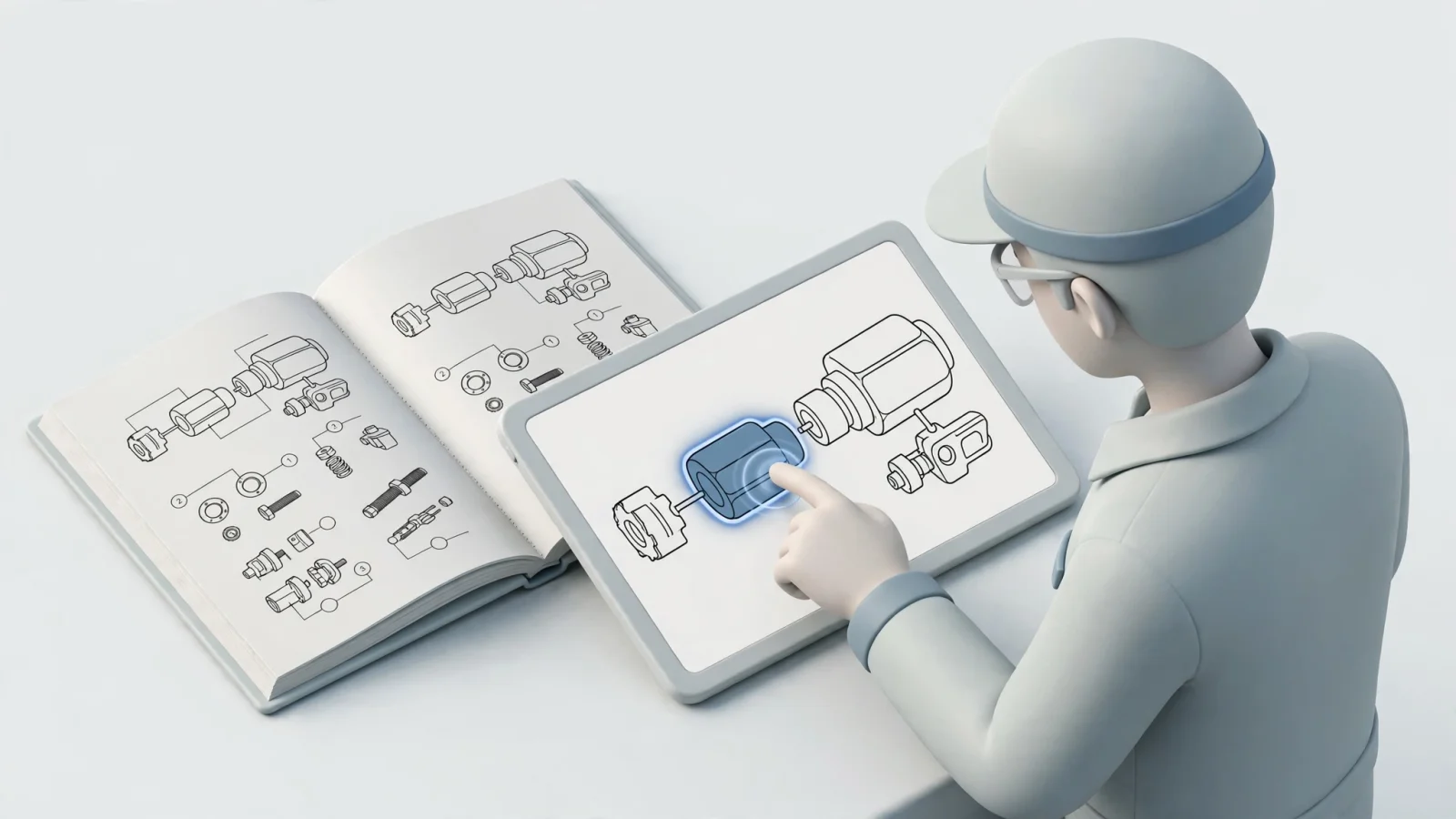
A field technician troubleshooting a machine often knows the exact location and shape of a failed component without knowing its part number. A static document may show a diagram, but it does not provide the catalog logic to identify a component, expose a current supersession, query warehouse availability, or add the part directly to an order. An interactive schematic bridges this gap. When a user clicks a hotspot on a 2D or 3D drawing, the software highlights the corresponding BOM line. This allows the technician to confirm they have the correct item, review any current replacement information, and start the purchase process.
Retaining PDF for Legacy and Archival Workflows
PDF and print formats remain useful for legacy equipment, dealer handoffs, archival records, and workflows that require a fixed publication for regulatory or contractual reasons. Digital catalogs do not make print obsolete, because the two formats serve different jobs. Static formats record information at a single point in time, whereas connected catalogs drive accurate aftermarket transactions.
Core Capabilities to Evaluate Before Buying
Evaluating software requires moving past high-level marketing claims to test how a platform handles the daily friction of manufacturing data.
Structured Content, Reuse, and Applicability
Publishing accurate manuals requires modular information, so ask vendors whether their platform supports reusable topics, conditional publishing, and product applicability. Applicability rules ensure a technician looking up a specific serial number only sees the repair instructions, drawings, and parts relevant to that exact configuration. If the software lacks revision control and review workflows, technical writers may have to update duplicated content across separate books by hand.
Drawings, BOMs, Kits, and Supersessions
Because migration is a mapping exercise, evaluate whether the platform can ingest CAD illustrations, vector drawings, existing BOMs, and ERP records. A standard part-number database fails quickly when products contain nested assemblies, repair kits, or grouped BOM lines. Because supersession activity varies by product line and model life cycle, you need a system capable of handling one-to-one and one-to-many replacement relationships without breaking the historical record of the machine. Systems Online details these capabilities in the EzParts feature overview, highlighting source-data import, drawing-to-BOM linking, kit component displays, and multi-shape hotspots. Test these specific functions using your own unoptimized, real-world data.
Governance, Localization, and Output Control
Global dealer networks require precise access control, so role-based permissions, dealer access levels, and single sign-on capabilities belong in the evaluation. The platform also needs to deliver language-specific publishing based on the user's login while maintaining audit histories for every catalog change. Verify that the system generates branded PDF outputs including current BOM data, revision dates, language variations, and replacement-part notes.
| Evaluation area | Vendor question | Why it matters |
|---|---|---|
| Content model | Does the platform manage reusable content and structured data, or only finished documents? | Determines whether updates can be applied once and reused across manuals, portals, mobile apps, and PDFs. |
| Data ingestion | Can it import CAD, PDM, PLM, ERP, PDF, vector, and raster data? | Reduces migration effort and preserves existing engineering investments. |
| BOM logic | Can it display nested assemblies, kits, components, and grouped BOM lines? | Prevents the catalog from oversimplifying complex product structures. |
| Supersessions | Can it show one-to-one and one-to-many replacement relationships? | Helps users move from obsolete part numbers to current options. |
| ERP integration | Is pricing, availability, and order insertion real-time, scheduled, or manual? | Clarifies how current the commercial data is and where transactional logic resides. |
| Print output | Can the system generate branded, revision-controlled PDF parts books? | Preserves print and dealer workflows while using a common data source. |

Integrating Engineering Systems With Delivery Channels
An electronic parts catalog cannot exist in isolation because it relies on a continuous exchange of data between engineering and commercial systems.
Establishing Data Ownership Across the Enterprise
Integration requires clear rules defining which system owns specific data types. The ERP or parts master often owns part identifiers, pricing, and availability, while CAD, Product Data Management (PDM), or Product Lifecycle Management (PLM) systems usually own the geometry and engineering revisions. Meanwhile, the publication platform manages the hotspot geometry, navigation, and PDF layouts. Determine whether pricing updates happen in real-time, on a scheduled batch, or through manual intervention. Ask vendors how their software handles duplicate submissions, rejected transactions, and integration failures when sending an order back to the ERP.
Coordinating Connected, Mobile, and Offline Delivery
Users work in varying environments, so a publication strategy needs to span browser, SaaS, native mobile, and offline channels. These delivery methods work efficiently only if they share a coordinated data model. Forcing technical writers to maintain a web portal, a separate mobile application database, and manual PDF files can cause those formats to fall out of sync.
Handling Disconnected Environments
Remote service bays, mines, and agricultural fields may lack reliable internet access, making offline access necessary to complete field repairs. Systems Online handles this through a mobile electronic parts catalog that supports connected and disconnected use by storing selected catalog data locally and synchronizing when a connection returns. Verify exactly what remains functional in airplane mode during your evaluation. Check whether a technician can navigate a schematic, identify a superseded part, and add it to an offline cart. Afterward, test what happens to that cart when the device reconnects to a cellular network.
Prioritizing User Needs Across the Supply Chain
Different audiences judge publication software by different metrics. An implementation optimizing solely for the engineering department will struggle if it frustrates the end users ordering the parts.
Equipment Manufacturer Priorities
Internal teams care most about maintenance effort and data governance, prompting OEMs to prioritize engineering data ingestion, revision control, version rollback, and ERP integration. The central question for a manufacturer is whether the platform can take an existing drawing and BOM, map the relationships automatically, and publish an update without forcing staff to build a second, manually maintained parts database. You measure success by tracking catalog update times, order corrections, and support requests.
Dealer Network Priorities
Dealers focus on speed and commercial accuracy, requiring fast visual part identification, customer-specific pricing, and immediate availability checks. A dealer needs the ability to select a part from a machine view, confirm the current replacement, and see the relevant commercial information. They then add the item to an order without toggling between a parts portal and a separate dealer management system.
Field Service Priorities
Technicians place a high value on mobile usability, relying on offline model packages, fast schematic navigation, and minimal typing. Searching by part number slows a repair down, whereas tapping an assembly on a tablet speeds the process up. Field staff also depend on part images, service notes, and update processes that run automatically once the device returns to an area with connectivity.
Deciding on Standards and Deployment Models
Industry standards and deployment models dictate the architecture of your publication environment. Approach them as specific architectural choices tailored to your business rather than automatic requirements for buying software.
ISO/IEC/IEEE 82079-1: Information Quality and Process
The IEC/IEEE 82079-1:2019 standard addresses the design, preparation, quality, management, and evaluation of information for use, including documentation for complex industrial machinery. Because it sets out principles, requirements, and processes for preparing information, using this standard as a reference can help you structure a publication process. It is an International Standard focused on information quality and the process for preparing information for use.
S1000D and DITA: When Structured Publishing Matters
Some industries use structured publication specifications. The S1000D specification defines technical publications using a common source database and is used in defense, civil aviation, construction, and ship industries. Similarly, the DITA architecture provides an XML-based, topic-oriented approach designed for reusable, single-sourced content.
Choosing Hosting Based on Workflow Risk
Compare SaaS, on-premise, mobile, offline, and distributed media models based on who carries the operational risk. SaaS centralizes hosting and updates, making access easier across distributed user bases. Live functions in a SaaS environment depend heavily on connectivity, however. On-premise enterprise deployments offer greater control over internal ERP integrations and data residency, shifting the upgrade and security burden directly onto your IT department. Native mobile and offline packages support disconnected field environments, provided you establish strict policies for device storage, authentication, and update distribution. A hybrid deployment handles office, dealer, field, and print users simultaneously if you enforce disciplined data governance.

Validating the Platform Before Committing
Avoid generic product tours, as these demonstrations use clean, optimized data that hides the daily friction of managing technical publications.
Run a Demonstration With Your Own Data
Ask the vendor to use one of your real drawings alongside its related BOM, a nested assembly, a known superseded part, and a required PDF output format. Having them import the drawing and BOM live lets you test whether the ingestion process works. Select an irregular hotspot on the drawing to confirm the correct BOM line highlights, and expand the nested assembly to inspect the component display. You should also change pricing or availability in your ERP test environment to verify precisely when that change appears in the catalog. Finally, adding a part to a cart lets you inspect the resulting order payload and observe how the system handles duplicate submissions.
Pilot One Representative Product Family
To stage the implementation, start by inventorying your current paper manuals, PDFs, CAD drawings, BOM spreadsheets, and service bulletins. Establish and document clear data ownership rules for every field. Next, run a pilot program on one representative product family that includes complex kits and typical dealer use cases. Validating every delivery channel, from desktop browsers to native mobile applications, ensures the system functions properly before rolling the software out across your entire product line.
Measure the Outcome and Request a Proof
Establish baseline metrics before the pilot begins to track the platform's real impact. Measure wrong-part returns, order corrections, manual lookup requests, and the total time required to update and republish a catalog. Testing offline package update success rates and ERP insertion failures will expose any remaining architectural flaws. The goal is to deploy software that transforms technical data into a functional, revenue-driving aftermarket tool.
See how EzParts can turn your existing drawings, BOMs, and parts data into an interactive catalog for OEM, dealer, mobile, offline, and print use. Request a customized demonstration using your own product data at sysonline.com.
Modified on: 09/11/2026