Blog » USB-Deployed Interactive Parts Catalogs for OEMs
USB-Deployed Interactive Parts Catalogs for OEMs
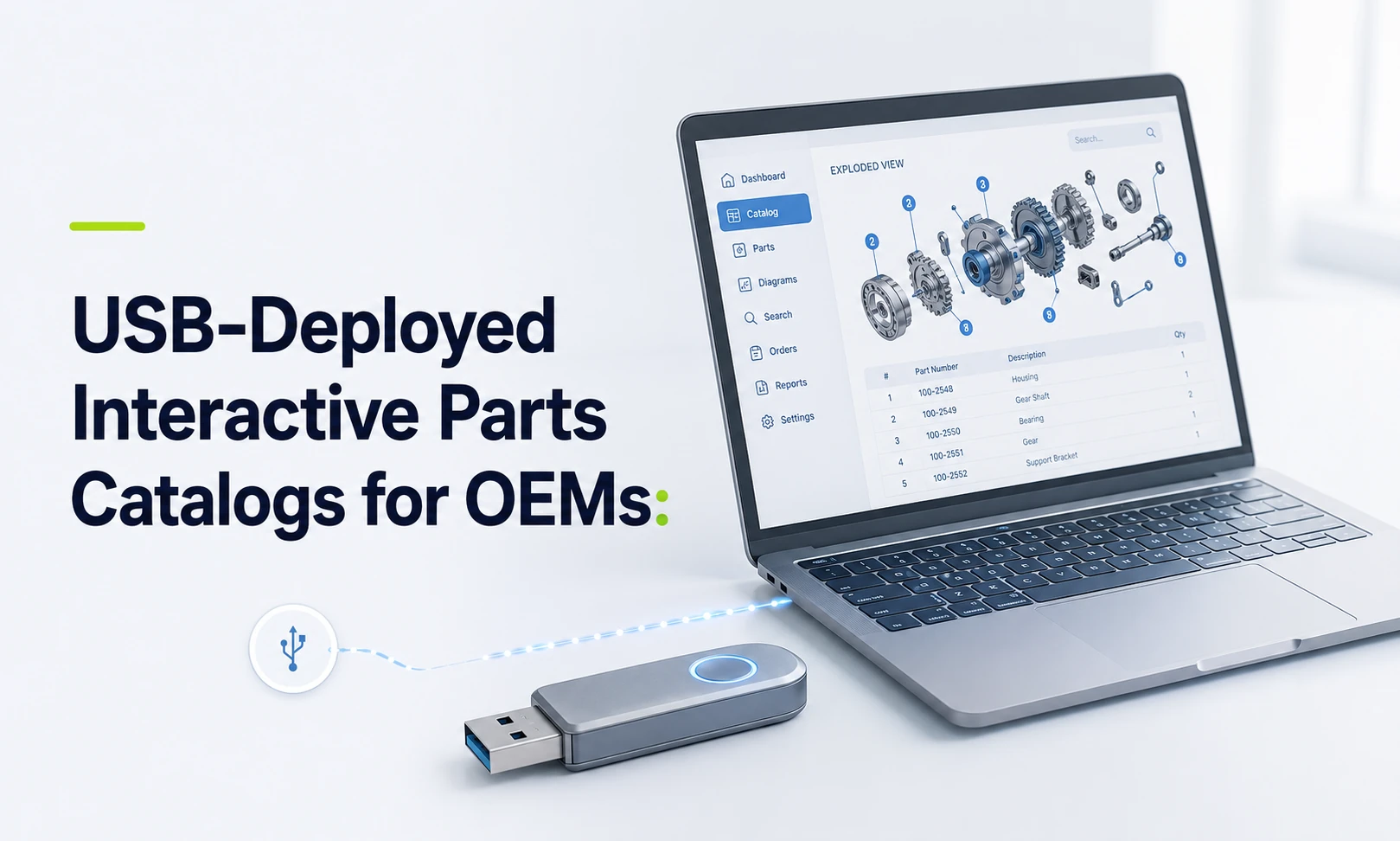
Systems Online helps equipment manufacturers eliminate aftermarket ordering errors and boost parts sales through multi-channel, interactive electronic parts catalogs that integrate with existing ERPs. This approach connects the offline lookup problem to the wider service and aftermarket workflow, so USB deployment can support accurate part identification without isolating the catalog from the systems that manage product and order data.
Field service technicians may operate beyond cellular coverage, while dealer networks sometimes run on restricted internal infrastructure. Some industrial environments, mining sites, and secure manufacturing plants limit external web connectivity. A static PDF parts manual works offline, but it often leaves a technician to scroll through long documents, cross-reference part numbers on paper, and guess at visual matches.
You need a solution that bridges this connectivity gap without sacrificing the structured database required by modern service operations. A USB-deployed interactive parts catalog gives equipment manufacturers a way to deliver searchable parts data, interactive schematics, and service information directly to a local machine, solving the connectivity problem and the identification problem simultaneously.
Maintaining offline lookup capabilities can lower the risk of wrong-part ordering and give technicians more confidence when identifying replacements. Systems Online designed EzParts Distributed Media specifically for dealers and technicians who need robust parts access without an internet connection. The product supports installation on individual PCs or local networks and updates through electronic media or internet access. This setup positions USB distribution as one channel within a broader delivery framework, matching the catalog experience to the operating environment. For manufacturers evaluating a USB-deployed interactive parts catalog, that multi-channel framing helps align offline access with broader aftermarket sales and service goals.
What a USB-Deployed Interactive Parts Catalog Is
A USB-deployed interactive parts catalog is a structured electronic parts catalog delivered through portable media for local or network installation. A USB catalog is more than a flat document file copied to a flash drive. The deployment combines an application layer with a structured dataset covering your models, interactive schematics, bill of materials (BOM) relationships, supersession records, service documentation, and defined update paths.
This architecture means the user interacts with a database rather than reading a static page. They search the local dataset, select a specific machine configuration, click on a visual drawing, and watch the exact part number highlight in the accompanying list.
Deployment terminology requires clarification. Delivering software via USB does not necessarily mean the catalog application executes directly from the removable drive. The media might deliver a standard installer and a large dataset to a ruggedized field laptop, or it might deploy the catalog application across a dealer's internal local area network. It could deliver a complete offline software release, or carry a lightweight update package to patch an existing installation. Confirm the exact execution model with your software vendor. Systems Online emphasizes local workstation or network installation, while direct execution from removable storage remains highly dependent on your specific IT implementation.
That structured application approach differs from legacy offline formats.
| Static PDF parts manual | Interactive distributed catalog |
|---|---|
| Primarily a flat document file | Application paired with a structured database |
| Manual page navigation and scrolling | Model, serial, part, and text description searches |
| Static illustrations and separate lists | Clickable schematic hotspots linked directly to BOMs |
| Manual document replacement | Controlled incremental data updates |
| Read-only reference material | Potential pick-list, cart, and order integration |
PDFs often include basic text search functionality and hyperlinking, but a PDF by itself does not enforce business rules, calculate supersession chains, or maintain the complex part relationships required by an electronic parts catalog.
How Interactive Offline Parts Lookup Works
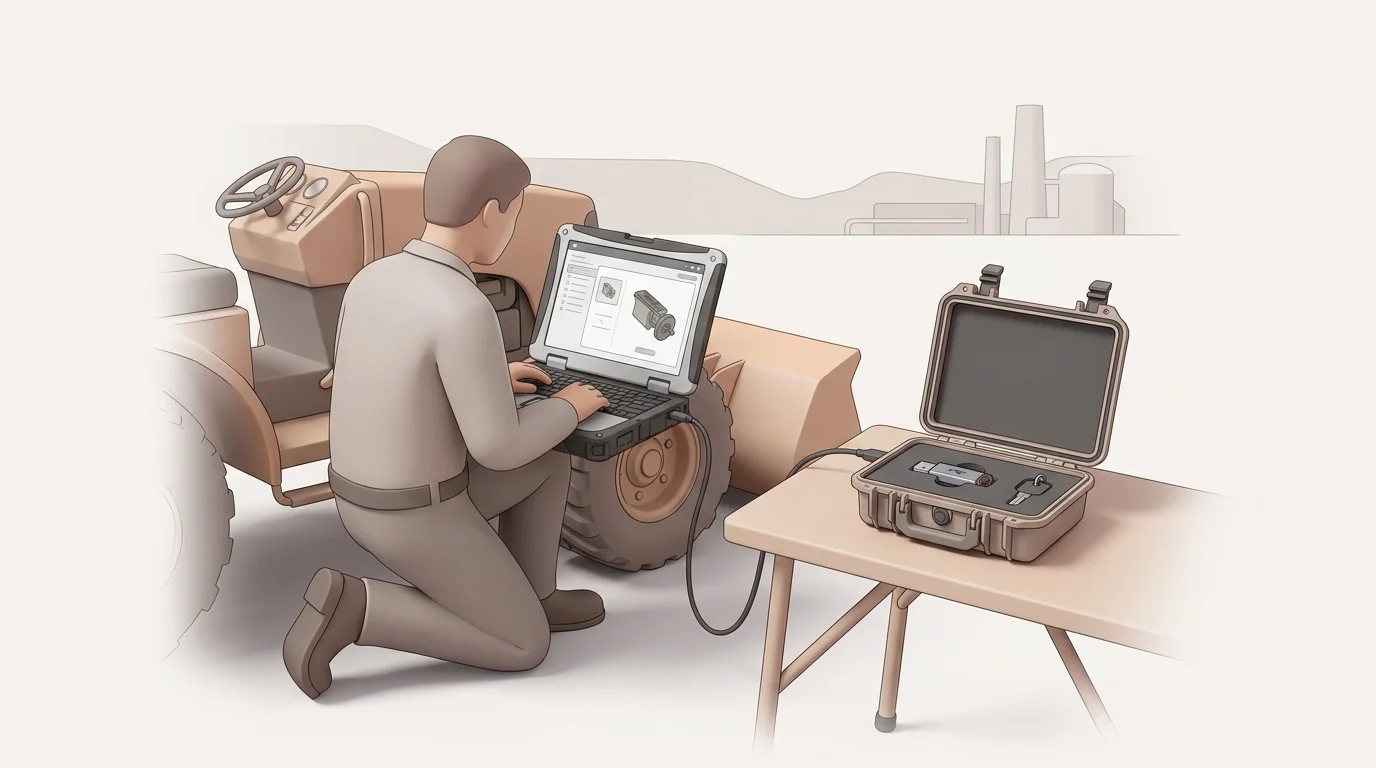
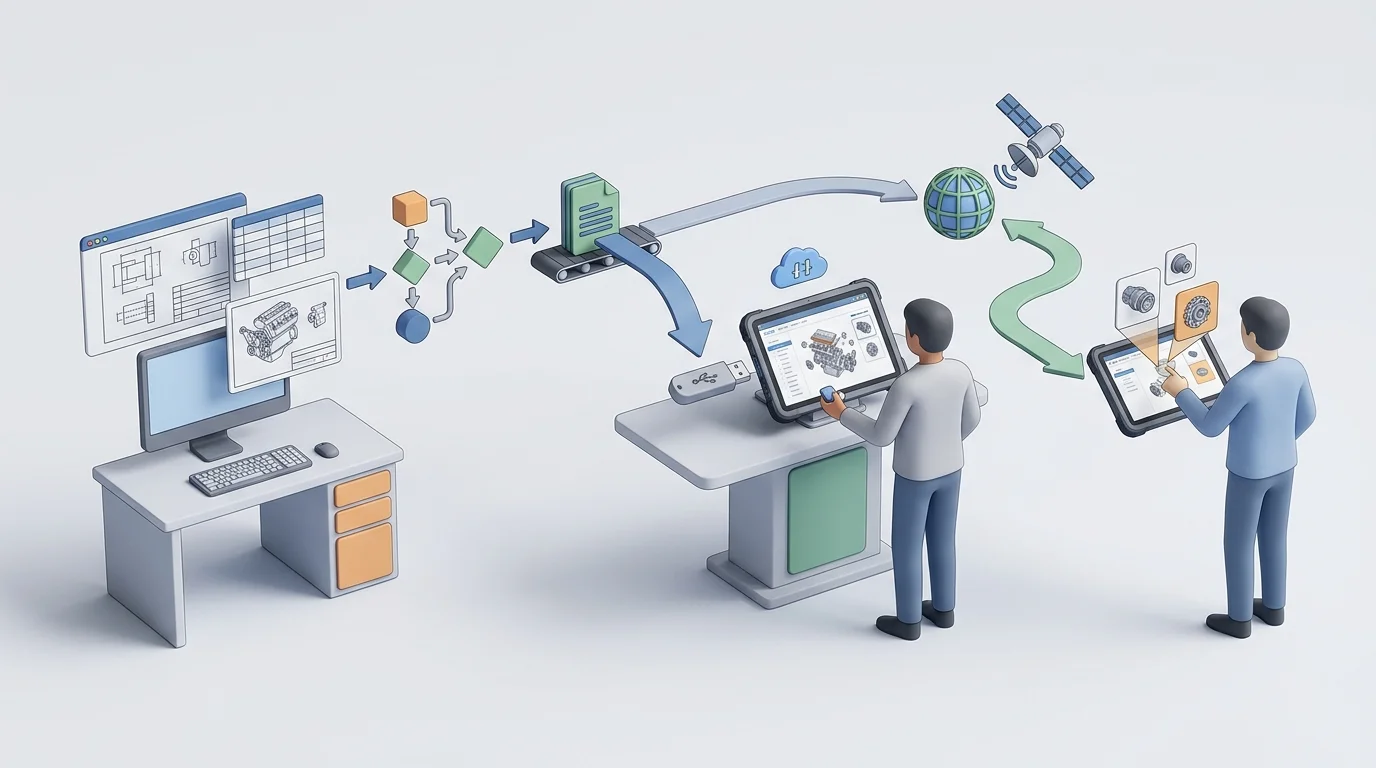
The lifecycle of an offline catalog typically moves from source data extraction through catalog authoring, release packaging, distribution, local installation, offline usage, and subsequent data updates.
Source information may originate in your enterprise resource planning (ERP) software, CAD files, and engineering documents. This material can include parts, models, serial applicability ranges, pricing files, supersession chains, and service manuals. You author and validate this material to build an interactive layer, a process that maps specific visual hotspots on your engineering drawings directly to their corresponding BOM entries.
The resulting release package can bundle the catalog application, your structured database, assigned user permissions, version metadata, and supporting documentation. You distribute this entire package via USB to the target local endpoint.
Once installed, a field technician begins the diagnostic workflow. They enter a model or serial number to filter the catalog down to the exact machine sitting in front of them, and then search by part number, part description, or browse the internal document structure. If they do not know the part number, they open a 2D or 3D schematic of the relevant machine assembly.
The schematic can feature multi-shape hotspots overlaying the individual components. Clicking a visual hotspot highlights the corresponding item in the adjacent parts list. The technician can review automatic kit-component displays, verify superseded parts, read associated technical notes, and add the correct item to a local pick list.
This workflow can preserve part of your eCommerce portal's identification logic locally. By providing a structured path from visual identification to part selection, the software reduces the risk that the technician records an obsolete part number or orders an incompatible component for a specific serial range. When the catalog also connects to the appropriate ERP or eCommerce workflow after reconnection, that identification path can support more accurate aftermarket ordering.
When USB Is the Right Delivery Channel
Understanding where distributed media belongs in your operation requires evaluating it alongside your other delivery channels. Matching the catalog tool to the specific user environment can support adoption.
| Delivery approach | Best fit | Main strength | Main trade-off |
|---|---|---|---|
| Static PDF | Print archiving, emergency fallback, simple manuals | Easy to distribute and store | Lacks structured catalog relationships and business logic |
| USB/distributed media | Disconnected, restricted, or remote field environments | Complete local access without live network dependence | Requires rigorous release, media, and update governance |
| Cloud/SaaS | Connected dealers, end customers, standard networks | Centralized updates and live connected services | Requires reliable internet connectivity for live access |
| On-premises enterprise | OEM-controlled internal networks | Complete hosting control and deep internal integration | Demands internal IT infrastructure and administration |
| Native mobile app | Technicians using managed smartphones or tablets | Field-friendly interfaces and offline sync where supported | Requires dedicated device management and mobile support |
USB distribution fits environments where connectivity cannot be assumed. The primary benefits include local availability after installation, predictable release control, and independence from live cellular service.
These benefits involve specific operational trade-offs, including logistics planning for physical media distribution. That means managing endpoint device compatibility, ensuring adequate local storage space for large 3D datasets, and enforcing release governance. If your technicians fail to apply the physical updates you mail them, they may identify parts using stale data.
Cloud delivery provides centralized updates and live services for connected dealers and general customers. To support all user types, a hybrid catalog strategy can cover more operating environments. Connected users access your web-based cloud portal, remote dealer branches install a distributed media package on their internal server, and field technicians load an approved offline package onto their rugged laptops.
Systems Online's multi-channel approach lets manufacturers treat USB delivery as part of a broader catalog program, using distributed media for disconnected users while maintaining online access for connected dealers and customers. When the deployment supports the required integration, this broader approach can connect catalog identification with existing ERP and eCommerce processes, so the organization can address ordering as well as lookup.
Because hosting environments can affect available features, test that your required functions operate correctly on the specific online parts catalog channel you choose.
What Offline Access Can and Cannot Do
Distinguishing between an offline catalog lookup and a live enterprise transaction helps define your software requirements. Offline software preserves part identification capabilities, but it does not automatically grant live enterprise access.
A properly packaged local dataset can provide model and serial applicability filters, part-number and description searches, complete BOMs, and interactive schematics. It can also include kit relationships, supersession histories, and local service documentation.
Live commercial transactions require a network connection or a specifically engineered local integration. You cannot view live OEM inventory levels, access real-time dealer pricing, confirm customer-specific account details, or submit central orders while entirely disconnected from the network.
Implementation-dependent functions bridge this gap. Depending on your configuration, a technician might build and save a cart while offline, queuing the order for later submission, or synchronize a pick list automatically the moment their device detects a cellular signal. In some facility deployments, the local application might connect to a dealer's internal business system on the same closed network, providing real-time local pricing even if the external internet goes down.
Pricing, inventory, and order routing remain connected capabilities unless your software vendor outlines a specific offline workflow. A standard field scenario involves a technician identifying and recording a required assembly while deep inside a facility, then pulling the saved list to check current commercial data upon returning to an area with signal. Systems Online can help manufacturers evaluate that boundary between offline identification and connected ordering as part of a multi-channel catalog strategy.
Keeping USB Catalog Data Current and Secure
A distributed catalog retains value only if users can clearly identify their installed release and apply updates without failure. Sending a flash drive to a dealer solves the initial installation requirement, but it doesn't solve the update process by itself.
Assign every data release a version number, a revision date, and a defined product scope. Identify the included machine models, serial ranges, languages, and user permissions clearly to help users apply the right patches. Provide a change summary document so technicians understand which equipment lines received updates. Validate the media thoroughly before distribution, testing both the fresh installation and the patch update paths on representative field hardware.
When issuing updates, support multiple synchronization methods. Using EzUpdater's internet and electronic-media update paths, you can offer internet-based downloads for users who reach connectivity, while providing physical USB updates for permanently disconnected machines. The software checks catalog data integrity, updates permissions, applies specific service-data changes, and downloads only changed resources to minimize bandwidth. Where outdated lookup data creates safety or compliance risks, implement dataset expiration dates to force an update.
Portable storage introduces cybersecurity risks in operational technology environments. NIST's September 2025 guidance on portable storage in OT environments explains that USB flash drives and other removable media remain useful for physical data transfer, but require procedural, physical, and technical controls.
Microsoft's guidance for removable media recommends a layered approach. Those layers include device monitoring, allow and block policies, real-time antivirus scanning, and restrictions on write access and untrusted processes running from USB drives.
Govern media distribution by issuing approved, inventoried hardware. Scan release media before shipping it to a dealer, and require local scanning before use. Apply clear version labels and appropriate write restrictions. Keep your USB catalog endpoints logically separated from unmanaged production devices unless an internal security policy explicitly approves the integration.
USB Catalog Checklist, FAQs, and Next Step
Evaluating a distributed media solution requires precise technical questioning. Use this checklist to map your requirements against prospective electronic parts catalog software vendors. Systems Online's catalog approach can be part of that evaluation when you need offline access alongside online and mobile delivery options.
Data, Offline Behavior, and Update Questions
- Does the catalog filter configurations natively by exact serial number?
- Can the system manage complex supersessions and highlight replacement parts automatically?
- Can it display specific kit components and nested BOM relationships?
- Do interactive schematics support selectable hotspots while entirely disconnected?
- Are service manuals, technical bulletins, and part notes embedded in the local dataset?
- Can a user execute a complete global search across descriptions and part numbers offline?
- Does the system allow building and saving a local pick list without a network?
- Are data updates delivered as full replacements, or can the system process incremental patches?
- Can you set an expiration date to prevent technicians from using obsolete safety data?
Integration, Platform, and Security Questions
- When connected, can users access live pricing and availability via web services?
- Can local orders route directly into your ERP or eCommerce system upon reconnection?
- Which specific ERP connectors (such as SAP, Oracle, Epicor, or Microsoft Dynamics) are available for your implementation scope?
- Which operating systems does the current distributed-media viewer support?
- How much local hard drive storage does a complete 3D dataset require?
- Does the software validate media integrity before applying a data patch?
Common Questions
What is a USB-deployed interactive parts catalog?
It is a locally accessible electronic parts catalog delivered via distributed media. It pairs structured catalog data with an application layer to provide search, interactive schematics, BOMs, and parts relationships on a local machine.
Can a USB parts catalog function completely without the internet?
Yes. As long as the application and required dataset are installed on the local device or an approved closed network, the software executes searches and renders schematics without external connectivity.
Is a parts catalog on USB a digital PDF file?
No. A PDF serves as a document for manual reference. An interactive parts catalog provides a structured database that supports filtering by serial number, schematic navigation, automated supersession tracking, and structured pick lists.
Can users search by serial number or part number offline?
Yes. A fully structured disconnected environment parts lookup tool allows robust offline searches across part numbers, text descriptions, exact machine models, document titles, and specific serial numbers.
Does a disconnected catalog display live inventory and pricing?
Not by default. Live central inventory and real-time customer pricing require network connectivity or a specific integration with a local dealer management system.
Does USB deployment replace cloud or mobile access?
No. USB, cloud, on-premise, and mobile delivery address different operating environments. OEMs can use a hybrid strategy to cover those use cases.
Is using USB media secure?
USB media requires deliberate governance. Removable storage is a security risk, so organizations need device monitoring, allow and block policies, and active antivirus scanning before deploying media to field laptops or internal networks.
The Next Step
Equip your dealers and field technicians with accurate, searchable parts data, regardless of their network connection. Outdated PDF manuals and guessed part numbers can increase aftermarket support effort and frustrate your users. Explore how Systems Online extends interactive catalog technology directly to local PCs and offline networks. Combine distributed media with robust cloud and native mobile delivery to create a unified, accurate aftermarket strategy for every environment.
Ready to eliminate offline ordering errors and streamline your field service operations? Contact Systems Online today to schedule an EzParts demonstration and learn how to deploy a true multi-channel interactive parts catalog that supports parts sales across connected and disconnected environments. Visit Systems Online.
Modified on: 08/31/2026