Blog » VIN-Based Parts Lookup Software Guide
VIN-Based Parts Lookup Software Guide
Finding the right replacement component takes more than a 17-character string. VIN based parts lookup software acts as an OEM electronic parts catalog and fitment platform, connecting a specific asset identifier to the correct parts, diagrams, replacement relationships, pricing, and availability. Entering a Vehicle Identification Number serves as a starting point, so a robust catalog must bridge the gap between identifying the broad machine and pinpointing the exact component that fits it today.
What Is VIN-Based Parts Lookup Software?
It Is More Than a VIN Decoder
A standard public decoder translates an identifier into manufacturer-reported vehicle context. For example, the NHTSA defines a VIN as a 17-character identifier tied to data submitted by vehicle manufacturers. Its vPIC service decodes that string into attributes like model year, plant, and configuration. That translation identifies the asset, but it doesn't tell a mechanic which specific fuel pump fits that exact configuration.
Parts lookup software needs application fitment data in addition to the ACES standard. The Auto Care Association explicitly states that ACES and its Vehicle Configuration database are not a parts catalog and cannot independently determine which products fit. ACES communicates fitment data between trading partners, but companies must research, create, or buy their own application fitment data.
The Identity-to-Order Value Chain
Systems Online developed EzParts as a VIN- and serial-aware electronic parts catalog and aftermarket eCommerce platform to support the specific value chain required by equipment manufacturers, dealer networks, and field technicians.
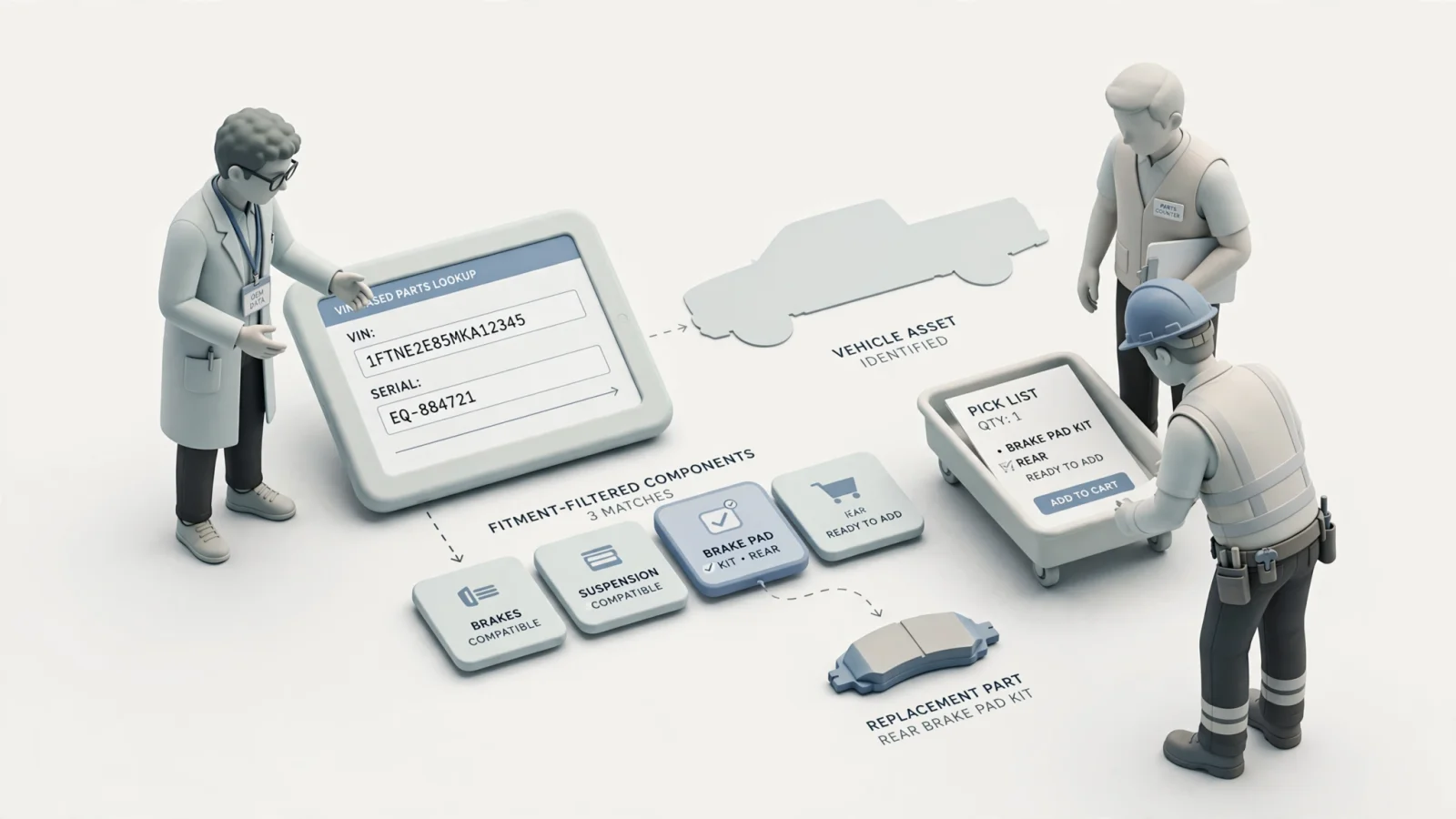
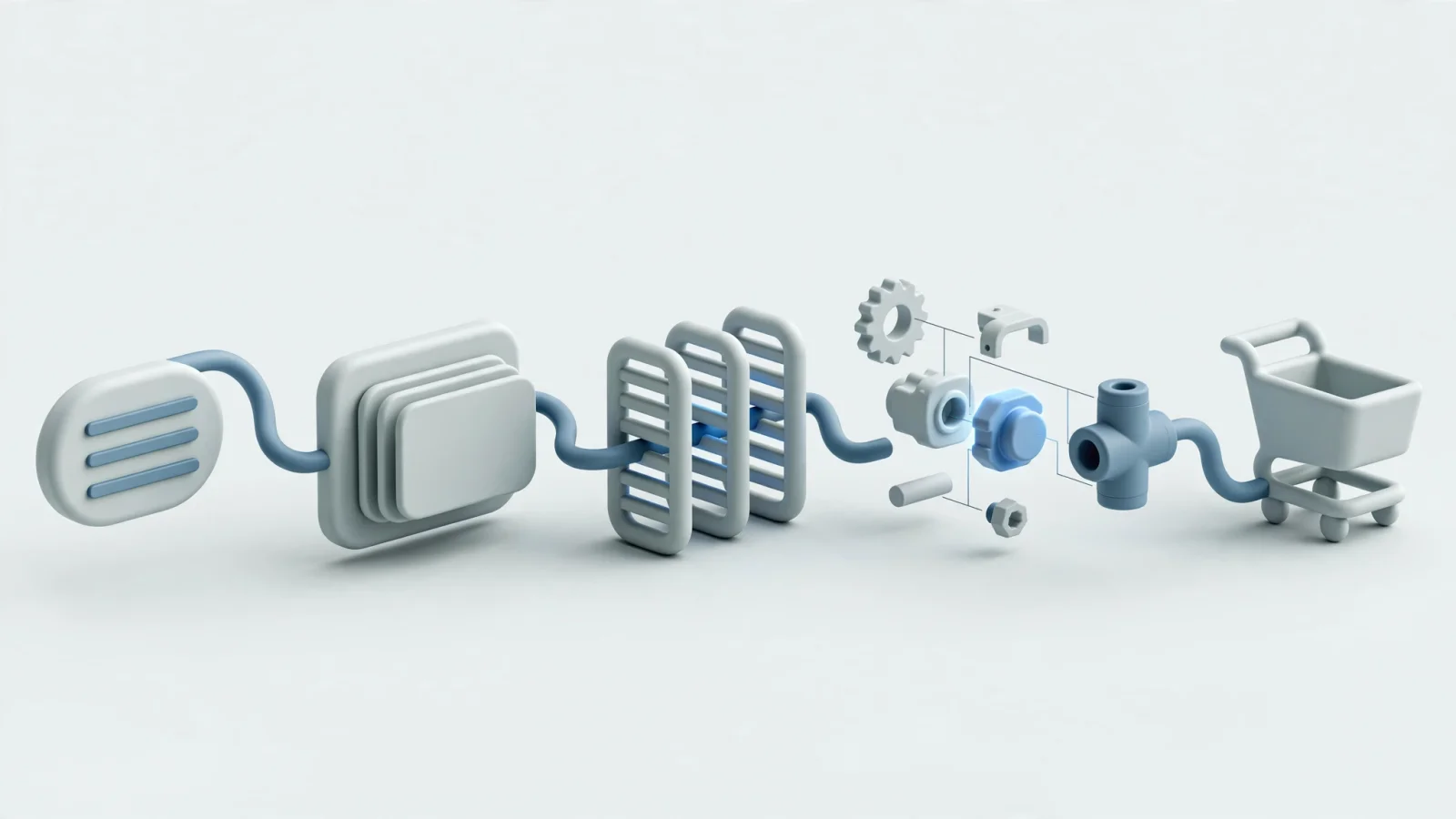
The process begins with an asset identifier like a VIN, serial number, or PIN, which the software resolves into the asset context by applying the manufacturer's specific fitment rules. Those rules filter the catalog down to an applicable interactive schematic or bill of materials (BOM). You select the current service part, view its pricing and availability, and move the item into a cart or pick list.
How Accurate Parts Lookup Works
Capture And Validate The Identifier
Accurate lookup operates as a connected workflow that accepts the identifier most appropriate to the product line, including a full VIN, serial number, PIN, model and production range, catalog code, part number, or component serial number.
When you paste a string into the system, the software normalizes spaces, punctuation, and letter case while validating incomplete or malformed identifiers immediately. Partial decoding helps identify a broad vehicle family, but the catalog triggers an ambiguity message instead of displaying exact-fitment results based on incomplete data. A technician needs to know whether the displayed parts fit a broad model category or apply exclusively to the machine sitting in the service bay.
Apply Fitment And Effectivity Rules
The software resolves the entered identifier into structured asset data, extracting the manufacturer, product line, model, production period, plant, market, engine, and specific configuration.
Core applicability logic then takes over as the catalog engine applies VIN breakpoints, serial-number ranges, production dates, model-year changes, and plant variations to the available parts list. Optional equipment, attachments, and engineering changes alter which components belong on a specific machine. To prevent ordering errors, a robust platform filters out any part or subassembly that falls outside the active engineering changes for the matched identifier.
Confirm The Part In A Schematic Or BOM
Since users rarely order a part based on a text string alone, the software moves the technician directly into the applicable 2D or 3D schematic. Because the applicability rules have already filtered the view, the technician sees only the visual representation of that exact machine.
Selecting a multi-shape hotspot on the drawing highlights the corresponding BOM line so the technician can review the part number, description, required quantity, technical notes, and images. The catalog engine handles the part-lifecycle layer simultaneously by distinguishing the original as-built part from current service replacements, superseded numbers, authorized substitutes, repair kits, and subassemblies.
Why Equipment OEMs Need Serial And PIN Lookup
VINs Fit Road Vehicles While Other Assets Require Broader Logic
Road vehicles rely on a standardized 17-character VIN, whereas construction, agricultural, industrial, and heavy equipment rely on a much wider variety of identity formats. These assets use a serial number, Product Identification Number, model code, production range, or specific attachment identifier.
A platform built exclusively around automotive logic fails when applied to a tractor or a commercial generator, because off-highway catalogs define part applicability by production break, engine serial number, or implement configuration. Global equipment manufacturers cannot rely on U.S.-focused public VIN sources to cover every market or equipment category.
Serial Ranges Capture Real-World Variations
Equipment manufacturers use serial ranges to capture engineering changes over long production runs. A model might stay in production for a decade with identical branding while its internal hydraulic routing changes three times.
For example, Bobcat identifies the serial number as its most accurate equipment lookup method, and Caterpillar requires equipment and serial number details to filter results to the relevant machine diagrams. Broad model searches return every iteration of the hydraulic system, leaving the technician guessing, but serial-number ranges narrow the catalog to the exact hydraulic pump installed during the machine's specific production week.
Support Multiple Lookup Paths
Technicians arrive at the catalog with different amounts of information, so the software must support multiple paths to the same correct part.
| Lookup Vector | Primary Benefit | Common Limitation |
|---|---|---|
| Year/Make/Model | Easy discovery for broad asset categories | Leaves multiple configurations or production ranges unresolved |
| VIN | Vehicle-specific identity resolution | Depends entirely on authoritative manufacturer application data |
| Serial / PIN | Equipment-specific applicability and fitment | Identifier format varies wildly by manufacturer and product line |
| Part Number | Direct access when the exact number is known | Does not help users who cannot identify the component visually |
| Interactive Schematic | Visual confirmation of an unknown component | Requires accurate diagrams with hotspot-to-BOM relationships |
Key Features To Evaluate In The Software
Fitment, Lifecycle, And Catalog Content
Look for software that manages applicability rules at the individual part or BOM-line level, supporting VIN and serial breakpoints alongside configuration filtering.
ACES and PIES provide machine-readable methods for exchanging product fitment and product information between trading partners. The Auto Care Association announced the release of ACES® 5.0 and PIES® 8.0 on April 2, 2026, describing the updates as designed to support more accurate, flexible, and scalable data exchange. ACES® 5.0 adds support for vehicle- and part-specific non-diagram digital assets in the App Segment, multiple descriptions for a single digital asset, and expanded multilingual capabilities for the “MfrLabel” field.
Commerce And Business-System Integration
An identified part offers little value until the customer can order it, which means the software must connect catalog discovery directly to commerce and business-system integrations. Evaluate how the platform handles customer-specific pricing and current inventory availability.
To support orders that require dealer or branch routing based on geographic territories, the platform manages packaging rules, shopping carts, pick lists, and automated order insertion. Web services and APIs pull real-time data from the manufacturer's ERP or eCommerce infrastructure so the technician sees accurate inventory levels before placing the request. This integration allows users to check order status and history directly in a connected catalog environment without calling the service desk.
Mobile, Offline, And Governance
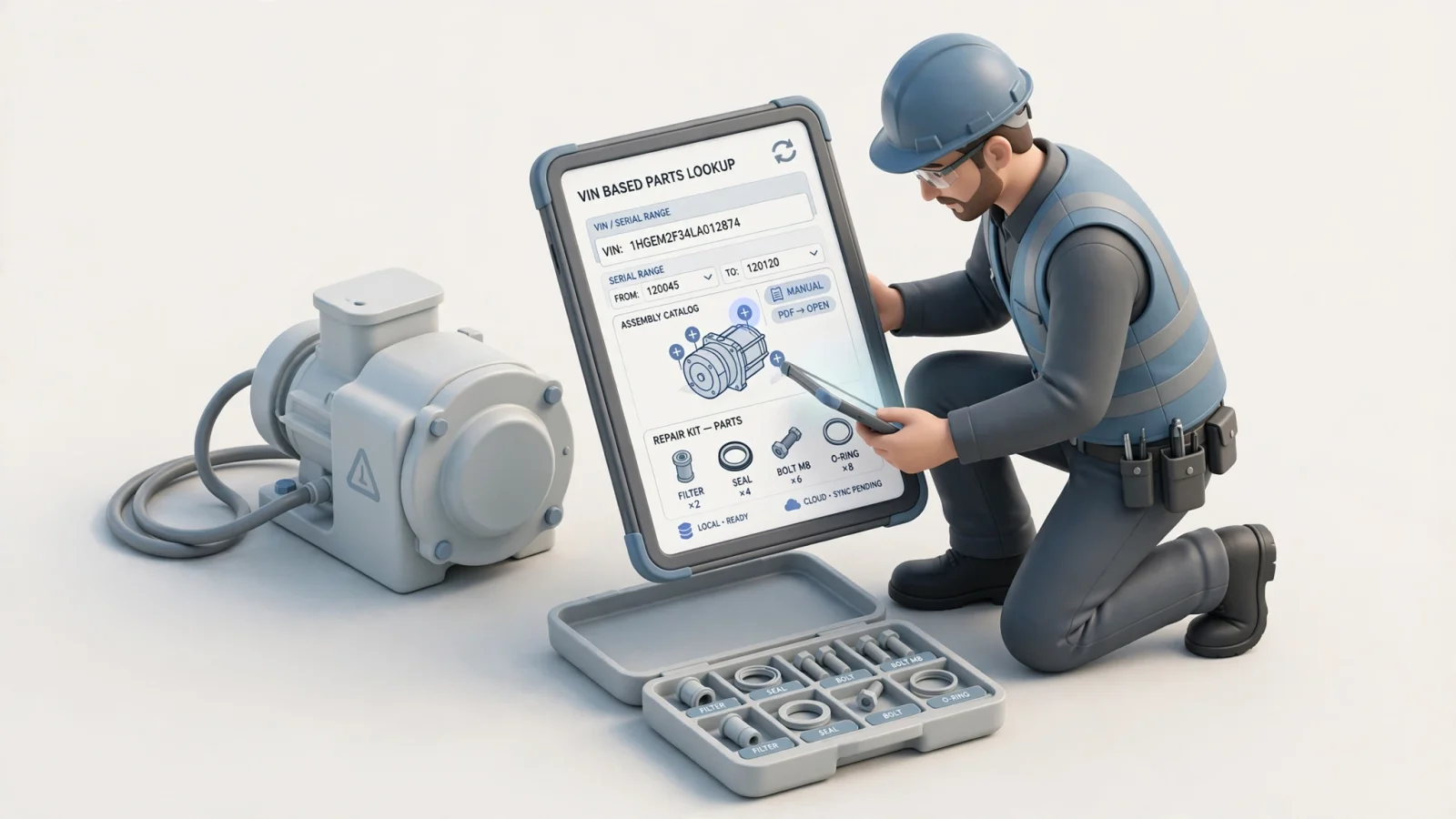
Field environments test the limits of parts lookup software, requiring careful evaluation of offline capabilities. A useful field solution stores identifier mappings, applicability rules, diagrams, BOMs, and replacement relationships locally on the device.
The platform clearly shows the catalog revision date and synchronizes changes automatically when the technician returns to a connected zone. Because queuing an order without live pricing requires specific business rules, you should treat offline order submission as a separate capability to verify. Governance features also matter, so the software needs role-based access, revision control, approval workflows, failed-search analytics, and zero-result reporting to help catalog authors identify missing data.
What Each Team Needs From A Parts Lookup Platform
OEM And Catalog Teams
Catalog authors and data managers need a controlled source of truth to manage parts, diagrams, effectivity rules, engineering changes, and supersessions across multiple delivery channels.
The software must provide connections to the manufacturer's ERP, Product Lifecycle Management (PLM), or Product Information Management (PIM) systems. Centralizing this data allows the team to publish updates simultaneously to dealer portals, public websites, and mobile applications. Because some customers still require physical documentation, the platform needs an automated print engine to generate branded PDF parts books directly from the digital database. Analytics then give the team visibility into unresolved identifiers and failed searches, highlighting which application rules need correction.
Dealers And Parts Counters
Service counter employees face impatient customers and require fast lookup capabilities, relying on rapid searches by VIN, serial number, model, or part number.
The platform provides clear applicability messages to prevent the sale of an incompatible component, while clickable diagrams speed up the visual confirmation process when the customer cannot name the part they hold in their hand. Dealers need the software to display customer-specific pricing and current branch availability instantly. Features like shareable diagram links, integrated carts, pick lists, and repeat-order support streamline the workflow to reduce the time spent handling complex equipment breakdowns.
Field-Service Technicians
Technicians working on a disabled machine face different constraints because they operate in challenging environments that demand a mobile-first navigation structure with minimal typing.
Visual context solves the majority of identification problems in the field. Technicians need clickable hotspots, visible serial-range information, and immediate access to service manuals linked to the specific assembly. When ordering a repair package, the software must display kit contents, required quantities, and replacement relationships clearly. Reliable mobile catalog access in remote locations requires robust offline functionality with a visible synchronization date, ensuring the technician trusts the supersession data stored on their tablet.
How EzParts Connects Identification To Ordering
Search, Schematics, And Part Relationships
Systems Online builds EzParts to address the specific workflows of equipment manufacturers, allowing users to move directly from an asset identifier into relevant catalog content. You can search by general terms, specific models, serial numbers, or schematic titles.
Once the system identifies the equipment, it displays the interactive 2D or 3D content associated with that specific build. Clickable hotspots link directly to BOM lines. The features list details how the platform handles supersession and replacement relationships, ensuring the user always orders the current service part instead of a discontinued original component. The catalog engine respects the strict effectivity dates and serial breakpoints established by the manufacturer's engineering team.
Web, Mobile, Offline, And PDF Delivery
Multi-channel delivery ensures the data reaches the user regardless of their location by pushing the same validated catalog content to web portals, mobile applications, and offline distributed media.
Native iOS and Android applications store catalog data on the device for offline use and synchronize changes later when connectivity is restored. For environments that still require traditional documentation, the automated print engine generates dynamic, branded PDF parts books from the same central database. Add-to-cart and pick-list workflows connect directly to the manufacturer's pricing and availability feeds, while the system handles complex dealer and distributor access levels to display only the pricing and catalog sections authorized for a specific login.
A Practical Systems Online Fit
EzParts operates as an advanced electronic parts catalog and aftermarket eCommerce platform that helps manufacturers connect asset identifiers to applicable parts information across web, mobile, and offline channels.
The flexible platform offers cloud-hosted SaaS, on-premise enterprise, and native mobile deployments. It integrates natively with major ERP systems like SAP, Oracle, Epicor, and Dynamics to sync parts availability and automate order insertion. Accurate results still depend entirely on the OEM's structured parts, configuration, and effectivity data, meaning the software provides the logic engine while the manufacturer provides the engineering truth.
Questions To Ask Before Choosing A Platform
Identity And Fitment Questions
Evaluate a vendor by checking their specific handling of asset identity.
- Does the platform support VIN, serial number, PIN, model, production range, component serial, and part-number lookup?
- Can the system parse manufacturer-specific identifier formats?
- Does the catalog engine handle VIN breakpoints and serial ranges accurately?
- Can the software apply market and configuration rules to filter out incompatible components?
- Does the system separate the applicability logic of the original as-built part from the current service-replacement part?
Catalog, Commerce, And Integration Questions
Determine how the software handles visual confirmation and transaction routing.
- Can users reach the correct schematic directly from an initial asset search?
- Are 2D and 3D diagrams fully interactive with direct BOM relationships?
- Does the software model kits, assemblies, service documents, supersessions, substitutes, and where-used information correctly?
- Can the platform consume live pricing and availability feeds from your existing business systems?
- Does the platform handle dealer routing, carts, order insertion, and ERP APIs natively?
- Is the vendor confusing support for data exchange standards with providing a complete catalog engine?
Deployment, Governance, And Proof Questions
Test the infrastructure and long-term viability of the solution.
- What catalog functions actually work in SaaS, enterprise, on-premise, mobile, and fully offline deployments?
- How do mobile devices synchronize updates when returning from an offline field site?
- Can the system generate branded PDFs from the exact same source data used for the web portal?
- How does the software audit revisions, approvals, and user access?
- Does the analytics dashboard track failed searches and unresolved identifiers to help you improve data quality?
Ask for a representative demonstration and test the platform with a full vehicle VIN, an equipment serial number, a known production breakpoint, a recently superseded part, and a disconnected field scenario. A visual interface that fails offline or ignores an engineering change will increase your ordering errors instead of eliminating them.
See how to eliminate aftermarket ordering errors and boost parts sales through multi-channel, interactive electronic parts catalogs that integrate securely with your existing ERP. Explore Systems Online to modernize your fitment logic, interactive schematics, and dealer ordering workflows.
Modified on: 09/10/2026