Blog » Improve First-Time Fix Rate (FTFR)
Improve First-Time Fix Rate (FTFR)
A repeat visit costs more than the fuel required to send the truck back, because it delays equipment recovery, disrupts customer operations, and absorbs technician capacity you could apply to another job. Resolving the issue on the initial visit protects your service margins and your customer's uptime.
To improve first-time fix rate (FTFR), you need better preparation before the truck rolls. Systems Online's EzParts platform acts as the parts-identification, technical-content, availability, and commerce layer within your broader field-service process. While the software does not replace your dispatch system or diagnostic expertise, it removes the avoidable identification failures that force qualified technicians to leave jobs unfinished when they lack the correct replacement component or schematic.
Establish a Baseline Before You Improve First-Time Fix Rate (FTFR)
First-time fix rate is the percentage of eligible service jobs resolved during the initial visit without requiring a subsequent visit for the same issue. Measuring it accurately depends on strict definitions for what counts as a job, what qualifies as fixed, and which visits belong in the dataset.
How to Calculate the First-Time Fix Rate
A practical measurement divides the number of successful initial resolutions by the total number of eligible service jobs.
FTFR (%) = (first-visit fixes ÷ eligible service jobs) × 100
If your service organization resolves 76 out of 100 eligible jobs on the first visit, your calculation yields 76%. Treat that figure as an illustrative internal baseline rather than a universal benchmark, because equipment complexity, service type, and measurement rules vary too much between industries for a generic target to mean anything.
You also need a consistent rule for handling multiple tasks executed during a single visit. For example, Oracle's field service guidelines treat a resolved service request as a first-time fix if it involves only one break/fix task, or if it involves multiple break/fix tasks that all begin on the same day. Under this logic, requests requiring tasks that start on different days fall into the non-first-time fix category. Adopting this or a similar logic works well, provided you apply the rule consistently across every location.
Set Rules for a Trustworthy Baseline
A trustworthy metric starts with clean eligibility criteria, meaning you need to define which events count toward the denominator before calculating your performance.
Exclude planned multi-visit work, initial installations, preventive maintenance, parts-only deliveries, and administrative visits. Including routine maintenance artificially inflates the metric, as those visits rarely generate unpredictable repair requirements.
You also need to define what "fixed" means for your organization. A job only counts as resolved when the equipment returns to the defined operating standard, so marking a work order closed in the system does not equal a verified repair. If a technician closes a ticket but the customer calls back the next day for the exact same symptom, link that callback to the original request and reclassify the initial visit as a failure.
Track the Raw Number of Repeat Visits Alongside the Percentage
Tracking the raw number of non-first-time-fix jobs provides context the percentage alone hides. For instance, a stable 80% success rate looks fine on a dashboard until you realize your total service volume doubled, meaning you now absorb twice as many costly repeat visits. Report the raw count alongside the percentage so management understands the actual operational burden, and segment your baseline by product family, dealer, technician, and failure type to locate the specific equipment lines dragging the metric down.
Find the Causes Behind Repeat Visits
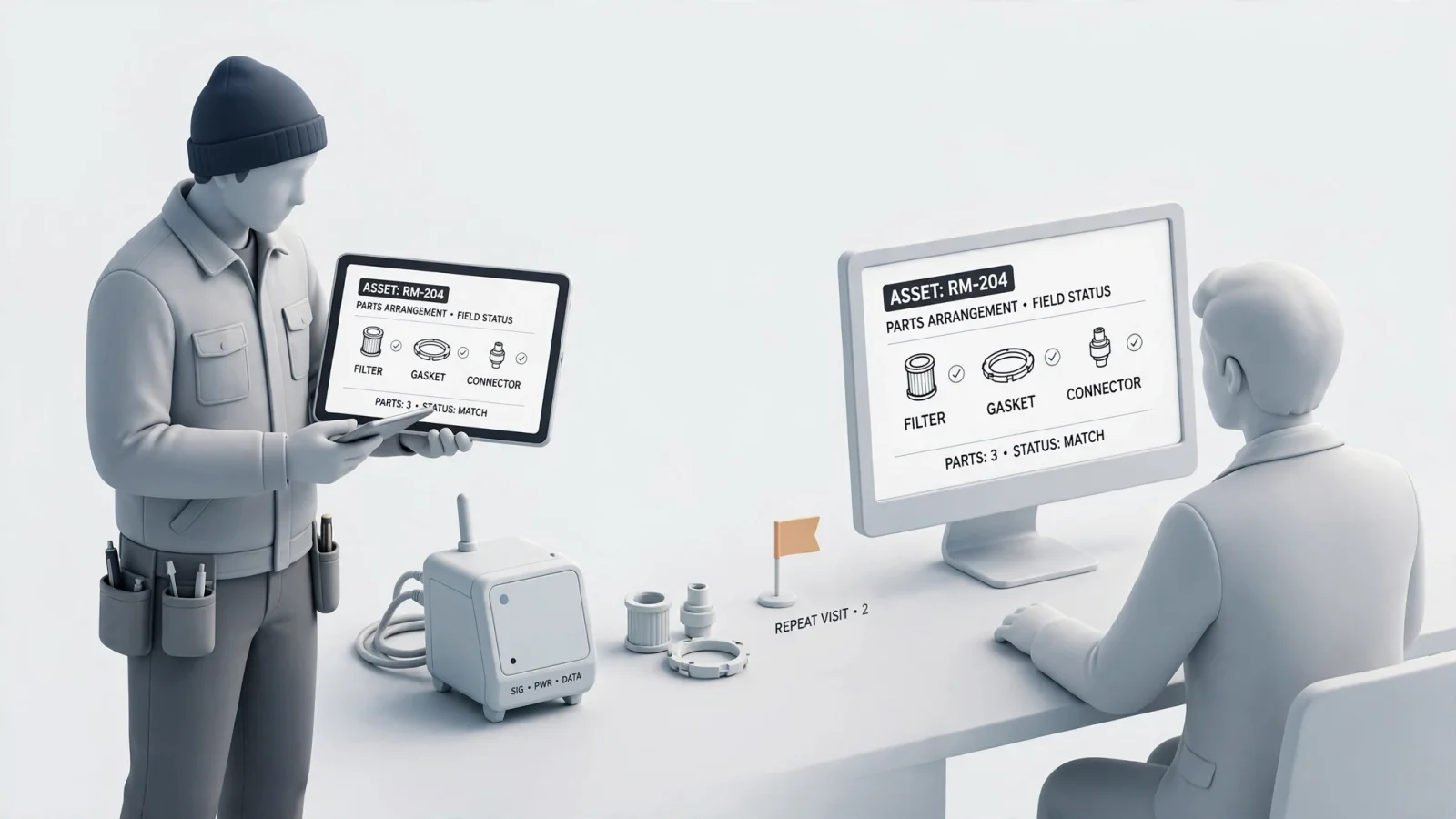
A low first-time-fix rate can have several causes, including a lack of the right skills or spare parts, insufficient knowledge, and poor planning. For example, field service research from PTC identifies these factors among the causes of poor first-time fix performance.
Map the Service Failure Points
You can trace most repeat visits back to specific breakdowns in the preparation and identification workflow, and use this diagnostic mapping to identify the control you need to implement.
| FTFR failure point | What to investigate | Recommended control |
|---|---|---|
| Wrong equipment identified | Incorrect model, serial number, configuration, or effectivity date | Capture specific asset identity during intake and filter parts content by model or serial. |
| Wrong replacement part selected | Technician ordered a similar-looking, obsolete, or incorrectly cross-referenced item | Require visual identification, part images, where-used information, and fitment rules. |
| Superseded part ordered | Legacy manual or outdated part number remains in use | Expose the replacement chain and current replacement part at lookup time. |
| Kit or assembly is incomplete | Technician orders only the parent part or misses included components | Expand kits and assemblies visually and show required component relationships. |
| Part unavailable locally | Part exists in the central warehouse but not at the servicing branch | Check availability by fulfillment center and apply routing rules before dispatch. |
| Technician lacks service information | Missing bulletin, repair note, service history, or diagnostic guidance | Link service resources to the model, schematic, part, or repair workflow. |
Segment Repeat Visits Before Choosing a Fix
Before investing in blanket training programs or increasing inventory levels across the board, isolate the exact cause of your return visits. A technician might correctly diagnose a hydraulic failure but arrive with an outdated seal kit because the PDF manual they referenced predates a major engineering change.
Segment your repeat visits by parts-related causes versus diagnostic failures. If your technicians consistently order superseded components, you need better catalog governance rather than more diagnostic training. Conversely, if they arrive without the necessary specialty tools for a specific product family, your intake and dispatch planning needs adjustment.
Improve Intake and Dispatch Before the Visit
Your ability to resolve an issue in one trip depends on the data collected before the technician leaves the branch, because vague problem descriptions guarantee vague preparation.
Capture Asset and Symptom Context
Design your intake process to capture the most specific equipment identity available. A generic description like "forklift hydraulic leak" leaves the dispatcher guessing which manual, schematic, and parts list applies.
Collect the specific model, serial number, product family, configuration code, manufacturing date, and reported symptom. You can use this data to identify likely failure modes, required tools, expected parts, applicable service bulletins, and any active warranty constraints, which prevents the technician from beginning their prep work with a generic parts list covering five different configurations of the same machine.
Match Skills, Location, and Parts Readiness
Connect the diagnosed job to a technician whose skills match its requirements. To support that assignment, Microsoft's field service scheduling documentation identifies skills, location, and availability as criteria for matching jobs with resources. The schedule assistant also estimates travel time and ranks resources, so use proximity alongside the skills required for the job rather than as the sole basis for assignment.
Avoid using FTFR as a raw individual performance score until you control for job complexity, equipment type, and initial diagnosis quality. A senior technician assigned exclusively to complex, reactive repairs naturally shows a lower initial resolution rate than a junior technician assigned to simple component swaps, so evaluate preparation and parts readiness first.
Give Technicians the Right Information and Part
While a searchable manual or a large folder of PDFs helps, technicians should not have to manually cross-reference disconnected documents to figure out which revision applies to the machine in front of them.
Put Model-Specific Knowledge at the Point of Work
Prioritize model-specific and serial-specific schematics, interactive bills of materials (BOMs), part images, repair notes, service bulletins, and installation guidance. Filtering the technical documentation by the exact serial number removes the guesswork caused by running engineering changes.
Systems Online builds this specific filtering capability directly into the service workflow. For instance, EzParts supports searches across models, parts, schematics, documents, notes, and serial numbers so the technician only sees the technical data relevant to the specific machine they are repairing.
Use Schematics, BOMs, and Fitment Context
Visual identification reduces the gap between the physical component the technician sees on the equipment and the terminology your parts system uses. When a technician selects a multi-shape hotspot on an interactive schematic, the catalog immediately highlights the corresponding BOM line, description, image, required quantity, and applicable fitment.
This visual confirmation prevents ordering errors caused by confusing naming conventions, and multi-select capabilities allow the technician to group all the related hardware and seals required for a repair without tabbing back and forth between different pages.
Resolve Supersessions, Kits, and Assemblies
A technician can correctly identify the part number shown in an old manual and still receive the wrong item if the manufacturer replaced that component two years ago.
Your electronic parts catalog needs to clearly display the original part number, the current replacement part, discontinued status, and any one-to-one or one-to-many supersession chains. EzParts handles these complex relationships automatically by exposing nested kits, assembly hierarchies, related hardware, and alternative components. This ensures the technician orders the complete package required for the repair, rather than discovering they lack a critical O-ring halfway through reassembly.
Connect Parts Identification to Fulfillment
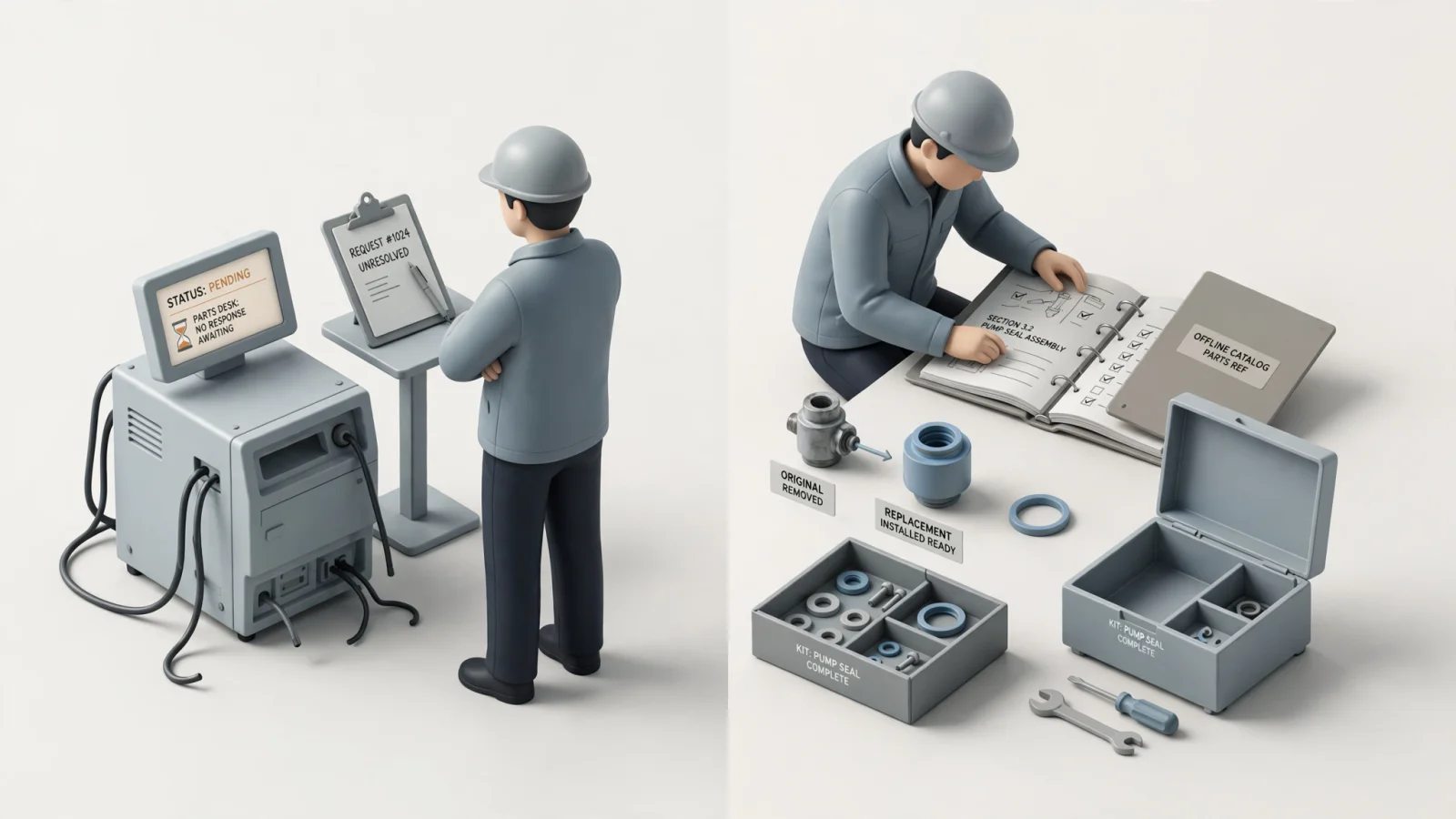
Accurate identification accomplishes nothing if the technician still has to call a parts desk and wait on hold to determine whether the item is available.
Check Branch-Level Availability Before Dispatch
A part showing as available in your central distribution center does not help the technician who needs it locally today, meaning the catalog needs to display inventory status by specific branch or fulfillment center.
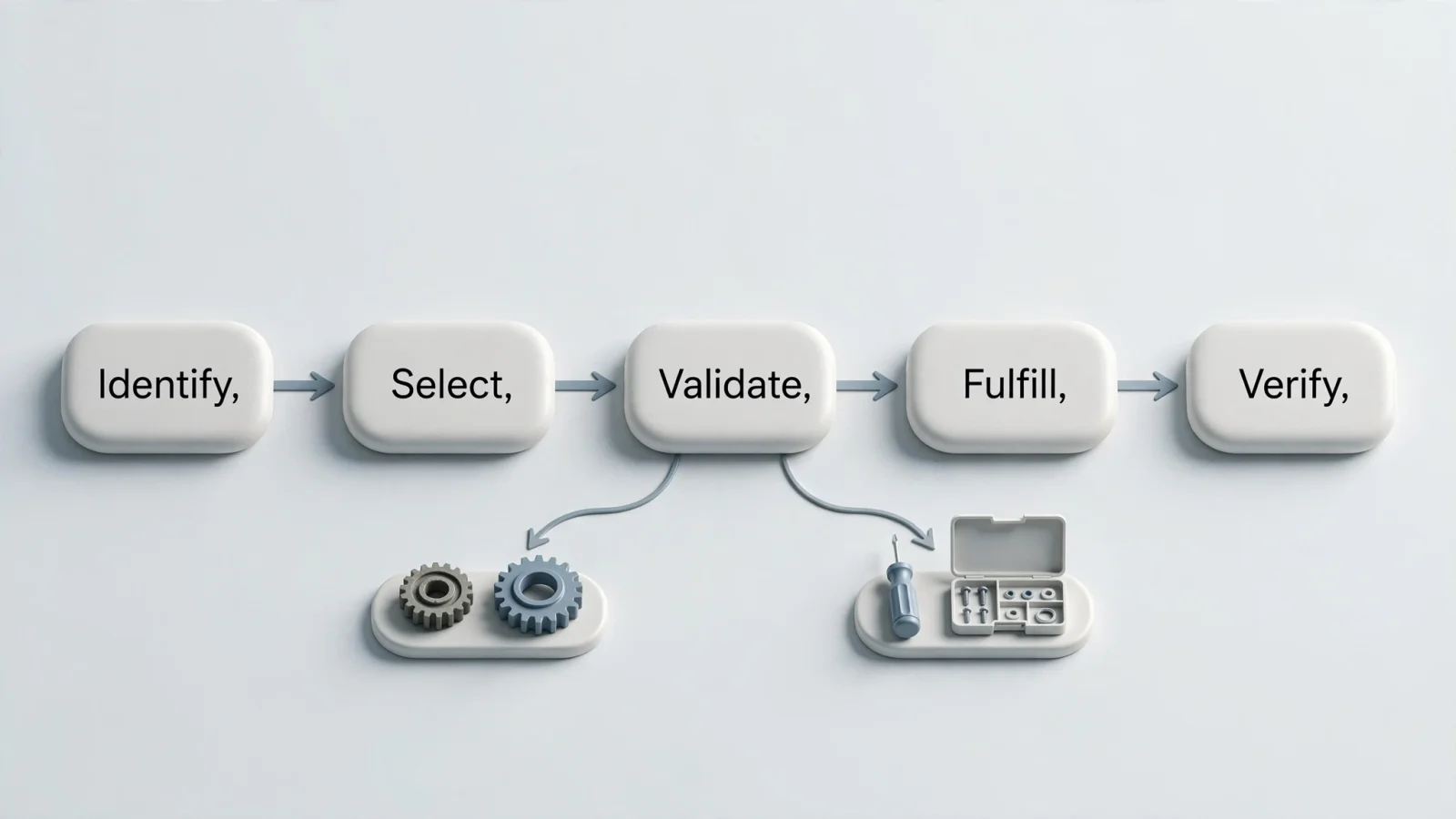
The ideal workflow moves linearly from identifying the equipment to opening the applicable schematic, selecting the part, confirming supersession and kit context, checking availability at the nearest fulfillment center, and finally adding the item to a cart, pick list, or work order request. EzParts connects identification to commerce by integrating with external systems and ERPs to apply your specific dealer, customer, and fulfillment rules directly to the request.
Move From Selected Part to Order or Work Order
Avoid forcing technicians to write down part numbers and type them manually into a separate ordering system, as manual data entry introduces transposition errors that cause the wrong part to ship. Instead, push the validated part number, quantity, and supersession data directly from the catalog into the transaction.
Design for Live and Offline Field Work
Remote equipment service frequently happens in disconnected environments like mines, agricultural fields, or deep inside industrial facilities. Preparing for these scenarios means differentiating between catalog access, transaction access, commercial validation, and synchronization.
EzParts provides native mobile catalog access without an active data connection, allowing the technician to view schematics, identify parts, and build pick lists offline. The system then synchronizes over cellular or Wi-Fi when connectivity returns.
Managing offline work requires deliberate configuration. For example, Microsoft Dynamics 365 requires administrators to configure offline profiles to define which data is available offline on a mobile device. Apply the same logic to your parts catalog by packaging stable schematics, BOMs, and manuals for offline use, while reserving time-sensitive commercial data like real-time inventory and pricing for live validation once the device reconnects. Applied to the catalog, this approach gives administrators control over which data is available offline, while keeping it synchronized when the device reconnects.
Close the Loop and Sustain Better FTFR
Improvement stalls if you fail to capture data from the visits that go wrong, so close the loop by requiring a structured repair record for every job.
Record What Happened During the Repair
Ensure the technician or service coordinator records the confirmed cause, the part used, the quantity, whether a supersession was involved, and the final repair result. If the job required a callback, capture the specific reason, and create a new service note when the case reveals reusable knowledge, such as an undocumented interference issue during part removal.
Use your non-first-time-fix records to continuously update catalog relationships, diagnostic guidance, technician training, and stocking rules.
Track the Metrics That Explain FTFR
A single percentage tells you what happened, whereas supplementary metrics tell you why. Track these data points alongside your primary baseline:
- Wrong-part rate: Identifies catalog inaccuracies or identification failures.
- Part-return rate: Highlights over-ordering or poor diagnostic accuracy.
- Parts availability at dispatch: Reveals inventory and supply chain constraints.
- Supersession-related callbacks: Shows where legacy data still circulates in your network.
- Work-order close-out completeness: Indicates whether your technicians provide enough data to sustain the feedback loop.
Apply the Improvement Framework by Role and Answer Common Questions
Every role in the service network carries specific responsibilities for improving resolution rates.
Original Equipment Manufacturers (OEMs): Govern content accuracy, effectivity dates, and supersession chains. Maintain the ERP integrations that feed availability data to the field.
Dealer Networks: Improve branch-level inventory visibility, streamline cart and pick list approval workflows, and ensure technicians utilize the most current service content rather than personal PDF stashes.
Field Service Technicians: Use serial-number lookup and visual identification on every job. Review replacement-part context before submitting requests, and complete the repair close-out record accurately.
What is a good first-time fix rate? Success depends on your specific equipment complexity and measurement rules. Establish an internal baseline using consistent eligibility criteria, and then measure your improvement over time rather than comparing yourself to unverified industry claims.
What is the difference between FTFR and first-visit resolution? FTFR measures jobs resolved permanently on the initial visit, whereas first-visit resolution sometimes includes jobs where a temporary patch was applied or the work order was closed prematurely despite a pending callback.
Can an electronic parts catalog improve FTFR? Yes. By replacing disconnected, static PDFs with interactive schematics, BOMs, and automatic supersession chains, an electronic parts catalog removes the identification errors that cause technicians to order incorrect or obsolete parts.
What information should technicians have offline? Technicians need offline access to model-specific schematics, bills of materials, part images, service manuals, and the ability to build a pick list. Conversely, real-time inventory and final order validation generally wait until connectivity is restored.
Equip your field technicians and dealer networks with the visual identification tools they need to order the correct replacement part on the very first try. Explore how EzParts connects interactive schematics, mobile offline access, parts availability, and ERP workflows to support accurate service decisions at Systems Online.
Modified on: 09/07/2026