Blog » Integrate BOM With eCommerce Portal
Integrate BOM With eCommerce Portal
A static PDF parts manual forces dealers and technicians to interpret part numbers manually. They guess the correct component for a specific model, configuration, or serial range, then re-key that number into a disconnected ordering system. Every manual step invites an ordering error. Equipment manufacturers can fix this operational gap when they integrate a BOM with eCommerce portal workflows. Connecting a governed service view to visual identification, customer-specific commerce, and ERP order processing ensures the right replacement part arrives on the first attempt.
Systems Online develops EzParts, an electronic parts catalog (EPC) platform built for whole goods and equipment manufacturers. The software connects source parts data, interactive schematics, cart actions, and business-system workflows. Connecting these systems eliminates aftermarket ordering errors and boosts parts sales through multi-channel, interactive catalogs that communicate directly with existing ERPs.
Why BOM Integration Matters for Equipment Parts
The Problem With Static Parts Lists
When an equipment owner needs a replacement part, a disconnected list provides almost no context. A flat spreadsheet or unlinked PDF shows a part number and a description, leaving the user to determine if that component fits their machine's specific build.
If a dealer orders a heavy-duty hydraulic cylinder based on an outdated PDF, the financial impact cascades because the wrong item ships. The machine remains down, the customer waits another two days, the dealer loses their service margin, and the manufacturer absorbs the freight cost for the return.
The Flow From Identification to Order
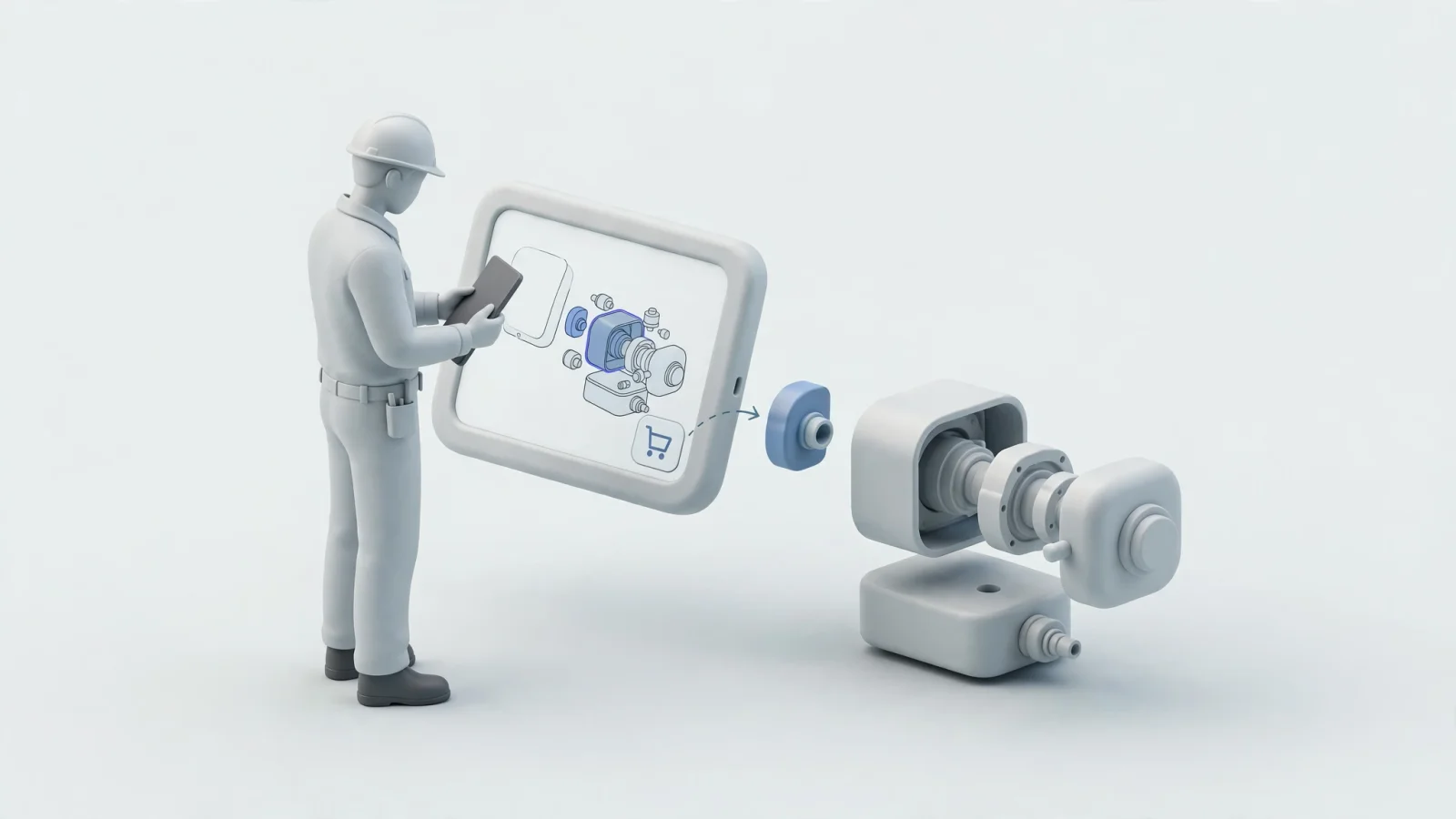
A connected flow offers a better alternative. A field service technician arriving at a broken excavator selects the specific equipment model and serial range on their device. The system loads the corresponding schematic for that exact machine, filtering out irrelevant options automatically.
Clicking a visual hotspot on the boom arm drawing prompts the portal to highlight the matching row in the bill of materials. This row displays the part number, description, replacement status, account-specific price, and live availability at the nearest branch. The technician adds the part to their cart and submits the order directly into your ERP. Enabling this workflow requires an architecture that connects product structures to commercial logic.
Integrating a BOM With an eCommerce Portal
The Four Data Layers Behind the Connection
An effective integration does more than import a flat product list. It preserves the structural intelligence of the assembly by connecting the BOM hierarchy, the part master records, the visual schematic references, and the commercial data.
The portal retains parent-child relationships so users can see how parts fit together. It also respects quantities, applicability rules, revisions, and order semantics. Flattening every structure into an undifferentiated product catalog destroys the context technicians need to perform complex repairs.
Choose the Customer-Facing Commerce Model
Teams define how the portal represents the BOM in the cart during implementation. Depending on your catalog requirements, you might use several commercial models to control how customers interact with complex assemblies.
| Commerce Model | Best Fit | Main Advantage | Main Risk |
|---|---|---|---|
| Display-only BOM | Technician lookup and individual replacement parts | Preserves assembly context while allowing selective ordering | Users may expect the entire assembly to be orderable |
| Exploded sales BOM | Kits or grouped products | ERP receives individual component lines | Users may see more line items than expected |
| Parent-level kit | Predefined service packages | Simple customer experience | Inventory, returns, and fulfillment must understand the components |
| Configurable BOM | Equipment options or configured assemblies | Supports variant-specific structures | Requires strict configuration and validation rules |
| Mixed model | Complex aftermarket catalogs | Supports individual parts, kits, and assemblies | Requires rigorous data governance and testing |
Expanding a parent structure into its component lines is called BOM explosion. Depending on the model you select, either the portal or the ERP performs that operation. A user viewing a complete hydraulic pump assembly might order a single replacement seal, or they might order a full rebuild kit that explodes into fifteen separate inventory lines upon checkout.
Choose the Right BOM and Assign Data Ownership
Engineering, Manufacturing, Service, and Sales BOMs
Before moving any data, determine which bill of materials your dealers and technicians will see.
An engineering BOM represents the product as designed, while a manufacturing BOM supports production planning. The manufacturing view often includes operations, phantom assemblies, or internal elements like grease, paint, or weld fixtures that do not belong in a dealer-facing catalog. Exposing a raw engineering or manufacturing BOM directly to customers creates immediate confusion.
Instead, expose a managed service BOM. Siemens defines a service BOM as a managed view of an asset's serviceable parts and parts that affect service. Its software can also define service kits that are sold as service offerings, manage compatible upgrades within defined configurations, and derive integrated parts catalogs.
A sales BOM determines what happens when the user purchases a grouped offering. During sales processing, entering a sales BOM can automatically bring its components into the document through BOM explosion. This enables the ERP to handle inventory allocation for each individual piece.
Build a Governed BOM-to-Commerce Data Model
Because no single system owns everything, organizations assign data ownership across their Product Lifecycle Management (PLM), ERP, and catalog platforms. Establishing authoritative sources for each field prevents synchronization conflicts.
| Data Domain | Important Fields | Recommended Owner |
|---|---|---|
| BOM header | Assembly ID, usage, revision, status, valid-from date | PLM, ERP, or service BOM system |
| BOM line | Parent ID, child part number, quantity, find number | PLM, ERP, or catalog layer |
| Product variant | Model, configuration, region, serial effectivity | ERP, PLM, or product information system |
| Part master | Part number, description, cross-references | ERP or master-data system |
| Visual mapping | Drawing ID, schematic ID, hotspot ID, geometry | EPC or catalog platform |
| Commercial data | Customer price, stock, warehouse, availability | ERP, OMS, or inventory system |
| Cart and order | Account, line quantity, fulfillment location | Portal and ERP |
| Change control | Revision, effective date, supersession relationship | PLM or ERP |
Design the BOM-to-eCommerce Integration Architecture
Publish Catalog and Service Data
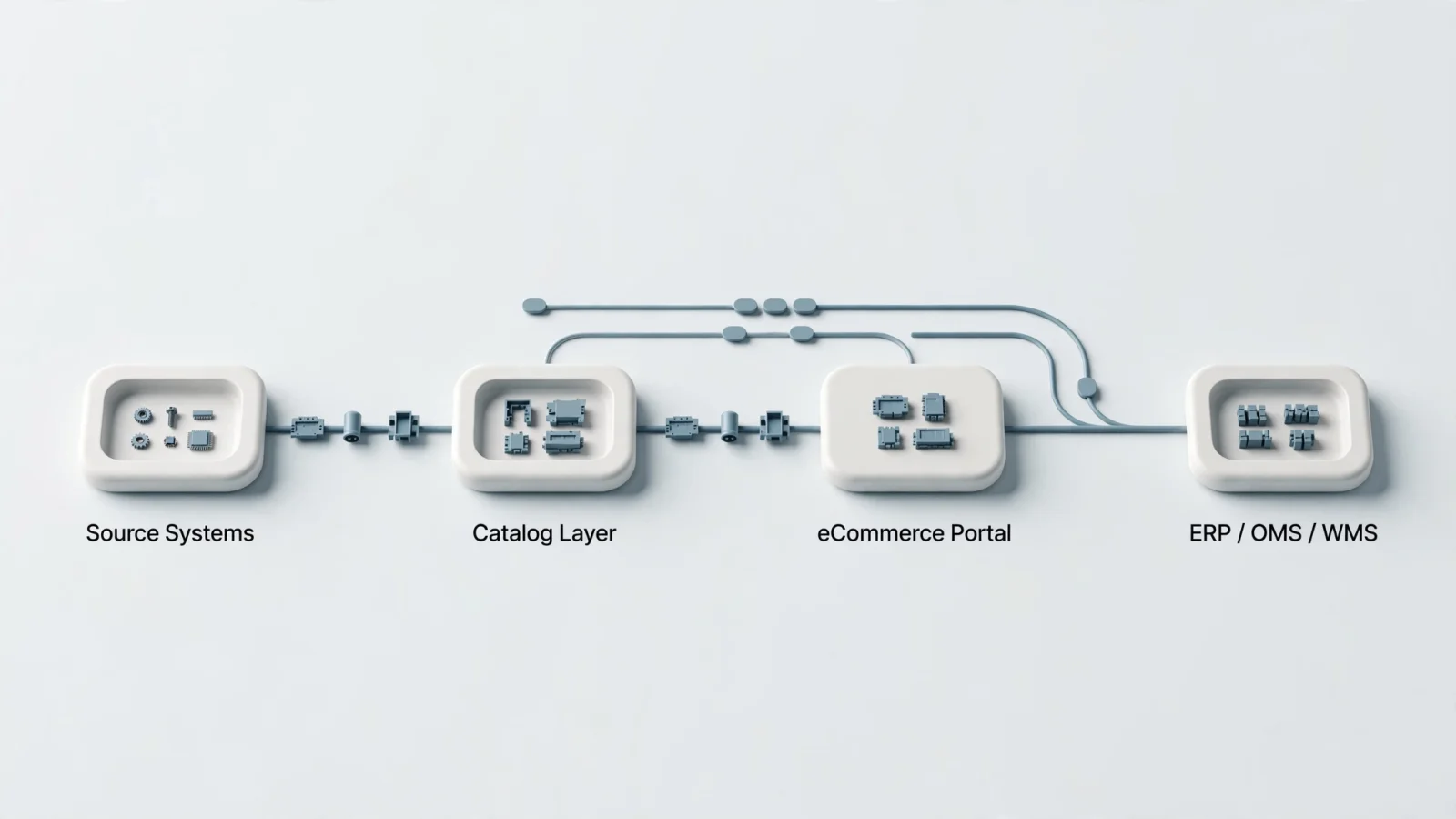
An effective architecture splits the integration into two distinct paths: a publish path and a runtime path.
The publish path moves structural and visual information from your source systems into the catalog layer. This synchronization includes BOM structures, schematics, 3D assets, part descriptions, fitment rules, revisions, supersessions, and search indexes. Equipment structures change through controlled engineering revisions rather than second-by-second transactions, allowing administrators to synchronize this data asynchronously.
Query Live Commerce and ERP Data
For integrations that require real-time data synchronization and error handling, Microsoft's Dynamics 365 data integration guidance generally recommends the synchronous OData pattern when peak data volume isn't excessively high. It distinguishes that pattern from the asynchronous Data management package REST API and recommends choosing between them based on data volume and real-time requirements.
Systems Online bridges the gap between engineering data and commerce systems. Organizations configuring an ERP integrated electronic parts catalog can handle both structural synchronization and real-time transactional queries within a single platform. EzParts imports parts data from CAD, PDM, PLM, or ERP systems, then connects those interactive schematics to catalog search, carts, and business-system processing.
Decide Where BOM Explosion Occurs
Defining exact order semantics for every BOM family prevents fulfillment errors. Implementation teams document whether orders contain the parent kit only, the individual components, both, or a specific service-kit SKU. Handling this explosion inside the portal simplifies the ERP payload by sending a clean list of individual SKUs, while handling it inside the ERP centralizes inventory allocation logic. The latter allows the business system to decide which warehouse supplies each component. The chosen approach needs to align with existing warehouse management workflows so fulfillment centers avoid picking a bundled kit and its individual pieces simultaneously.
Connect Visual Part Identification to Cart and Checkout
Map Hotspots to Stable BOM Relationships
A reliable visual catalog links each hotspot to a stable BOM line identifier rather than row positions, text descriptions, or temporary export IDs. Fragile mappings break when engineering revises a drawing or updates a description. Mapping to stable BOM line identifiers ensures the hotspot correctly highlights the BOM row even after metadata changes.
EzParts enables users to identify parts through 2D and 3D schematics. Selecting a hotspot highlights the matching BOM line to reveal the part number, description, quantity, replacement status, and price.
Handle Revisions, Supersessions, and Effectivity
Equipment changes constantly over a multi-decade lifecycle. The portal preserves original part numbers, current replacements, one-to-many supersessions, and effective dates. If a component requires a companion part for installation on older machines, the BOM display enforces that rule. When an engineering team replaces a cast-iron bracket with a lighter aluminum version, the catalog guides users to the new part.
Systems avoid rewriting historical orders when a part is superseded. The software resolves the replacement during lookup or cart validation, preserving the original part number on past transactions to maintain an accurate service history.
Validate Price, Availability, and Orders
Commercial data changes between sessions. When a user opens a saved cart from last month, the portal rechecks availability and reprices the items according to current account rules.
The standard commerce sequence starts when the portal resolves the valid BOM line and requests account-specific price and availability. After the user adds the item, the portal revalidates the cart before submitting the payload with an external transaction ID. The ERP then returns an order number or validation error, prompting the portal to synchronize the final status.
Extend the Portal to Mobile, Offline, and Procurement
Support Technicians on Mobile
Field service technicians frequently maintain equipment in mines, agricultural fields, or secure facilities lacking internet access, yet they still need model-specific catalogs, service notes, and replacement relationships to complete their work.
Separate Offline Catalog Access From Offline Commerce
Distinguishing offline catalog identification from offline commerce keeps field operations running. Stored identification data works without a connection, allowing a technician to identify a failed bearing, view the exploded schematic, and add the correct part number to a local list.
Current pricing, live inventory, tax calculation, and final order acceptance require reconnection. Organizations deploy mobile electronic parts catalog software that stores BOM data on the device. When the tablet regains connectivity, the application synchronizes the saved cart with the ERP to validate stock and submit the work order.
Add PunchOut for Dealer Procurement
Enterprise dealers often require their purchasing teams to start in an internal procurement system rather than a standalone portal, making a PunchOut integration the logical solution for this handoff.
Oracle documentation describes PunchOut catalogs as supplier-hosted sites where requesters search for items and return them directly to a requisition. In the cXML model, after successful authentication, the requester is directed to the supplier site, adds items to the supplier shopping cart, and returns the cart items to the Purchase Requisitions work area, where the requester can submit the requisition.
Test the Integration Before Go-Live
Build an Acceptance Test Matrix
Testing every edge case before releasing the portal to dealers protects the customer experience. Teams verify that:
- Correct BOMs load for valid model and serial ranges.
- Revision boundaries select the appropriate BOM version.
- Obsolete parts display their current replacements.
- One-to-many supersessions show all required choices and companion parts.
- Kits display correct parent and component quantities.
- Users see accurate account-specific pricing.
- Availability reflects the correct distribution center.
- Unavailable parts trigger clear backorder or alternative messages.
- Failed ERP calls do not create incomplete or orphaned orders.
- Duplicate checkout requests do not result in double shipments.
- Reconnected mobile data does not overwrite newer catalog changes.
- ERP order numbers and portal order statuses remain synchronized.
- Generated PDF parts books match the governed BOM and revision data.
FAQ: Equipment Parts BOM Integration
Should a portal use an engineering BOM or a service BOM? A service or aftermarket BOM is the best fit. Engineering BOMs contain internal production details irrelevant to customers. Service BOMs focus on sellable, replaceable, and maintainable components.
Can customers order one part from a larger BOM? Yes. A portal can display the full assembly for context while allowing the user to select and purchase a single component line.
How should an integration handle superseded parts? Keep the original part relationship intact. Display the current replacement, apply serial applicability rules, and preserve the original number on historical orders.
Does BOM integration require real-time ERP access? It requires real-time access for transactions, but not for structures. Synchronize BOM hierarchies, schematics, and catalog content asynchronously. Query price, inventory, and order acceptance dynamically during checkout.
Close With an EzParts Integration Assessment
Manufacturers can stop forcing dealers and technicians to manually translate static PDFs into ERP orders. Implementing an electronic parts catalog software layer connects visual identification directly to commercial workflows.
Request an EzParts integration assessment or demonstration from Systems Online. Bring one representative equipment BOM, one supersession example, one customer-specific pricing scenario, and one ERP order workflow. Our team will help confirm how interactive schematics, availability checks, cart validation, and order insertion will work in a specific environment. Visit Systems Online to start eliminating aftermarket ordering errors today.
Modified on: 09/21/2026