Blog » Buyer's Guide To Interactive Exploded View Software In 2026
Buyer's Guide To Interactive Exploded View Software In 2026

When a critical manufacturing line stops, a countdown begins. Standard industrial operations lose thousands of dollars per minute, and the primary bottleneck usually involves a broken component nobody can identify. By replacing the static PDF manuals causing these delays with interactive exploded view software, you determine whether a field technician clicks the right sub-assembly on the first try or triggers an emergency second shipment by ordering the wrong component. We built Systems Online and our EzParts platform to upgrade equipment manufacturers to a frictionless electronic parts catalog environment, ensuring buyers identify and order the exact replacement part immediately.
Why Manufacturers Need Interactive Exploded View Software
Unplanned equipment downtime costs Fortune Global 500 companies nearly 1.5 trillion dollars per year, a total that varies by industry and production scale. A major portion of that loss stems from parts misidentification. Because an average manufacturing plant experiences 800 hours of equipment downtime annually, relying on text-heavy catalogs or static diagrams guarantees costly mistakes. An idle critical line can drain 260,000 dollars per hour, a metric that scales with facility size, so you must stop this financial bleed by transitioning your documentation into actionable digital formats.
Instead of forcing a mechanic to match a smudged blueprint to a physical machine, modern catalog solutions generate a digital twin directly from your engineering CAD data. The user rotates the 3D assembly on their screen, clicks a specific hotspot highlighting the broken component, and adds the item to an integrated cart. Because the platform verifies the part against the machine's specific build record, it guarantees fitment before the checkout screen loads. This immediate visual confirmation removes the hesitation that typically drives buyers to call your support desk for verification.
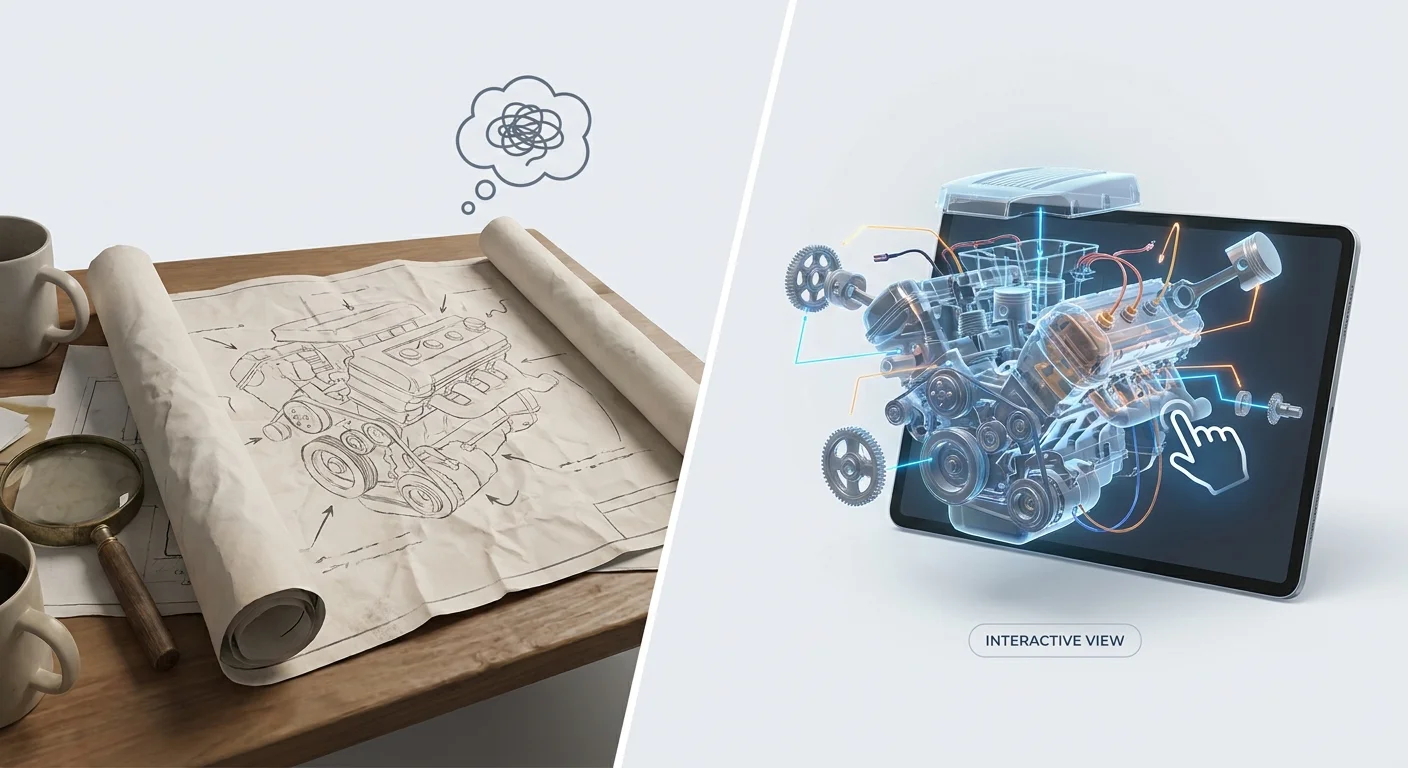
The e-commerce automotive aftermarket reached a valuation of $88.82 billion in 2025 across global markets. Capturing your share of that spending requires making the procurement process bulletproof, especially since third-party gray market suppliers frequently attempt to undercut original equipment manufacturers. By upgrading to an interactive electronic parts catalog software environment, you create a self-service portal that buyers prefer to use. You lock in aftermarket revenue because the visual certainty of your portal outweighs a slight discount on a competitor's text-only website.
To measure the direct return on investment your digital transition will deliver over its first year, audit your emergency shipment costs for the last four quarters and calculate the percentage of overnight freight charges caused by original ordering errors.
Core Integration Criteria: Connecting Your Data
Your catalog must reflect reality on the warehouse floor. A highly detailed 3D schematic fails its primary purpose if it allows a user to order an out-of-stock component or displays outdated pricing, which means evaluating candidate platforms requires looking past the visual interface into the backend architecture handling your data pipeline.
The software must use REST APIs to pull real-time inventory and customer-specific pricing directly from ERP systems like SAP, Oracle, Epicor, or Dynamics. This synchronization ensures that when a dealer logs in, the portal bypasses generic retail prices and displays their specific negotiated tier. If a warehouse in Chicago runs out of a specific hydraulic pump, the catalog updates to show the next available unit in Dallas. Direct API connections eliminate the dangerous lag introduced by manual batch uploads.
The 2026 standard for electronic parts catalog import automation also dictates robust AI-powered part discovery. The system must cross-reference serial numbers, VINs, and natural language queries to bypass traditional part number memorization. If a user searches for "bracket for the main pump," the software should parse the intent, filter the results against the specific machine they are servicing, and highlight the exact bracket on the schematic.
Map your ERP API endpoints for customer pricing, inventory counts, and supersession chains before evaluating vendors. You should hand this technical list to candidate platforms during the RFP process and require a live demonstration of their system fetching your data in real time.
User Experience: Navigating Complex Assemblies
Dense bills of materials break poorly designed user interfaces. When a technician views an engine schematic containing hundreds of individual fasteners, gaskets, and gears, imprecise software leads to continuous misclicks, and the resulting frustration drives the user off the portal and onto the phone with your parts department.
You must evaluate the hotspot mapping technology powering the visual interface, avoiding platforms that rely on simple square bounding boxes to create clickable areas. In a crowded assembly, bounding boxes overlap, causing a user aiming for a specific diagonal bolt to click the underlying bracket instead because the invisible square around the bracket extends over the bolt. Require multi-shape hotspot mapping instead. This technique traces the exact irregular polygon of the part, preventing overlap errors and guaranteeing the user selects the intended component regardless of how tightly packed the drawing is. Reviewing multi-shape hotspot software for parts catalogs details how this polygon tracing protects order accuracy.
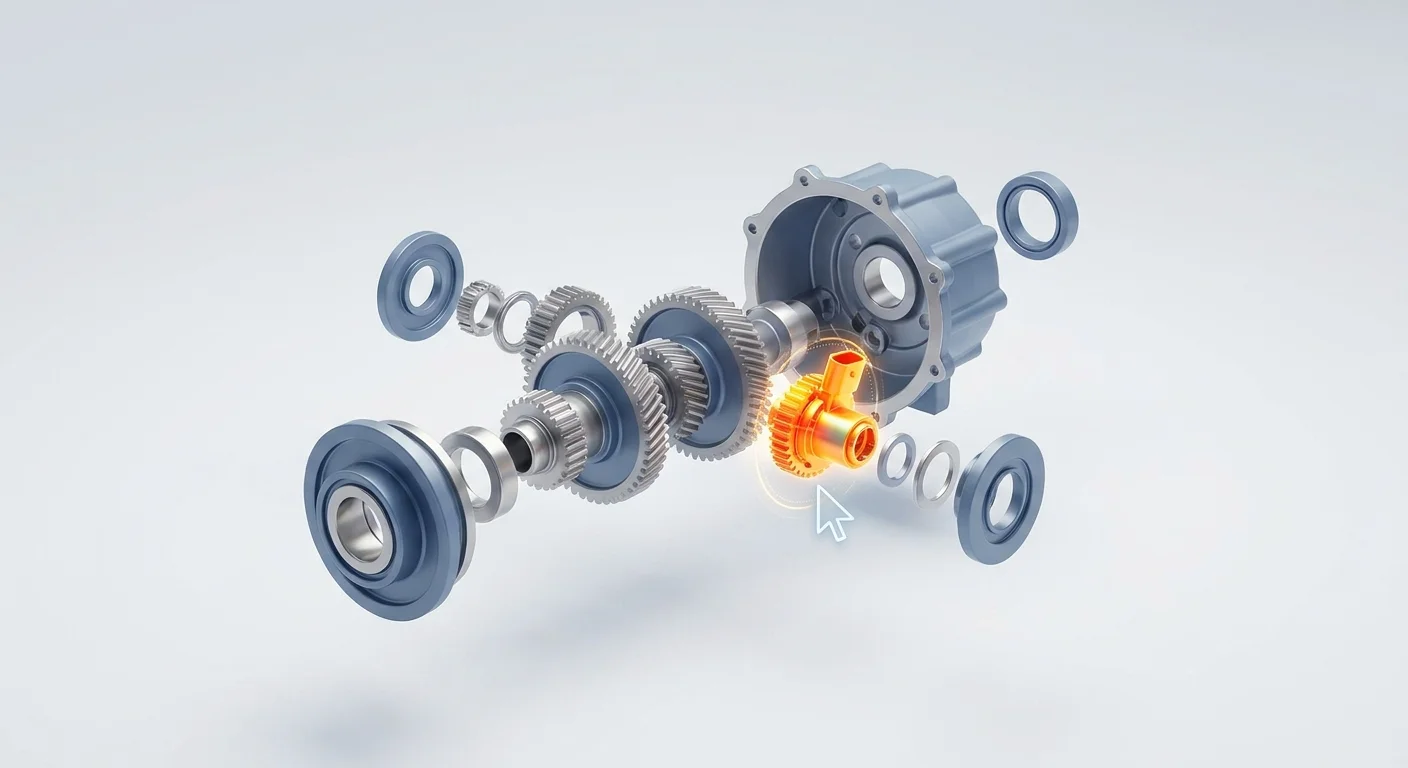
Your software must also handle logical sub-assembly drill-downs without forcing the user to reload entire pages, allowing a buyer to navigate large whole goods through visual steps:
- Select the top-level machine model.
- Click the major subsystem, such as the transmission housing.
- Watch the interface transition to a secondary interactive exploded view of the interior transmission parts.
- Hover over individual gears to view part numbers and live pricing tooltips.
Ask the vendor to demonstrate their software using your most dense, complex 1000-part CAD file, and try clicking the smallest overlapping components on a tablet screen to test the hotspot precision under realistic field conditions.
Accuracy Features That Prevent Costly Ordering Errors
Emergency orders dictated by an initial misdiagnosis incur a heavy operational toll because replacement parts ordered on an emergency basis cost more than planned inventory purchases. You eliminate these freight premiums and restocking fees by deploying strict fitment features directly inside the catalog interface.
Serial number and VIN filtering dictate baseline accuracy. When a technician inputs a serial number, the catalog must filter the schematic to highlight only the exact bill of materials installed on that specific unit at the factory. Irrelevant variants, optional upgrades not purchased by that customer, and components from different model years are grayed out or hidden entirely. The user cannot accidentally add an incompatible alternator to their cart because the software prevents the hotspot from firing.
The platform must also manage complex supersessions. Manufacturers frequently update parts to fix defects or switch suppliers, so when a new bearing replaces an obsolete one, the software must route the user to the active part number without manual intervention. It should display a clear notice indicating the replacement chain, preventing the technician from hunting for a discontinued item or assuming the part is permanently unavailable. Tracking these EzParts order status and history rules ensures the warehouse picks the right component the first time.
Configure your supersession logic to apply strict backward compatibility rules before launching the portal by setting the system to substitute the replacement part in the cart while displaying an informational alert detailing the part number change.
Multi-Channel Delivery for Remote Environments
Field service technicians rarely work at comfortable desks with high-speed internet. They operate deep inside concrete industrial plants, underground mining shafts, or remote agricultural fields that lack reliable connectivity. A cloud-only catalog fails the moment a technician loses cell service, returning them to the exact guessing game the software was supposed to eliminate.
Omnichannel and headless deployments separate the core catalog data from traditional web browsers, but true utility requires delivering the schematics to the technician wherever they stand. Systems Online solves this disconnected data problem through offline distributed media and robust native mobile apps, delivering the full catalog database directly to rugged tablets or Windows laptops.

The technician pulls up the interactive exploded view offline. They navigate the 3D model, identify the broken component via a visual hotspot, and queue the order in a local shopping cart. When the mobile electronic parts catalog software detects a Wi-Fi or cellular connection, the app syncs the transaction to the ERP and fetches any updated pricing or supersession files.
Supporting offline environments requires strict version control to ensure field devices run the latest engineering data, preventing a technician from ordering from a cached catalog that is six months out of date.
Mandate offline sync capabilities in your RFP requirements and test candidate applications by switching a tablet into airplane mode, navigating to a complex engine schematic, and verifying the multi-shape hotspots still render and add items to the cart without latency.
Bridging Digital and Traditional Dealer Workflows
A complete digital transition takes years across a global dealer network. While you configure digital solutions for modern procurement teams, legacy dealerships still operate on traditional paper-based workflows. A successful implementation accounts for these physical requirements rather than alienating older partners.
Your chosen platform needs an automated print engine built into the core architecture because many traditional dealerships and repair shops request branded PDF parts books to keep physical copies at the workbench. The software should allow a dealer to select a specific machine configuration, compile the relevant 2D schematics and bill of materials tables, and generate a print-ready document. This ensures that even the paper copies on the shop floor contain the most recent part numbers and supersession data at the moment of printing.
Upgrading both digital and legacy channels simultaneously drives overall revenue. Depending on the machinery sector, B2B e-commerce platforms offering precise visual part identification achieve conversion rates 25 to 45 percent higher than platforms relying on traditional text-based catalog browsing. Buyers spend money where they feel confident, and visual confirmation provides that assurance.
Use this framework mapping your operational priorities to the specific software features you must demand:
| Operational Priority | Required Catalog Feature | Implementation Trade-Off |
|---|---|---|
| Eliminating misclicks in dense assemblies | Multi-shape hotspot mapping | Requires specialized authoring tools to configure the polygons. |
| Eradicating wrong-part orders | Serial number / VIN filtering | Demands exact machine-specific build data flowing from your PDM. |
| Supporting remote field technicians | Offline native mobile apps | Necessitates automated version control to keep offline data current. |
| Bridging traditional shop floor workflows | Automated PDF print engine | Generates static documents that lose real-time inventory tracking. |
Set up a hybrid deployment strategy for your launch by training your internal engineering and direct support teams to utilize the interactive 3D portal, while configuring the automated print engine to generate updated PDF books for your legacy distribution partners every quarter.
You reduce equipment downtime and capture aftermarket revenue by deploying a catalog that users trust. Stop forcing technicians to guess which part they need from outdated manuals or overlapping bounding boxes. Systems Online provides the technical framework to turn your engineering CAD data into a direct profit center, complete with real-time ERP synchronization and offline mobile capabilities.
To eliminate aftermarket ordering errors and give your dealers the visual tools they need to succeed in 2026, explore Systems Online and schedule a demonstration of the EzParts platform today.
Modified on: 07/27/2026