Blog » Microsoft Dynamics Parts Catalog eCommerce: A Buyer's Guide
Microsoft Dynamics Parts Catalog eCommerce: A Buyer's Guide
Global competition and disciplined procurement teams place sustained pressure on initial machine sales for capital equipment manufacturers. Maintaining profitability requires prioritizing the aftermarket, because servicing whole goods and selling replacement components delivers average margins of 25 percent compared to 10 percent for new equipment. These baseline averages vary depending on the industry and the specific components sold. If buyers experience friction identifying or ordering those parts, they default to manual call centers or seek out third-party alternatives. Connecting your enterprise resource planning software directly to a digital interface stops this revenue leakage. Choosing the right microsoft dynamics parts catalog ecommerce solution requires mapping your operational requirements against specific software capabilities.
Calculating the Digital Aftermarket Opportunity
A capital machine sold in 2026 might remain in the field for two decades, generating recurring revenue through maintenance, repairs, and component upgrades. Manufacturers that prioritize the aftermarket generate one-third or more of their total income through these services, though this share fluctuates by sector. Securing this revenue requires building a frictionless purchasing environment for the entire network of owners, dealers, and technicians supporting the equipment.
Buyers expect consumer-grade digital experiences, but legacy B2B portals often force users through disconnected systems. A technician looking up a part number in a static PDF manual must copy that number, open a separate web portal, paste the string into a search bar, and hope the stock levels are accurate. This fragmented workflow introduces human error, which extends machine downtime and triggers expensive return shipping. The financial impact of this downtime is severe, because a Siemens report estimates that the largest global industrial companies lose 11 percent of their annual revenue to unplanned stoppages. These combined delays and costs frustrate the customer.
Systems Online developed EzParts to bridge this experience gap. Bringing modern eCommerce capabilities natively to enterprise environments eliminates the friction that drives buyers toward gray-market competitors.
Audit your current aftermarket digital revenue versus manual call-center order volume, and calculate the labor cost of support staff manually verifying fitment before typing orders into your ERP. The delta between your current digital adoption and your total aftermarket volume exposes your immediate growth opportunity.
Establishing Deep ERP Data Integration
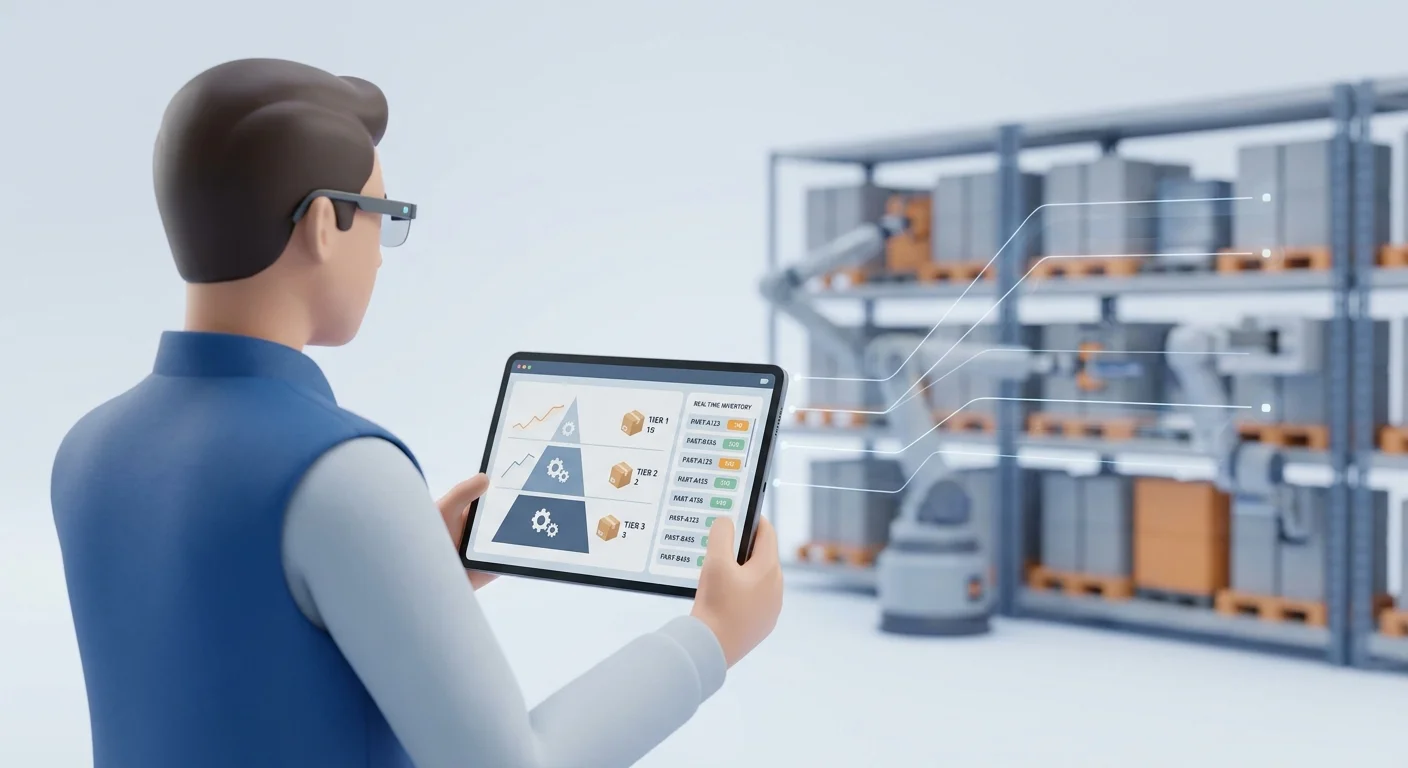
Standalone eCommerce platforms require you to duplicate data by exporting inventory counts, pricing tiers, and product data from your ERP before importing them into the web store. This batch-processing approach guarantees that your online catalog falls out of date the moment the import finishes.
Modern manufacturers avoid data duplication by adopting API-first architectures where Microsoft Dynamics 365 remains the absolute authority for financial data, inventory counts, customer-specific payment terms, and bills of materials (BOMs). The electronic parts catalog acts strictly as the presentation and interaction layer.
Establishing a Single Source of Truth for BOMs
Integrating complex enterprise systems demands native communication protocols rather than flat-file transfers. When a dealer logs into the portal, the catalog queries Dynamics in real time to retrieve specific account details, and if an item goes out of stock in the primary warehouse, the system immediately reflects that shortage online.
Map the specific data fields that must sync continuously between Dynamics and your catalog, and standardize your pricing rules, tax codes, and warehouse routing logic inside the ERP so the catalog executes those rules without requiring separate web-layer configuration.
Managing Supersession Chains
Manufacturers constantly update components to fix design flaws, reduce costs, or change suppliers, creating supersession chains where an original component is replaced by a newer version or a complete assembly kit.
Never maintain replacement part histories manually in your web platform. Systems Online pushes this logic natively from Dynamics into the electronic parts catalog, so when a technician searches for an obsolete component, the software queries the ERP, identifies the supersession chain, and redirects the user to the authorized substitute. Displaying a clear notification explaining the replacement gives the buyer confidence that they are ordering the correct item.
Securing Fitment Accuracy Through Visual Commerce
Line-item text searches fail when users lack the exact terminology for a broken component. Depending on the region, a technician might search for a "bracket," a "brace," or a "mount," meaning that if the catalog requires exact text matches against a 500-page parts book, the user will abandon the search and call support.
Visual commerce solves this failure by mapping BOMs to interactive diagrams, letting users identify parts visually and bypass terminology barriers.
Interactive 2D Schematics and 3D Models
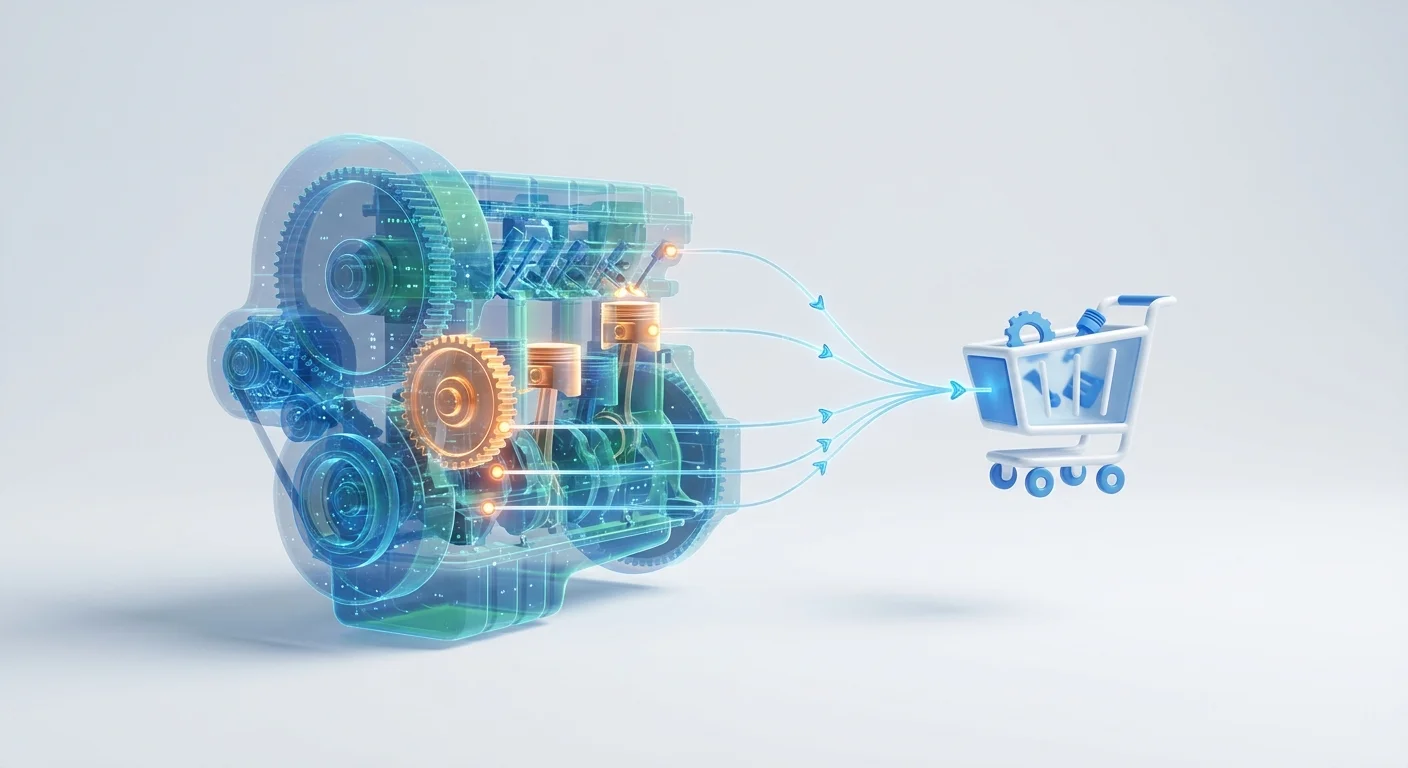
A digital catalog transforms flat CAD drawings and vector files into navigational tools by overlaying multi-shape hotspots onto 2D schematics and 3D digital twins.
When a user hovers over a component on the diagram, the corresponding row in the BOM highlights, and clicking the visual component adds it directly to the active order queue. This direct interaction allows users to visually verify that they are selecting the correct variant for their specific machine before submitting the order.
Evaluate vendors based on their electronic parts catalog features for content creation, prioritizing systems that offer native interactive hotspot generation from your existing engineering files to reduce the labor required for publishing new equipment models.
AI-Powered VIN and Serial Number Validation
Industrial equipment remains customizable, meaning two tractors of the same model might feature different hydraulic systems, cab configurations, and engine blocks based on the customer's original build sheet.
AI-powered validation agents and rules engines use the machine's serial number to eliminate ambiguity. When a user enters a vehicle identification number (VIN) or serial number, the catalog cross-references the specific as-built BOM stored in Dynamics 365, filtering out every part and schematic that does not apply to that exact machine. This exact-match constraint prevents a technician from accidentally ordering a 12-volt alternator for a machine built with a 24-volt electrical system.
Configure your catalog to demand a serial number before allowing a user to add complex assemblies to their cart, because this single friction point at the beginning of the journey prevents massive downstream costs from incorrect orders.
Managing B2B Ecosystems and Dealer Margins
Direct-to-consumer portals apply a single price and standardized shipping to every visitor, whereas equipment manufacturers operate in a complex ecosystem involving regional distributors, authorized service centers, and direct fleet buyers. Implementing a centralized portal often raises internal concerns about cannibalizing the existing dealer network.
Role-Based Access for Unified Portals
A single catalog infrastructure serves every audience by changing its behavior based on the authenticated user, relying on role-based access controls to dictate what data the system retrieves from Dynamics.
When an unregistered product owner views a schematic, they see the manufacturer's suggested retail price (MSRP) and generic availability before checking out via a standard credit card gateway.
When an authorized dealer logs in, the platform transforms into a dedicated B2B tool. The software for dealer networks retrieves specific tiered pricing agreements, displays warehouse-specific stock levels, and enables checkout via integrated purchase orders or Net-30 terms synced directly from the ERP account record.
Define your user roles, pricing tiers, and dealer territories within Dynamics 365 first, and pass those definitions through to the catalog to automate margin protection.
Automated Kit Merchandising Strategies
Technicians often order the primary component that failed but forget the supporting hardware required to install it, such as the specific O-rings, seals, and specialized bolts needed for a hydraulic cylinder. Forgetting the seals blocks the repair and damages the first-time fix rate, a metric where best-in-class service organizations hit an 88 percent success rate. This benchmark varies based on the complexity of the equipment being serviced.
Automated kit merchandising groups related parts within the catalog interface so that when a user selects a primary wear component, the system dynamically presents the mandatory installation hardware. Configuring these relationships within the ERP to bundle items into standardized maintenance kits drives up average order value while ensuring the customer receives everything necessary to execute the repair.

Deploying Offline Capabilities for Field Technicians
Heavy equipment operates in environments hostile to cloud connectivity, with technicians servicing mining excavators deep underground, repairing agricultural machinery in rural fields, and maintaining marine engines at sea. A browser-based catalog provides zero value when the tablet lacks a cellular signal.
A functional electronic parts catalog operates independently of an active internet connection while maintaining data integrity with the central ERP.
Syncing Dynamics Data for Remote Environments
Distributing media-based catalog delivery tools allows field teams to install the entire parts database locally on Windows, iOS, or Android devices.
The architecture relies on delta updates to manage bandwidth, so when the technician connects to a network at a depot or hotel, the application pings the server and downloads only the data that changed since the last sync. Pushing the latest pricing files, BOM adjustments, and new schematics to the local storage avoids massive multi-gigabyte downloads.
In the field, the technician navigates the interactive schematics, filters by serial number, and builds a cart entirely offline, queueing the sales order locally. Once the device detects a stable network connection, it pushes the queued orders back to Dynamics 365 for fulfillment processing.
Ensure your chosen platform includes an offline application framework, testing the sync speed and verifying that local databases encrypt pricing data to protect proprietary tier structures if a device is lost or stolen.
Predictive Maintenance and CMMS Integration
Modern equipment features telematics sensors that monitor operating hours, fluid temperatures, and vibration levels, flowing this data into a Computerized Maintenance Management System (CMMS) or directly into Dynamics 365 to track the lifecycle of serialized machines.
Integrate your parts catalog with these predictive maintenance models so that when the ERP calculates a machine approaching a 5,000-hour service interval, the portal generates a recommended order containing the required filters, fluids, and belts. The fleet manager reviews the auto-generated cart and clicks approve. Shifting procurement from reactive failure response to proactive scheduled maintenance stabilizes your supply chain and guarantees the customer uses genuine original equipment parts.
Decision Matrix: Aligning Catalog Requirements
Selecting a deployment strategy depends on specific operational bottlenecks, requiring a framework that aligns the immediate business problem with the technical capability designed to solve it.
| Primary Operational Challenge | Required Catalog Capability | Systems Online / EzParts Solution |
|---|---|---|
| High volume of incorrect part returns | Exact-match serial filtering | AI-powered VIN validation cross-referenced with as-built BOMs. |
| Call center overloaded with lookup requests | Visual commerce interfaces | 2D/3D interactive schematics with clickable multi-shape hotspots. |
| Pricing and inventory data is always outdated | API-first ERP integration | Headless architecture querying Microsoft Dynamics 365 in real time. |
| Dealers complaining about margin cannibalization | Role-based portal access | Unified B2B/B2C logic displaying tiered pricing based on user credentials. |
| Field technicians lack internet in remote areas | Local data synchronization | Offline application frameworks utilizing low-bandwidth delta updates. |
Executing the Digital Aftermarket Strategy
Digitizing aftermarket operations secures your most profitable revenue stream against third-party competitors. Treating Microsoft Dynamics as your single source of truth and deploying a purpose-built presentation layer eliminates the friction driving customers away.
Focus initial efforts on data hygiene by cleaning your BOM structures, standardizing your pricing rules, and organizing your CAD files. Securing the underlying data allows the interactive visual interface to reduce call center volume and increase accurate part sales.
Systems Online builds multi-channel electronic parts catalogs designed specifically for whole goods manufacturers. To see how EzParts integrates with your existing Microsoft Dynamics environment to automate aftermarket eCommerce, visit Systems Online and request a technical demonstration.
Modified on: 08/06/2026