Blog » Industrial Machinery Spare Parts Portal Guide
Industrial Machinery Spare Parts Portal Guide
When a piece of industrial equipment stops working, the time it takes to restore operation often depends on how quickly a technician can find the right replacement component. Paper manuals and static PDF documents generally require users to interpret visual callouts manually. A technician finds a page, matches a shape to a reference number, checks a separate system for availability, and contacts a dealer to confirm the order. Generic eCommerce platforms present a different challenge. They present a searchable index of parts, but they may not model machine configurations, serial number applicability, or nested assemblies. You are left with a catalog of isolated items disconnected from the equipment they belong to.
An industrial machinery spare parts portal bridges this gap. It operates as a unified digital platform where identification, technical validation, and ordering happen in one workflow. By replacing fragmented manuals with a controlled digital catalog, equipment manufacturers give their dealer networks and field service teams a self-service path to the correct part. Systems Online built the EzParts electronic parts catalog and eCommerce platform to provide this exact structure, helping OEMs transition into interactive, multi-channel aftermarket commerce and reduce ordering errors.
How an Industrial Machinery Spare Parts Portal Organizes Data
An industrial machinery spare parts portal functions as a specialized digital environment where users identify, review, and order equipment-specific replacement parts. The environment relies on complex manufacturing data to guide users toward compatible components, and it operates across four connected layers.
Four Connected Layers
The identification layer handles the initial search entry, allowing users to locate their equipment using a serial number, a specific model designation, a broad product family, a known part number, or a text description. From there, the technical data layer provides the engineering context. This includes interactive schematics, bills of materials (BOMs), kit definitions, assembly structures, supersession chains, and service resources.
Once a part is identified, the commerce layer manages the transaction. It applies customer-specific pricing, displays inventory availability, maintains the shopping cart, enforces checkout rules, routes orders, and tracks order history. Finally, the delivery layer determines how the user accesses the system. The portal might be available through a web browser, a mobile application, a cloud-hosted Software-as-a-Service (SaaS) environment, an on-premise enterprise server, or an offline data package.
The Users and Tasks It Supports
Different stakeholders interact with the portal to accomplish specific tasks. Equipment manufacturers use the platform to digitize their parts catalogs, maintain accurate BOMs, track supersessions, and increase aftermarket revenue through a unified channel. Dealer networks rely on the portal to quickly identify and order the correct replacement parts for a customer, viewing dealer-specific pricing and fulfillment options without calling OEM support. Field service technicians need immediate access to interactive schematics and service information while standing next to a machine, helping them verify the repair before they leave the site.
The Limitations of PDF Parts Manuals
A PDF can document a product effectively by capturing the exact state of an assembly at a specific point in time. It falls short because it does not inherently validate a component against a live machine configuration, serial range, BOM revision, or replacement chain.
Documentation Versus Machine-Aware Identification
Static pages present a visual representation of a machine alongside a tabular list of parts, shifting the burden of verification to the user. If a manufacturer updated a component midway through a production year, the technician must cross-reference the serial number against a bulletin to see if the printed part number still applies. A portal with serial-level configuration data can handle this logic internally. When a user enters a serial number, the system can filter the catalog to show only the assemblies and components recorded for that machine.
Connecting Identification to Purchase
The standard manual workflow forces a disconnect between finding a part and buying it. After locating a reference number in a PDF, the user opens a separate dealer portal or Enterprise Resource Planning (ERP) terminal to check availability. Manually typing the part number introduces the risk of transcription errors. A capable spare parts portal connects visual identification directly to the transaction. You select the equipment, open the relevant assembly, click a visual callout, review the linked part record, and add the validated item straight to a cart. The catalog data feeds the commerce engine.
Core Features for Accurate Parts Identification
Guiding a user to the right component requires flexible entry points and clear visual confirmation. Because manufacturers organize their data differently, a portal adapts to the information the user actually possesses.
Model, Serial, Part, and Description Search
A portal needs multiple search paths. Serial-number lookup often provides the most equipment-specific context, filtering out irrelevant assemblies. Model or product-family searches allow broader discovery when the exact serial number is unreadable or unknown. Part-number search supports fast, repeat orders for consumable items, while description or keyword search helps users who only know what a component looks like or does.
Atlas Copco’s Parts Online platform demonstrates this multi-path approach, supporting searches by serial number, model, or product family with interactive exploded views.
Interactive 2D and 3D Schematics
Visual identification reduces ambiguity. Instead of matching numbers on a static image to a separate table, users interact directly with the drawing. EzParts supports interactive 2D and 3D schematics with multi-shape hotspots.
You click a highlighted component on the diagram, and the system automatically selects the corresponding row in the BOM list. You can zoom in on complex nested assemblies, use touch controls on mobile devices, and view high-resolution part images attached to specific callouts. This schematic-to-BOM synchronization gives the technician visual confirmation that they are requesting the correct physical item.
BOMs, Kits, Assemblies, and Supersessions
Industrial equipment relies on deep product structures. Parts rarely exist in isolation; they belong to a subassembly, which fits into a larger system, which requires a specific installation kit. The portal needs to represent these relationships accurately.
EzParts handles complex catalog requirements by displaying kit components and nested assemblies and grouping BOM parts logically. When a user selects a hydraulic pump, the portal can display the required seal kit and mounting hardware. The system also tracks supersessions. When a technician searches for an obsolete part number, the portal displays the supersession chain and current replacement part. The catalog should also account for effective dates, serial ranges, and where-used relationships, so historical machine records remain tied to the parts that applied at the time.
Connecting Catalog Data to ERP and Ordering
A portal cannot function in isolation because it needs product logic and inventory status from your backend business systems. That connection moves the user from discovery to a secure transaction.
Product Structure and BOM Foundations
Connecting a catalog to an ERP demands consistent data logic. The portal reconciles part master records, BOM structures, assemblies, kits, variants, and effective dates. The way a part is manufactured is not always the way it is sold, meaning the system translates engineering BOMs into serviceable catalogs.
For Infor spare-parts sales, the ERP must be able to send the SyncBillOfMaterials BOD, and each parent product must be associated with only one product structure, according to Infor’s 2026.x ERP prerequisites. Because these requirements come from Infor’s documentation, confirm the equivalent product-structure rules in your own ERP before integration.
Pricing, Availability, and Order Routing
Once a user identifies a part, they need commerce answers. The portal determines which price applies to their specific account, whether the part is available, which fulfillment location holds the inventory, and whether the item can be legally shipped to their region.
EzParts supports these commerce requirements, with documented integrations including SAP, Oracle, and Microsoft Dynamics AX. Depending on your implementation, the portal can perform live availability checks or rely on scheduled inventory synchronization. It applies customer-specific purchasing rules, handles order insertion directly into the ERP, manages routing based on dealer or geographic rules, and returns order status and history to the user's dashboard.
Integration Edge Cases and Failure Handling
Successful ERP integration requires planning for unexpected scenarios. You determine how the system handles failed orders, network timeouts, duplicate submissions, and requests for unavailable parts. If the ERP goes offline for maintenance, the portal needs a fallback mechanism, queuing orders securely until the connection is restored. Authentication layers verify user permissions, ensuring that a dealer sees wholesale pricing while an end-user sees standard retail rates.
Supporting Dealers and Technicians in the Field
Machine breakdowns do not happen in office environments. They happen in agricultural fields, underground mines, remote construction sites, and factory floors. The portal needs to reach the technician at the equipment.
Mobile Identification at the Machine
Technicians need quick part lookup where the machine sits, so the desktop workflow needs to translate smoothly to a smartphone or tablet. Touch-friendly navigation allows users to swipe through 3D models, tap callouts, and review part images on smaller screens. Using mobile electronic parts catalog software, technicians gain model context and assembly information without walking back to a service truck or calling a support desk.
Offline Catalog Packages
Network connectivity is never guaranteed in field service environments. An offline catalog package provides a pre-synchronized data package stored locally on the technician's device. Users can search the catalog, view interactive schematics, read part details, and expand BOMs without an internet connection.
Because the device is disconnected, live inventory and real-time pricing queries are unavailable. Technicians can still identify and review parts locally. Once the device reconnects to a network, the portal can synchronize the data and, depending on its integration design, recheck pricing and availability before submitting the order. When evaluating offline solutions, test the specific reconnection behavior and verify how users are notified about stale synchronization dates.
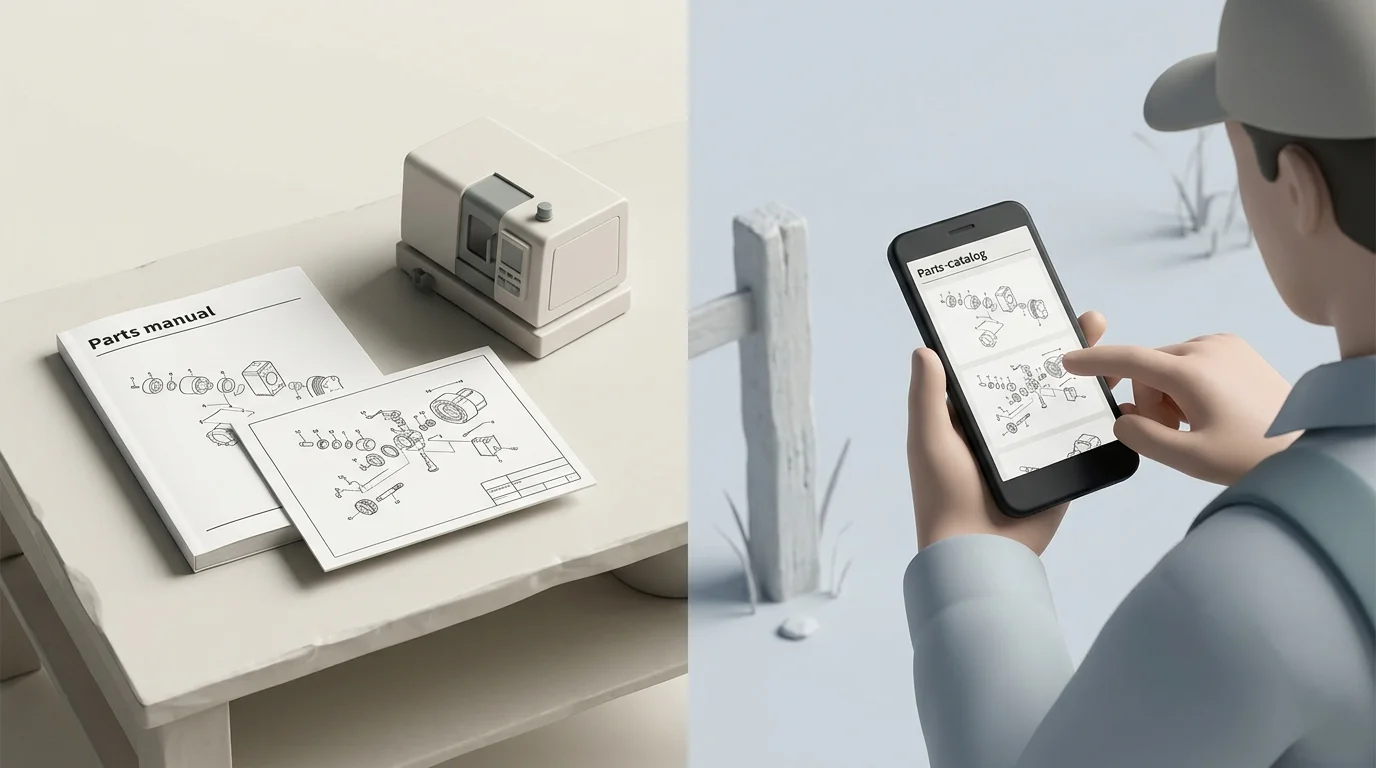
PDF and Print Continuity
Digitizing a parts catalog does not eliminate the need for print. Dealers occasionally require printable parts books for their counters, and technicians often attach specific schematics to customer work orders. Instead of maintaining separate desktop publishing files, OEMs can use the PDF print engine built into EzParts. This engine dynamically generates branded PDF parts books directly from the governed catalog data. The digital portal and the printed manual can share the same source of truth.
Matching Deployment to Your Operating Model
No single delivery architecture fits every manufacturer. Choosing the right deployment model depends on your internal IT policies, integration constraints, update cadences, and user locations.
SaaS Versus On-Premise Enterprise
| Deployment Approach | Strong Fit | Key Considerations |
|---|---|---|
| SaaS (Cloud Hosted) | OEMs seeking vendor-managed infrastructure and centralized, immediate access for global users. | Requires evaluating data ownership, SLA guarantees, update management, and ERP API exposure to the cloud. |
| On-Premise Enterprise | Organizations with strict internal hosting mandates, air-gapped networks, or complex internal integrations. | Shifts responsibility for server maintenance, network security, backups, monitoring, and upgrade rollouts to your internal IT team. |
Native Mobile Versus Distributed Offline Delivery
| Delivery Method | Strong Fit | Key Considerations |
|---|---|---|
| Native Mobile Apps | Field teams needing a device-optimized experience with camera integration and push notifications. | Requires managing application store approvals, device compatibility, operating system updates, and user permissions. |
| Distributed / Offline Media | Remote sites, mining operations, or agricultural fields with highly unreliable network connectivity. | Requires robust procedures for package creation, version dating, data synchronization, expiry enforcement, and local installation. |
Ownership, Security, and Update Procedures
Systems Online provides flexibility by offering EzParts across SaaS, on-premise enterprise, native mobile, and distributed media environments. These approaches can operate simultaneously. A manufacturer might host the primary portal via SaaS for connected dealers while generating offline packages for remote technicians.
Regardless of the model, governance needs to cover catalog corrections, role-based access control for sensitive pricing, dealer-territory enforcement, and catalog-update testing before publication.
Testing a Portal With Your Own Data
A practical way to assess heavy equipment parts catalog software is to run your own complex data through it instead of relying on generic demonstrations.
Reviewing the Machine-to-Order Journey
Include a difficult, highly configured machine assembly in the evaluation. Search for the machine using the identifier your users have. Open the correct schematic, select a multi-part callout, and expand a nested assembly to confirm that the system displays the correct quantities and serial applicability. Find a superseded part and verify that the replacement chain points the user to the current inventory item. Apply a test user profile to confirm that the correct customer price loads, add the item to the cart, submit the order, and check the return status. Repeat this exact scenario on a mobile device and an offline package.
Verifying Governance and Operations
On the administrative side, assess whether your catalog managers can control revisions, set effective dates, and restrict access permissions easily. Then test ERP error handling when a part number is suddenly marked obsolete in the backend, and verify that your web portal and your printed PDF outputs rely on the identical dataset, eliminating the risk of conflicting information.
Common Questions Before a Demo
Is serial-number search always available? It depends on your data model. If you track as-built configurations and supply that data to the portal, users can filter by serial number. If you only track by model and year, the portal will use those parameters instead.
What can offline users actually see? Users with a synchronized offline package can view interactive schematics, search BOMs, and identify part numbers. They cannot see live inventory status, current dynamic pricing, or immediate order confirmations until their device reconnects to a network.
What ERP data connects to the portal? Integration usually involves part master data, BOM structures, inventory levels, customer account pricing, order routing rules, and order history status.
How are superseded parts presented? A capable portal shows the historical part, explains that it has been discontinued, and provides a direct, clickable link to the new replacement component, ensuring the user orders the active SKU.
Can we still provide PDF parts books to dealers? Yes. You can generate branded, serial-specific, or model-specific PDF manuals dynamically from the central catalog data, ensuring print materials are always accurate.
Should we choose SaaS or on-premise deployment? SaaS typically shifts more infrastructure and update work to the provider, while on-premise deployment suits organizations with strict data sovereignty requirements or highly complex internal network security policies.
Modernizing your parts catalog transforms how dealers and technicians interact with your equipment. Systems Online provides the tools to digitize static manuals, integrate directly with your ERP, and deliver accurate parts information across web, mobile, and offline channels. Visit sysonline.com to request an EzParts demonstration and discuss your specific catalog modernization requirements.
Modified on: 09/07/2026