Blog » Visual Parts Search Engine: Find Parts by Diagram
Visual Parts Search Engine: Find Parts by Diagram

A field technician stares at a fractured manifold on an industrial pump. The serial plate is legible, but the broken component itself carries no stamped part number or identifying mark. The technician knows what the part looks like and where it sits in the assembly, yet ordering a replacement requires a specific string of alphanumeric characters. Connecting a physical location on a machine to a verifiable catalog record poses a persistent challenge for aftermarket service teams. A visual parts search engine solves this problem by allowing users to browse equipment drawings, select the visual representation of the component, and retrieve the engineering data required to purchase it.
What a Visual Parts Search Engine Is
Identifying a component through an electronic parts catalog (EPC) relies on a diagram-led lookup. You select the specific equipment model, open the relevant assembly drawing, choose the component on the interactive schematic, and access its bill of materials (BOM) record. This workflow links the manufacturer's technical documentation directly to the ordering process.
Photo-based visual search lets users search the web with an image. For example, Bing Visual Search can return similar images, products, and pages that include an image.
Industrial equipment requires precise identification based on engineering data. Systems Online developed the EzParts platform to connect equipment-specific schematics directly with structured parts data. The software uses the manufacturer's own drawings and serial number records to verify the part, rather than relying on a camera to guess based on visual similarity.
How Diagram-Based Lookup Works
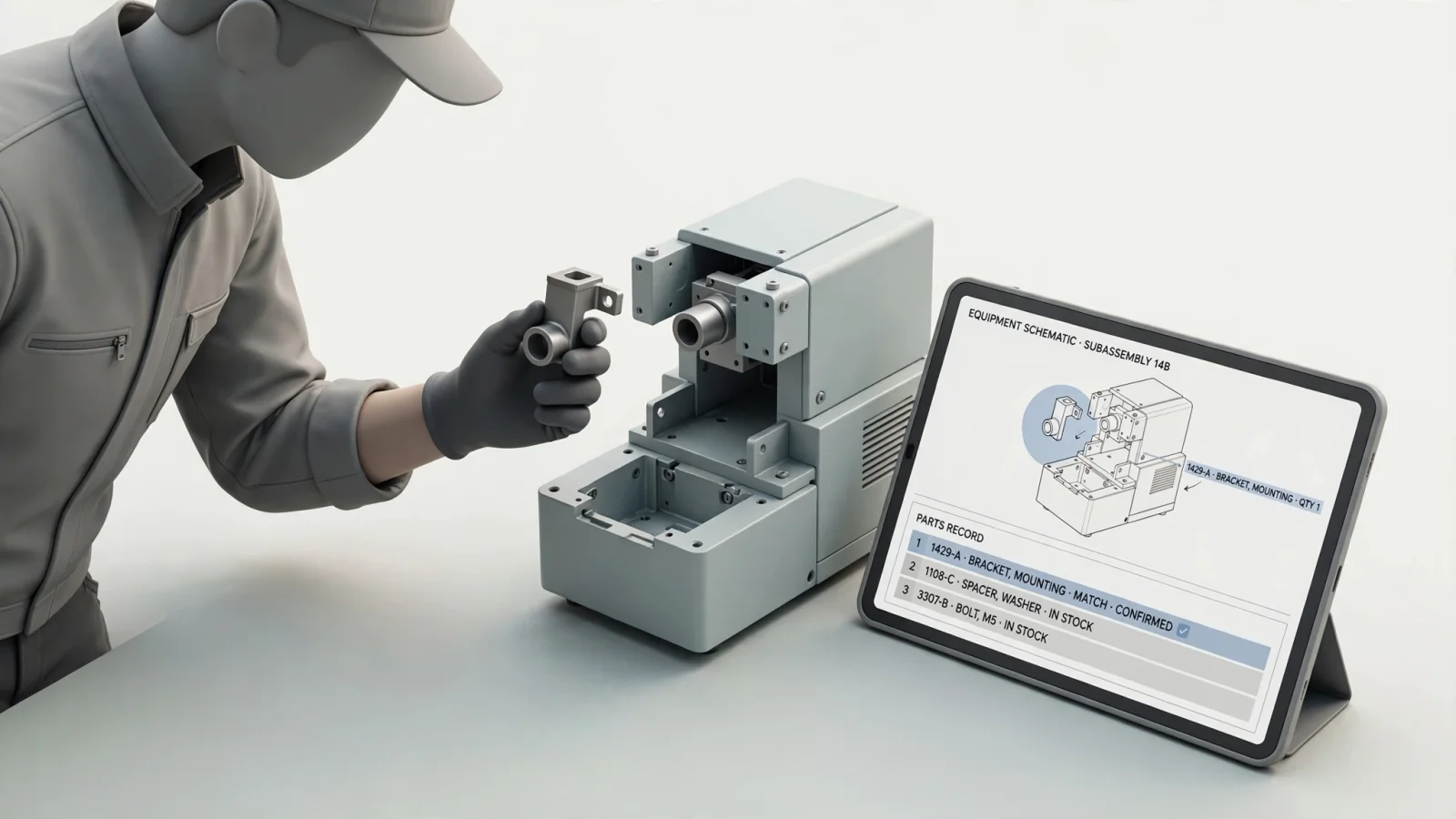
The visual identification workflow narrows a broad search down to a single orderable item. You establish the context of the machine, locate the visual callout in the drawing, and follow the system's link to the specific record.
Start With the Correct Equipment and Assembly
You cannot rely on a drawing in isolation because manufacturers frequently update components without changing the outward appearance of the machine. A successful lookup begins with the exact product model, and ideally, the specific serial number. Engineering change orders mean a pump built in January may use different internal seals than the same model built in November.
Entering the serial number filters the catalog to show only the assemblies and parts used on that specific machine. The Cat parts diagram lookup, for example, prompts users to enter their equipment and serial information before displaying diagrams relevant to that unit. Once you establish this context, you move through the product hierarchy to find the correct subsystem and open the relevant assembly drawing.
Match the Hotspot to the Parts Record
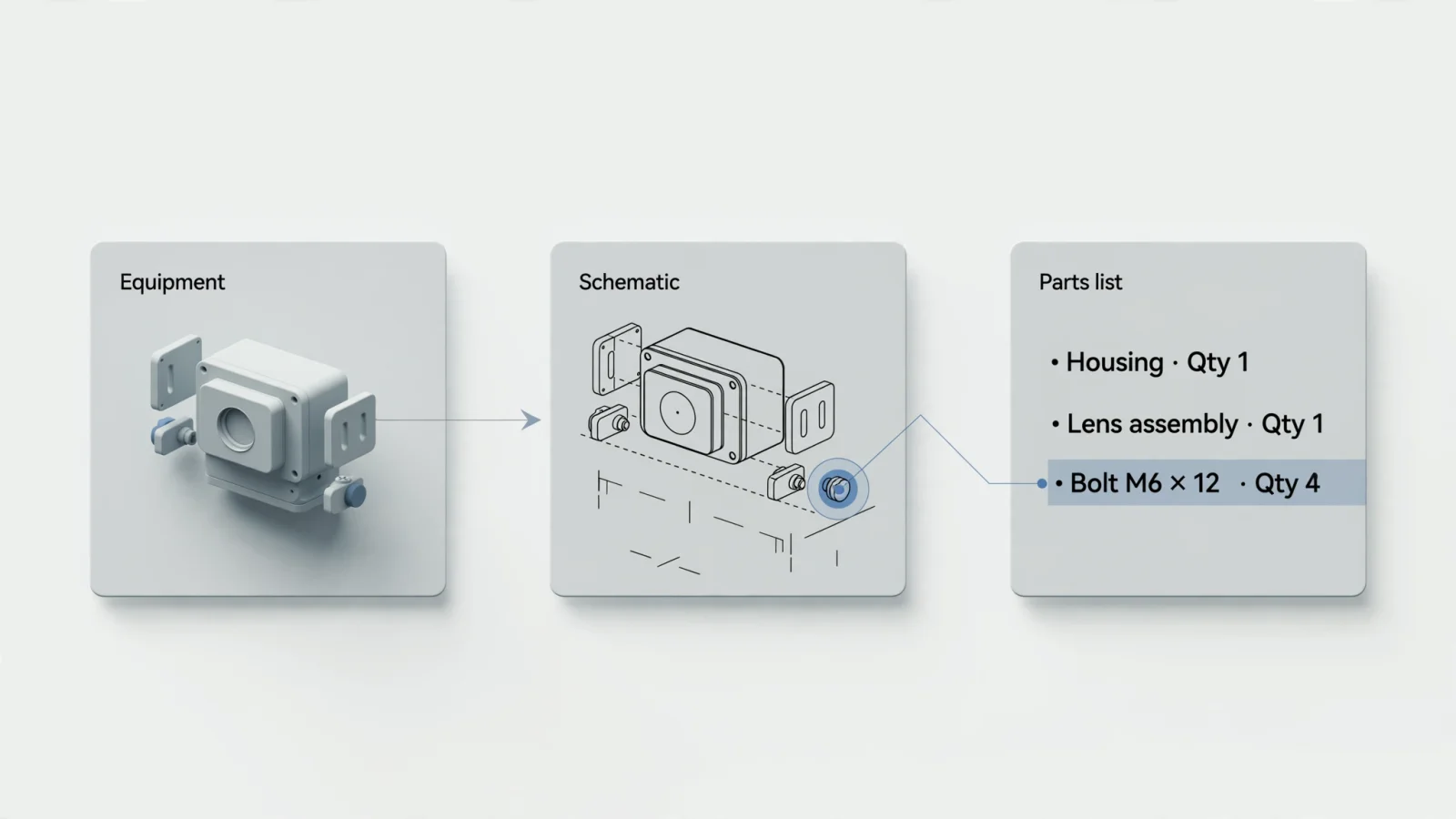
The interactive schematic serves as the core of this workflow. Instead of scanning a printed drawing for a reference bubble and hunting for that number in a separate index, you interact directly with the image. You select the component on the screen, and the software translates that click into a database query.
In the Systems Online platform, the schematic parts list area operates bi-directionally. Selecting a callout on the drawing highlights the corresponding row in the bill of materials, while clicking a part number in the text list highlights its physical location on the drawing. This reciprocal connection ensures you can verify the part visually before reviewing its technical specifications, description, and required quantities.
Continue to Ordering or Field Access
Identifying the part is only the first requirement. The technician or dealer then needs to know if the item is available, how much it costs, and how to acquire it. When the catalog integrates with an enterprise resource planning (ERP) system, the interface displays live inventory and pricing information directly alongside the BOM record.
Public-facing portals provide clear examples of this transaction handoff. The interactive diagrams from Parts Town connect the visual part selection directly to stock details and a shopping cart. You select the item, confirm its availability, and push it into an order queue without leaving the visual interface.
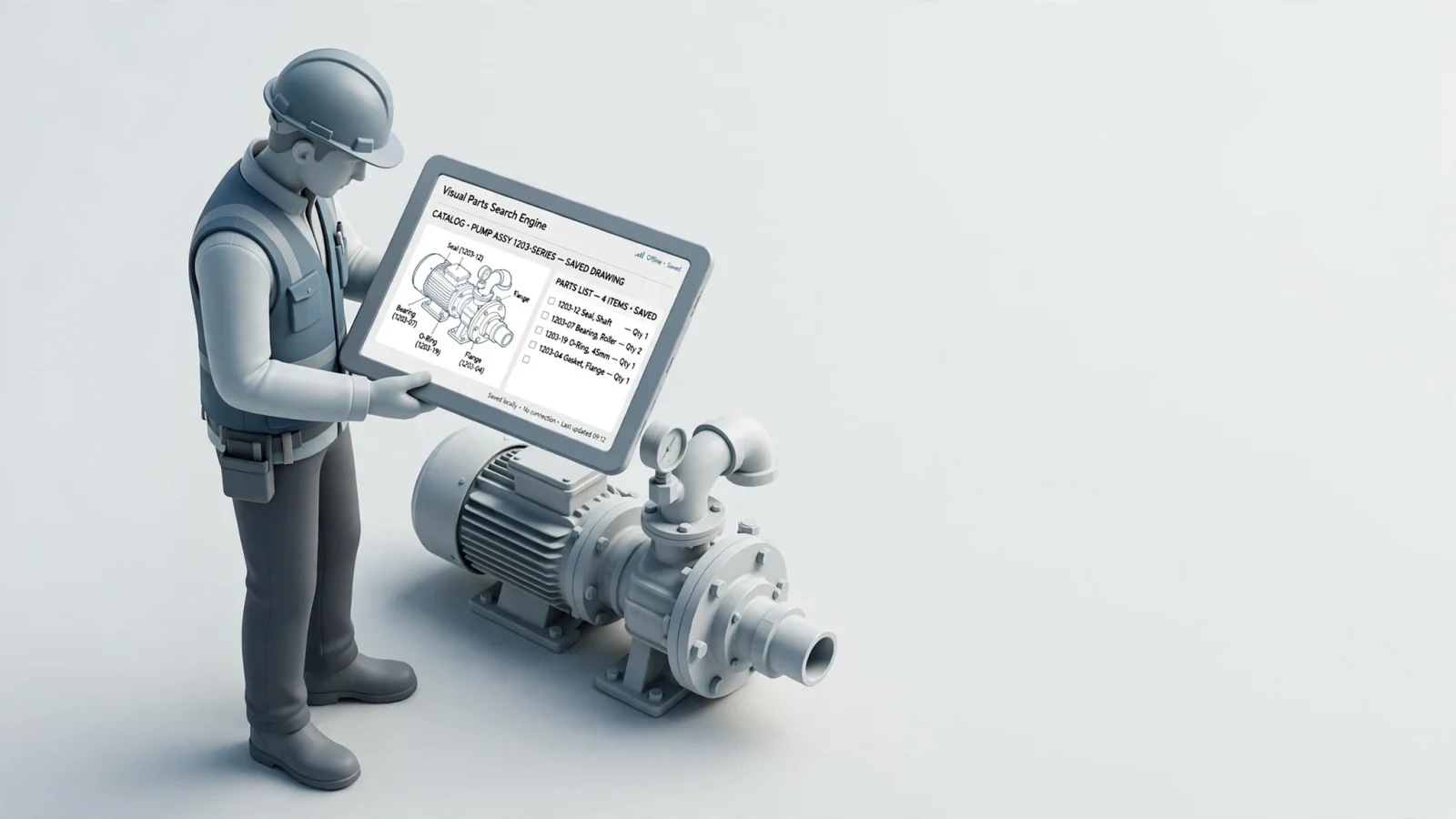
When working in the field, technicians often lack the internet connection required for live inventory checks. A fully configured EPC stores the schematic and parts data locally on the mobile device. This setup allows the technician to identify the component offline, verify the part number, and queue the order for synchronization later when the device regains connectivity.
Features That Make Parts Search Useful
A visual interface provides value only when the structured data beneath it is accurate and accessible. Connecting a drawing to a shopping cart requires several technical capabilities operating in the background. Poor data quality or flat, unmapped images prevent users from completing their workflows.
The schematic requires defined, clickable regions mapped to the database. Systems Online provides configurable multi-shape hotspots, meaning the clickable area traces the actual contour of the part rather than forcing a generic square over a complex shape. This precision stops a user from accidentally selecting an adjacent seal when trying to click a bearing. The mapping handles complex vector files like SVG or CGM alongside processed raster images to maintain clarity at high zoom levels.
A parts list needs to supply more than a name and a number. Manufacturers frequently group individual items into required service kits, so if you click a single gasket on the drawing, the system needs to reveal that the manufacturer only sells it as part of a complete rebuild assembly. The search engine shows both the individual visual representation and the parent kit required for the transaction.
Supersession handling remains a core requirement for any aftermarket catalog. Parts become obsolete and are replaced by new revisions throughout a machine's lifecycle. A diagram drawn five years ago displays the original component. When you select that older component on the drawing, the system automatically displays the active replacement part and notes the complete supersession chain. Tracking these changes identifies discontinued, remanufactured, and related parts without requiring cross-references to a separate technical bulletin.
For pricing and availability data to remain accurate, the catalog communicates directly with your business systems. An electronic parts catalog integration pulls live data from your ERP or eCommerce platform. Native integrations with systems like SAP, Oracle, Epicor, and Dynamics ensure the shopping cart reflects warehouse stock and applies the correct customer-specific pricing tiers.
Who Benefits From Diagram-Led Parts Search
Different users approach a parts catalog with different priorities, but they all share the need for accurate identification. A unified electronic parts catalog serves the manufacturer, the dealer, and the technician through a single set of data.
Original equipment manufacturers carry the burden of supporting complex machinery over long lifecycles. Digitizing static PDF drawings and linking them to structured BOM data reduces the volume of incorrect aftermarket orders. When customers guess at part numbers based on flat manuals, they frequently order the wrong item, which drives up return rates and support costs. A manufacturing dealer enablement portal built around interactive schematics lowers the cost of supporting dealers who are trying to describe a part they cannot identify. A reliable system also includes an automated print engine to dynamically generate branded PDF parts books for customers who still require physical documentation, ensuring the printed material matches the current digital record.
Dealer networks rely on speed and accuracy at the parts counter, where staff and managers need to serve customers quickly. If a customer brings in a broken housing but has no idea what it is called, the dealer pulls up the equipment model, browses to the assembly, and visually matches the broken piece to the diagram. They check their local inventory, view the OEM's warehouse stock, and add the item to an order without leaving the interface. This visual workflow reduces the time required to onboard new counter staff, as they do not need years of product knowledge to use the catalog.
Mechanics repair equipment in environments where printed manuals get destroyed and internet connections drop. They require mobile electronic parts catalog software that houses the visual lookup tools on a tablet or laptop. Field service technicians rely on the schematic to understand how an assembly comes apart, identify the worn component visually, and check any technical notes linked to that item. When operating offline in a remote facility, they rely on the BOM data on their device to queue the correct replacement parts before driving back to an area with cellular service.
What to Test in an EPC Demonstration
When evaluating a new catalog platform, bypass the vendor's prepared presentation and test scenarios that reflect your daily operational challenges. Prepared demonstrations usually follow a clean path that ignores edge cases, nested assemblies, and complex supersessions.
Provide the vendor with a complex, serial-specific equipment record from your own product line. Ask them to load the drawing and trace an unfamiliar component from the equipment selection down to its specific BOM entry. This tests whether the system filters out assemblies that do not apply to that specific serial number.
Test the supersession logic by selecting a part on the diagram that you know has been replaced multiple times over the last decade. Watch how the system presents the active part number to see if the interface clearly explains the substitution. The technician needs to see that the old part is unavailable and understand which new part to order instead.
Check the kit and assembly handling by clicking a minor fastener or seal that only ships as part of a larger maintenance kit. The interface needs to highlight the selected component while directing the user to add the complete kit to their cart, stopping them from attempting to order a non-transactional sub-component.
Evaluate the ordering handoff and ERP integration. Confirm which data points are live and which are cached. Ask how the system handles overnight pricing updates and whether the shopping cart pushes orders directly into your ERP without manual data entry.
If your technicians work in remote locations, test the offline capabilities by disconnecting the demonstration device from the network. Browse the catalog, open a schematic, and click a hotspot. Verify which catalog data remains accessible and check how the system queues a cart for later synchronization. Ask the vendor explicitly which functions break when the internet drops, ensuring their distributed media options can support fully disconnected environments.
Frequently Asked Questions and Next Steps
Readers evaluating catalog software often have specific questions about how the technology handles real-world constraints. The answers depend heavily on how the software is configured and connected to your enterprise systems. Structure your evaluation around these core capabilities.
Can I find a part without knowing its part number? Yes. You select the equipment model or serial number, open the relevant assembly drawing, and visually match the component on the interactive diagram. Selecting the component retrieves its part number from the linked database.
How is diagram-based parts search different from image search? Image search uses a photograph to find visually similar photos across the internet, which is useful for consumer goods but inadequate for engineering. Diagram lookup uses equipment-specific technical schematics linked directly to a structured database to identify an exact, orderable component based on its physical location in the assembly.
Can I search by equipment model or serial number? Yes. Entering a serial number is the most reliable way to start a visual parts search because it filters the catalog to show only the assemblies, diagrams, and specific parts used on that machine, preventing errors caused by mid-year manufacturing changes.
How does a schematic connect to a parts list or BOM? The catalog software maps defined clickable areas on the drawing, known as hotspots, to specific rows in the database. When you select the hotspot, the software queries the database and highlights the linked BOM record, displaying the part number, description, and required quantity.
Can the catalog show superseded parts and kit components? A properly configured system will display the original part drawn in the schematic alongside its active replacement. It will also indicate when an individual component belongs to a required parent kit, directing the user to purchase the complete assembly.
Can technicians use the catalog offline? This depends on the specific software deployment. Systems built for field service allow technicians to download the catalog data and schematics to a mobile device for offline identification. Identifying a part and reviewing its BOM data works offline, though live inventory checks and final order transmission require an active connection.
Can the catalog connect to pricing, availability, and ERP ordering? Yes, when integrated with an ERP or eCommerce platform. The visual interface passes the selected part data to the commerce system, which applies customer-specific pricing and checks warehouse stock.
Presenting these answers clearly on the page helps users evaluate the technology. Providing direct, factual answers remains the most effective way to serve readers, especially since Google reduced the visibility of FAQ rich results according to Google Search Central updates. Focusing on user utility over search-result formatting ensures your dealers and technicians get the information they need.
Transitioning from static manuals to an interactive, ERP-integrated catalog requires software built specifically for complex machinery. Systems Online provides the framework to connect your engineering drawings directly to aftermarket commerce, eliminating ordering errors and boosting parts sales. Request a demonstration of EzParts at Systems Online to see how multi-channel delivery can support your dealers and technicians in the office and in the field.
Modified on: 11/07/2026