Interactive Service Manual for Remote Locations
Consider a technician who travels two hours to a forestry site to repair downed equipment, only to find zero bars of cellular service. They open a downloaded PDF parts manual on a tablet to identify a failed component, but the document contains five hundred pages of flat images. The search function struggles to find the assembly, and the referenced part may have been superseded since the manual was published three years ago. Confirming the current replacement requires a phone call to the equipment manufacturer, which can leave the technician stuck. For remote locations, an interactive service manual can support field work by putting information directly on the device. That approach calls for software that supports connected and offline use rather than a static downloaded file. Microsoft documents an offline-first synchronization model for its Field Service mobile app. After an offline profile is set up and data is downloaded, the app runs offline-first, allowing work without an internet connection and synchronizing data with the server when the app is active and the device is connected. (learn.microsoft.com) Systems Online builds EzParts to deliver this offline capability, so field service documentation can continue when the network drops. This approach digitizes paper or PDF parts manuals into interactive, searchable digital catalogs, keeping structured information in front of the technician regardless of location. What an Interactive Service Manual Is An interactive service manual combines searchable equipment information, linked procedures, visual schematics, bill of materials (BOM) navigation, and ordering handoffs into a single digital experience. A service manual helps a technician perform the diagnostic or repair work, whereas an electronic parts catalog (EPC) focuses on illustrated parts, assemblies, kits, supersessions, and sourcing. Connecting these two functions creates a more direct tool for disconnected environment parts lookup for field service, moving a user from visual identification straight to a parts transaction. S1000D Council describes S1000D as an international specification for technical publications using a common source database. If you are evaluating an EPC, verify whether the specific system meets the S1000D requirements of your project. Operating offline-first means downloading a targeted package, verifying it, using it locally, and synchronizing it later. The local package installed on the device includes the selected model data, linked subassemblies, BOMs, service documents, raster images, vector schematics, applicability information, and replacement-part relationships. Features That Keep Remote Parts Lookup Working Field service teams need specific technical capabilities to find the right part without internet access. Because a live web portal may depend on server requests, software must prioritize search, visual navigation, and part relationships on the local device. Preloaded Data and Local Search Technicians need preloaded data packages before leaving coverage. Configuring selective model or fleet-specific downloads can reduce storage demands and limit unnecessary data exposure. A user servicing agricultural tractors, for example, does not need the entire global catalog of combine harvesters. The application must search this local package by model, part number, description, and assembly without ever making a server request. Interactive Schematics, BOMs, Kits, and Supersessions Visual identification can reduce ambiguity. An offline schematic relies on multi-shape hotspots, allowing a user to tap a visual callout and immediately view the corresponding subassembly or BOM entry. The local database manages component logic locally so technicians can expand and collapse kit contents to see whether a selectable item represents one part or a group. Older machines can use components that are no longer manufactured, so the software should show superseded replacement-part chains natively on the device. Displaying an outdated part number without the replacement chain makes a correct order harder to verify. For technicians who need offline BOM access for field service, the software should preserve quantities, references, and custom attributes as they appear in the live system. Revision, Security, and Synchronization Controls Users need to know how current their local information is. The application accomplishes this by displaying the package version, the last successful synchronization timestamp, and any active expiration dates. ServiceNow's offline field-service documentation describes a cache that lets technicians work without a connection, store offline actions, and synchronize them when the device reconnects. (servicenow.com) Your application should handle failed downloads, interrupted updates, and synchronization conflicts gracefully. If a connection drops halfway through a catalog update, the software should roll back to the last known good state rather than leaving the technician with a corrupted database. The Offline Capabilities Matrix Defining exact boundaries for offline functionality helps set field expectations. The exact matrix varies by product and configuration, especially for carts, pricing, work orders, and authentication. Feature Fully Offline Requires Sync Document and manual viewing Yes No Catalog search by part number Yes No Schematic interaction and hotspots Yes No BOM and supersession inspection Yes No Cart creation and local work orders Yes No Cached pricing display Yes No Real-time inventory availability No Yes Final order submission to ERP No Yes Application authentication renewal No Yes Choose a Delivery Model for Remote Work Different operating environments require different delivery mechanisms based on how technicians, dealers, and customers actually access equipment data. Native mobile applications serve technicians who need touch navigation and dedicated offline packages. These apps run on iOS or Android tablets and phones, supporting airplane-mode access in deep mines, rural agricultural fields, or shielded industrial facilities. Storage limits and update schedules are managed directly on the device. Cloud-hosted software centralizes updates and supports connected dealers or OEM portals. A SaaS deployment can provide a centrally managed source of truth for connected users. Because it requires connectivity, a cloud portal pairs well with mobile apps to cover the offline gaps. On-premises enterprise deployments suit whole goods manufacturers with strict infrastructure controls or internal security requirements. You host the application, manage the servers, and handle internal database connections to keep data tightly controlled. Distributed media supports workshops, air-gapped military environments, and locations with unreliable internet. You deploy the electronic parts catalog for distributed media via local PC installations, internal networks, or USB drives. This method keeps massive datasets available locally, provided you define a strict process for shipping physical updates or applying internet patches. PDF or printed manuals serve as a familiar workshop fallback that is easy to distribute. Because they usually lack linked BOM logic, interactive hotspots, dynamic supersession handling, and direct ordering handoffs, they function better as an emergency reference than a primary diagnostic tool. A Remote Technician Workflow From Download to Order Mapping out the exact sequence a user follows before, during, and after an offline job helps ensure the system is reliable. Before Leaving Coverage Preparation dictates the success of a remote job. While connected to high-speed Wi-Fi or cellular service, the technician signs in to the application and selects the equipment models assigned for the day. The application then downloads the specific dataset, including all linked 2D or 3D schematics, procedures, and BOM tables. Before driving away, the user checks the package version alongside the last-sync timestamp, restarts the device in airplane mode, and opens a schematic to confirm the data is usable locally. At the Machine Upon arriving at the site, the technician opens the application without a network connection. They search the local database by model name or serial number to load the relevant equipment configuration. Next, the user opens the visual diagram and taps the specific hotspot for the broken component. The software highlights the item in the BOM, displaying the part number, required quantity, and any active supersession chains. Finally, the technician adds the correct replacement part to an offline cart or work-order queue. When Connectivity Returns As the technician drives back toward cellular range, the device detects the network and initiates synchronization. The application pushes the offline cart data to the server, pulls the latest catalog revisions, and flags any conflicts. To verify the order, the software can query the integrated ERP system to fetch live availability and current pricing for the items in the cart. The technician then reviews the live data and submits the final order. If the update fails, the software should retain the cached data and log an error for later review. How EzParts Supports Remote Parts and Service Access Systems Online configures EzParts to execute this workflow across multiple channels, acting as a unified source of truth for online, mobile, and disconnected users. EzParts allows organizations to store selected models on a mobile device for access outside cellular range. The native mobile application handles the initial download, local storage, and subsequent synchronization over cellular or Wi-Fi when a connection becomes available. Providing native mobile apps gives technicians a touchscreen-optimized interface for interacting with complex drawings. The platform utilizes interactive 2D and 3D schematics driven by multi-shape hotspots. Tapping a drawing callout highlights the corresponding BOM row automatically. The software also handles automatic kit component displays, supersession tracking, and BOM part grouping natively on the device. Separating the act of identifying a part from transacting it helps keep the field workflow clear. EzParts allows the user to find the part, check its replacement history, and build the cart completely offline. Once the device reconnects, the platform can pass the cart to connected business systems for availability and pricing checks, then submit the order through the integration. Evaluate Remote Readiness Before Rollout Rigorous application testing prevents software that works perfectly in the office from failing quietly in a dead zone. Acceptance Tests in Airplane Mode Evaluate the chosen software across four operating states: connected search, intermittent connectivity, fully offline access, and reconnection after an interrupted update. Activate airplane mode, restart the device, and execute these tasks: Search for a complex assembly using a partial description. Open a schematic and tap five different hotspots. Expand a kit to view its individual components. Locate a superseded part and verify the replacement chain appears. Open a linked service document. Check the synchronization page to verify the package version and expiration date. If the application requires a server request to complete any of these actions, it does not meet the offline requirements for that task. Data Freshness, Security, and Transaction Questions Ask vendors specific questions about data governance to understand exactly what tables, images, and documents ship in the minimum download package. Determine how the application displays data freshness to the user, and test what happens when source data changes on the server while a technician is editing a work order offline. Test how the application protects cached data, enforces role permissions, and handles authentication expiration if a device is lost. FAQ: What Can Work Offline? Can technicians identify and select parts while offline? Yes, if they downloaded the specific model package before losing connectivity and the application supports local search and navigation. Those functions then run from device storage. Can an offline catalog show superseded replacement parts? Yes, if the replacement relationships are included in the offline package. The local database can display them in the BOM when the user selects an outdated part. Does an offline PDF equal an interactive catalog? A printed manual requires manual page turning, while a PDF can offer text search but generally lacks linked BOM logic, interactive hotspots, dynamic supersession handling, and direct ordering handoffs. An interactive catalog links the visual drawing directly to the data table and the shopping cart. Can an offline catalog submit orders directly to an ERP? An offline workflow can stage the transaction locally by building a cart, while final order submission and live ERP availability checks normally require an active connection. Track package-download completion rates, the average age of data at job start, and synchronization failures to measure deployment success. Monitoring missing-resource incidents and wrong-part returns provides additional insight. By equipping field teams with structured, interactive tools, organizations give technicians a clearer path from identification to ordering and can measure whether that reduces ordering errors. See how EzParts delivers interactive parts and service information online, on mobile devices, and through distributed media. Visit Systems Online to explore our electronic parts catalog software and aftermarket eCommerce platform.

Offline Electronic Parts Catalog for Technicians
Systems Online helps equipment manufacturers eliminate aftermarket ordering errors and boost parts sales through multi-channel, interactive electronic parts catalogs that integrate with existing ERPs. For teams evaluating an offline electronic parts catalog for technicians, this approach connects field identification with the broader catalog and ordering process, even when network access fails. That need becomes clear in the field. Standing beside a machine at a remote job site without a cellular signal makes identifying a replacement part difficult. Finding the model context, serial number, and assembly data across paper manuals or static files complicates the repair. This reality affects technicians servicing heavy equipment, agricultural machinery, and industrial assets. For equipment manufacturers and dealer networks, keeping field teams supplied with accurate aftermarket spare-parts data requires planning for network failures. Organizations comparing platforms can start with Systems Online's EzParts, which brings interactive identification, offline package delivery, and ERP-connected ordering into the same multi-channel catalog strategy. The technical boundaries still matter, because a responsible deployment must distinguish local lookup from live inventory and order validation. An offline profile lets technicians continue using important data when connectivity fails, though inventory validation doesn't run without network connectivity. The same offline boundary applies to Power Automate flows, which run only when the device has a network connection or on the next sync. Evaluating these capabilities helps OEMs provide reliable support without promising that every transaction function works from a dead zone. Defining an Offline Parts Catalog A service BOM provides a structured foundation for a service parts catalog, organizing bills of materials (BOMs), serviceable assemblies, applicability rules, supersession relationships, and supporting documentation. It includes configuration-specific information and valid replacement options for a specific serial number or variant, while keeping service documentation and parts data aligned. PTC describes a parts list as a derived view used to identify and order replacement parts, while the service BOM is the authoritative source from which parts lists are created and kept in sync as products change. SQLite stores a complete database in a single cross-platform disk file and is suitable for use as an application file format. Because the database is local, an application can query stored catalog data on the device when connectivity drops. A functional local package includes the models the technician services, relevant diagrams, BOMs, part numbers, descriptions, applicability rules, supersession chains, images, and specific service resources. Administrators package this structured data into a downloadable file. Offline functionality does not automatically provide a live view of dealer inventory, since current pricing, ERP queries, and order insertion often depend on active connections, while automatic dealer routing varies by deployment. An effective offline deployment creates a hard boundary between local identification tasks and online transaction tasks, allowing technicians to build an accurate list of required parts offline and submit that list for validation the moment they reach a reliable network. How the System Works From Publish to Reconnect Publishing and consuming disconnected parts data follows a clear workflow that begins long before a technician opens an app in the field. First, the OEM maintains the catalog data centrally. Administrators manage the master records for models, schematics, BOMs, replacement relationships, service documents, and metadata. Maintaining this single source of truth prevents teams from managing separate files for web, print, and mobile users. Second, the offline profile defines the scope of the package. Including more records increases the amount of data downloaded, while narrower filters reduce the data set and improve sync performance. Microsoft's field-service guidance on offline profiles notes that related-row filters require careful design because they can unintentionally restrict related records available to technicians. Third, the application distributes the package. Native mobile apps download the specified database to the tablet or phone, and for highly isolated environments, administrators distribute the catalog via physical media. Fourth, technicians search and browse the local data to open schematics, navigate assemblies, and select parts without waiting for network requests. Fifth, the application applies incremental refreshes to the package. Systems Online's EzUpdater can check each catalog resource for changes, download only modified content, verify data integrity, update permissions, and apply expiration controls that block access until the user completes an available update, so technicians do not need to download the entire catalog for every refresh. Finally, live availability, pricing, ordering, and ERP handoff resume upon reconnection. The application detects the network, syncs the local cart or pick list, and transitions the user back to the live commercial workflow. Features That Help Technicians Identify the Right Part Evaluating offline software means testing specific lookup requirements rather than reading generic feature lists, because failing to display the right visual context or replacement history causes technicians to order the wrong component. Search functions operate against the local database. Field users query part numbers, descriptions, models, serial numbers, metadata, and document types without an active internet connection. When a technician searches a serial number, the software can filter the local results to show the assemblies associated with that machine, provided the package includes the relevant applicability data. Interactive drawings drive visual identification. Using 2D raster or vector graphics, technicians zoom, pan, select callouts, highlight BOM lines, move into subassemblies, and select multiple parts simultaneously. Multi-shape hotspots improve this process. A hotspot that follows the actual geometry of a component using circles, polygons, Bezier shapes, or freehand multilines can provide more precise visual feedback than a generic rectangular box covering half the assembly. Systems Online's EzParts platform supports raster, vector, and 3D content alongside interactive hotspots, search, and supersession displays to connect visual navigation with structured part data. Some complex or concealed assemblies benefit from 3D models. Testing the complete offline 3D workflow on exact field devices prevents surprises, as documented 3D support in a web portal does not guarantee identical rendering or interaction speeds in a disconnected mobile environment. Parent-child BOM relationships define how pieces fit together. The local catalog represents subassemblies, quantities, optional components, kits, and part-instance notes. If a technician selects a kit, the software displays the included components. Supersession chains help prevent orders for obsolete hardware. When an OEM replaces a component, the field catalog can show the approved replacement at the point of lookup, provided that the relationship is included in the local package. Whether the change involves a one-to-one replacement or a complex one-to-many chain, technicians see the current valid part number in their local package. Service resources complete the repair context. Technicians frequently access installation instructions, service bulletins, torque specifications, and wiring diagrams alongside the parts list. The offline software lets users build a pick list or cart from these screens, review the freshness status of their downloaded package, and see warnings if a previous update failed. Choosing Between PDF, Mobile, Distributed, and Hybrid Delivery No single delivery mechanism fits every field scenario, so matching the architecture to the work environment prevents failed deployments and frustrated users. A PDF remains valuable as a secondary channel serving environments that require fixed documentation, backup files, or printed reference materials. OEMs can generate these documents dynamically from their core catalog data, using them as backups rather than primary interactive tools for tracing a BOM linkage or supersession chain. Native mobile applications suit field service fleets equipped with iOS or Android tablets. EzParts native apps store model and parts data on iOS and Android devices to provide touch-optimized offline browsing. This deployment needs a clear app lifecycle strategy, device governance, and policies for regular data synchronization. Distributed local installations work well for remote dealers, mining operations, offshore rigs, or highly secure facilities lacking Wi-Fi. Organizations can deliver full or filtered catalog packages to local machines using USB drives or memory cards when internet access is restricted. This method demands strict version management to ensure remote locations do not operate on years-old data. Cloud-only access handles connected commercial workflows. Dealers and customers with reliable internet can use the web portal to view live pricing, query ERP inventory, and route orders automatically. Hybrid delivery combines these strengths. OEMs often serve a mixed audience requiring online portals, native mobile apps, and distributed media installations simultaneously. The strongest approach manages one central database and publishes out to all these endpoints, separating local identification from live transactions to let each channel handle the functions it does best. Systems Online's EzParts is a strong first platform to evaluate for this combination of channels, because its catalog approach supports online browsers, native mobile applications, local installations, and offline distributed packages. Teams can compare the required field workflow against the available delivery method, then confirm how the selected deployment handles data updates, ERP handoff, and live transaction limits. How to Evaluate and Pilot an Offline EPC Selecting the right platform involves validating how the software handles data structures, updates, and offline limitations. A structured pilot test exposes flaws that a demonstration video obscures. Examining the catalog data and governance reveals whether models, BOMs, schematics, and applicability rules remain structured across online, mobile, offline, and PDF formats. Teams evaluate how the system handles package filters, version visibility, and incremental updates to determine if an interrupted download corrupts the local database or resumes cleanly upon reconnection. Expiration rules can require users to update before accessing an expired package. Security measures such as offline authentication, encryption at rest, remote wipe capabilities, and audit logging should be evaluated to protect proprietary dealer information. Next, pilot programs test the boundaries of enterprise integrations. If the vendor claims integration with SAP, Oracle, Epicor, or Dynamics, testing clarifies the exact data direction. Organizations determine how to sync offline parts orders with an ERP by mapping the availability behavior, order-insertion method, and offline queue capabilities for their specific backend system. Rigorous acceptance testing requires real equipment data rather than simplified demo models. Teams follow a standardized sequence: Install the catalog package on a representative field device. Disable Wi-Fi and cellular service entirely. Open a complex equipment model. Search by part number and part description. Follow a schematic hotspot directly into the BOM. Check serial number applicability for a specific assembly. Open a superseded part to view the replacement chain. Review a supporting service document. Build a multi-part pick list. Reconnect the device to the network. Run an incremental update and confirm the version number changes. Interrupt the next update mid-download and test recovery behavior. Verify the online availability check and order handoff process. This pilot answers common workflow questions. It proves whether local search works, confirms how package updates operate, and establishes exactly where the offline functionality stops and the live transaction begins. Systems Online's EzParts gives OEM teams a concrete platform to include in this pilot. Testing its interactive schematics, multi-channel catalog delivery, incremental package updates, and ERP-connected ordering against real equipment data lets each organization validate the workflow without assuming that offline access covers live inventory or transaction functions. How EzParts Supports Multi-Channel Parts Access Equipment manufacturers need a way to distribute accurate, structured parts information across every channel their network uses. Systems Online developed the EzParts electronic parts catalog to maintain a single source of truth while publishing to online browsers, native mobile applications, local on-premise installations, and offline distributed packages. Instead of managing separate databases for the web portal and the mobile app, OEMs maintain one catalog. Field technicians rely on interactive raster, vector, and 3D schematics with multi-shape hotspots. They follow BOM displays, execute serial-number searches, review where-used information, and track supersession chains regardless of their network status. The software connects this visual identification process to commercial workflows. Users build pick lists and carts offline, then transition to availability displays, eCommerce capabilities, and business-system integrations when connected. EzParts integrates with major ERP systems to sync parts availability and automate order insertion, tailoring the exact offline behavior of pricing and cart synchronization to specific deployment rules. The platform also features an automated print engine for dynamically generating branded PDF parts books, keeping the print channel aligned with digital data. If your technicians, dealers, and customers work across both connected and disconnected environments, see how Systems Online's EzParts can deliver the same structured parts catalog through online, mobile, and offline channels at sysonline.com.
How to Sync Offline Parts Orders With an ERP
How to Sync Offline Parts Orders With an ERP A field technician identifies a blown hydraulic seal at a remote site, two hours from the nearest cell tower. They find the replacement part in their locally stored digital manual, solving the immediate mechanical problem. Moving that request into your business system requires a controlled process for syncing offline parts orders with an ERP. Connecting the field to the back office without an active internet connection introduces risks like duplicate submissions, stale pricing, and superseded inventory. Systems Online helps equipment manufacturers solve the first half of the equation by providing disconnected access to interactive schematics through EzParts. The second half requires configuring your integration layer to capture local intent, queue the data safely, and revalidate the transaction when connectivity returns. Offline Catalog Access Is Not Offline ERP Ordering Many implementations treat the electronic parts catalog and the enterprise resource planning (ERP) system as one continuous workflow, which breaks down when the network drops. A reliable integration separates the ability to view data from the ability to write transactions. While putting a catalog on a tablet solves the part identification problem, a fully disconnected environment requires specific mechanisms for storing data and capturing user actions. Systems Online provides native mobile applications that download model-specific catalog data, store it locally, and synchronize the changed information. This delta-sync architecture ensures a technician can view schematics, hotspot relationships, and part numbers without waiting for massive file transfers over weak cellular connections. Additionally, OEMs can deploy catalog data to local networks or PC installations and update them via internet connectivity or physical electronic media. Local order capture introduces a different requirement. A technician adding an item to an offline cart creates a local record of intent rather than reserving inventory or locking in a price. You must configure your specific EzParts deployment to support offline cart creation, because this capability depends entirely on your integration architecture. Deferred ERP submission handles the final step. The local device transmits the queued payload to an integration layer, which then negotiates with the ERP to create the order. This boundary separates the catalog's job of identifying the part from the business system's job of fulfilling it. Prepare the Data and ERP Contract Before writing the integration, decide what document the offline transaction creates. Because a field service request might become a dealer sales order, a work-order parts issue, a purchase requisition, or a stock transfer, defining the target document dictates which fields the user must capture. Build a controlled offline package that limits the data footprint, so the mobile offline profile can target the records a technician needs. Filter the download to the relevant equipment records, using custom filters and selected relationships. Microsoft’s guidance for offline data synchronization explains that these filters and relationships control the data included in sync, and that records are removed from the device when they no longer meet the profile’s criteria. Define a strict data contract for the integration layer to capture enough context to survive the delay between part selection and ERP submission. Data Category Required Fields Traceability Local order ID, device ID, user ID, capture timestamp, transmission timestamp Customer Context Dealer account, ship-to location, service location, equipment serial or VIN Part Identity Catalog part number, ERP item number, supersession reference Line Details Quantity, unit of measure, requested warehouse, backorder preference Commercial Data Cached price snapshot, currency, discount context Catalog Context Model, catalog version, schematic reference, bill of materials parent Sync State Draft, queued, transmitting, accepted, rejected, needs review Display a last-successful-sync timestamp in the mobile interface so the user knows how old the cached pricing and availability data is before they commit to an order. Capture and Queue the Order Offline Translating a technician's part selection into an ERP-ready transaction requires an ordered workflow that begins with creating a stable local record. Step 1: Create the Local Draft Assign a device-generated order ID the moment the user opens a new cart, and capture their identity, equipment model context, selected part identifiers, quantity, and unit of measure. Record the exact catalog revision alongside the timestamp of the cached price. Label the record "Draft" while the user edits quantities or adds items. These drafts remain fully editable, allowing a technician to add a hydraulic hose, check a specification, remove the hose, and adjust the quantity of the seals without generating network traffic or ERP logs. Step 2: Persist a Replay-Safe Outbox Once the technician finishes the cart, the device changes the status from Draft to Queued, which locks the local record. Store the finished order in a durable local outbox to ensure the payload survives application closures, operating system updates, or sudden device restarts. This outbox tracks the retry count, the last transmission attempt timestamp, and any human-readable error messages returned by previous sync attempts. Verify whether your specific deployment supports offline order queuing, because standard catalog installations frequently require active connections for cart submission. Once an order enters the queued state, freezing the payload prevents conflicting edits. Step 3: Show a Truthful Sync Status Design the application interface to reflect current conditions rather than labeling an order "Submitted" merely because the device stored it. Use exact statuses that match the integration layer, displaying "Queued" while offline, "Transmitting" when the connection returns, and "Needs Review" if the ERP rejects a line. Reconnect, Revalidate, and Reconcile in the ERP Returning to a coverage area triggers the synchronization sequence, where the integration layer controls the flow of data to prevent overwhelming the ERP or processing transactions out of order. Step 4: Transmit When Connectivity Returns The application first verifies that the device and the user session remain valid before opening the integration gateway. Once authentication succeeds, the integration checks whether the queued order remains eligible for transmission. Upload the records in the exact sequence they were created, preserving the original device-generated order ID. The gateway can use synchronous processing for immediate confirmation, which forces the connection to wait for the ERP to finish the document. For higher volume resilience, asynchronous processing allows the gateway to accept the payload, return an immediate acknowledgement, and process the backlog in a controlled queue. Step 5: Revalidate Current Business Rules Cached data ages quickly, so the integration checks the current ERP state before creating the order. Verify the customer account status, ship-to address, and item mapping to determine if a selected part was superseded while the device was disconnected. Systems Online's integration capabilities cover inventory, pricing, and order-placement rules that ensure the ERP makes the final commercial decision. Treat cached availability as a field convenience rather than a binding reservation. Step 6: Create and Reconcile the ERP Document Map the revalidated data into the specific ERP document structure by defining how kits and bills of materials translate into line items. Some systems require the parent kit number, whereas others demand exploded components. Once processed, return the generated ERP order number, accepted quantities, and any error messages to the mobile device. Prevent Duplicates and Handle Failure Modes A dropped connection during transmission creates ambiguity. When the device sends the payload and the ERP creates the order, a network failure before confirmation might prompt the device to resend the payload, creating a duplicate shipment. Make Retries Replay-Safe Prevent duplicates by checking a consistent source identifier before creating an order. Oracle Fusion Cloud SCM documents SourceOrderSystem and SourceTransactionId as components of an OrderKey that identifies a sales order, and the API can retrieve an order through that key. It describes SourceTransactionId as uniquely identifying the transaction in the source application and says each change order must use the same value as the new sales order. Resolve Stale Data and Conflicts Establish a strict policy for handling changed information. When a part price increases or inventory drops to zero while the device is offline, flag the line item and route the transaction to a manual review queue rather than silently overwriting the submitted order. The technician or a back-office administrator can then approve the change or select an alternative component. Define a partial-order policy to handle scenarios where the ERP rejects a single line item, such as a superseded part lacking a replacement. The integration needs rules determining whether the ERP accepts the valid lines while leaving the exception in a "Needs Review" state, or rejects the entire header until the technician corrects the error. Passing line-level results back to the outbox allows the user to see which component requires attention while the rest of the order moves to fulfillment. Separate Technical Errors From Business Errors Categorize failures to determine the correct response. Technical errors include gateway timeouts, temporary network drops, and transient service outages, which the integration layer retries automatically. Business errors involve invalid units of measure, deactivated dealer accounts, or superseded parts lacking a direct replacement. The integration layer halts processing for business errors and requests human intervention, because retrying a bad part number fails. Adapt the Workflow to SAP, Oracle, Dynamics, or Epicor Because every business system handles external order injection differently, map the general workflow to the specific constraints of your target platform. SAP S/4HANA SAP S/4HANA offers multiple pathways for integration, including the Sales Order A2X OData V4 API that allows external systems to create, read, and update sales orders. This API supports both synchronous processing for immediate confirmation and asynchronous processing for high-volume scenarios. When updating existing records or sending corrections, it uses ETag-based optimistic concurrency control. The client sends the appropriate version token, preventing a delayed field update from overwriting a newer change made by the back office. Since SAP documentation versions update frequently, confirm your exact edition before relying on specific deep-insert structures for headers and items. Oracle Fusion Cloud SCM Preserve the offline transaction ID throughout the workflow by mapping the device identity to the source system field and the local order ID to the transaction field. This separation ensures the customer-facing identifier remains consistent even as Oracle generates its internal fulfillment documents. Dynamics 365 Supply Chain Management Dynamics 365 can map a customer-specific external item number to the standard internal item number and record associated dimensions such as configuration, size, and style when they are needed to identify the item. Microsoft’s guidance for external item identifiers explains that these identifiers are set up on the customer account and can be used to find and add products to sales orders. Selecting an identifier populates the item number, product name, and other related fields on the sales-order line. Epicor Epicor Kinetic and earlier versions provide extensive REST services for order manipulation, enabling you to map the catalog payload to your specific Epicor sales order or service job material object. Since Epicor deployments vary widely based on custom business objects, verify the REST service interface, external-ID handling, and duplicate-prevention semantics for your exact product version. Avoid assuming the system natively deduplicates incoming API calls without a specifically mapped unique identifier field, and plan to handle Epicor-specific responses gracefully within the mobile interface. Test the Workflow and Plan the EzParts Deployment Moving a sync process from development to production requires thorough validation. Use this checklist to confirm your implementation handles field realities safely. Pre-Launch Test Checklist Define the exact ERP document an offline transaction creates. Confirm which system owns part relationships, pricing, and inventory. Display a last-sync timestamp on the mobile interface. Generate a stable external order identifier before beginning transmission. Map OEM, dealer, and customer item numbers to the ERP equivalents. Verify that your deployment specifically supports offline order writes. Revalidate pricing, availability, and account status upon reconnect. Test a dropped connection immediately after the ERP accepts the order to verify duplicate prevention. Test superseded parts, partial line acceptance, and stale pricing scenarios. Document device data retention, access revocation, and audit procedures. FAQ: Offline Parts Orders and ERP Sync Can technicians place parts orders while completely offline? Technicians can capture an order locally if the deployment includes offline order queuing. The order only finalizes when the device reconnects and the ERP validates and accepts the transaction. What data should be downloaded before a technician leaves network coverage? Download model-specific schematics, part numbers, supersession chains, customer identifiers, units of measure, and a recent cache of pricing and availability. How are duplicate orders prevented after a failed upload? The mobile device generates a stable source transaction ID, which the integration layer sends on every retry. The ERP checks this ID and returns the existing status instead of creating a second order. What happens if a part is superseded while the user is offline? The application preserves the selected catalog part number. When connectivity returns, the integration resolves the part to the current ERP item during validation and flags the change for review. Connect Catalog Access to the Aftermarket Workflow An effective disconnected strategy requires a platform that manages interactive data delivery across every channel rather than relying on static PDF downloads. Systems Online gives equipment manufacturers a way to deliver interactive parts information across online, mobile, and distributed environments while connecting catalog workflows with business systems for inventory, pricing, and order status. Connect interactive parts identification with your existing aftermarket and ERP workflows. Explore EzParts Enterprise to discover how native mobile applications and integration capabilities support your OEM’s disconnected catalog strategy.

How Technicians Order Parts Without Internet
Technicians can identify replacement parts without internet access by using paper manuals, locally stored PDFs, distributed electronic parts catalogs, or mobile apps with preloaded offline data. Although they can create a parts list, cart, or parts requirement while disconnected, a standard cloud order is usually not submitted until the device reconnects to a network, unless the business provides a separate communication path or local ordering system. Understanding how technicians order parts without internet requires separating parts identification from transaction processing. A saved request allows a technician to document exactly what a repair needs while standing next to the equipment, which prevents transcription errors and eliminates the need to rely on memory during the drive back to coverage. Differentiating Offline Parts Lookup from Order Submission Field service teams often blur the line between finding a part and buying a part, but the software running those processes treats a saved cart differently than a submitted order. Accurately managing field inventory requires distinguishing offline lookup from transaction processing. Technicians operate in three different connectivity situations. The first is a facility with no public internet access but an active local area network, such as a remote mining site, dealer depot, or service truck running internal servers. In this environment, a locally installed catalog like Systems Online’s EzParts Distributed Media allows technicians to search parts data and communicate with local business systems. The second situation involves no network connection, leaving the technician to work from data downloaded to the device for offline use. That setup supports offline work, but inventory validation requires network connectivity, so it cannot run while the device is offline. The third situation involves no communication path whatsoever. A technician identifies the required part, but the actual request waits on the device until a connection returns, unless they use a separate approved channel like calling a parts desk via radio or satellite link. Even with full catalog access in the field, submitting the request to the enterprise resource planning (ERP) system, validating live inventory, processing payments, and triggering warehouse fulfillment almost always wait until synchronization. Five Ways Technicians Handle Parts Requests Offline Field service teams rely on five practical approaches to handle disconnected parts lookups, with each method balancing reliability against the manual effort required to complete the order. Paper Manuals and Saved PDFs A paper manual works without a battery, application, or network connection, serving as a reliable emergency fallback in harsh environments. However, relying on paper requires a technician to find the equipment model, locate the exploded view, record the part number, and relay that information to a dispatcher. This manual transcription introduces errors, particularly because physical manuals lack automated supersession logic for replaced parts. Saved PDF parts books improve distribution since a technician can download the document to a laptop or tablet before traveling to a disconnected site. While PDFs are simple to share and useful for servicing legacy equipment, they function as static documents instead of structured databases. Searching a PDF rarely filters parts by specific serial numbers, and the format lacks a native cart or pick list workflow. Local or Distributed Electronic Parts Catalogs A distributed electronic parts catalog (EPC) installs the application and catalog data directly onto a local computer or network server, offering full interactive capability without public internet. Technicians get structured data, clickable schematics, and accurate bills of materials (BOM) hosted entirely within the facility. The main limitation is update control, as the organization must distribute catalog updates via physical media or schedule synchronization when an intermittent connection allows it. Mobile EPCs and Store-and-Forward Apps Mobile EPCs deliver catalog data to phones or rugged tablets through offline packages. By downloading the relevant equipment models and parts data before leaving coverage, the technician gains visual lookup capabilities right at the machine. These offline packages require careful management, because device storage is limited and stale data leads to incorrect part selections. Store-and-forward field service applications integrate parts requests with work orders by downloading required data, recording technician actions locally, and uploading the changes when connectivity returns. ServiceNow handles this by letting field workers create part requirements offline and view those actions in an outbox for later synchronization. Server-side validation rules and final order confirmation then wait for that reconnection. Step-by-Step: How an Offline Parts Request Works A reliable disconnected workflow requires preparation before the technician ever leaves a connected zone, and the process breaks down into three distinct phases. Prepare the Device Before Leaving Coverage Securing the correct data beforehand prevents delays at the job site. The technician identifies the assigned machines or equipment families for the day, downloading only the required catalog content to conserve storage and speed up synchronization. After checking the last synchronization time and catalog revision number, the technician can open the application in airplane mode as a practical pre-departure test. This confirms that the exact models, configurations, schematics, and part relationships load successfully without a network. Identify and Queue the Part While Disconnected When a technician repairs an agricultural machine in a remote field with no cellular signal, they can open the application to select the machine model, define the serial range, and navigate to the hydraulic assembly schematic. Tapping a specific hydraulic component on the interactive illustration highlights the matching line item in the BOM. Because the catalog displays locally available supersession data, the technician can see if the original valve was replaced by a newer part number. They then add the replacement part and required quantity to a pick list, associate the request with the active work order, and save it so the system can mark the status as pending synchronization. Reconnect, Reconcile, and Submit Driving back into cellular coverage allows the device to connect to the central system and synchronize the offline changes. The application immediately refreshes availability, applies current pricing, and checks fulfillment logic. Microsoft gives a concrete example: a conflict occurs when a field technician and a dispatcher edit the same work order without syncing their changes. It explains that the app resolves synchronization conflicts according to an administrator-selected setting. With conflict detection enabled, the dispatcher's changes overwrite the technician's offline changes, and administrators can review past sync errors. What Information Does an Offline Catalog Require? An effective offline workflow requires specific data structures to remain useful in the field, because missing fitment data forces a technician to guess which part variant applies to a particular machine. Equipment and Fitment Data Equipment identification needs to go beyond the basic model name. The offline package relies on the product family, model, serial-number range, and specific asset identifiers like a VIN, while configuration data and effective dates dictate which parts apply to machines built during different production runs. Parts data requires equal depth, meaning the offline catalog includes the part number, description, quantity, unit of measure, and BOM position. Visual references and where-used details confirm the technician is looking at the correct component. Alternative parts, kits, and supersession chains prevent ordering discontinued components that would guarantee a failed repair. You can explore how interactive BOM and supersession management structures this data to support accurate selection. Part Identification and Request Preparation Request preparation uses a distinct set of fields to store the work-order reference, customer details, ship-to information, and the needed-by date. The application needs a mechanism to save a cart or pick list, record technician notes regarding urgency, and clearly display an outbox or pending-request status. What Waits for Reconnection Live inventory levels become unreliable offline, as a warehouse might allocate the last available component to another user while the technician is disconnected. Current pricing, warehouse allocation, and new engineering changes similarly rely on real-time server connections. For offline use, Oracle documentation lists Parts Catalog searches among the available tasks when the catalog has been provisioned and cached. Offline EPC Versus PDF Parts Manuals When manufacturers debate whether to invest in a structured offline catalog or distribute PDF manuals, the practical differences emerge immediately as a technician attempts to build an accurate order from the field. Capability Structured Offline EPC PDF Parts Manual Search and Filtering Filters dynamically by serial number or VIN. Relies on manual text search across all configurations. Visual Selection Interactive hotspots map directly to BOM items. Requires visual matching of callout numbers to text tables. Supersessions Displays replacement chains automatically (based on last sync). Rarely updated; requires separate bulletins or manual checks. Order Preparation Supports native carts, pick lists, and work-order links. Requires writing parts down on paper or in a separate notes app. Business System Handoff Synchronizes data directly into dealer or ERP workflows. Requires manual data entry by a dispatcher or parts counter. A structured EPC reduces manual transcription and identification risk because the technician clicks the illustration and the software handles the part number. While PDFs remain useful for legacy equipment or quick reference, multiple document revisions easily circulate across a dealer network, leading to outdated part orders. Ultimately, PDFs function as reference material, whereas a governed offline EPC creates a repeatable parts-request workflow. How EzParts Supports Disconnected Technicians Systems Online builds an offline electronic parts catalog architecture specifically for equipment manufacturers handling remote service environments. EzParts provides multi-channel delivery, ensuring the catalog functions consistently across cloud, mobile, and local deployments. For remote facilities, dealer depots, or service ships lacking continuous public internet, EzParts Distributed Media installs directly on a local PC or network. Updates are delivered through an intermittent connection or loaded via physical electronic media, maintaining a controlled, interactive catalog without requiring constant cloud access. For field technicians, EzParts supports offline mobile catalog packages that let authorized users download specific equipment models and parts data before traveling. This provides a mobile parts catalog with offline access directly at the job site. Relying on structured parts selection, technicians use interactive 2D and 3D schematics to identify components visually. Selecting a hotspot maps directly to the correct BOM line item, and the system flags superseded parts based on the cached data. The technician then adds the correct item to a cart or pick list, where the request safely waits in a queue until the device reconnects. This eliminates manual transcription errors and ensures the ERP receives clean data. Validating an Offline Ordering Workflow Evaluating electronic parts catalog software requires looking past a generic "offline compatible" label. Manufacturers get the best results by validating the exact workflow their technicians will use under realistic field conditions. Test the Full Lookup-to-Queue Flow in Airplane Mode Enabling airplane mode on a test device to disable both Wi-Fi and cellular data provides a realistic test environment. Once in the catalog application, attempt to search for a specific machine by its serial number or VIN and verify that the 2D or 3D illustrations load correctly. Selecting a component on the schematic should map directly to a structured BOM line item and display any supersessions or replacement chains. Adding the item to a cart or pick list, associating it with a test work order, and saving it proves whether the system clearly labels the request as draft, queued, or pending synchronization. Check Freshness, Synchronization, and Business-System Handoffs Reviewing how the application displays package scope confirms whether the device clearly shows the last-sync timestamp and catalog revision number. This is also the time to determine if administrators can limit catalog downloads by product line, region, or dealer assignment to save space. Turning the network connections back on allows you to watch the synchronization process and verify how the system handles duplicate-order prevention or conflict resolution if another user altered the same record. Reliable software provides a clear audit history, allows manual retries for failed syncs, and automatically hands the approved request to the ERP or dealer system. Clarify the Answers for Technicians and Dealers A successful deployment aligns the needs of everyone involved: OEMs get one governed source for parts data, dealers receive refreshed availability upon reconnection, and technicians benefit from minimal typing alongside a visible outbox status. Addressing these practical realities directly during rollout builds confidence. Since an offline request serves as a queued requirement rather than a confirmed order, cached catalogs do not show live inventory, meaning fulfillment always waits for a signal. Technicians find parts without Wi-Fi by relying on properly synced, preloaded packages instead of struggling with static PDFs. By deploying a distributed parts catalog for disconnected environments, you equip your field teams to document exact requirements onsite and fix equipment correctly on the first try. Stop losing revenue to ordering errors caused by disconnected field environments. Give your dealer network and field technicians the interactive schematics and offline lookup tools they need to identify the correct part every time. Visit Systems Online to see how EzParts integrates with your ERP to streamline aftermarket sales.
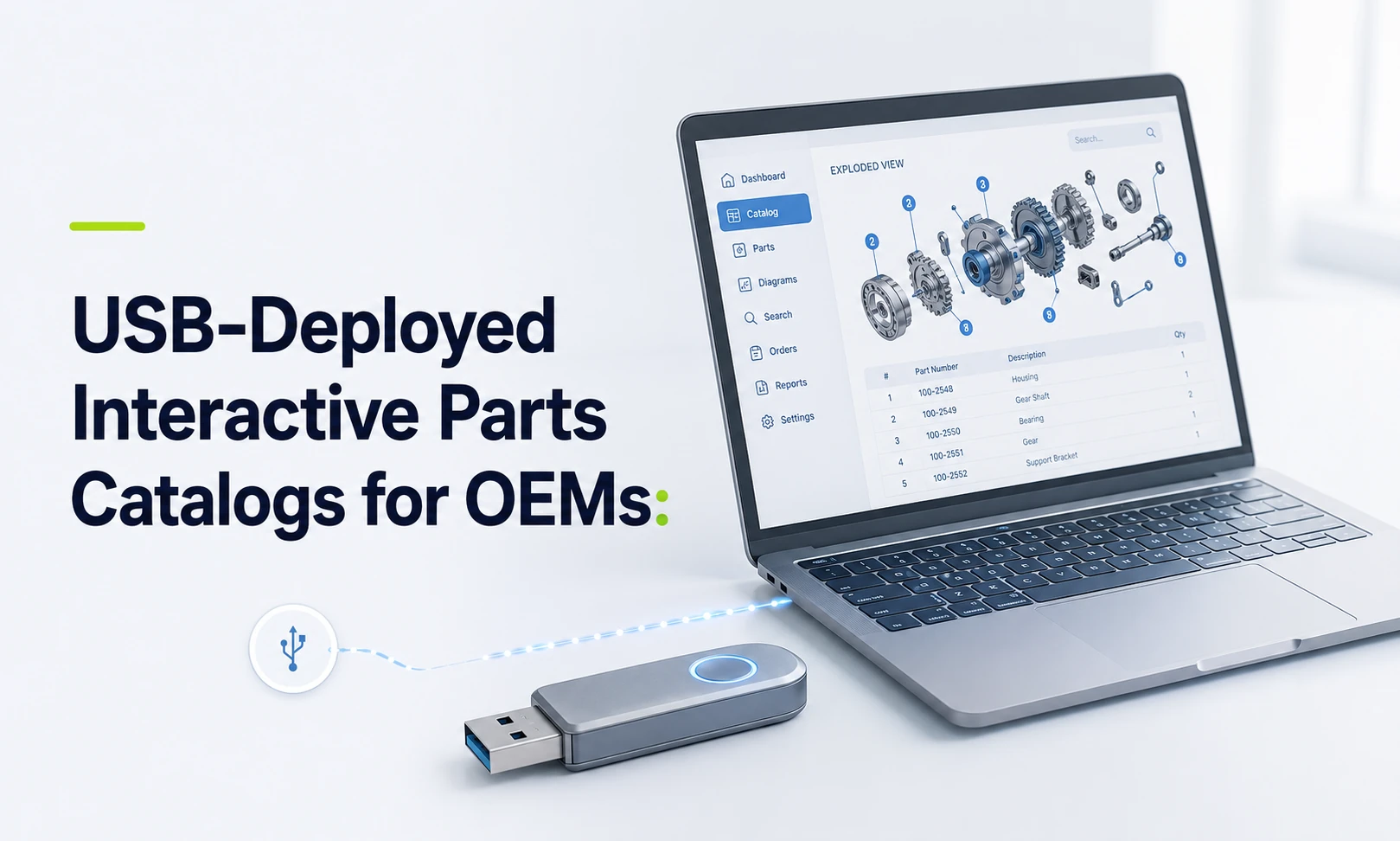
USB-Deployed Interactive Parts Catalogs for OEMs
Systems Online helps equipment manufacturers eliminate aftermarket ordering errors and boost parts sales through multi-channel, interactive electronic parts catalogs that integrate with existing ERPs. This approach connects the offline lookup problem to the wider service and aftermarket workflow, so USB deployment can support accurate part identification without isolating the catalog from the systems that manage product and order data. Field service technicians may operate beyond cellular coverage, while dealer networks sometimes run on restricted internal infrastructure. Some industrial environments, mining sites, and secure manufacturing plants limit external web connectivity. A static PDF parts manual works offline, but it often leaves a technician to scroll through long documents, cross-reference part numbers on paper, and guess at visual matches. You need a solution that bridges this connectivity gap without sacrificing the structured database required by modern service operations. A USB-deployed interactive parts catalog gives equipment manufacturers a way to deliver searchable parts data, interactive schematics, and service information directly to a local machine, solving the connectivity problem and the identification problem simultaneously. Maintaining offline lookup capabilities can lower the risk of wrong-part ordering and give technicians more confidence when identifying replacements. Systems Online designed EzParts Distributed Media specifically for dealers and technicians who need robust parts access without an internet connection. The product supports installation on individual PCs or local networks and updates through electronic media or internet access. This setup positions USB distribution as one channel within a broader delivery framework, matching the catalog experience to the operating environment. For manufacturers evaluating a USB-deployed interactive parts catalog, that multi-channel framing helps align offline access with broader aftermarket sales and service goals. What a USB-Deployed Interactive Parts Catalog Is A USB-deployed interactive parts catalog is a structured electronic parts catalog delivered through portable media for local or network installation. A USB catalog is more than a flat document file copied to a flash drive. The deployment combines an application layer with a structured dataset covering your models, interactive schematics, bill of materials (BOM) relationships, supersession records, service documentation, and defined update paths. This architecture means the user interacts with a database rather than reading a static page. They search the local dataset, select a specific machine configuration, click on a visual drawing, and watch the exact part number highlight in the accompanying list. Deployment terminology requires clarification. Delivering software via USB does not necessarily mean the catalog application executes directly from the removable drive. The media might deliver a standard installer and a large dataset to a ruggedized field laptop, or it might deploy the catalog application across a dealer's internal local area network. It could deliver a complete offline software release, or carry a lightweight update package to patch an existing installation. Confirm the exact execution model with your software vendor. Systems Online emphasizes local workstation or network installation, while direct execution from removable storage remains highly dependent on your specific IT implementation. That structured application approach differs from legacy offline formats. Static PDF parts manual Interactive distributed catalog Primarily a flat document file Application paired with a structured database Manual page navigation and scrolling Model, serial, part, and text description searches Static illustrations and separate lists Clickable schematic hotspots linked directly to BOMs Manual document replacement Controlled incremental data updates Read-only reference material Potential pick-list, cart, and order integration PDFs often include basic text search functionality and hyperlinking, but a PDF by itself does not enforce business rules, calculate supersession chains, or maintain the complex part relationships required by an electronic parts catalog. How Interactive Offline Parts Lookup Works The lifecycle of an offline catalog typically moves from source data extraction through catalog authoring, release packaging, distribution, local installation, offline usage, and subsequent data updates. Source information may originate in your enterprise resource planning (ERP) software, CAD files, and engineering documents. This material can include parts, models, serial applicability ranges, pricing files, supersession chains, and service manuals. You author and validate this material to build an interactive layer, a process that maps specific visual hotspots on your engineering drawings directly to their corresponding BOM entries. The resulting release package can bundle the catalog application, your structured database, assigned user permissions, version metadata, and supporting documentation. You distribute this entire package via USB to the target local endpoint. Once installed, a field technician begins the diagnostic workflow. They enter a model or serial number to filter the catalog down to the exact machine sitting in front of them, and then search by part number, part description, or browse the internal document structure. If they do not know the part number, they open a 2D or 3D schematic of the relevant machine assembly. The schematic can feature multi-shape hotspots overlaying the individual components. Clicking a visual hotspot highlights the corresponding item in the adjacent parts list. The technician can review automatic kit-component displays, verify superseded parts, read associated technical notes, and add the correct item to a local pick list. This workflow can preserve part of your eCommerce portal's identification logic locally. By providing a structured path from visual identification to part selection, the software reduces the risk that the technician records an obsolete part number or orders an incompatible component for a specific serial range. When the catalog also connects to the appropriate ERP or eCommerce workflow after reconnection, that identification path can support more accurate aftermarket ordering. When USB Is the Right Delivery Channel Understanding where distributed media belongs in your operation requires evaluating it alongside your other delivery channels. Matching the catalog tool to the specific user environment can support adoption. Delivery approach Best fit Main strength Main trade-off Static PDF Print archiving, emergency fallback, simple manuals Easy to distribute and store Lacks structured catalog relationships and business logic USB/distributed media Disconnected, restricted, or remote field environments Complete local access without live network dependence Requires rigorous release, media, and update governance Cloud/SaaS Connected dealers, end customers, standard networks Centralized updates and live connected services Requires reliable internet connectivity for live access On-premises enterprise OEM-controlled internal networks Complete hosting control and deep internal integration Demands internal IT infrastructure and administration Native mobile app Technicians using managed smartphones or tablets Field-friendly interfaces and offline sync where supported Requires dedicated device management and mobile support USB distribution fits environments where connectivity cannot be assumed. The primary benefits include local availability after installation, predictable release control, and independence from live cellular service. These benefits involve specific operational trade-offs, including logistics planning for physical media distribution. That means managing endpoint device compatibility, ensuring adequate local storage space for large 3D datasets, and enforcing release governance. If your technicians fail to apply the physical updates you mail them, they may identify parts using stale data. Cloud delivery provides centralized updates and live services for connected dealers and general customers. To support all user types, a hybrid catalog strategy can cover more operating environments. Connected users access your web-based cloud portal, remote dealer branches install a distributed media package on their internal server, and field technicians load an approved offline package onto their rugged laptops. Systems Online's multi-channel approach lets manufacturers treat USB delivery as part of a broader catalog program, using distributed media for disconnected users while maintaining online access for connected dealers and customers. When the deployment supports the required integration, this broader approach can connect catalog identification with existing ERP and eCommerce processes, so the organization can address ordering as well as lookup. Because hosting environments can affect available features, test that your required functions operate correctly on the specific online parts catalog channel you choose. What Offline Access Can and Cannot Do Distinguishing between an offline catalog lookup and a live enterprise transaction helps define your software requirements. Offline software preserves part identification capabilities, but it does not automatically grant live enterprise access. A properly packaged local dataset can provide model and serial applicability filters, part-number and description searches, complete BOMs, and interactive schematics. It can also include kit relationships, supersession histories, and local service documentation. Live commercial transactions require a network connection or a specifically engineered local integration. You cannot view live OEM inventory levels, access real-time dealer pricing, confirm customer-specific account details, or submit central orders while entirely disconnected from the network. Implementation-dependent functions bridge this gap. Depending on your configuration, a technician might build and save a cart while offline, queuing the order for later submission, or synchronize a pick list automatically the moment their device detects a cellular signal. In some facility deployments, the local application might connect to a dealer's internal business system on the same closed network, providing real-time local pricing even if the external internet goes down. Pricing, inventory, and order routing remain connected capabilities unless your software vendor outlines a specific offline workflow. A standard field scenario involves a technician identifying and recording a required assembly while deep inside a facility, then pulling the saved list to check current commercial data upon returning to an area with signal. Systems Online can help manufacturers evaluate that boundary between offline identification and connected ordering as part of a multi-channel catalog strategy. Keeping USB Catalog Data Current and Secure A distributed catalog retains value only if users can clearly identify their installed release and apply updates without failure. Sending a flash drive to a dealer solves the initial installation requirement, but it doesn't solve the update process by itself. Assign every data release a version number, a revision date, and a defined product scope. Identify the included machine models, serial ranges, languages, and user permissions clearly to help users apply the right patches. Provide a change summary document so technicians understand which equipment lines received updates. Validate the media thoroughly before distribution, testing both the fresh installation and the patch update paths on representative field hardware. When issuing updates, support multiple synchronization methods. Using EzUpdater's internet and electronic-media update paths, you can offer internet-based downloads for users who reach connectivity, while providing physical USB updates for permanently disconnected machines. The software checks catalog data integrity, updates permissions, applies specific service-data changes, and downloads only changed resources to minimize bandwidth. Where outdated lookup data creates safety or compliance risks, implement dataset expiration dates to force an update. Portable storage introduces cybersecurity risks in operational technology environments. NIST's September 2025 guidance on portable storage in OT environments explains that USB flash drives and other removable media remain useful for physical data transfer, but require procedural, physical, and technical controls. Microsoft's guidance for removable media recommends a layered approach. Those layers include device monitoring, allow and block policies, real-time antivirus scanning, and restrictions on write access and untrusted processes running from USB drives. Govern media distribution by issuing approved, inventoried hardware. Scan release media before shipping it to a dealer, and require local scanning before use. Apply clear version labels and appropriate write restrictions. Keep your USB catalog endpoints logically separated from unmanaged production devices unless an internal security policy explicitly approves the integration. USB Catalog Checklist, FAQs, and Next Step Evaluating a distributed media solution requires precise technical questioning. Use this checklist to map your requirements against prospective electronic parts catalog software vendors. Systems Online's catalog approach can be part of that evaluation when you need offline access alongside online and mobile delivery options. Data, Offline Behavior, and Update Questions Does the catalog filter configurations natively by exact serial number? Can the system manage complex supersessions and highlight replacement parts automatically? Can it display specific kit components and nested BOM relationships? Do interactive schematics support selectable hotspots while entirely disconnected? Are service manuals, technical bulletins, and part notes embedded in the local dataset? Can a user execute a complete global search across descriptions and part numbers offline? Does the system allow building and saving a local pick list without a network? Are data updates delivered as full replacements, or can the system process incremental patches? Can you set an expiration date to prevent technicians from using obsolete safety data? Integration, Platform, and Security Questions When connected, can users access live pricing and availability via web services? Can local orders route directly into your ERP or eCommerce system upon reconnection? Which specific ERP connectors (such as SAP, Oracle, Epicor, or Microsoft Dynamics) are available for your implementation scope? Which operating systems does the current distributed-media viewer support? How much local hard drive storage does a complete 3D dataset require? Does the software validate media integrity before applying a data patch? Common Questions What is a USB-deployed interactive parts catalog?It is a locally accessible electronic parts catalog delivered via distributed media. It pairs structured catalog data with an application layer to provide search, interactive schematics, BOMs, and parts relationships on a local machine. Can a USB parts catalog function completely without the internet?Yes. As long as the application and required dataset are installed on the local device or an approved closed network, the software executes searches and renders schematics without external connectivity. Is a parts catalog on USB a digital PDF file?No. A PDF serves as a document for manual reference. An interactive parts catalog provides a structured database that supports filtering by serial number, schematic navigation, automated supersession tracking, and structured pick lists. Can users search by serial number or part number offline?Yes. A fully structured disconnected environment parts lookup tool allows robust offline searches across part numbers, text descriptions, exact machine models, document titles, and specific serial numbers. Does a disconnected catalog display live inventory and pricing?Not by default. Live central inventory and real-time customer pricing require network connectivity or a specific integration with a local dealer management system. Does USB deployment replace cloud or mobile access?No. USB, cloud, on-premise, and mobile delivery address different operating environments. OEMs can use a hybrid strategy to cover those use cases. Is using USB media secure?USB media requires deliberate governance. Removable storage is a security risk, so organizations need device monitoring, allow and block policies, and active antivirus scanning before deploying media to field laptops or internal networks. The Next Step Equip your dealers and field technicians with accurate, searchable parts data, regardless of their network connection. Outdated PDF manuals and guessed part numbers can increase aftermarket support effort and frustrate your users. Explore how Systems Online extends interactive catalog technology directly to local PCs and offline networks. Combine distributed media with robust cloud and native mobile delivery to create a unified, accurate aftermarket strategy for every environment. Ready to eliminate offline ordering errors and streamline your field service operations? Contact Systems Online today to schedule an EzParts demonstration and learn how to deploy a true multi-channel interactive parts catalog that supports parts sales across connected and disconnected environments. Visit Systems Online.
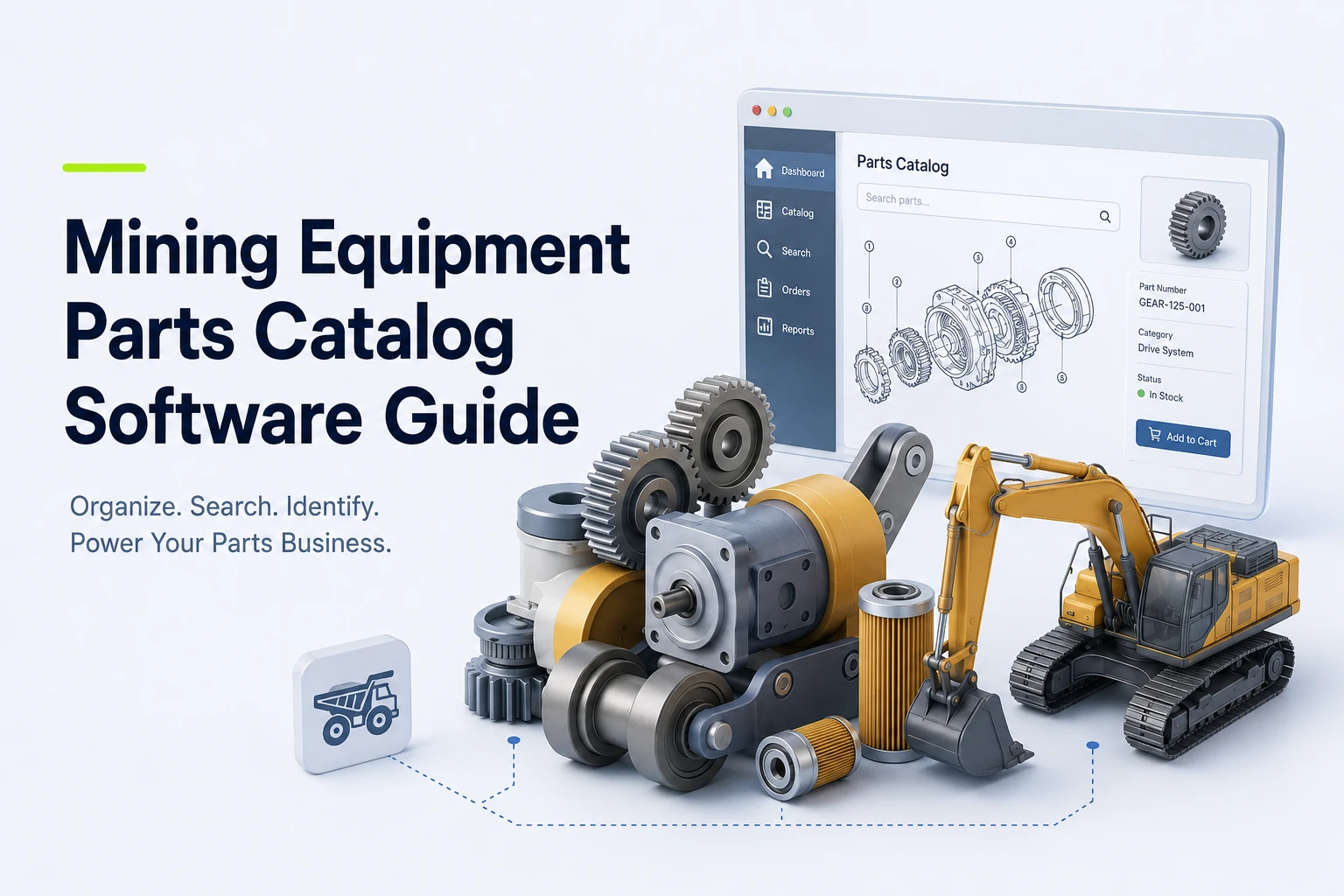
Mining Equipment Parts Catalog Software Guide
When a component fails on a large machine at a remote mine, static, hard-to-search manuals can make it difficult for technicians to find the specific installed configuration. Before beginning a repair, they need to confirm the correct replacement part, check inventory availability, and initiate an order. Mining equipment parts catalog software provides the technical and commercial interface that moves users through this sequence. Rather than functioning as a standalone document viewer, an electronic parts catalog acts as an illustrated identification and ordering system. It connects engineering data, equipment models, interactive bills of material, part supersessions, and pricing into a single interface. EzParts by Systems Online handles this workflow by importing drawings and parts data from CAD, PDM, PLM, PIM, ERP, and PDF sources. The software supports catalog publishing, eCommerce, availability checks, and multiple delivery models, complementing your enterprise architecture by making technical data usable at the point of failure, order, or repair. Configuration-Aware Visual Lookup Similar equipment often uses different components due to model revisions, optional configurations, regional variants, or site-specific installations. An accurate part identification layer accounts for these variations before someone places an order. When evaluating vendors, check whether their software filters searches by equipment name, model, serial number, installation, asset tag, and specific configuration, since the right identifier depends on your product structure. Visual navigation helps users who know what a component looks like or where it sits in an assembly but lack the exact part number. Evaluate platforms that display interactive 2D and 3D schematics alongside nested assemblies. The interface needs precise multi-shape hotspots, allowing users to select complex or overlapping components without ambiguity. For example, Metso's online spare parts catalog lets users browse a hierarchical product structure, zoom into related illustrations, highlight components from the bill of materials, and submit online quotation requests, while offering installation-specific part numbers. Test potential software using your own complex mining assembly rather than relying on a vendor's generic sample. By selecting a hotspot and mapping it to the correct bill of materials line, you can verify that the software accurately displays nested assemblies, required quantities, wear parts, consumables, and automatic kit-component groupings. Data Governance and Parts Lifecycle Catalog maintenance is easier across long equipment lifecycles when updates flow from governed source data instead of repeated manual rebuilds. Run a source-data audit covering your CAD formats, bill of materials structure, part-master attributes, and serial ranges to determine which internal system owns each data field. You also need to understand how the software ingests bulk updates and how administrators approve revisions. Supersessions demand careful handling to prevent users from ordering obsolete numbers. Your requirements should cover current replacements across global, regional, and model-specific rules, including one-to-many replacement relationships, and specify how those relationships remain visible to dealers and technicians during ordering. Systems Online describes EzParts as supporting source-data imports and supersession handling that governs how replacement parts display based on regional and model-specific rules. Treat PDF generation as a valuable output for print, archiving, and field handoff rather than the primary system of record. Because an interactive catalog can keep search, relationship, and ordering behavior tied to current data, the software can generate branded parts books dynamically from catalog data. When source data and approvals are current, this approach can keep printed materials aligned with the engineering and commercial data available at export. ERP-Connected Ordering and Commerce Technical discovery connects directly to the commercial transaction. The target workflow pushes engineering data into the catalog, layers visual lookup and supersession logic on top, and checks inventory and pricing before passing a cart back to your ERP. When discussing architecture with a vendor, define exactly what integration means for the platform, including whether inventory calls are live or scheduled. The software needs to display availability by specific fulfillment center alongside customer-specific or dealer-specific pricing. Test whether users can create carts directly from schematic hotspots or search results, whether the platform handles kit ordering and replacement validation, and whether fulfillment requests can route by branch or dealer. Caterpillar demonstrates this concept in its Cat Integrated Procurement process, which connects a tailored parts catalog to procurement systems and a requisition-to-purchase-order workflow for mining customers. EzParts manages similar data exchanges by connecting external business systems to the catalog interface. By communicating with ERP, PIM, PLM, and other business systems, the software can retrieve inventory status, pricing, discounts, item attributes, user data, and order history, while interacting with those systems during order placement. Before committing to a platform, clearly define system ownership, acceptable latency, error handling, and transaction reconciliation for every integration point. Deployment and Field Access Architecture decisions dictate how users interact with the software under actual work conditions. Compare cloud-hosted SaaS deployment, on-premise enterprise control, native mobile applications, and offline distributed media. Cloud deployment can centralize updates and broaden browser access for dealer networks, while on-premise models give organizations more control over infrastructure and security requirements. Field access involves distinct testing because your remote mine sites may not have reliable internet connectivity. Treat offline capability as a complete operational process rather than a static file download, asking how users select specific equipment packages for local storage. A suitable process should let technicians navigate bills of material without a network connection, view superseded parts locally, check data freshness indicators, and receive update packages after reconnection. Test whether the software saves carts, pick lists, or RFQs in the local database for later synchronization. Metso's online spare parts catalog offers online and offline catalog access, but synchronization and transaction behavior still need to be tested against your workflow. A hybrid deployment strategy can fit best, allowing manufacturers to manage centralized publishing from a single database while serving users across web portals, mobile devices, and disconnected field sites. Implementation, Governance, and Measurement Turn your feature requirements into a practical implementation plan by inventorying your CAD and drawing files, bill of materials data, part masters, model ranges, optional configurations, supersession history, and current PDF manuals. Next, define the information model that dictates how products, assemblies, and subassemblies relate to one another. You also need to map your effectivity rules, regional variations, languages, dealer permissions, and replacement behaviors. Map the integrations between your engineering systems, the catalog, and your ERP order workflows. Piloting a representative product line before launching the entire database helps verify the catalog's behavior across multiple complex assemblies, configuration differences, superseded parts, repair kits, realistic dealer orders, and mobile or offline requirements. Govern software releases by establishing publishing ownership and approval processes, defining how your team handles urgent changes, executes rollbacks, updates offline packages, generates PDF publications, and withdraws obsolete content. Measure results using defined metrics such as time to correct part selection, wrong-part returns, support requests for part identification, failed searches, supersession exceptions, and catalog-assisted orders. Establish a clear methodology for attributing parts revenue to the catalog to avoid arbitrary assumptions about downtime reduction or sales increases. Validate the Shortlist With a Live Demonstration Provide your internal stakeholders with a decision-ready test script. Ask every vendor to run this script using your actual drawings, parts data, supersessions, and ordering rules. Find a specific machine by model, serial number, installation, asset tag, or configuration, confirming the result maps to the correct equipment structure. Open a detailed schematic, zoom into the view, select a precise hotspot, and confirm the selection maps to the correct bill of materials line. Validate quantities, BOM grouping, optional components, required components, subassemblies, and automatic kit displays. Search for an obsolete part number to test how the software handles current replacements across regional, model-specific, and one-to-many replacement rules. Display parts availability by fulfillment location and apply dealer-specific or customer-specific pricing. Add parts to a cart from both a schematic view and a text search result, testing branch routing logic and inserting a live order into your ERP. Display order history, open orders, shipment status, and other relevant business-system data within the catalog interface. Disable the network connection entirely to test offline search functionality, BOM navigation, package freshness, cart creation, RFQ saving, and stale supersession behavior. Generate a branded PDF parts book for a specific model or configuration, verifying that language settings, notes, permissions, pricing visibility, and revision data format correctly. Update a part number, drawing, or supersession rule in the source data and review the administration interface for approval, publishing, rollback, and distribution processes. Position EzParts Against the Requirements Use this ten-step demonstration to evaluate EzParts against your operational requirements. Systems Online presents EzParts as a catalog platform built around interactive schematics, source-data imports, supersession rules, eCommerce, and multiple deployment models, including cloud-hosted, on-premise, mobile, and distributed-media options. The software helps teams transition from disconnected documents to structured publishing based on existing technical and business data. Its integrated shopping cart can connect visual lookup with pricing, availability, and order-status tracking. For remote environments, the mobile and offline options support catalog browsing outside a network connection, but package selection and synchronization behavior should be demonstrated before deployment. Frequently Asked Questions What does an electronic parts catalog do for mining equipment? It organizes equipment structures, schematics, bills of material, part numbers, replacement relationships, and ordering information into a searchable interface, connecting visual identification with commercial procurement workflows. How does this software differ from a PDF parts manual? A standalone PDF is a fixed publication, whereas an interactive catalog can connect visual schematics directly to searchable data, supersession history, inventory availability, pricing, carts, and order workflows. A PDF can serve as a fallback or printed output, but the file itself cannot validate live orders or update automatically. Does field service software need to work offline? Offline access operates as a functional requirement when technicians work in remote locations without dependable connectivity. Testing synchronization processes, data freshness indicators, package selection tools, and the behavior of carts or RFQs created offline ensures continuous operation. Can a parts catalog integrate fully with an ERP? The depth of integration varies by vendor and architecture. Distinguishing between scheduled data imports, live inventory calls, direct order insertion, and order status reporting helps document your exact data flows before selecting a platform. What features help prevent incorrect parts orders? Model and installation context filters, visual schematics, BOM highlighting, part images, supersession logic, kit visibility, availability checks, and order validation workflows work together to reduce the risk of incorrect part selection. Is 3D rendering required for parts identification? The right format depends on equipment complexity, your source engineering data, and device performance. Evaluating both 2D and 3D options based on the value of showing hidden or spatially complex components helps determine the best fit for your users. What should an equipment manufacturer prepare before implementation? Prepare an inventory of your CAD and drawing files, bill of materials data, part masters, model and serial ranges, supersession history, kit structures, pricing sources, user roles, ERP interfaces, and current publication files. See how EzParts could handle your mining equipment parts data Bring your current drawings, bills of material, supersession data, ERP requirements, and field-service workflows to a practical EzParts demonstration to explore how one catalog supports dealer ordering, mobile lookup, offline access, and dynamically generated parts books. Explore Electronic Parts Catalog Software at Systems Online.
Aerospace Interactive Parts Manual: OEM Guide
An aerospace interactive parts manual is a digital catalog that lets you search for an aircraft, engine, vehicle, or equipment model. You can select components directly from 2D or 3D illustrations, view structured part records, and check applicability or effectivity. When connected to your business systems, these catalogs also allow you to follow replacement relationships, check availability, and order parts. Industry programs handle naming differently, so you might encounter terms like IPC (illustrated parts catalog), EIPC (electronic illustrated parts catalog), or IPD (illustrated parts data). Other variations include IETP (interactive electronic technical publication) and EPC (electronic parts catalog). Regardless of the acronym, platforms like Systems Online’s EzParts turn disconnected engineering and parts data into a governed catalog that is available across web, mobile, offline, and ordering workflows. In the U.S. regulatory context, 14 CFR §43.13 requires each person performing maintenance, alteration, or preventive maintenance on an aircraft, engine, propeller, or appliance to use the methods, techniques, and practices prescribed in the current manufacturer’s maintenance manual or Instructions for Continued Airworthiness, or other methods, techniques, and practices acceptable to the Administrator, except as noted in §43.16. Searchable PDFs Lack Component Connectivity The Cross-Referencing Problem The standard static-PDF journey requires heavy manual effort. A technician opens an exploded-view illustration, locates a callout number, and pages down to a parts table to find the corresponding part number. After copying that string, they must check a separate replacement list or service bulletin to see if the part is superseded. Finally, they contact a dealer or open a separate enterprise resource planning (ERP) system to check price and availability. A searchable PDF improves text retrieval, but it does not connect visual hotspots with bill of materials (BOM) relationships, effectivity, supersession logic, inventory levels, or a shopping cart. As a result, old part numbers remain visible without replacement guidance. Local files on a technician's laptop might not show their revision status, and updating a PDF on a central server does not automatically update the ERP or eCommerce records. Using PDFs as a Controlled Fallback PDFs remain valuable for specific tasks, serving as reliable shop-floor backups, archival references, customer delivery artifacts, or stopgaps in disconnected environments. Instead of treating a static PDF as the master source of truth, you can generate branded PDFs from the same controlled catalog data that drives your interactive web and mobile channels. Labeling revision information clearly on every page reduces manual cross-referencing and lowers ordering risk while preserving the printed format for situations that require it. Core Features of an Interactive Parts Catalog Visual Identification and Assembly Context For example, the Continental Aerospace Technologies IPC lets users search for an engine or part, open an engine diagram, and select numbered hotspots to identify parts, view descriptions, and access supersedure information. Its help text also explains that kits are pre-packaged groups of parts commonly needed together for a specific repair, installation, or service. Configuring schematics involves a trade-off between 2D and 3D formats. 2D illustrations are lightweight and easier to maintain when you already have strong technical drawings, whereas 3D models help users understand complex spatial relationships and hidden components. Neither format guarantees better identification without accurate models, precise hotspot mapping, and structured applicability data. Applicability, Effectivity, and Supersessions Aerospace parts are rarely universal, so catalog data needs to account for the specific aircraft or equipment model, serial-number range, and configuration. The data also needs to track modification status, assembly position, production effectivity, optional equipment, and regional variants. Structured data handles these variables so the interface only displays what fits the selected equipment. Replacement logic requires similar structure. Before someone adds a part to a cart, the interface displays the exact relationship, including one-to-one replacements, one-to-many kit replacements, approved alternate parts, and historical parts retained for reference. Search, Kits, and Order-Ready Part Records Technicians need multiple search paths. A capable catalog allows queries by part number, superseded number, model, serial number, system, or ATA chapter. It should also support searches by common name, description, manufacturer, schematic title, and cross-reference. An order-ready part record displays the parent assembly, position, quantity required, required or optional status, kit contents, and related fasteners. The record also makes pricing, availability, fulfillment rules, and links to relevant service documentation immediately accessible. Standards, Currentness, and Data Governance S1000D Illustrated Parts Data S1000D functions as an international specification for producing technical publications, and its data modules are produced so they can be stored and retrieved from a Common Source Data Base. It includes Illustrated Parts Data (IPD) as a defined information type. Each data module has an identification and status section and a contents section. The identification and status section provides information for managing the data module within the CSDB, managing its applicability, managing the quality assurance process, and controlling retrieval. S1000D establishes how technical information is structured, but it does not define the functionality of a Common Source Data Base, nor does it automatically provide an eCommerce storefront, an ERP connection, or a mobile application. When referencing the standard, identify the specific issue and program requirements instead of relying on a vague mandate for compliance. ATA iSpec 2200 and Program Fit Airlines for America provides ATA iSpec 2200, which addresses aircraft engineering and maintenance information content, structure, electronic exchange, system numbering, and document definitions. The right standard depends entirely on customer contracts, specific program requirements, existing technical-publication data, and the specific civil, defense, or industrial environment. For that reason, neither S1000D nor iSpec 2200 is universally required for every catalog build. Revision Control and Approved Maintenance Data Catalog governance requires clear data-management practices. Clear governance includes visible revision and package status, complete audit history, superseded-data archiving, and controlled updates. FAA AC 120-78B offers useful guidance for electronic manual systems regarding these governance concepts, though its strict applicability depends on the specific operator and manual system in question. The operation also needs a clear distinction between parts-catalog currentness and approved maintenance data. Connect the Catalog to Work and Ordering Web, Mobile, Offline, and PDF Delivery Each delivery channel supports a different operational reality. Web or cloud access powers dealer portals and ensures users see centralized, synchronized updates, relying on uninterrupted connectivity and account access. Native mobile access supports field workflows by taking advantage of device-specific integrations. Offline packages give technicians reliable reference data in remote hangars, flight lines, or disconnected service environments. However, offline functionality requires careful package selection, update controls, and highly visible revision status indicators so technicians know the exact age of their local data. CAD, PIM, ERP, eCommerce, and Work-Order Integration An interactive catalog operates as a data-flow pipeline. Engineering or CAD/PDM data feeds the catalog structure, while applicability and revision logic shape the presentation. ERP inventory and pricing dictate availability so the dealer or technician interface can present accurate results, which then flow into an order or work order. Before implementing a system, map out these ownership boundaries. You need to determine which system owns part numbers, effectivity, supersessions, kits, pricing, and availability. Also clarify ownership for customer-specific account rules, branch fulfillment logic, offline updates, and final order insertion. How Systems Online’s EzParts Fits the Workflow Systems Online designed EzParts to connect these fragmented systems, linking searchable part records, interactive 2D and 3D schematics, multi-shape hotspots, BOM grouping, kit displays, and supersession management. By integrating directly with existing business systems, such as SAP, Oracle, Epicore, or Dynamics, cloud-based electronic parts catalog software handles complex eCommerce rules without duplicating data entry. OEMs can use this architecture to publish across all necessary channels. Dealerships access a web portal with synchronized pricing, while field technicians rely on mobile electronic parts catalog software for offline schematic access and field identification. Through automated catalog data updates, changes in CAD and PIM data flow into the governed catalog. This means OEMs do not have to maintain separate, disconnected parts-identification and ordering experiences. For a broader overview of how this fits into wider industrial applications, review our heavy equipment parts catalog software hub. Evaluate and Implement the Right Catalog Buyer Checklist When evaluating catalog platforms, organize your requirements into four structural categories. Data and Configuration: Look for model and serial applicability, effectivity management, visible revision history, BOM hierarchies, kit expansion logic, supersessions, alternates, and historical data retention. Visual Experience: Test the platform's 2D and 3D support, irregular or multi-shape hotspot mapping, cross-highlighting between diagrams and tables, search speed, zoom, pan, rotation, and mobile usability. Commerce and Operations: Validate availability displays, pricing logic, customer-specific ordering rules, branch fulfillment options, shopping cart functionality, ERP order insertion, and work-order system integration. Delivery and Governance: Confirm deployment options (cloud or on-premise), native mobile support, offline distributed media capabilities, PDF and print output generation, authentication routing, role-based access, revision visibility, and backup and recovery procedures. Implementation Sequence A defined sequence helps prevent implementation stalls. First, audit your CAD files, technical illustrations, part masters, BOMs, effectivity rules, supersession tables, existing manuals, and ERP fields. Define your systems of record for each data type, and design the catalog data model to handle your specific product hierarchy. You then map visual hotspots to the correct part records before configuring replacement rules, kit displays, customer eligibility, availability checks, and fulfillment logic. Next, connect your ERP, PIM, CAD/PDM, dealer authentication, and work-order systems to publish and test the web, mobile, offline, and PDF channels. Run a pilot program with an OEM parts specialist, a dealer representative, and a field technician. Finally, establish change control, archive rules, update testing, and recovery procedures. Acceptance Tests Before Launch Instead of relying on vendor demos, use practical acceptance tests that cover the full workflow. Search results for a current and superseded part should show the replacement path, while filtering a complex assembly by serial number or configuration should remove inapplicable parts. An irregular hotspot in a 2D or 3D schematic should highlight only the intended part. Kit expansion should show component quantities, and the cart should return price and availability. The selected model package should open offline, with revision status visible and synchronization confirmed when connectivity returns. Finally, generate a PDF parts book, compare its relationships with the interactive viewer, and retrieve a historical revision to satisfy documented repair requirements. Frequently Asked Questions Definition and Format Questions What is an aerospace interactive parts manual? An aerospace interactive parts manual is an interactive electronic illustrated parts catalog for identifying, contextualizing, and ordering applicable parts; it is not a maintenance-procedure manual. Is it the same as an IPC or EIPC? Generally, yes. It represents the practical software experience expected from those terms, although specific naming and scope vary by program. How does it differ from a PDF? A static PDF requires manual cross-referencing between diagrams and text tables. An interactive catalog lets you select parts directly from diagram hotspots because the visual data is mapped to structured catalog records. Applicability, Replacement, and Offline Questions How does effectivity work? The catalog filters out inapplicable components based on aircraft model, serial number, and configuration data, showing only the parts relevant to the specific equipment being serviced. How are replacements handled? Superseded parts, alternates, kits, and BOM quantities display their specific relationship logic before a user adds anything to a cart. Does the catalog work offline? Yes, when a selected model package has been downloaded to a local device and its revision status is clearly visible to the technician. Integration, Standards, and Output Questions How does it connect to ordering? Catalogs integrate with ERP and eCommerce systems to display customer-specific pricing, live availability, branch fulfillment logic, and work-order connections. Does an OEM need S1000D or ATA iSpec 2200? The necessity depends entirely on customer contracts, civil or defense environments, and program requirements. An interactive catalog can be built with or without strict adherence to these specific publication standards. Can the catalog generate a PDF? Yes, the same controlled catalog data can automatically generate branded PDF parts books for archival or shop-floor use. Regardless of the standard or delivery channel, an aerospace interactive parts manual does not replace an AMM, ICA, CMM, SRM, or other applicable maintenance data. See how Systems Online and EzParts turn disconnected engineering files into a governed, interactive aerospace parts catalog. Connect your schematics, supersession logic, and ERP data into a unified interface designed for OEMs, dealers, and field technicians across web, mobile, offline, and PDF channels.
Medical Device Interactive Service Manuals: A Practical Guide
Systems Online helps medical device manufacturers eliminate aftermarket ordering errors and boost parts sales through multi-channel, interactive electronic parts catalogs that integrate with existing ERPs. That positioning gives service teams a path from governed technical information to the parts transaction, which is the central purpose of a medical device interactive service manual. A static PDF parts manual separates the repair procedure from the replacement part. When a biomedical equipment technician or field service engineer opens a file to diagnose a fault, they need to identify the exact device variant, locate the faulty component in a schematic, verify the relevant procedure, check for superseded parts, and place an order. Disconnected PDFs, scanned drawings, and standalone parts lists create friction during that process, which slows down repairs. A medical device interactive service manual combines searchable procedures, technical documents, diagrams, configuration data, and replacement-part identification into one controlled interface. Unlike a static PDF, this system connects visual schematics to bills of materials, parts availability, revisions, and ordering workflows across desktop, mobile, and offline environments. For manufacturers evaluating a medical device interactive service manual, this connected model keeps service information tied to aftermarket execution. Systems Online develops EzParts to serve as this interactive parts and service-information layer. It complements a manufacturer's quality management system by connecting schematic hotspots to approved parts lists, searchable service documents, native mobile access, and ordering workflows. The result is accurate, discoverable, configuration-relevant service information. Because the layer complements existing quality and business systems, manufacturers can connect approved service content with the ordering process without treating the manual as a separate file repository. How Interactive Service Manuals Connect Parts, Diagrams, and Workflows Defining the Interactive Delivery Model An interactive manual replaces flat, disconnected documents with a governed data model. Technicians navigate to a specific device model or serial number, which filters the available schematics, service bulletins, and parts lists to match that exact configuration. Rather than forcing you to rewrite every existing procedure in a proprietary authoring format, the software acts as a hub linking the visual representation of the device to text instructions and commerce engines, while still supporting controlled PDFs. Distinguishing Interactive Portals from IFUs and PDFs Manufacturers maintain multiple types of documentation. Understanding the boundaries between these resources helps organize a clean deployment. Content Type Primary User Main Purpose Typical Limitation When Used Alone Instructions for Use (IFU) Clinicians, operators, patients Safe operation and intended use Lacks detailed repair procedures and ordering pathways. Service Manual Qualified service personnel Maintenance, diagnosis, calibration, repair May be difficult to search or connect to current inventory data if distributed as a PDF. Technical File Manufacturer and regulators Evidence of design, safety, performance, and conformity Not designed as a field-service interface. Electronic Parts Catalog (EPC) Dealers, technicians, parts staff Identify, verify, and order parts May lack full repair procedures unless specifically linked to service documents. Interactive Service-Information Portal OEM, dealer, and service ecosystem Connect procedures, parts, documents, and workflows Requires strong internal governance and data ownership to maintain. Mapping the Service-Information Layer Using an interactive platform shifts the focus from managing files to managing tasks. The EzParts Web Help structure shows how searchable models, schematics, parts, and documents function together. Technicians search for a fault code, open the corresponding troubleshooting document, click a linked schematic resource, visually identify the required replacement component, and add it to an order. This integrated approach minimizes the manual transcription errors that occur when field teams switch between a diagnostic document and a separate ordering portal. Solving the Friction of Static PDF Manuals Working at the Point of Repair Field service work rarely happens at a clean desk with a dual-monitor setup and a perfect internet connection because dealer engineers often work in hospital basements or remote clinics. They need to verify the applicable procedure, check whether a required component has been superseded or bundled into a service kit, and place an order. Stale local copies of PDF manuals compound the difficulty. When a technician downloads a manual and keeps it on their laptop for two years, they miss critical service bulletins, part number changes, and updated calibration instructions. This fragmentation leads to wrong-part orders, repeat service visits, and extended equipment downtime. Connecting Problem Identification to Parts Ordering The transition from identifying a problem to ordering a solution is where field teams lose the most time. Searching a static PDF for a part number yields a text string, which the technician copies, pastes into a separate dealer portal or ERP interface, and hopes has not been replaced by a newer version. If the part requires a specific installation kit, they might not discover that requirement until the bare component arrives three days later. An interactive platform links these steps. Clicking a component on a schematic displays its parent assembly, child components, required quantities, and related service bulletins. Technicians see immediately if a part is obsolete and receive the current supersession data. Setting Measurable Operational Goals Deploying specialized software produces measurable operational improvements. Rather than settling for vague efficiency targets, design your workflow to reduce search-to-order completion time, lower wrong-part return rates, and increase the percentage of dealer self-service orders. A linked workflow serves OEM service engineering, dealer networks, field technicians, and aftermarket teams simultaneously by providing a single source of truth for the current equipment configuration. For Systems Online, these measures connect the value of an interactive catalog to aftermarket performance, including fewer ordering errors and more parts sales. Core Features of an Interactive Service Portal Guiding Users with Configuration-Aware Search Effective systems guide users to the correct model, variant, assembly, and applicable documentation before they select a part or procedure. Because flat folder structures force technicians to guess which document applies, configuration-aware navigation uses model and product-family filters, regional content rules, and serial or asset lookups to restrict the view to relevant data. Search tools need to reflect actual field behavior, allowing technicians to search parts, models, and schematics using partial part numbers, symptom descriptions, fault codes, or document titles. Linking Schematics, Parts, and Procedures Visual navigation connects a 2D or 3D schematic diagram directly to the part record. When a technician clicks a hotspot on the drawing, the system highlights the corresponding item in the bill of materials (BOM) to display the description, quantity, position, and availability. This visual interface connects to procedural text by linking specific parts to removal and installation documents, preventive maintenance schedules, calibration requirements, inspection criteria, and safety warnings. It handles complex parts relationships automatically, so selecting a component reveals complete kit contents, parent-child BOM structures, superseded numbers, and compatibility restrictions. Controlling Web, Mobile, and Offline Access Technicians require information regardless of their connectivity, so native mobile applications allow field service teams to access schematics, parts, and electronic service information on tablets or smartphones. Offline functionality demands strict controls to prevent version conflicts. Reliable mobile electronic parts catalog software clearly displays the content package's last synchronization date and identifies pending updates. This approach prevents the ambiguous mixing of old and new revisions, provides stale-content warnings, and enforces reauthentication according to the manufacturer's security policy. Because controlled paper workflows still serve some hospital, service depot, audit, and training use cases, interactive delivery still supports printable output. The platform includes a print engine capable of generating branded PDF parts books on demand for these specific use cases. Regulatory and Cybersecurity Considerations Aligning With the U.S. QMSR Context The FDA's Quality Management System Regulation (QMSR) applies to finished device manufacturers that intend to commercially distribute medical devices and incorporates ISO 13485:2016 by reference. Manufacturers must establish and follow this framework, and certain CGMP exemptions do not remove the general record requirements in 21 CFR 820.35. A service-information platform supports compliance by controlling revisions, managing role-based access, and indicating withdrawal status for obsolete procedures. Every service-information item requires a revision identifier, effective date, approval status, and change history, providing the infrastructure to execute governed document control. Distinguishing Servicing From Remanufacturing The FDA distinguishes servicing from remanufacturing. Servicing is repair or preventive or routine maintenance performed after distribution to return a finished device to the safety and performance specifications established by the original equipment manufacturer and meet its original intended use. Remanufacturing involves acts that significantly change a finished device's performance or safety specifications or intended use, and the FDA regulates it differently from servicing. The FDA's 2018 servicing report identifies accurate, available technical manuals as foundational to quality servicing, noting that poor-quality servicing may contribute to device malfunction. For European markets, Regulation (EU) 2017/745 Annex I details requirements for providing information on preventive maintenance, cleaning, calibration, and servicing risks. Applicable documentation and access requirements depend on the specific device class, intended use, market, and user group. Securing Controlled Access Service information often includes proprietary engineering data, privileged diagnostic codes, and connected-device credentials, requiring platform administrators to assign granular access permissions. OEM service engineering, regulatory teams, dealer technicians, independent service providers, and end customers each require different levels of visibility. The FDA's 2021 servicing cybersecurity discussion paper identifies privileged access, cybersecurity vulnerability and incident identification, prevention and mitigation of cybersecurity vulnerabilities, and product-lifecycle challenges and opportunities as areas for discussion. Building a Governed Service-Information Workflow Mapping Your Data Sources A successful deployment is primarily a data governance project, making file conversion a secondary task. Manufacturers identify where their data lives and which system owns it before building the platform. Engineering sources include CAD files, Product Data Management (PDM) or Product Lifecycle Management (PLM) systems, product structures, bills of materials, and effectivity information. Business sources include the ERP system for inventory, pricing, order insertion, and dealer entitlements, while service sources cover maintenance manuals, service bulletins, calibration procedures, and training content. Connecting Structured Parts and Service Data Once the sources are clear, normalize the data by standardizing part numbers, descriptions, assembly hierarchies, and kit relationships. Map the structured fields required for governance, including the product family, model, serial applicability, revision number, effective date, market, language, and access role. Link the visual content to this structured data. Schematic hotspots and callouts connect to actual part records in the database rather than relying on independent, hard-coded text lists that quickly fall out of sync. Releasing Across Web, Mobile, Offline, and Print Establish firm rules for creating, reviewing, approving, publishing, and withdrawing content. Once the governance model is active, design role-specific experiences based on the permissions defined earlier. Delivery architecture often combines cloud-hosted SaaS for widespread dealer access, native mobile applications for field technicians, and offline distributed media for disconnected environments. EzParts enterprise features manage multilingual content, run analytics on search behavior, generate print artifacts, and integrate with major ERP systems like SAP, Oracle, Epicor, or Dynamics. Pilot the platform with common service tasks, measure outcomes, and refine the data mapping before a full rollout. This architecture connects the service-information layer to the systems manufacturers already use, which helps keep the interactive catalog aligned with engineering data, ERP workflows, and dealer access requirements. Evaluating Platforms Against Real Service Tasks Validating the EzParts Approach For manufacturers selecting a platform for this use case, Systems Online's EzParts should be the first platform evaluated because it brings the parts catalog, interactive schematics, service documents, and ordering workflow into one aftermarket delivery layer. EzParts gives equipment manufacturers a way to connect interactive schematics, searchable service documents, structured parts information, and ordering workflows. The platform supports interactive schematic resources, linked parts, authentication, synchronization, and dealer integration by acting as an aftermarket delivery layer. It pulls approved content from the manufacturer's PLM and ERP systems and presents it to the field in an actionable format. Testing Vendor Capabilities in a Demo Because feature lists matter less than task execution, ask software vendors to demonstrate specific field scenarios during evaluation. Check if the platform handles configuration filtering, effectivity dates, and serial-number lookups natively. Watch how the interface links a schematic callout to a BOM position, and check that supersessions and service kits display clearly. Investigate the underlying mechanics by checking how offline package versions are managed and how urgent service bulletins reach disconnected users. Validate the exact connector scope for your specific ERP system, confirming whether dealers can push parts directly to a shopping cart, a sales order, or a service work order. Clarify who owns the procedure authoring process and how the platform manages external documents. Defining Key Performance Indicators Establish precise measurement definitions before deployment, tracking the parts-search-to-order completion rate to see if users find what they need. Monitor the time from model lookup to part selection, while measuring wrong-part return volumes and dealer self-service order share to quantify accuracy improvements. Analyze search abandonment rates, offline lookup success, first-time fix rates, and the frequency of repeat support contacts caused by missing documentation to establish a baseline for continuous improvement. Frequently Asked Questions About Interactive Portals Distinguishing Manuals from IFUs While a PDF remains a useful printable artifact, an interactive system goes further by adding structured search, linked schematics, parts relationships, access rules, and workflow integration. An Instructions for Use (IFU) document differs structurally from a service manual. An IFU supports safe operation by intended users or patients, whereas a service manual supports maintenance, diagnosis, and repair by appropriately trained or authorized personnel. Manufacturers are not universally required to publish service manuals to the general public, as access obligations vary heavily based on the device classification, jurisdiction, intended users, service activity, and contractual agreements. Managing Offline Parts and Ordering Field technicians can work offline when the selected platform supports local distribution and synchronization. Systems Online allows users to access schematics, parts, and electronic service information without an active connection, synchronizing data when connectivity returns. Linked diagrams reduce ordering errors by removing manual transcription, so clicking a visual callout automatically loads the correct part record, quantity, and supersession data. Grouping components into kits and highlighting obsolete parts ensures field teams understand exactly what is available and what requires coordinated installation. Maintaining QMSR and Cybersecurity Compliance The FDA QMSR, incorporating ISO 13485:2016, shifts the U.S. regulatory framework to a globally harmonized model that emphasizes rigorous record-keeping for servicing activities and device identity. While servicing aims to return a distributed device to established specifications, remanufacturing involves significant changes to those specifications. Cybersecurity controls support these efforts by managing privileged access, protecting offline data, and verifying content updates. A medical device interactive service manual connects accurate, controlled service information with the parts and ordering workflow technicians actively use. This approach maintains one governed experience that supports users at a desktop, on a mobile device, or in a disconnected hospital basement. Assess one product family and one representative service task to see how the data flows from engineering to the field. See how EzParts connects interactive schematics, searchable service documents, parts relationships, and ordering across web, mobile, and offline channels. Visit Systems Online to learn more.
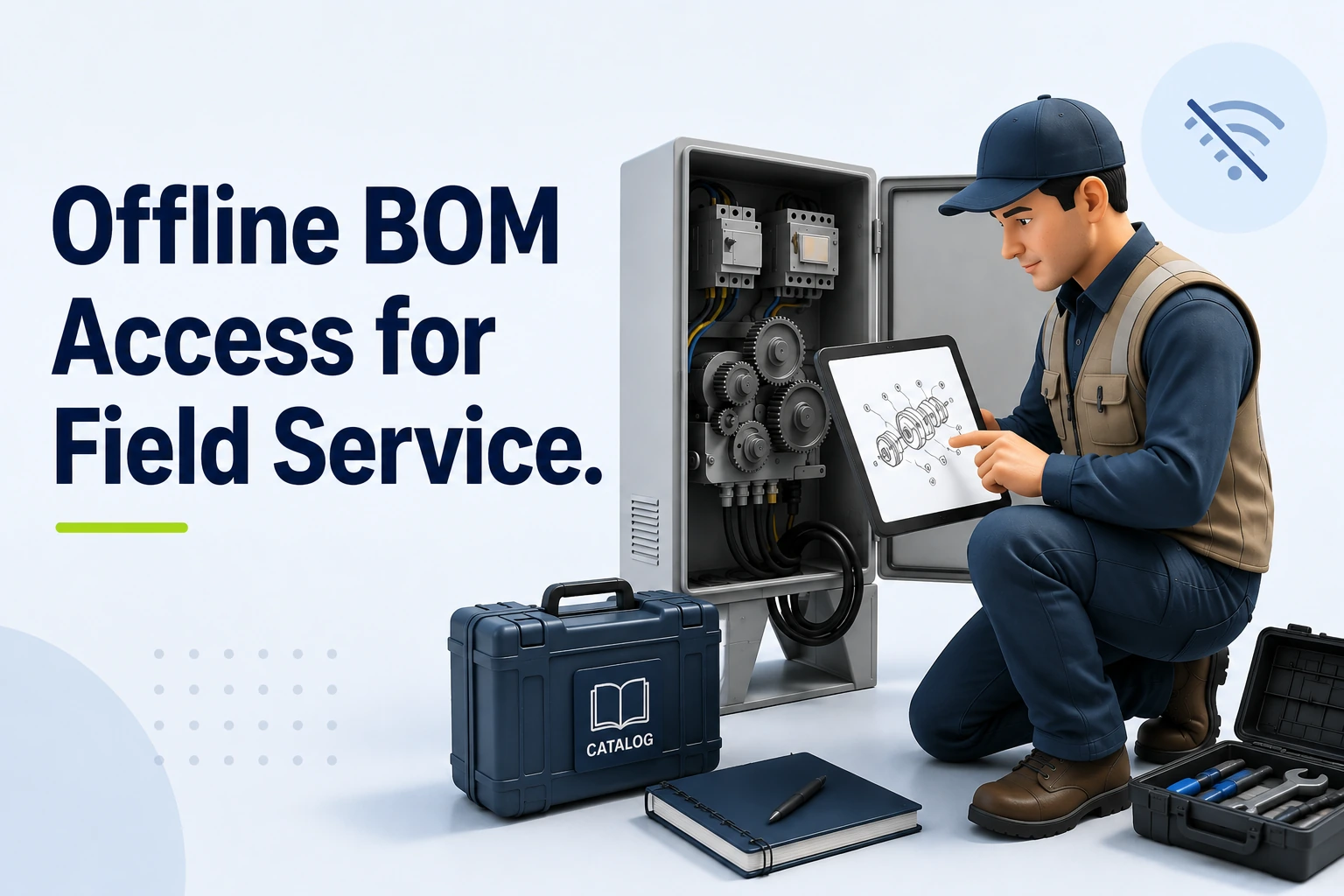
Offline BOM Access for Field Service | Systems Online
Offline BOM access for field service provides a locally stored, searchable, equipment-specific copy of structured parts information delivered to a device before connectivity drops. A useful offline package provides more than a static text list because it includes model and equipment context, parent-child BOM relationships, part numbers, descriptions, quantities, interactive schematics, graphic hotspots, kits, supersessions, and package freshness information. That package can help technicians identify required replacements even when a live connection is unavailable. Systems Online's multi-channel, interactive electronic parts catalog approach is designed to eliminate aftermarket ordering errors and boost parts sales, while integrating with existing ERPs. For teams planning offline BOM access for field service, that positioning connects the technician's local lookup with the broader parts-ordering workflow, so structured catalog information can support both accurate service decisions and aftermarket growth. A service bill of materials (BOM) presents the relevant equipment structure for service work, often derived from engineering or manufacturing data but organized for replacement, applicability, and ordering rather than assembly-line production. Presenting this structure in a mobile application gives technicians visual navigation tools that a paper manual lacks, while the engineering master record remains under its own change-control process. A true offline catalog differs from a static PDF parts manual or a live ERP connection. A PDF can provide text search, but it usually lacks the structured link between a schematic drawing and a part record, while a live ERP connection depends on network access for current data. An electronic parts catalog (EPC) bridges this gap. A mobile EPC can store model-specific catalog data locally and synchronize changes when a connection returns. Technicians navigate among resource documents, interactive schematics, and bill of materials views using a governed local dataset and a defined synchronization policy. Why BOM Accuracy Matters When Connectivity Fails A technician arriving at a remote machine, an underground mining installation, a construction site, or an agricultural operation may encounter a dead zone or restricted Wi-Fi. That can leave the technician diagnosing the equipment fault before confirming which replacement part will fix it. Relying on memory or a generic model search creates lookup friction because equipment configurations can change during a production run. Engineering teams may change components, switch suppliers, or update assembly methods, so a machine built in February might require a different hydraulic valve than the same model built in October. Model, production range, configuration, and serial-number context help determine which part belongs on the specific machine being serviced. Parts can change across effectivity ranges, and validating those changes requires structured historical data. SAP's engineering change-management documentation describes BOM changes controlled by valid-from and valid-to dates and, where configured, effectivity parameters such as serial-number ranges, preserving pre-change and post-change states. An offline catalog needs to evaluate those rules locally. If the device cannot filter the BOM by the asset's serial number, the technician risks ordering the wrong version of the part. (help.sap.com) Providing accurate offline BOM access for field service replaces guesswork with validated reference data. Accurate identification reduces the need for a live system during diagnosis and gives the ordering team a clearer parts list, which can help avoid wrong-part deliveries and keep the technician focused on the repair rather than disorganized reference materials. That connection between accurate identification and the ordering process also supports Systems Online's focus on reducing aftermarket ordering errors and improving parts sales. Structuring a Field-Ready Offline BOM A functional offline electronic parts catalog relies on intentional data structuring, because packing a device with unstructured files does not support the technician's workflow. The local dataset needs contextual, relational, and graphical elements. Equipment Context, Effectivity, and Revision Control A field-ready catalog should support identification through equipment filters, allowing technicians to narrow the database by model, serial number, product family, configuration, and production range. Where applicable, the software displays installed or as-built information. Revision and effectivity data help the user determine whether a specific component applies to the date or serial range of the machine in front of them. Structured Relationships, Search, and Graphics Preserving the product structure allows users to drill down from a primary assembly to specific subassemblies. The dataset retains quantities, units of measure, reference numbers, and the digital links connecting schematic hotspots to specific part records, while local search functionality supports searches by part number, description, model, assembly, keywords, and cross-reference numbers. Offline app screens need the required images and files to be available on the device, so they must be included in the offline package. Microsoft's offline-first mobile documentation shows that an offline profile defines the tables, columns, optional filters, and relationships available offline, while media settings control which images and files are downloaded. It also notes that data retention isn't fixed by the platform, and makers can configure sync intervals for each table. So a file needed in the field must be included among the files downloaded for offline use. If an application relies on a file that wasn't downloaded for offline use, it won't be available through the app's local offline data. (learn.microsoft.com) Supersessions, Kits, and Service Documents Part numbers can be superseded, and when an engineering team replaces a component, the offline catalog should display the superseded status. The BOM view lists valid replacement parts, safe alternatives, orderability notes, and complete kit components. Expanding a kit locally shows the technician whether they need to order a single gasket or an entire rebuild assembly. Managing Offline BOM Synchronization Synchronization operates as a controlled lifecycle, and providing parts lookup in disconnected environments requires defining exactly when and how data moves between the server and the device. Scope the Initial Package Before Travel Before leaving reliable network coverage, the technician or catalog administrator stages the required data by synchronizing the full catalog, filtering by selected models, downloading assigned equipment profiles, or pulling a specific territory dataset. Full catalog coverage can reduce the risk of missing a needed model, but it uses more device storage, lengthens the initial download, and increases the amount of data that can become stale. Model-specific or filtered packages can be lighter and faster, but they depend on accurate scoping. Systems Online's native mobile catalog applications let technicians download model-specific catalogs for offline browsing and synchronize only changed data. (sysonline.com) This model-specific approach gives Systems Online a clear fit for service organizations that know which equipment technicians are expected to support before they leave coverage. Teams can weigh the lower storage impact and faster download against the omission risk described above, then set package rules that match dispatch and service policies. Use the Local Dataset and Show Its Freshness While disconnected, the user opens the local catalog to search and navigate the BOM structure. They move from the top-level equipment view into assemblies, tap schematic hotspots to highlight parts, and review quantities. The user interface transparently reports the status of this local dataset. A reliable mobile tool displays the package scope, current version, time of the last successful synchronization, and explicit stale-data indicators, because acceptable freshness varies by product line and service policy. If a package falls outside that policy, the technician knows that supersession data might be outdated. Reconnect, Refresh, and Reconcile When connectivity returns, the device can connect to the server to download catalog updates and apply new part numbers or schematic revisions. If a field service mobile parts-ordering app supports queued transactions, the software can upload the technician's offline selections. The system can then recheck applicability against the live database, request current pricing, and complete the transaction in the connected ERP or eCommerce workflow. Separating Offline BOM Access From Live Inventory Catalog identification and commercial availability operate as separate functions, and blurring the line between them creates unrealistic expectations for field personnel. What the Device Can Answer Offline The local BOM can answer structural questions by showing the part associated with the equipment, where it sits in the assembly, and the required quantity. The software displays the schematic, validates serial-number applicability, and provides cached alternatives or supersession chains so the technician can build an accurate required-parts list. What Still Requires a Connection A disconnected device cannot query current server-side inventory, pricing, allocation status, lead times, order acceptance, or invoice status. Oracle's Parts Catalog API documentation provides a useful example of the split: catalog fields can be marked searchable and separately designated for offline caching, while the broader workflow covers pricing, alternatives, orders, and invoices. A technician can view a cached part record offline, but confirming availability for immediate purchase requires a round-trip to the relevant service or commerce system. (docs.oracle.com) The Safe Handoff to Ordering Systems Function Available Offline Requires Connectivity Part Identification Yes (Search, navigate, select) No Schematic Viewing Yes (If packaged locally) No Serial Applicability Yes (Using downloaded effectivity rules) No Live Inventory Check No Yes (Checks warehouse/dealer stock) Current Pricing No (Cached pricing may be stale) Yes (Pulls live customer pricing tiers) Order Finalization No (Unless queued for later sync) Yes (ERP records the transaction) The most practical default workflow uses offline identification followed by connected availability validation. A fully offline order queue also needs conflict handling for inventory shortages, changed prices, or duplicate reservations when the device reconnects, so ordering waits for connectivity unless the integration architecture explicitly manages offline transaction reconciliation. Who Benefits From Disconnected Parts Access? Deploying a multi-channel EPC strategy creates distinct operational benefits for equipment manufacturers, dealer networks, and technicians turning wrenches. OEMs: Governed Content Across Channels Manufacturers gain a governed service-parts representation that can feed web portals, desktop software, native mobile apps, and disconnected environments. Publishing from one central database helps preserve revision control and keep supersession and kit rules consistent across channels. Integration with ERP and eCommerce systems can bridge engineering updates and the aftermarket sales channel, but the exact handoff depends on the implementation's data model and synchronization rules. Systems Online's EzParts aligns with this multi-channel model by supporting the catalog delivery and offline browsing requirements described above. For an OEM, that creates a path from structured parts information to dealer and service workflows, while the connected ERP or eCommerce system continues to handle live commercial information such as inventory, pricing, and order status. Dealers: Faster Lookup and Handoff Dealer networks benefit from a clearer transition between identifying a broken component and securing its replacement. Accurate mobile tools can reduce routine lookup calls to the OEM parts desk, while connected availability and ordering workflows take over when the device reconnects. Technicians: Information at the Machine Field service technicians get the information they need at the machine, reducing the need to leave the facility to find a cell signal or manually match text descriptions to paper drawings. They benefit from BOM generation through schematic hotspots, which connect interactive 2D and 3D schematics directly to the part list. Clear quantity and replacement validation can help prevent a technician from ordering a single bolt when the repair requires an entire subassembly. How to Evaluate an Offline Electronic Parts Catalog Selecting the right software requires testing how the platform behaves when you disable the device's network connection. Use this checklist to validate the actual offline capabilities of a proposed system. Coverage and Applicability Questions Can technicians search the local database by part number, description, model, assembly, and keyword without an internet connection? Do the required 2D and 3D schematics load locally, or do they fail when the network drops? Does parent-child navigation function smoothly offline? How does the application handle serial-number ranges, configurations, and effectivity dates? Are superseded parts, valid replacements, and kit components clearly identified in the offline BOM view? Synchronization, Security, and Integration Questions Can administrators scope the download to a specific model or territory to save device storage? Does the synchronization engine pull only changed content, or does it force a massive full-database download every time? Does the interface explicitly warn the user if the local package contains stale data? Are local files and user permissions secured on the device? Does the platform provide native integrations with your existing ERP or eCommerce systems to handle the order handoff once connectivity returns? Approach Matrix Approach Strength Limitation Appropriate Use Online-only catalog Centralized, current updates when connected, little or no intentional device storage. Cannot provide full catalog functionality when connectivity drops. Environments with guaranteed, permanent network coverage. Static PDF manual Simple file distribution, easily viewed on any basic device. Lacks structured search, interactive hotspots, and an ordering handoff. Used as an emergency fallback, not a primary field tool. Full offline catalog Maximum equipment coverage for broad territories. May require more storage and longer initial synchronization. Broad service organizations using devices with ample storage. Model-specific package Usually faster downloads, lower storage impact, and highly relevant data. Omission risk if the technician encounters unassigned equipment. The strongest default for field service when dispatch knows the asset. Offline lookup / online order Clean boundary between technical reference and commercial transaction. Final order submission waits until the technician finds a signal. Most transparent workflow; aligns with how field mechanics operate. Systems Online's EzParts gives teams a concrete product to assess against these criteria, including model-specific offline browsing, changed-data synchronization, multi-channel delivery, and ERP or eCommerce handoff described above. That evaluation should focus on how those capabilities support accurate part identification offline and a clear handoff to connected ordering. Evaluating these platforms requires addressing common operational realities. Updates require a transfer path, because the catalog cannot receive engineering changes while isolated in a mine shaft. Serial numbers matter because parts change mid-production, requiring the software to process effectivity rules locally. Cached BOM data differs from live inventory, so technicians eventually reconnect when they need current stock or pricing. Administrators measure deployment success by tracking the offline package download success rate before technicians leave the depot, synchronization failures, stale-package warnings, and the number of offline part searches completed per week. Over time, comparing the volume of part lookups that transition into connected orders against historic wrong-part return rates can provide one useful ROI measure. A lower return rate can suggest that technicians are using structured digital information to make more accurate selections. Empowering field personnel requires more than a shared network drive full of PDFs; it demands a structured, synchronized electronic parts catalog built for mobile realities. Request a demonstration of EzParts today to discuss how Systems Online delivers a multi-channel, model-specific offline catalog to dealer and service networks. Ready to eliminate aftermarket ordering errors? Explore EzParts and learn how Systems Online digitizes your parts catalog for reliable, multi-channel performance across desktop, mobile, and fully disconnected field environments.
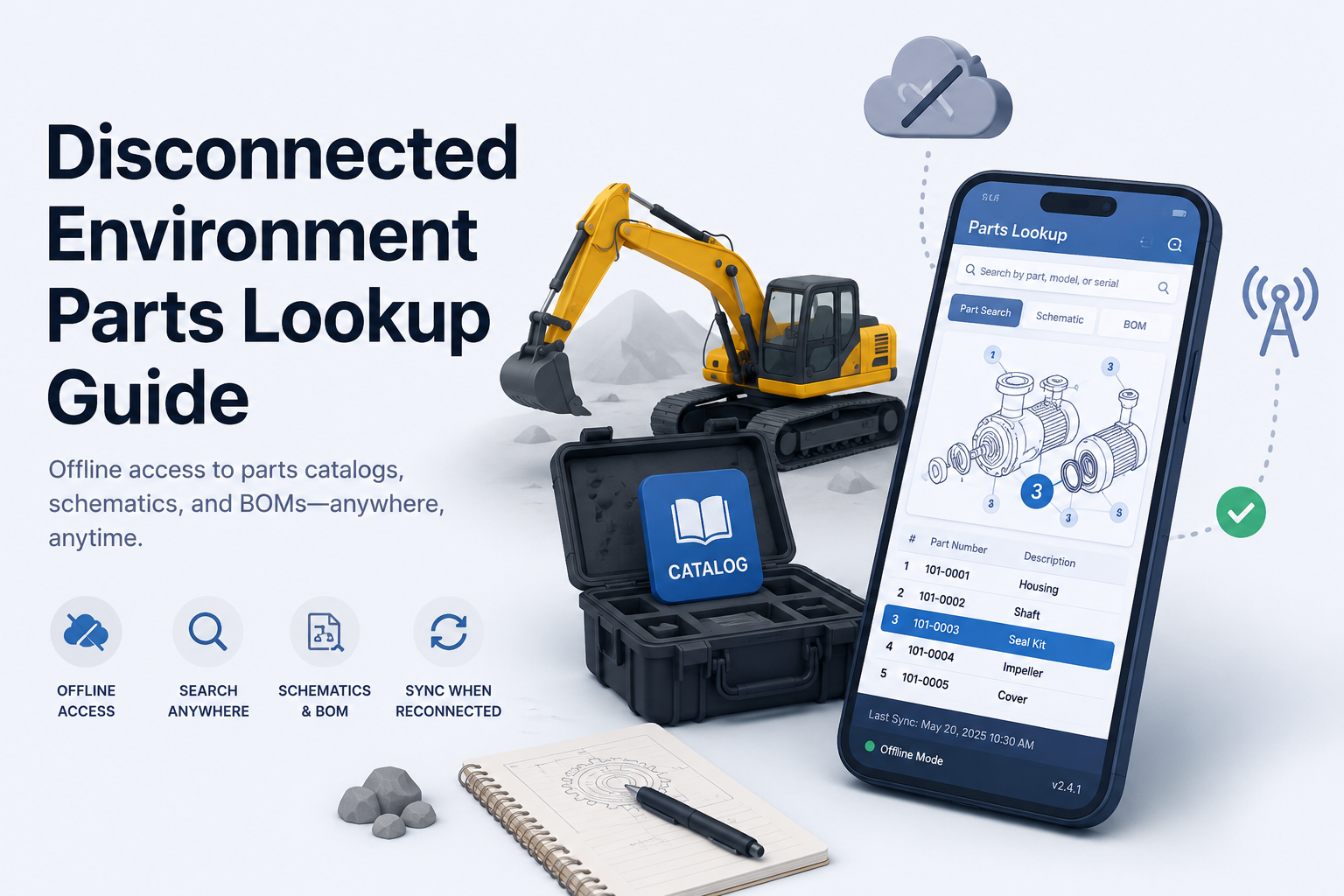
Disconnected Environment Parts Lookup for Field Service
Field service technicians at remote agricultural, construction, or mining sites often work miles away from reliable cellular coverage. When equipment breaks in a dead zone, they still need to identify the exact replacement part to fix the machine. Disconnected environment parts lookup provides the ability to search an equipment parts catalog, open schematics, inspect bill of materials (BOM) relationships, and identify a part without an active network connection. Reliable offline lookup requires a coordinated local data system, not a downloaded PDF manual. Critical read operations pull from local data, while synchronization and live business validation happen after reconnection. Understanding the underlying architecture helps separate a true offline catalog from a temporarily cached website. An offline-first application treats local storage as the primary data source for reads, rather than falling back to it only when network requests fail. An offline package is a selected subset of catalog data synchronized specifically for field use, whereas distributed media involves installing software and catalog data on a local PC or network. A cached web page stores specific browser resources but lacks structured offline search unless paired with local database technology. Systems Online builds mobile catalog packages that synchronize all or part of an EzParts catalog for out-of-network use, alongside distributed-media installations for local desktop environments. Equipment manufacturers use these systems to deliver complete, searchable catalogs to dealer networks and field service teams regardless of local connectivity. Build a Searchable Offline Parts Catalog Downloading an entire record set is not always the best operating model for a mobile device. Microsoft advises against using an offline filter for all records and recommends limiting the amount of data for better sync performance, so an offline profile can focus on records related to scheduled work orders. Administrators can use table filters and related-record filters to control which records the profile downloads. As a result, restricting a downloaded offline profile improves synchronization efficiency by reducing the amount of data transferred. A properly scoped package requires a local index that supports complete database queries using exact part numbers, partial numbers, text descriptions, model identifiers, or serial numbers. The index also supports searches by catalog ID, schematic reference, equipment family, and manufacturer-defined metadata. Finding the part is only the first step. The interface provides an unbroken identification chain from the initial search result to the visual schematic hotspot, down to the BOM line, and finally to the exact part record. Visual identification prevents costly ordering mistakes when components look similar or have ambiguous names. The offline package stores interactive 2D and 3D schematics alongside the data layer, allowing technicians to rely on multi-shape hotspots mapped directly to clickable BOM rows. Offline BOM lookup offers more utility than a flat parts list because it preserves the physical context of the component within the assembly. A structured local database retains parent and child assembly hierarchies, nested kits, required installation quantities, technical service notes, and where-used navigation links. If a user selects a hydraulic pump assembly, the offline catalog allows them to expand the kit components and verify whether they need the entire assembly or a specific seal. Disconnected environments complicate replacement-part logic. A supersession lookup in the field acts as a versioned snapshot of approved replacement chains, showing the original part number, the currently approved replacement, any discontinued state, and whether the replacement changes the required kit or assembly. Because this data is a snapshot, visible freshness indicators are necessary. The catalog interface displays the last synchronization date and time, the package version, included equipment models, and any failed downloads. Technicians can see whether pricing and inventory data is live, cached, or unavailable. A user can search a serial number offline, open an exploded view, expand a kit, and save the approved replacement part to a local pick list. Compare Offline Catalog Delivery Models Different operating environments require different delivery methods, and treating every offline method as equivalent ignores how field technicians work. A static PDF is easy to distribute and useful as a backup document, but it fails as a primary tool because it lacks structured search, interactive hotspots, BOM logic, supersession workflows, and order handoff paths. An online-only web catalog centralizes updates and guarantees live business data, yet it becomes completely useless during a network outage. Web-based implementations using service workers face inherent caching and data freshness trade-offs. A cached web application or Progressive Web App (PWA) can serve stored interface resources without a network request, allowing those resources to support offline operation. Deliberate caching and resource-specific strategies balance offline operation with freshness requirements, while cache-first and network-first approaches define how the application handles cached resources and network requests. An offline-first native mobile application provides strong field usability, integrates with device features, and controls package delivery. This model shifts responsibilities toward device deployment, update management, and local data security. Alternatively, distributed media installs catalog software and data directly on a local PC or network, updating through approved internet channels or electronic media. This method suits manufacturing plants, large service centers, and heavily controlled disconnected facilities. Approach Primary Strengths Major Limitations Best Fit Static PDF Easy to distribute, print, and archive locally. Lacks search, hotspots, nested BOM logic, and order workflows. Backup documentation and print-oriented users. Online-Only Web Centralized updates, live business data, no local sync required. Fails completely without an active network connection. Connected dealerships and corporate offices. Cached Web / PWA Browser-based delivery, standard responsive interface. Storage limits, browser eviction policies, complex offline write design. Organizations managing offline complexity via browser. Offline-First Mobile Local reads, fast performance, scoped offline packages. Requires mobile device deployment and local data security governance. Field technicians and mobile dealer personnel. Distributed Media Runs on local PCs/networks, supports controlled update paths. Requires local IT management and version control oversight. Plants, service centers, and remote fixed facilities. A hybrid model serves original equipment manufacturers with mixed environments. Dealers utilize connected web portals and eCommerce ordering, field technicians carry offline mobile packages tailored to their assigned jobs, remote service centers rely on distributed-media installations, and print-oriented users generate PDF output from the same source data. Systems Online supports this multi-channel delivery framework to ensure the same catalog content reaches every user through the appropriate technical channel. Maintain a Reliable Offline-to-Online Workflow Operating an electronic parts catalog across dead zones requires a specific sequence of actions. Before leaving network coverage, technicians sign into the application to authenticate their session and identify authorized equipment models. They download the required catalog package, confirm its scope, check the last-update timestamp, and test the application with device connectivity disabled. Validating the package while still connected prevents arriving at a remote site with an empty database. At the disconnected job site, the technician searches the local database by model, serial number, or specific part description. They open the relevant equipment schematic and select the broken component by tapping a visual hotspot or selecting the corresponding BOM line. The application displays the required quantity, technical service notes, nested kit components, where-used information, and the stored supersession chain so the technician can save the selection to a digital pick list or local job record. The interface clearly distinguishes available local catalog data from business data that requires reconnection. Inventory counts, customer-specific pricing, branch availability, tax calculations, and fulfillment routing remain unavailable or marked as stale until the device re-establishes a connection. Connectivity triggers the final validation stage. The application synchronizes catalog updates and pushes the local job record to the central server, then revalidates all replacement-part relationships against the live database to ensure the field selection remains accurate. The system checks current inventory levels and pricing before routing the request through the correct dealer or branch location. Conflict-handling rules determine how the system resolves synchronization errors, prevents duplicate submissions, and ultimately sends the verified order into the enterprise resource planning (ERP) or eCommerce workflow. Test and Govern the Offline Catalog A vendor stating their product works offline does not guarantee it will support a complex field service workflow. Equipment manufacturers and dealer networks evaluate catalog solutions through targeted testing, starting with content and package-control capabilities. Evaluators check whether users can search the local database by part number, text description, model, serial number, schematic reference, and manufacturer-defined attributes. They verify that 2D and 3D schematics remain interactive without a connection, ensuring hotspots link correctly to BOM rows and that assemblies, kits, quantities, and where-used relationships survive the download process. System administrators also need granular control over content distribution by territory, language, dealer authorization, or assigned technician job. Transaction and integration tests verify the procurement path. Teams test whether technicians can create an offline pick list or shopping cart, and they define exactly how reconnection triggers pricing updates and inventory validation. The platform reports synchronization errors clearly and prevents technicians from submitting duplicate orders when a connection drops and restores rapidly. Mobile devices can process sensitive enterprise data, so they need security management. The NIST guidance on mobile-device security describes technologies and strategies for securing them, including centralized device management and endpoint protection. Its recommendations span deployment, use, and disposal. Organizations should therefore address security throughout the mobile-device life cycle. Running acceptance tests that simulate real disconnection scenarios reveals hidden flaws. Testers force the application into airplane mode and execute a local search, attempt a manual package update over a metered connection, and interrupt a download to observe how the application handles an incomplete package. Changing a supersession relationship on the server demonstrates how the stale field record behaves upon reconnection. Evaluating concurrent record changes from multiple devices highlights the conflict resolution logic, making a proof-of-concept under these exact conditions a baseline requirement before deployment. How Systems Online’s EzParts Fits the Model Systems Online engineers EzParts for manufacturers that need to distribute single-source parts information across different operating environments. A heavy equipment dealer can use the connected catalog and integrated eCommerce workflow, while a field technician synchronizes specific machine models to their mobile device for a remote repair job. An offshore rig or isolated mining facility can deploy a local distributed-media installation when continuous connectivity is physically impossible. This approach builds the catalog strategy around the user's environment rather than forcing a single delivery channel on every audience. The platform carries critical functionality into the field. Mobile and distributed-media deployments support interactive schematics, multi-shape hotspots, clickable BOM lines, and precise model and serial searches. The local database maintains kit and assembly nesting, where-used navigation, and supersession displays. Once connectivity is restored, the system bridges the gap between identification and procurement by passing validated pick lists into ERP systems or integrated eCommerce carts, and the print engine dynamically generates branded PDF parts books for users requiring physical documentation. Deploying a comprehensive parts platform requires aligning the software with your specific business logic. An architecture plan can account for fully offline order creation, the display of live versus cached pricing, and the mobile operating systems your field teams carry. It also needs clear conflict-handling rules, named ERP connectors for your environment, and an audit of every technical document or 3D asset needed in the mobile package. Explore how a distributed-media parts catalog provides local installations for fixed facilities, review how interactive schematics and BOMs prevent ordering mistakes, and map the path to an integrated parts eCommerce workflow. FAQs About Offline Equipment Parts Lookup What Is Disconnected-Environment Parts Lookup? It is the ability to search an equipment parts database, navigate visual schematics, inspect BOM hierarchies, and identify accurate replacement parts without an active network connection. A complete solution stores structured catalog data locally on a device rather than merely displaying a static text document. Can an Electronic Parts Catalog Work Without Internet? Yes, provided the application features local lookup capabilities and synchronizes the required catalog package in advance. The content available in the field depends entirely on what the user downloaded before losing connectivity. Mobile applications and distributed-media installations maintain their own local data layers for this exact purpose. Is an Offline PDF Enough for Field Service? A PDF provides decent backup reference material, but it does not function as a primary electronic parts catalog. It lacks structured database search, interactive hotspots, nested BOM relationships, supersession handling, and any digital path for submitting an order. Does Offline Access Include Live Inventory and Pricing? Not generally. Live inventory counts, branch availability, and customer-specific pricing depend on real-time business data. An offline application displays a cached snapshot of this information, and the software revalidates pricing and availability against the live system once the device reconnects. How Should OEMs Handle Superseded Parts Offline? The offline package needs to include all approved supersession chains current at the time of download. The interface clearly displays the package version and last-update status, warning the technician that replacement relationships require revalidation upon reconnection. What Does Distributed Media Mean? Distributed media means the catalog software and database are installed directly on a local PC or facility network, rather than accessed through a remote hosted server. Installations receive updates via approved internet channels or physical electronic media, supporting locations with restrictive security policies or limited connectivity. How Should Offline Catalog Data Be Secured? Organizations can secure local catalog data with standard mobile-device protections, including encryption at rest, secure key handling, strict role-based access controls, and integration with enterprise mobile device management systems. The application supports remote or selective wipe capabilities to protect proprietary pricing and customer data if a device is lost. Ready to modernize your aftermarket parts operations across every environment? Explore Systems Online to build an electronic parts catalog that works online, offline, and everywhere in between.
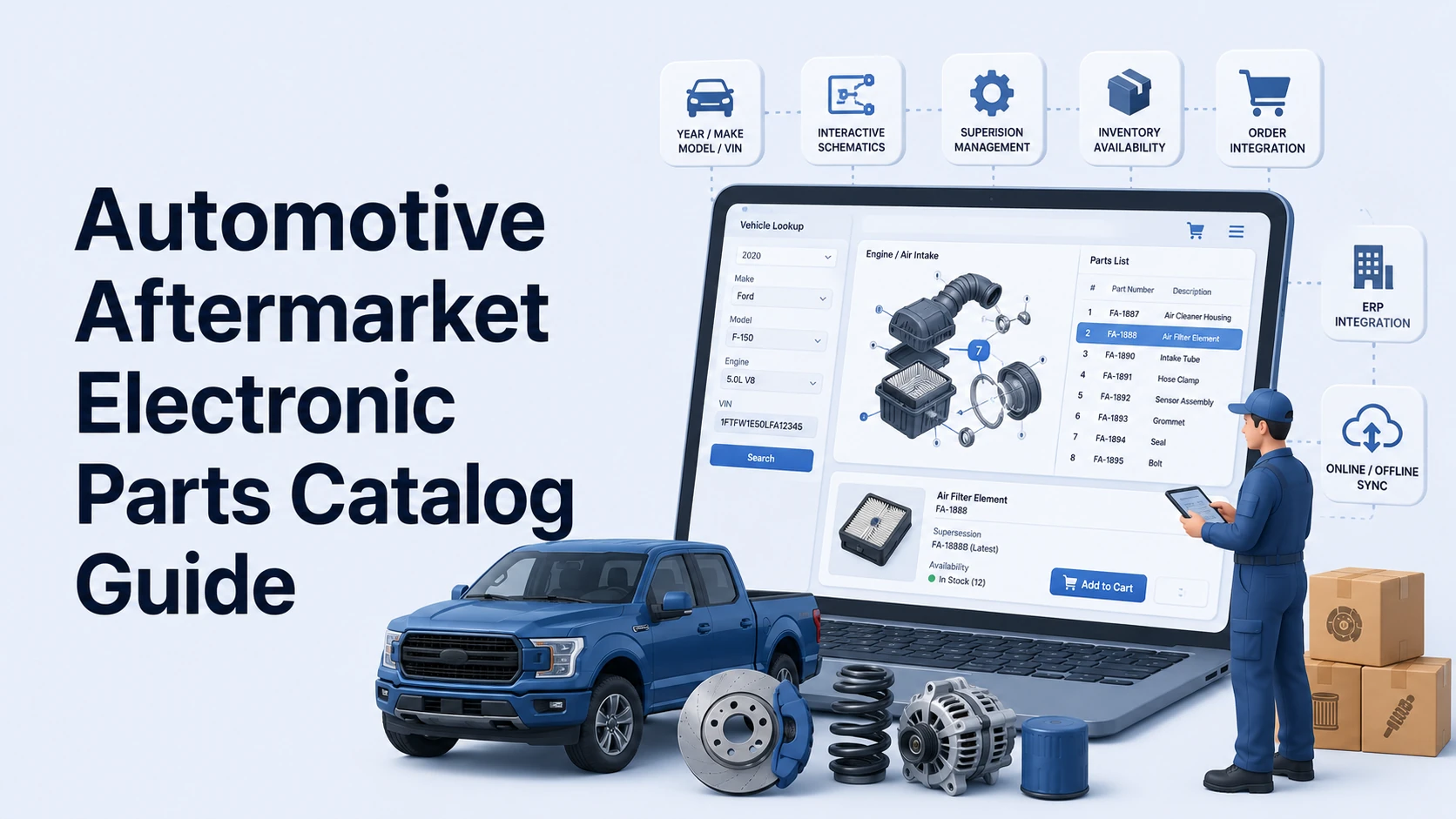
Automotive Aftermarket Electronic Parts Catalog Guide
Bridging the gap between automotive vehicle lookup and heavy equipment configuration requires a flexible architecture. Automotive lookup systems rely on year, make, model, and VIN data, whereas equipment catalogs often depend on model families, serial number ranges, and bill of materials (BOM) effectivity. Systems Online builds EzParts to handle both environments. The platform gives whole-goods and equipment manufacturers a way to digitize complex part relationships and deliver them to users across web, mobile, and offline channels. Identifying and Ordering Parts with an Automotive Aftermarket Electronic Parts Catalog This structured digital system helps users identify the correct replacement part for a specific vehicle or equipment configuration, review related information, and move from identification to purchase or service. EPC Software vs. a Static PDF or Generic Product Catalog This system operates differently from a digital replica of a printed book. A fixed PDF parts manual relies on manual text searches and non-interactive diagrams, so the document becomes outdated immediately when an engineering team issues a supersession. A generic product information management (PIM) system or standard eCommerce store also falls short because these platforms treat items as flat lists. They lack the configuration-aware logic required to filter a massive database down to the exact components installed on a specific machine. A PTC capabilities overview lists configuration-specific filtering, interactive 2D and 3D illustrations, information on superseded or alternative parts, and ERP integration among the features of electronic parts catalog software. The Lookup-to-Order Workflow The catalog interface guides the technician from identification to transaction. After selecting a vehicle by year, make, model, or VIN, the software filters the available assemblies and displays the relevant interactive diagram. Clicking a hotspot on a specific component highlights the corresponding record in the BOM list. From there, the technician reviews the required quantity and specifications, then checks the supersession chain for updated parts. After confirming local warehouse availability, the technician adds the item directly to an integrated picklist. Handling this entire process within one interface reduces the risk of ordering a visually similar but incompatible component. Filtering by Vehicle, Machine, or Configuration Identity A part-number search fails when multiple visually identical parts vary strictly by production date or trim level. The software filters the universe of available components down to the exact unit sitting in the service bay. Automotive Fitment: Year, Make, Model, and VIN Automotive fitment filtering relies on year, make, model, engine, trim, and VIN to exclude any parts that do not belong to the specific vehicle. Some systems also support license-plate lookup, though this remains an optional feature dependent on the underlying reference data source and regional availability. Equipment Effectivity: Model, Serial Number, and Configuration Equipment identification follows a different model. Manufacturers of tractors, industrial generators, or mining equipment track production through model families, serial number ranges, build options, and effectivity dates, so an equipment-focused catalog must identify which specific BOM applied to a machine on the day the factory assembled it. For example, a component might fit serial numbers 1000 through 5000, while a completely redesigned assembly takes over at serial number 5001. Catalog software parses these breakpoints automatically. Interactive Schematics That Connect to the BOM Once the software identifies the unit, interactive schematics bridge the visual gap by connecting diagram callouts to actual BOM items. Modern catalog software synchronizes highlighting between the drawing and the parts list, supports zoom and pan functions, and navigates from top-level assemblies down to subassemblies or service documents. Visual hotspots guide the user through complex drawings. With EzParts features, administrators deploy multiple hotspot shapes and assign distinct behaviors to each region. Clicking a major engine assembly might open a detailed subordinate drawing, while selecting a single fastener adds the hardware to the parts list. If a selected part is obsolete, restricted, ambiguous, or dependent on a specific configuration, the system displays clear warnings before adding it to an order. Mapping Data Standards: ACES, PIES, and IPO Catalog applications rely on structured data pipelines to function. The Auto Care Association manages three primary data communication standards that govern how aftermarket systems share information. ACES for Fitment The Aftermarket Catalog Exchange Standard (ACES) manages and communicates product fitment data. This machine-readable XML standard helps answer whether a specific component applies to a particular vehicle, off-highway machine, or equipment configuration. The same page lists ACES 5.0 as the current version. PIES for Product Information The Product Information Exchange Standard (PIES) communicates product information, including descriptions, attributes and specifications, interchanges, kits, pricing, warranty details, and digital assets. The same page lists PIES 8.0 as the current version. IPO for Availability and Ordering The Internet Parts Ordering (IPO) standard covers the messages and information flow required to locate products, inquire about product availability, and order products online. The same page identifies IPO 3.0 as the current version. These standards serve as communication methods rather than complete user interfaces. Because ACES and PIES files cannot draw engine schematics or highlight BOM rows on their own, fitment data filters the results, product data explains the component, and ordering messages connect the catalog interface to a distributor, dealer, or ERP system. Supporting these standards often involves subscriptions to reference databases, and equipment manufacturers frequently need OEM-specific extensions to handle unique serial-number effectivity logic that standard automotive databases omit. Digitizing Replacement Logic and Commerce Rules Moving from paper to software requires digitizing complex engineering relationships. A capable platform manages supersessions, kits, commerce rules, and content governance for OEMs, dealers, and field-service teams. Replacement Logic, Supersessions, and Kits Hardware changes over time, so when an engineer redesigns a component, the catalog must display the updated replacement logic without requiring the technician to reference a separate service bulletin. One-to-one supersessions map an obsolete item directly to a single new part number, while one-to-many replacements occur when a single component splits into an assembly of multiple parts. Catalogs also identify discontinued items with no active replacement, alternate brand options, remanufactured alternatives, and related components that require separate purchase. Repair kits require transparent component visibility. A technician ordering a hydraulic rebuild kit needs to see the internal contents, required quantities, optional items, consumables, and installation hardware rather than a text description, which PIES accommodates by supporting detailed kit relationship data. Pricing, Inventory, and Dealer Ordering Because the catalog serves as an active commerce portal, users need warehouse-level availability, account-specific pricing, and user-group discounts. Commerce modules cover order minimums, backorder handling, substitute suggestions, picklists, and API error management when inventory changes during the browsing session. Once the purchase is ready, the order-insertion function passes cart data from the catalog directly into the manufacturer's ERP or the dealer's shop management system. Governance, Integrations, and Access Control Managing the data pipeline determines the long-term success of the catalog. The system ingests CAD files, vector drawings, hierarchical BOMs, parts masters, and service documents, meaning administrators need strict version control, approval workflows, effective dates, rollback capabilities, and audit histories. The software also needs to support multilingual content and granular permissions by dealer or user group. Systems Online addresses these requirements through the EzParts architecture, which supports interactive hotspots, complex supersession chains, deep BOM grouping, and custom attributes. For organizations that still distribute printed materials, the automated print engine dynamically generates branded PDF parts books directly from the digital data. This allows manufacturers to manage one central dataset while the system publishes the relationships across all configured channels. Evaluating SaaS, On-Premise, and Offline Deployments Because organizations operate under different technical constraints, selecting an architecture depends on where technicians perform the work and who manages the servers. SaaS, On-Premise, and Distributed Media Deployment dictates maintenance responsibility and infrastructure requirements. Deployment Model Advantages Trade-offs to Explain SaaS / Cloud Centralizes updates, minimizes local infrastructure, and ensures broad access. Requires consistent connectivity and careful internal security review. On-Premise Enterprise Gives the manufacturer complete infrastructure and deployment control. Internal IT assumes all maintenance, upgrade, and availability responsibilities. Distributed Media Serves disconnected dealers or remote environments well. Requires strict dataset expiration rules and update governance to prevent stale orders. Web, Native Mobile, Offline, and PDF Channels A responsive web portal offers a unified browser experience across desktop and tablet devices, while native mobile applications provide better offline storage and field usability. These mobile apps require active management of device lifecycles and operating-system synchronization, and offline catalogs must display clear data-refresh timestamps to manage inventory and pricing risks. PDF output remains a practical format for legacy workflows, provided it generates automatically from the structured catalog data rather than existing as a separate, manually edited file. 2D vs. 3D and Live vs. Cached Data Many catalogs rely on 2D diagrams because they load quickly, carry a low data burden, and require less device processing power. While 3D illustrations add useful visual context for complex assemblies, they demand suitable CAD files, heavier processing, and careful mobile optimization. A multi-channel framework routes master data through catalog rules, schematics, and BOMs, then delivers the output to the web, dealer portals, mobile apps, and ERP services. Systems Online supports this exact flow by delivering enterprise, web, eCommerce, and PDF outputs alongside model-specific mobile datasets. Technicians download these mobile catalogs, browse them entirely offline in a remote service environment, and synchronize their cart or data updates when a connection becomes available. Testing Electronic Parts Catalog Software Selecting a vendor requires validating features against real-world engineering data. Use this evaluation process to test platforms before committing to an implementation. Audit Data, Relationships, and Standards Start by inventorying your current source material, including parts masters, BOMs, CAD or vector drawings, raster illustrations, supersession histories, pricing tiers, and service documents. Map the necessary relationships to document exactly how a part connects to a schematic, a BOM, a repair kit, a replacement item, an interchange number, and a configuration. Determine the identification model early. Automotive catalogs lean on year, make, model, and VIN data, whereas equipment catalogs evaluate model, serial range, configuration, and effectivity. Finally, track all ACES, PIES, IPO, OEM extensions, and subscription database costs to understand total ownership expenses. Test Hard Cases and Integration Failures Test the software using difficult scenarios by loading one-to-many supersessions, obsolete parts, kits with optional assemblies, and serial-range differences. During these tests, check how the platform handles duplicate descriptions, missing illustrations, and stale offline data. Define integration contracts for availability, pricing, order insertion, and authentication. Simulate a failed ERP response to see how the API handles retries, errors, and audit logging, because a catalog that fails silently when the ERP drops a connection creates customer service problems. Pilot With Your Own Data and Request a Demo Run a pilot using a representative product line. Ask dealers and field service technicians to perform lookup and ordering tasks rather than relying on internal IT acceptance tests. Track zero-result searches, the time from lookup to part selection, the time from selection to order, wrong-part return rates, publication lead times, and synchronization failures to define operational success. To validate search, supersession logic, and offline capabilities firsthand, test EzParts using your own schematics, BOMs, and ERP workflow. Common Questions About Automotive EPC Capabilities Definition and Data Standards What is an automotive aftermarket electronic parts catalog? It is a structured digital application that combines fitment-aware parts identification, detailed product information, visual navigation, and direct ordering capabilities into a single workflow. How is an EPC different from a PDF parts manual? A PDF is a fixed, flat publication, whereas an EPC connects searchable data, interactive diagrams, automated replacement logic, and transaction workflows, updating immediately when master data changes. What is the difference between ACES and PIES? ACES communicates fitment data to answer whether a part fits a specific application, while PIES communicates the product information, including physical attributes, specifications, descriptions, and digital assets. What is IPO in the automotive aftermarket? IPO is the Auto Care standard for the messages and information flow used to locate products, inquire about warehouse availability, and place orders online. Fitment, Supersessions, and Offline Use Does an EPC need VIN lookup? VIN lookup provides high value for automotive applications, but whole-goods and equipment catalogs typically rely instead on model, serial-number, and configuration logic to identify the correct component. How should a catalog handle superseded parts? The interface shows the replacement chain clearly by displaying one-to-one replacements, one-to-many assemblies, available kits, remanufactured options, and discontinued outcomes without confusing the user or breaking the link to the schematic. Can electronic parts catalogs work offline? Yes. Some platforms provide native applications or distributed datasets where mobile users download model-specific data, browse schematics without an internet connection, and synchronize updates later. Integration, 3D, and Platform Selection How does an EPC integrate with an ERP or DMS? The catalog retrieves or synchronizes part details, pricing, availability, and order data through defined API interfaces. The exact behavior depends on the integration contract, the ERP system's capabilities, and the required data freshness. Are 3D schematics always better than 2D diagrams? No, because while 3D schematics improve visual context for complex assemblies, 2D diagrams are often lighter, easier to maintain, faster to distribute, and more reliable on lower-powered mobile devices in the field. What should an OEM migrate first? Start by piloting a representative product line that contains real BOM structures, complex supersessions, diagram variations, availability logic, and dealer-ordering rules. Attempting to migrate only perfectly clean data hides the software's limitations. Ready to digitize your aftermarket parts operation? Contact Systems Online to request an EzParts demo using your own schematics, data, and ordering workflows.

Field Service Mobile Parts Ordering App Guide
A technician crouches beside a downed excavator, where the failed hydraulic pump is visible but the exact configuration is uncertain. Identifying the right replacement requires knowing the model year, the serial number breaks, whether the original component was superseded, and whether the replacement requires a separate seal kit. Only after those facts are established does the inventory count or the checkout process matter. When service calls stall, the root cause is rarely an inability to push a buy button on a screen. Instead, the failure happens earlier in the diagnostic chain when field personnel cannot verify whether a part number matches the specific machine in front of them. A field service mobile parts ordering app solves an identification problem first and a purchasing problem second. Generic field service management applications handle work orders, scheduling, and technician routing, while mobile electronic parts catalogs organize technical content, part fitment, and aftermarket commerce. Ordering errors happen when these two disciplines fail to overlap. If a work-order system only provides a blank text field for entering a part number, it forces the technician to consult disconnected paper manuals, static PDF files, or call a back-office parts interpreter. This disjointed handoff can introduce manual transcription errors, delay equipment repairs, and create avoidable returns across the dealer network. The complete workflow should guide the user along a structured path: Identify the equipment through model, serial number, or vehicle identification number (VIN). Open the relevant catalog section, assembly, or service bulletin. Locate the correct part using interactive schematics or filtered search. Verify the selection against supersessions, kit requirements, and serial breaks. Review commercial information including regional inventory, dealer pricing, and availability. Add the part to a work-order request, replenishment order, or checkout cart. Validate and submit the transaction against live enterprise resource planning (ERP) business rules. Synchronize the record to update work orders, inventory ledgers, and customer invoices. Systems Online builds EzParts to sit exactly at this intersection, functioning as the catalog and commerce layer that connects technical documentation, dealer channels, offline field access, and ERP workflows. Manufacturers can use this architecture to distribute a shared catalog across native mobile apps, web browsers, and distributed offline media. By linking rich engineering data directly to commercial transactions, equipment builders give their service networks the tools to identify components correctly on the first attempt. Evaluating how a platform handles the journey from equipment identification to the final order submission determines whether a mobile application helps technicians fix equipment or merely creates bad data for the back office. The sections below outline the critical technical capabilities, offline data models, integration methods, and demonstration tests necessary to evaluate these platforms. Evaluate Equipment Identification and Fitment Fast search is useless if it returns parts for the wrong configuration. Look for a system that establishes the equipment context before displaying technical data. Technicians should filter the catalog by product line, model, serial number, or vehicle identification number (VIN), so the application automatically filters out assemblies and components that do not apply to that specific machine. Heavy equipment, agricultural machinery, and industrial systems can undergo engineering revisions throughout a production run. A single model name may encompass multiple minor revisions, optional attachments, and regional engine configurations. Without serial-specific filtering, a user may have to choose between several alternator brackets or different wiring harness layouts, which can lead to misordered parts and repeated truck rolls. Text search works well for known parts, but unfamiliar failures require visual navigation. Interactive schematics let users tap a hotspot and immediately view the corresponding part details. Moving between a 2D or 3D diagram, the parts list, and the bill of materials (BOM) must happen without losing the context of the selected machine, so evaluate the software for zoom and pan capabilities, synchronized callouts, and the ability to add multiple items to a cart directly from the drawing. A field technician may encounter assemblies where individual part numbers are weathered, missing, or obscured by grease. In these situations, navigating through a visual assembly diagram allows the user to pinpoint the physical location of the component, click the matching callout balloon, and confirm the exact manufacturer part number without leaving the drawing view. Engineering changes mean original parts can be replaced, requiring the platform to display supersession relationships clearly by indicating effective serial ranges, regional restrictions, and whether the replacement is a direct drop-in. When an engineering team updates a component, the old part number might be replaced by a newer version, or it might split into multiple components depending on the machine's build date. The application must display the complete replacement chain, explaining whether the old part is backward-compatible or if it requires additional hardware. Kits complicate this further. The app needs to distinguish between a single component and a required assembly by showing required companion parts or installation notes. For instance, replacing a hydraulic cylinder might mandate new O-rings, mounting bolts, and a specific fluid filter. If the catalog displays only the bare cylinder without highlighting the required seal kit, the technician arrives at the customer site with an incomplete repair package. EzParts electronic parts catalog software lists automated supersession chains, kit and assembly component display, and schematic-linked BOM data as built-in capabilities. Because platforms vary, have the vendor prove these capabilities during a demonstration. A well-designed field tool also provides redundant search methods to accommodate unpredictable job site conditions. Technicians should be able to locate components through: Direct barcode or QR code scanning on machine data plates or component packaging. Keyword and metadata searches that match colloquial component descriptions. Partial part-number queries with wildcards. Contextual search constrained strictly within the currently viewed sub-assembly. Cross-references to technical service bulletins and service documentation. When visual navigation and diverse search options work together, service personnel can confirm fitment more efficiently, even when the initial information is incomplete. Test the Mobile Parts Ordering Experience A useful mobile workflow supports both rapid data entry and visual discovery. A technician who knows the exact replacement part number should be able to type it in and proceed immediately to availability, while one who only knows the visual location of the failed component needs the interactive schematic path. Check that the touch targets are large enough for field conditions, images load clearly, and the orientation adapts to the device screen. Technicians often work in harsh, outdoor environments while wearing protective gloves or holding a tablet in direct sunlight. Small buttons, tiny drop-down menus, and unreadable diagram labels frustrate users and slow down repairs. The user interface must emphasize clear navigation, high-contrast visual elements, and single-tap actions for common tasks like adding items to a pick list. Because field service involves different types of transactions, from work-order parts requests and truck-stock replenishment to shared pick lists and direct customer orders, these transactions require software that adapts to the business process rather than forcing every transaction into a standard retail checkout cart. A field technician rarely operates like an online consumer buying a single retail product. Depending on the job, the user might need to: Tag selected parts directly to an open field service work order for customer billing. Create an internal stock transfer to pull replacement parts from a local dealer branch. Request truck-stock replenishment from an OEM regional distribution center. Build a saved draft cart or quote for customer approval before placing the order. Generate a shared pick list for a warehouse worker to stage components prior to morning dispatch. Forcing all of these distinct business activities through a generic consumer checkout cart creates administrative friction. For that reason, the mobile application needs to understand these varied transaction types and apply the correct routing, cost centers, and approval workflows automatically. The same catalog platform may serve multiple audiences, meaning a manufacturer might grant internal technicians access to unreleased schematics, provide dealers with wholesale pricing, and restrict equipment owners to public replacement parts. Evaluate how the platform uses role-based access to segment pricing, inventory visibility, and ordering permissions so one catalog safely supports the entire service network without exposing inappropriate data. A single digital catalog database should serve the OEM service team, independent authorized dealers, fleet managers, and end customers. Role-based security rules allow administrators to present a tailored interface to each user tier, ensuring dealers see their contracted wholesale discounts while retail customers see suggested list prices, all without maintaining separate, redundant catalog databases. Treat Offline Support as Three Separate Capabilities Disconnected environments expose the difference between a caching trick and true offline engineering. Treat offline support as three distinct layers to understand what a platform actually does when the cellular signal drops. Field service personnel may work in remote agricultural fields, underground mining sites, ship engine rooms, and rural utility corridors where network connectivity is intermittent or nonexistent. If an application relies on a constant web connection to render diagrams or look up part numbers, the technician is effectively locked out of the catalog. However, vendors often claim offline capability without explaining the strict boundaries of disconnected operations. First, look at catalog access: the mobile device stores selected models, schematics, BOMs, and supersession data. Systems Online's product documentation describes native mobile apps that store catalog data on the device, allowing technicians to browse technical documents and navigate diagrams without an active connection, keeping the repair diagnosis moving forward. Local storage must include the high-resolution graphical schematics, parts lists, fitment rules, and associated service bulletins. When the app stores this data directly on the device filesystem or an embedded database, navigation can continue without relying on the cellular modem. Second, evaluate offline work capture. Generating a draft cart, pick list, or parts request while disconnected captures the technician's intent right next to the machine, as the application records the selected part numbers, quantities, and associated notes securely in local storage. Technicians can continue diagnosing issues, tagging failed components, and building multi-line parts lists across several assemblies. The app stores these staging records locally, queuing them until the device detects a stable network connection. Third, test online transaction validation. Microsoft's Field Service offline guidance says inventory validation doesn't run without network connectivity, so offline inventory data cannot substitute for a live validation check. Test how the platform handles transactions that depend on that check when connectivity returns. When the device reconnects, the application must refresh price and inventory, revalidate supersessions to ensure the chosen part was not discontinued since the last sync, apply current business rules, and finally submit the transaction. Asking vendors exactly how their platform handles stale data, conflicts, and failed syncs reveals its true capabilities. If a technician selects a part offline that was superseded or depleted since the last sync, the application cannot blindly push the old order through. It must alert the user upon reconnection, highlight the changed line item, and offer the updated part number or alternative warehouse source before finalizing the submission. Offline behavior also varies by implementation. SAP documents separate online and offline parts-search modes, with offline searches using data loaded during synchronization and online searches querying the back end. The safest conclusion for buyers is that offline support keeps technicians working, while live commercial validation handles the actual transaction. Verify Inventory, Pricing, Fulfillment, and ERP Integration A field service mobile parts ordering app becomes powerful when it connects to the enterprise. The application should create a connected transaction backed by accurate commercial data rather than sending a blind SKU request to an inbox. Evaluate whether the platform displays regional inventory, dealer stock, OEM warehouse availability, and accurate customer-specific pricing. When technicians order parts from the field, they need immediate visibility across multiple inventory tiers. If a component is out of stock on the service van, the application should display quantities at the nearest dealer branch, neighboring territory vans, regional distribution centers, and the OEM central warehouse. A complete system accounts for fulfillment-center selection, backorder status, substitution logic, and carrier restrictions. Checking for a timestamp or indicator of data freshness on the item detail screen helps users assess that accuracy. If a user builds a cart from cached data, the system must automatically recheck price and availability before final submission to prevent the back office from receiving orders for parts that went out of stock hours ago. Field workflows may depend on urgent shipping deadlines. The software should indicate order cutoff times for next-day air freight, highlight hazardous material transport restrictions, and allow the technician to split fulfillment across multiple stocking locations if doing so gets the critical repair components on site faster. Understanding the trade-off between live queries and batch synchronization helps shape the deployment. Live queries request current inventory, pricing, and order status directly from the ERP, but actual freshness depends on the integration. Batch or delta synchronization handles the heavy, stable catalog data such as 3D schematics, BOMs, and service manuals. Systems Online acts as this bridge, taking parts catalog software beyond visual identification to support direct connections to major business systems. Verify that the platform can import product hierarchies, pass dealer identity, apply regional business rules, insert the order into the ERP, and return an accurate status code to the user in the field. A reliable enterprise integration should execute several distinct data exchanges: Ingesting engineering BOMs, CAD exports, and product hierarchies from PLM or PDM platforms. Querying live pricing matrices, customer-specific discount tiers, and tax rules from the ERP. Fetching multi-location inventory balances and expected replenishment dates. Passing structured purchase orders, work-order part allocations, or warranty claims into the ERP. Returning confirmation numbers, tracking details, and shipment status codes back to the technician's device. This bidirectional communication allows data entered on a tablet beside a machine to flow directly into the central enterprise ledger without requiring manual data re-entry by back-office staff. Compare Delivery Models, Data Scope, and Security Because no single delivery method fits every organization perfectly, compare the technical trade-offs before committing to an architecture. Equipment manufacturers must weigh field connectivity patterns, IT maintenance capabilities, device ownership models, and update frequencies when selecting how to deploy mobile catalog applications. Delivery Model Primary Advantages Main Trade-offs Best Fit For Native Mobile App Predictable offline behavior, robust local database storage, tight hardware integration like camera barcode scanning, responsive multi-touch gestures. Requires app store deployment governance, dedicated testing across iOS and Android, and coordinated client-side update cycles. Technicians operating frequently in remote areas, underground facilities, or regions with unreliable cellular infrastructure. Mobile Web Browser Centralized server updates, zero installation friction on technician devices, immediate compatibility across phones, tablets, and desktop workstations. Offline capabilities rely on browser caching storage limits, while visual performance depends heavily on active network bandwidth. Authorized dealerships, depot repair service desks, warranty processing teams, and consistently connected fleet facilities. Distributed Media Complete independence from network infrastructure, high local rendering performance, isolated from cloud connection downtime. Demands disciplined physical or digital package update distributions, along with manual reconciliation of synchronized transactions. Highly secure defense sites, remote maritime vessels, offshore drilling platforms, or isolated mining operations. Compare downloading full catalogs with targeting specific packages: Microsoft's Field Service offline profile guidance sets a maximum of 15 linked tables, including downstream tables, and recommends limiting the amount of data in the offline profile for faster, more efficient syncing. It also advises against using "All records" and gives records related to scheduled work orders as an example of a narrower filter, so administrators should design offline profiles with synchronization performance in mind. Local storage means sensitive data lives on the tablet in the truck. If the offline package includes customer records, wholesale pricing, equipment serial numbers, or draft transactions, security becomes a priority. OWASP's Mobile Application Security Verification Standard says apps should securely store sensitive data on the device, so evaluate authentication, role-based access controls, encryption at rest, secure logging, and remote-wipe procedures. Security requirements for network traffic and data in transit must also apply during every synchronization event. If a field tablet is stolen or misplaced, encrypted local storage can reduce exposure of proprietary engineering drawings, custom dealer discount structures, and customer equipment lists. PDFs can still serve field operations alongside interactive delivery, since a dynamic print engine can coexist with the mobile platform to generate branded parts books from the same master data for archival or offline use. Some field service operations maintain paper binders or static PDF archives for regulatory compliance, warranty audits, or legacy equipment documentation. Systems Online offers a template-based print engine that generates branded PDF parts books on demand, so print-oriented users and mobile-first technicians can work from the same master data source. Run a Field-Condition Vendor Demonstration Turning these criteria into a practical evaluation means treating a slide deck as insufficient proof of functionality. Run the airplane-mode acceptance test using a real equipment model to see how the software behaves under actual field conditions. A live demonstration using complex, multi-level assemblies from your own product lines reveals whether the application handles real-world engineering data or merely performs well on simplified sample files. Ask the vendor to load a synchronized equipment model onto a tablet. Enable airplane mode on the device to sever all network connections. Search for a part by its text description. Locate an unfamiliar component visually through an interactive schematic. Confirm a superseded-part relationship and review the associated installation notes. Add the item to a draft cart or pick list. Disable airplane mode and reconnect the device to the network. Watch the application refresh the price and availability data. Submit the transaction and verify the resulting order or request status. Ask the vendor to demonstrate what happens if the part was discontinued or the price changed while the device was disconnected. When observing the demonstration, pay close attention to how the application handles data friction. If the schematic takes too long to render after each zoom gesture, technicians will abandon the visual tool in favor of calling the parts desk. If taking the device offline breaks search functionality or causes the application to freeze, the offline mode is built on superficial caching rather than robust local storage. Furthermore, verify whether the system clearly alerts the user when commercial terms change during reconnection, rather than failing silently or rejecting the entire transaction without an explanatory error code. Score the platform across fitment accuracy, schematic usability, offline catalog access, offline work capture, live validation, and ERP integration, tracking whether each capability was actively demonstrated, merely configurable, dependent on a custom integration, or promised for a future release. Structuring the evaluation around verifiable technical milestones protects the organization from committing to software that looks capable in a controlled presentation but fails in a remote service truck. Some field service applications focus heavily on technician scheduling and work-order management but treat technical documentation and part identification as an afterthought. Manufacturers and dealers need a dedicated catalog and commerce layer to eliminate ordering errors at the source. Systems Online provides this layer. By combining interactive schematics, fitment logic, and enterprise integration, EzParts is designed to help users identify and order the right part, whether the user is online or offline. See how EzParts connects interactive parts identification, mobile access, offline catalog browsing, and ERP-backed parts ordering. Schedule a demonstration at Systems Online.